What the Day to Night effect does
Day to Night compresses an evening into five seconds. The light shifts from late afternoon through blue hour into night, shadows stretch and fade, windows and streetlights blink on one by one, and the sky deepens to indigo while the camera holds perfectly still.
It is the time-lapse that would otherwise take a tripod and three hours, useful for travel, property and city content.
How to use Day to Night
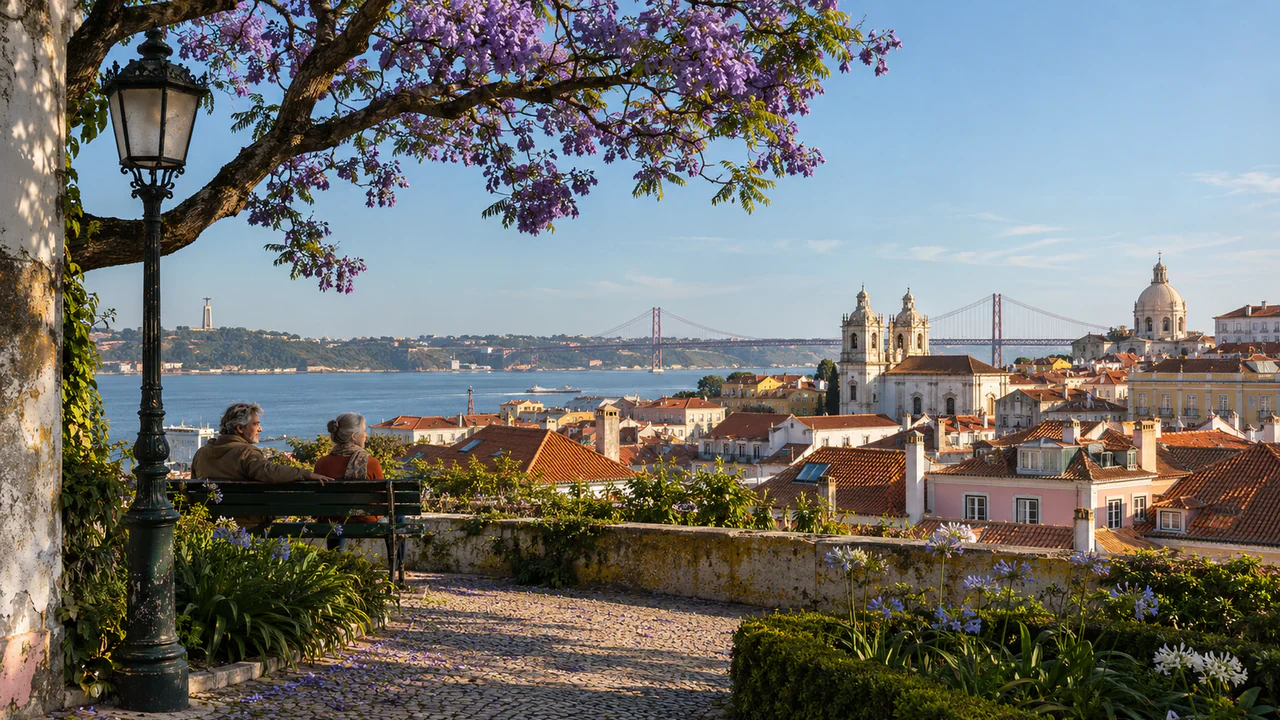
- Start before sunset Under Add a photo, choose a daylight or golden-hour view of streets and buildings with visible windows and lamps. An elevated city view shows more lights switching on than a close portrait.
- Choose city detail or economy In Pick a model, choose Seedance 2.0 Mini for the tier used in both time-lapse examples. MiniMax H3 is another option if sharper building detail matters more than the lower-credit setting.
- Watch the city light up Press Make it move and check the steady framing, deepening sky and windows or streetlights coming on. If the clip only darkens without lights appearing, retry with a photo containing more buildings and visible lamps.
Which photos work best for Day to Night
Works well
- City views, streets and buildings with windows that can light up
- Elevated viewpoints over a town
- Daylight or golden-hour photos
Avoid
- Close portraits with no scenery
- Photos already taken at night
- Indoor rooms
Day to Night examples
Made with Seedance 2.0 FastOld city from above: golden afternoon to amber-lit bridges under stars.Made with Seedance 2.0 Mini · 480pConvertible on a desert highway: sunset to a starry night, mesas in silhouette. What we saw when we tested Day to Night
Both examples were rendered on Seedance 2.0 Mini, the cheapest tier. An elevated view over an old European-style city faded from golden afternoon into pink and blue dusk, then the boulevard and river bridges lit up in amber and the domes glowed under a starry sky. A cream convertible parked on a desert highway went from a blazing sunset to a deep blue night full of stars, the mesas turning into black silhouettes.
This is one of the effects where the cheap tier is enough: a locked camera and slow light change leave little for low resolution to spoil.
Buildings give the model something to switch on. The desert scene darkened beautifully but had no lights to blink on, so it reads as nightfall rather than a city waking up.
How Day to Night does on each model
- Seedance 2.0 Mini · 480p (125 credits · about 3 min) Both examples. Smooth light change and lights blinking on, at the lowest price.$0.13 vs fal $0.36 · 480p · 5s−65% vs fal
- MiniMax H3 (210 credits · about 60 s) Default here, with sharper city detail at 768p for a few more credits.$0.21 vs Runway $0.50 · 768p · 5s−58% vs Runway
- MiniMax H3 · 4s (168 credits · about 60 s) The same transition squeezed into four seconds.$0.21 vs Runway $0.50 · 768p · 5s−58% vs Runway
The prompt behind Day to Night
The light shifts smoothly from late afternoon through blue hour into night: shadows stretch and fade, windows and streetlights blink on one by one, and the sky deepens to indigo while the camera holds steady. Make the change dramatic and unmistakable: it starts in clear bright daylight and by the last second it is fully deep night, with a dark navy sky, stars, and every window, street lamp and building light glowing warm.
Tips for a better Day to Night result
- Choose a view with lots of windows and streetlights.
- Start from a daylight or golden-hour photo so the whole change is visible.
- A photo taken from a height shows the most lights coming on.
Day to Night: questions and answers
Does Day to Night work on a portrait?
It needs scenery. A person in front of a city works; a close-up with no background has nothing to light up.
Is it shot like a tripod time-lapse?
Yes, it holds still like a tripod time-lapse.
Why didn't any lights come on?
There were no buildings or streets in the photo. Landscapes still turn to night, just without windows lighting up.
Do I need the expensive model for a city time-lapse?
No. You can choose Seedance 2.0 Mini at 480p for this effect.
Is it good for a property listing?
It is a popular way to show a building by day and lit up at night. Check the generated details before using it commercially.
Related effects and tools
- Golden Hour · A low beam of sunset light sweeps in and rims you in gold.
- Still in the Rush · Everyone blurs past in fast-forward. You don’t move.
- Drone Rise · Lift off into a sweeping aerial opening shot.
- Fog Roll · A low bank of fog rolls in while you stay sharp.
- Crop the time-lapse to 9:16 with Resize Video

 Your photo

