


by AlibabaVideoTop

Wan 3.0
Up to 30-second clips with synced audio
- Up to 1080p
- 2–30s clips
- Sound included
- Start and end frames
- Up to 10 reference images
- 5 aspect ratios
From 34 credits for a 5-second clip≈ $0.34· Create Video
What is Wan 3.0?
Wan 3.0 is Alibaba's main video model and covers the whole job in one place: text to video, image to video, scenes built from reference photos and clips, and extending a clip you already have. Clips run from 2 to 30 seconds at up to 1080p, with audio generated alongside and already in sync.
Best on PopNow for: Vertical social clips with sound at a sensible price, product turns that loop back to the hero angle, and keeping one character through a short series.
Good for
- Vertical clips for social feeds, ready to post with sound
- A product turning on the spot that loops back to the hero angle
- Keeping the same character across every shot of a short series
Use casesProduct videos
What Wan 3.0 does well
Any length from 2 to 30 seconds
Pick the exact number of seconds you need instead of fixed five or ten second steps. A two second loop for a banner and a 30 second scene use the same model.
Product films that loop
Use the packshot as both the first and the last frame and the move returns exactly to where it started, which makes clean loops for shop pages and ads.
References for a stable cast
Reference mode takes up to 10 images, 5 clips and 5 voice files, so a host or mascot keeps the same face and voice across episodes.
Real results from Wan 3.0
Every image and clip here was generated with Wan 3.0. Hit Recreate to open it in the studio with the same prompt and settings.
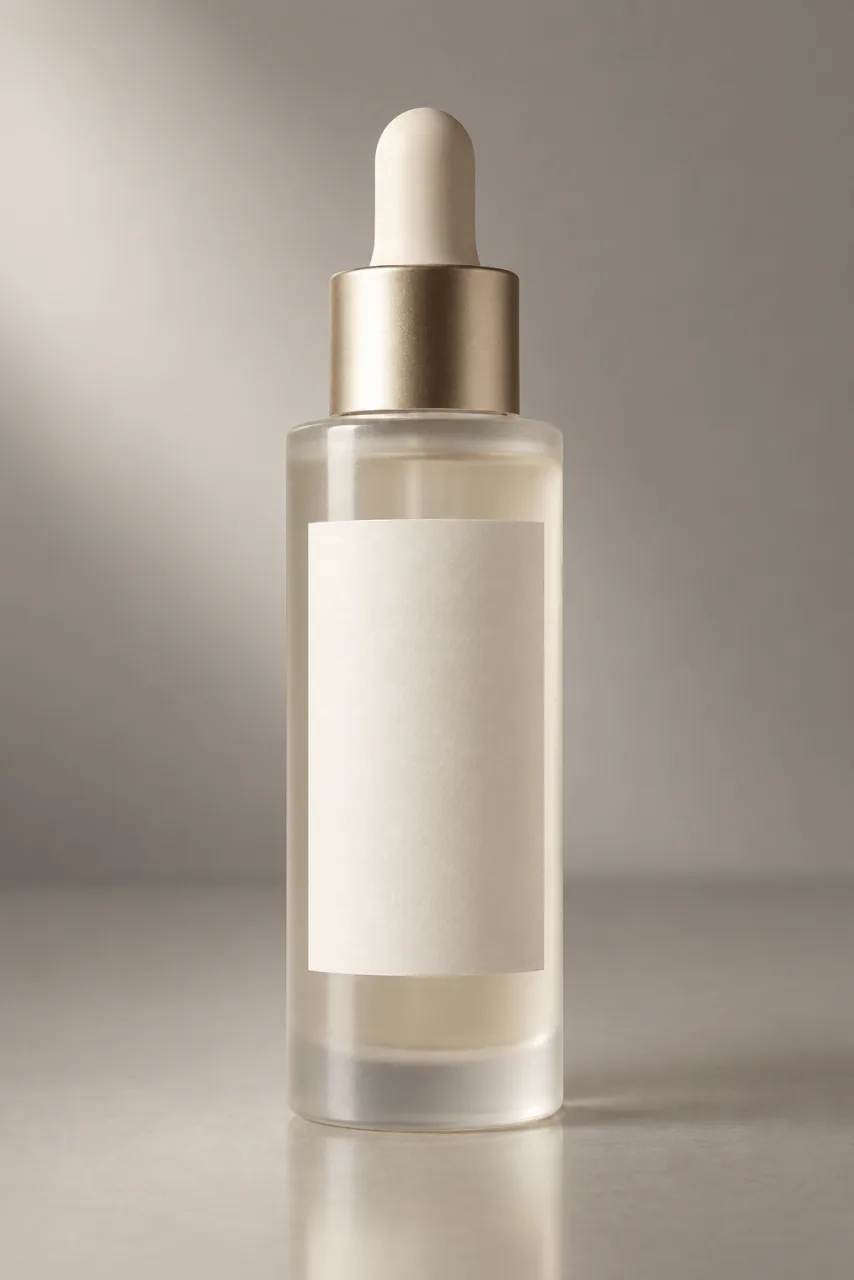 Input
InputBring your own image
No prompt, just the settings
Prompts that worked on Wan 3.0
Real outputs with the exact prompt we used, and why it worked. Hit Recreate to try the same settings.
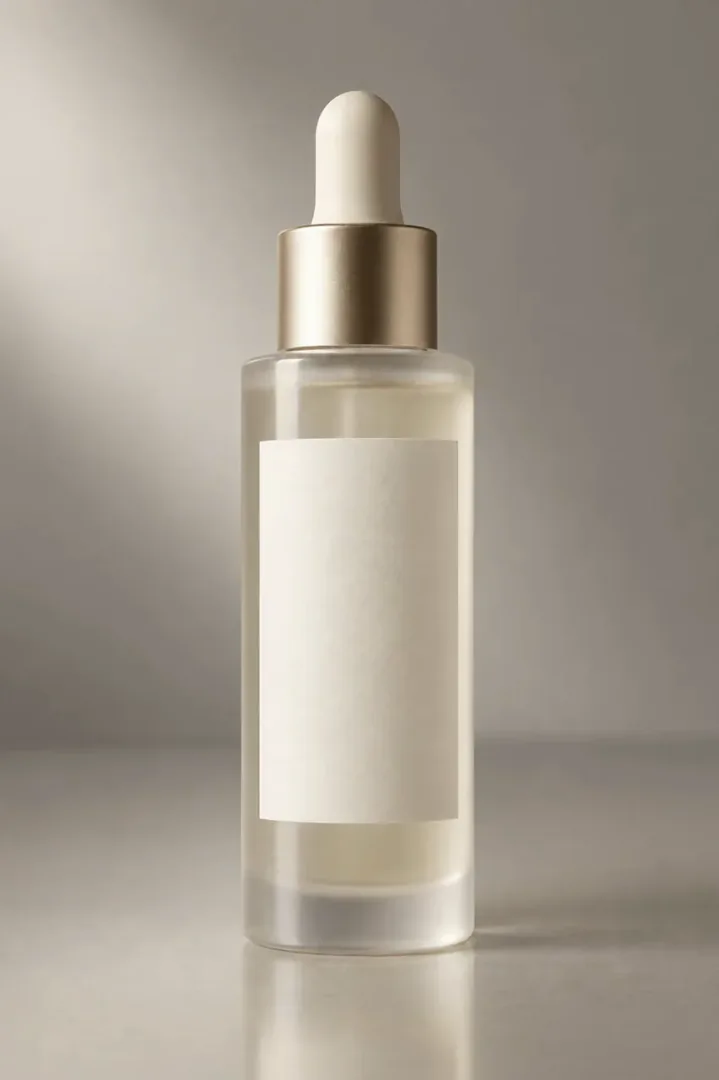
The bottle rotates a quarter turn so the highlight travels across the glass, then returns to its starting angle. Locked camera, single soft key from the left, no music.
A locked camera, one simple move (a quarter turn and back) and the same image as start and end frame. Keeping the action that small is what makes the loop seamless.
Recreate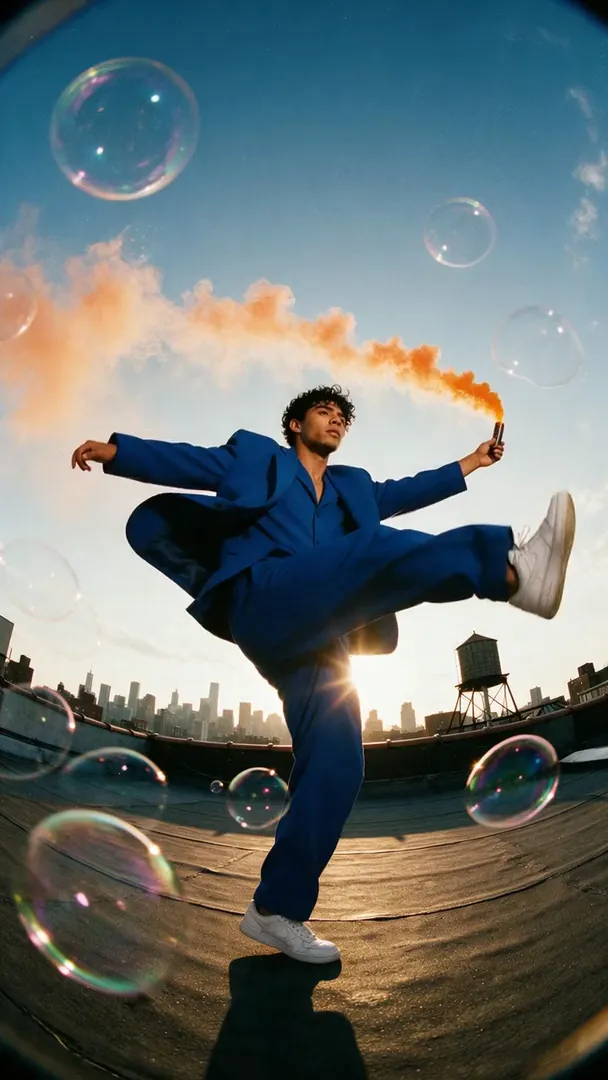
Handheld fisheye camera circles the dancer as he lands the spin and snaps into sharp, rhythmic street-dance moves, the oversized blue jacket flaring, the orange smoke flare drawing spirals in the air, soap bubbles drifting past the low golden sun. Energetic, joyful, keep his face and outfit consistent, no text.
The camera is part of the prompt: a handheld fisheye that circles the dancer. Wan responds well to one named camera move per clip.
RecreateWhat Wan 3.0 can do
Each mode opens in the studio with Wan 3.0 already picked. The price shows before you generate.
 Create VideoGenerate a video clip from a text prompt.From 34 creditsfor a 5-second clip480p 34 · 720p 68 · 1080p 135
 Image to VideoBring a still image to life with motion and sound.From 34 creditsfor a 5-second clip480p 34 · 720p 68 · 1080p 135
 Reference to VideoKeep characters, outfits and places consistent from your references.From 34 creditsfor a 5-second clip480p 34 · 720p 68 · 1080p 135
 Extend VideoContinue a clip from where it ends for a longer shot.From 34 creditsfor a 5-second clip480p 34 · 720p 68 · 1080p 135
Best ways to use Wan 3.0 on PopNow
Where this model already does the work for you, from one-tap apps to the full studio.
Effects with sound
Some effects in the library can run on Wan 3.0 when you want a longer or wider result.
OpenProduct videos for your shop
Turn one product photo into a short looping clip for listings and ads.
OpenMovie scenes
The Movie app lets you pick Wan 3.0 for scenes that need sound and a flexible length.
OpenHow to prompt Wan 3.0
- Write it in order: one subject, one action, one camera move, then a note each for light and sound.
- For a product film, use the packshot as the first frame and again as the last frame so the move lands back where it started.
- Settle the shot at five seconds first. Longer clips drift more in faces and geometry.
Settings worth knowing
Everything else has a sensible default, so you can type a prompt and go.
resolution480p · 720p · 1080p- Output size. Bigger sizes look sharper and cost more.
aspect_ratio16:9 · 9:16 · 1:1 · 4:3 · 3:4- The shape of the frame: wide, square or tall.
duration_seconds2–30s- How long the clip runs. You pay per second.
generate_audio- Adds sound made to match the picture: voices, ambience and effects.
reference_image_urls≤ 10- Pictures of the people, outfits or places the result should keep.
image_url- The picture to start from.
last_image_url- Optional final frame, so the clip ends exactly where you want.
reference_video_urls≤ 5- Clips whose motion, camera or style the result should follow.
reference_audio_urls≤ 5- Audio to match: a voice, music or a rhythm.
How it compares
Same kind of job, different strengths and prices.
Wan 3.0 Pro renders the same kinds of shots at 1080p, 2K or 4K for a higher price. Plain Wan 3.0 is the better value for drafts and social clips.


Where Wan 3.0 falls short
- Longer clips drift more: faces and room geometry hold best up to about five to ten seconds.
- It tops out at 1080p. For 2K or 4K, Wan 3.0 Pro renders the same kinds of shots sharper.
- A 30 second 1080p clip takes several minutes, so test the idea at five seconds first.
How to use Wan 3.0 in three steps
- Choose Wan 3.0 in the video studio and pick text, image, reference or extend.
- Describe one subject, one action and one camera move, then a line each for light and sound.
- Render five seconds at 720p, then set the final length and resolution.
Questions about Wan 3.0
How much does Wan 3.0 cost?
On PopNow, the cheapest run of Wan 3.0 costs 34 credits ($0.34) for a 5-second clip. Larger sizes cost more: 480p 34 · 720p 68 · 1080p 135. You pay with credits (1 credit = $0.01), the exact cost shows on the Generate button before you start, and failed generations are refunded automatically.
How long and how sharp are Wan 3.0 videos?
Clips run 2–30s at up to 1080p, with sound generated along with the picture.
How long can a Wan 3.0 video be?
From 2 to 30 seconds in one clip, in whole seconds. You can also extend a finished clip to keep a scene going.
Does Wan 3.0 make sound?
Yes. Audio is generated with the picture by default, so footsteps, rain and music land on the right frames.
What is the difference between Wan 3.0 and Wan 3.0 Pro?
Pro renders the same kinds of shots at 1080p, 2K or 4K and costs more. Plain Wan 3.0 is the better value for drafts and social clips at up to 1080p.
Can I make a seamless loop with Wan 3.0?
Yes. In image to video, use the same picture as the first and last frame and keep the action small, like a turn and return.
What is Wan 3.0 Prime?
Prime is the high-speed version of Wan 3.0 with exactly the same modes and settings. It costs more per second, so plain Wan 3.0 is the everyday choice and Prime is for days when the clip has to come back sooner.
Wan 3.0 or Wan 3.0 Pro?
Wan 3.0 Pro renders the same kinds of shots at 1080p, 2K or 4K for a higher price. Plain Wan 3.0 is the better value for drafts and social clips.
Make something with Wan 3.0
Pick the exact length you need, add sound in the prompt and let Wan 3.0 do the rest.