


by MiniMaxVideoREC

MiniMax H3
Expressive clips with audio, up to 2K
- Up to 2K
- 4–15s clips
- Sound included
- Start and end frames
- Up to 9 reference images
- 6 aspect ratios
From 28 credits for a 5-second clip≈ $0.28· Create Video
What is MiniMax H3?
MiniMax H3 is a video model from MiniMax that turns a sentence, a still image or a handful of reference photos into a short clip with the soundtrack already baked in. It is the quickest and cheapest way on PopNow to get a moving, talking scene, and it is the engine behind most of our one-tap effects.
Best on PopNow for: Turning a photo you already like into a 5 to 10 second clip with sound, keeping one character across a series, and drafting ideas fast before you spend more on a 4K model.
Good for
- Vertical 9:16 clips with sound for social feeds
- The same character across a series, from reference photos
- Longer scenes built one 15-second shot at a time
Use casesProduct videos Real estate videos Fashion lookbooks Architecture renders
What MiniMax H3 does well
Sound comes with the picture
You never add a soundtrack afterwards. Write "rain on the window, a kettle starting to whistle" in the prompt and those noises arrive in the same file, timed to what happens on screen. Short spoken lines in quotes come back voiced too.
Nine photos, one consistent cast
Reference mode takes up to nine images plus a few short clips or voice samples. Give each picture one job, like the person, the jacket or the room, and the character keeps the same face and outfit from shot to shot.
Quick enough to iterate
A text prompt usually comes back in well under a minute, so you can try five versions of an idea in the time a heavier model renders one. Draft at 768p, then rerun the keeper at 2K.
Real results from MiniMax H3
Every image and clip here was generated with MiniMax H3. Hit Recreate to open it in the studio with the same prompt and settings.
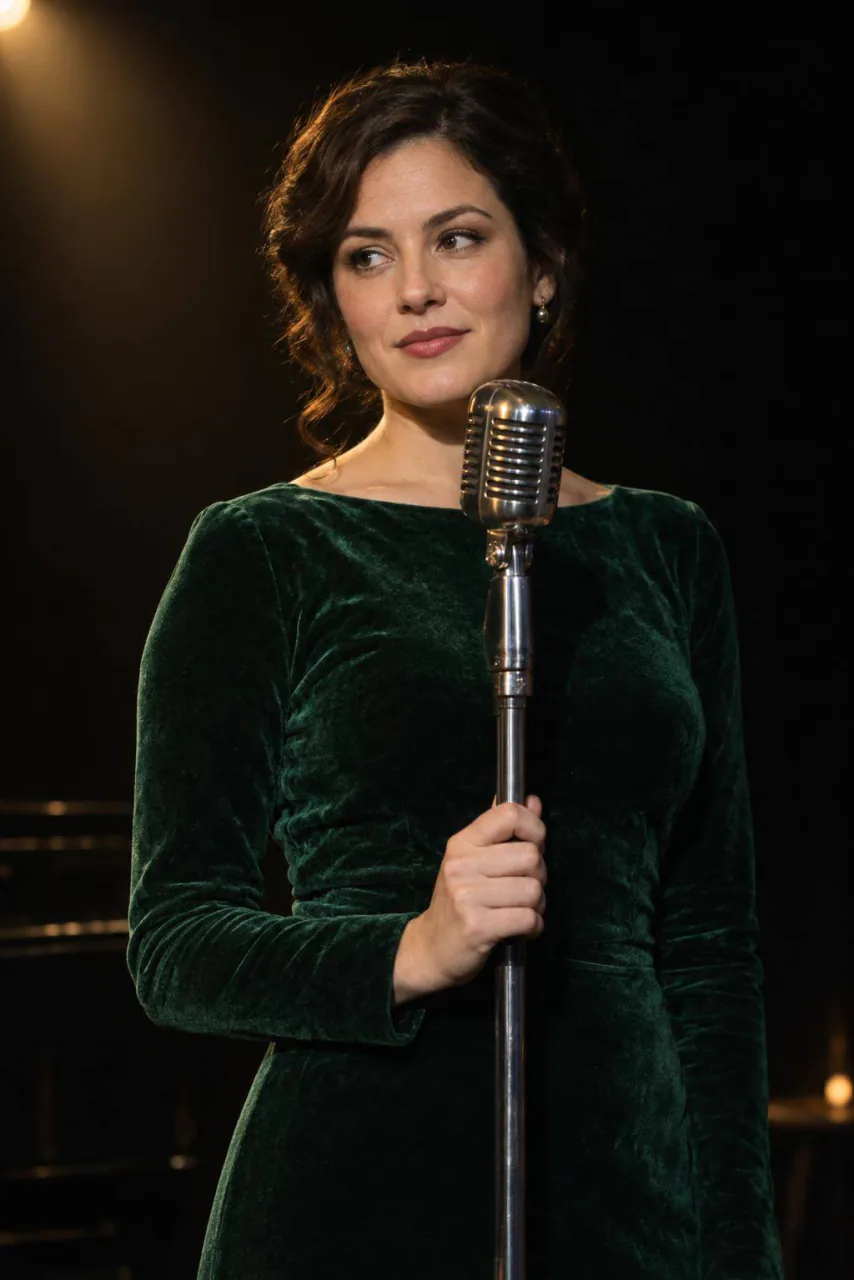 Input
InputBring your own image
Prompts that worked on MiniMax H3
Real outputs with the exact prompt we used, and why it worked. Hit Recreate to try the same settings.
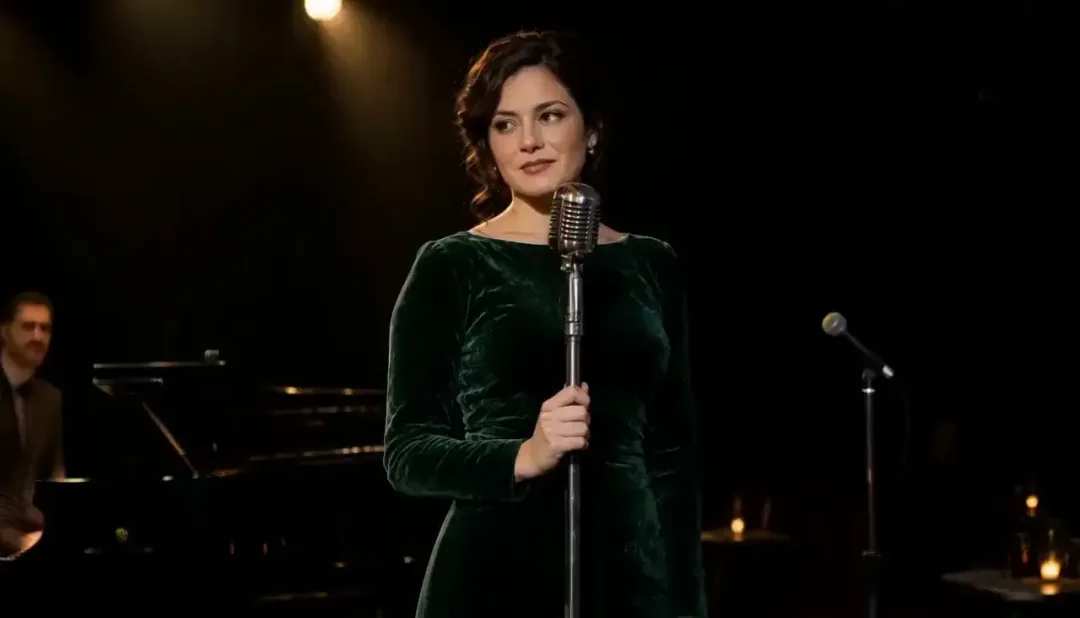
Picture 1 is the performer, Picture 2 is the stage lighting. She leans into the microphone and delivers one line, then smiles. Small club, warm reverb, a murmur from the crowd.
Each reference is named in the prompt (Picture 1 is the performer, Picture 2 the lighting), so H3 knows which photo sets the face and which sets the stage. The spoken line is short enough to fit five seconds.
Recreate
The woman hands the giant lilac ice cream cone out of the van window; the older man takes it with both hands, laughs and raises it like a trophy as she claps. Bright summer daylight, slow push-in, joyful and natural.
The prompt only describes motion and a reaction: who hands what to whom, and the laugh that follows. Because the look came from the starting still, the words could stay focused on timing.
RecreateWhat MiniMax H3 can do
Each mode opens in the studio with MiniMax H3 already picked. The price shows before you generate.
 Create VideoGenerate a video clip from a text prompt.From 28 creditsfor a 5-second clip768p 28 · 2K 44
 Image to VideoBring a still image to life with motion and sound.From 28 creditsfor a 5-second clip768p 28 · 2K 44
 Reference to VideoKeep characters, outfits and places consistent from your references.From 28 creditsfor a 5-second clip768p 28 · 2K 44
 Extend VideoContinue a clip from where it ends for a longer shot.From 28 creditsfor a 5-second clip768p 28 · 2K 44
Best ways to use MiniMax H3 on PopNow
Where this model already does the work for you, from one-tap apps to the full studio.
One-tap video effects
Most effects in the PopNow library run on H3 by default. Pick an effect, drop in a selfie and it handles the prompt for you.
OpenA recurring character for your channel
Upload three or four photos of the same person and reuse them for every episode, so your host looks the same each week.
OpenShort films scene by scene
Build a longer story out of 10 to 15 second shots, each continuing from the last frame of the previous one.
OpenHow to prompt MiniMax H3
- Describe the sound the same way you describe the shot: what's playing, what the room sounds like, who says what.
- To keep a character, use reference to video with three or four clear photos, one job each, and call them Picture 1, Picture 2 in the prompt.
- Draft at 768p until the timing works, then rerun the keeper at 2K.
Settings worth knowing
Everything else has a sensible default, so you can type a prompt and go.
resolution768p · 2K- Output size. Bigger sizes look sharper and cost more.
aspect_ratio16:9 · 9:16 · 1:1 · 4:3 · 3:4 · 21:9- The shape of the frame: wide, square or tall.
duration_seconds5–15s- How long the clip runs. You pay per second.
reference_image_urls≤ 9- Pictures of the people, outfits or places the result should keep.
image_url- The picture to start from.
last_image_url- Optional final frame, so the clip ends exactly where you want.
reference_video_urls≤ 3- Clips whose motion, camera or style the result should follow.
reference_audio_urls≤ 3- Audio to match: a voice, music or a rhythm.
video_url- The clip to work on.
How it compares
Same kind of job, different strengths and prices.
MiniMax H3 Max is the fast-generation variant, with an optional closing frame but no reference mode and no 2K. H3 is the all-rounder.


Where MiniMax H3 falls short
Words alone don't pin down a person: faces and outfits are decided fresh on every run. For the same character twice, start from an image.
- Text alone will not reproduce the same face twice. Start from an image or use reference mode when continuity matters.
- There is no 1080p middle step: it is 768p for drafts or 2K for the final.
- Fast action with lots of small parts, like a crowd of dancers, can smear at 768p. Rerun those at 2K.
How to use MiniMax H3 in three steps
- Open the video studio with MiniMax H3 selected and choose text, image or reference mode.
- Describe the action, the camera move and the sound you want. Add a photo if the look matters.
- Pick 768p and 5 seconds for a first try, check the price on the button, then generate.
Questions about MiniMax H3
How much does MiniMax H3 cost?
On PopNow, the cheapest run of MiniMax H3 costs 28 credits ($0.28) for a 5-second clip. Larger sizes cost more: 768p 28 · 2K 44. You pay with credits (1 credit = $0.01), the exact cost shows on the Generate button before you start, and failed generations are refunded automatically.
How long and how sharp are MiniMax H3 videos?
Clips run 4–15s at up to 2k, with sound generated along with the picture.
Does MiniMax H3 make videos with sound?
Yes, every clip comes back with audio. You do not switch it on: describe the ambience, music or a short line of dialogue in the prompt and H3 generates it along with the picture.
How long can a MiniMax H3 video be?
Each clip runs 5 to 15 seconds. For longer scenes, extend a finished clip from its last frame and keep going one shot at a time.
How do I keep the same character in every MiniMax H3 clip?
Use reference to video with three or four clear photos of the person and refer to them as Picture 1, Picture 2 and so on in the prompt. A face described only in words is redrawn on every run.
Should I choose 768p or 2K?
Start at 768p while you work out the timing and the camera move, because it is cheaper and quicker. Once a take works, rerun the same prompt at 2K for sharper detail.
Is MiniMax H3 good for vertical social videos?
Yes. It supports 9:16 alongside 16:9, 1:1, 4:3, 3:4 and 21:9, and because the sound is already in the file, a vertical clip is ready to post straight from the download.
Can I try MiniMax H3 for free?
Yes. A 5-second clip at 768p costs 28 credits and every new account starts with 30, so the sign-up credits cover the first one. 2K costs 44 credits for the same 5 seconds and longer clips cost more per second; the button shows the exact price before you generate.
MiniMax H3 or MiniMax H3 Max?
MiniMax H3 Max is the fast-generation variant, with an optional closing frame but no reference mode and no 2K. H3 is the all-rounder.
Make something with MiniMax H3
Start with a photo and one line of action. H3 usually answers in under a minute, so the second try is cheap.