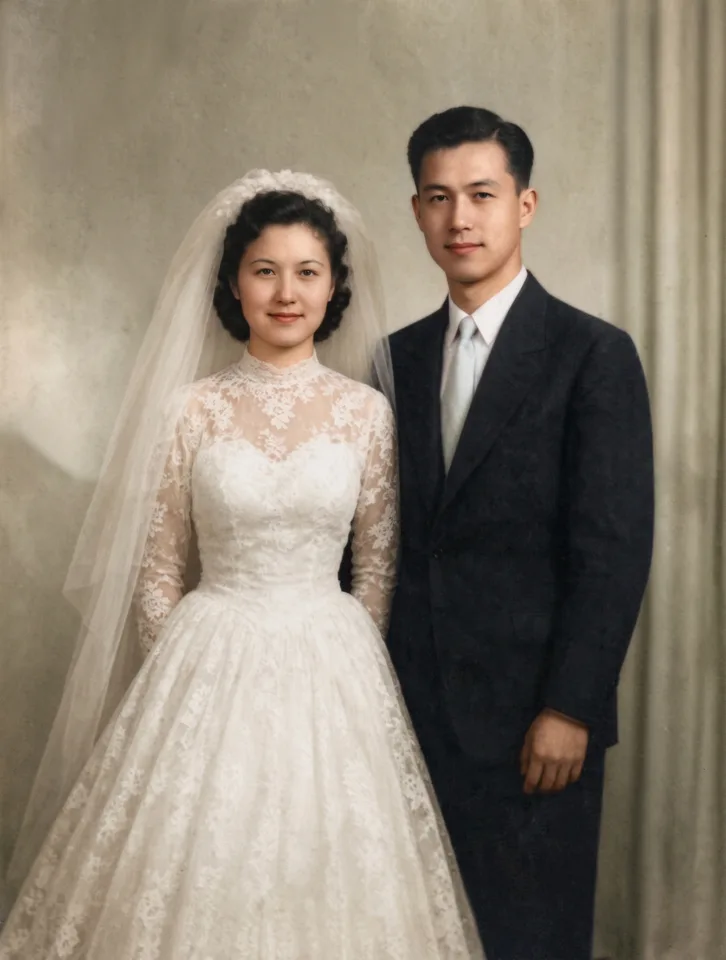
What this photo restoration AI does
Upload a scan or a phone photo of an old print. The AI removes scratches, dust, cracks, creases, stains and torn corners, brings back faded contrast and corrects color casts, and rebuilds detail in faces, hair and clothes. It keeps every person exactly the same: same face, expression, glasses and clothes, nobody added or removed. Turn on Add color to colorize a black and white photo, and Bring it to life to get a short clip of the people smiling and moving. One photo takes 11 credits.
Questions
Can I restore old photos for free?+
You can try it free: new accounts get 30 free credits and one HD restoration takes 11. After that you pay per photo with credits; there is no subscription.
Will it change how my family looks?+
No. The restoration is told to keep every person exactly the same: face shape, eyes, nose, expression, age, skin tone, glasses and clothes. It repairs the photo, it does not retouch or beautify anyone.
How do I colorize a black and white photo?+
Turn on Add color before you press the button. The AI picks natural, period-appropriate colors. If you remember a color, like a blue dress, write it in Add a detail and it will use it.
Can it fix torn corners and big cracks?+
Yes. Missing corners, cracks and fold lines are filled in to match the rest of the picture. If a face itself is torn away, the AI can only guess, so keep the original too.
How do I make an old photo move?+
Turn on Bring it to life, pick a motion and a length. After the photo is restored, MiniMax H3 turns it into a 5-second clip of the people blinking, smiling and moving a little.
What is the best way to scan an old photo?+
A flatbed scanner at 600 dpi is best. With a phone, lay the print flat in soft daylight, hold the phone straight above it and avoid glare. Uneven edges are fine: Remove paper edge crops them away.
Are my photos private?+
Your uploads and results are only in your account. They are not shown in any public gallery unless you choose to share them.



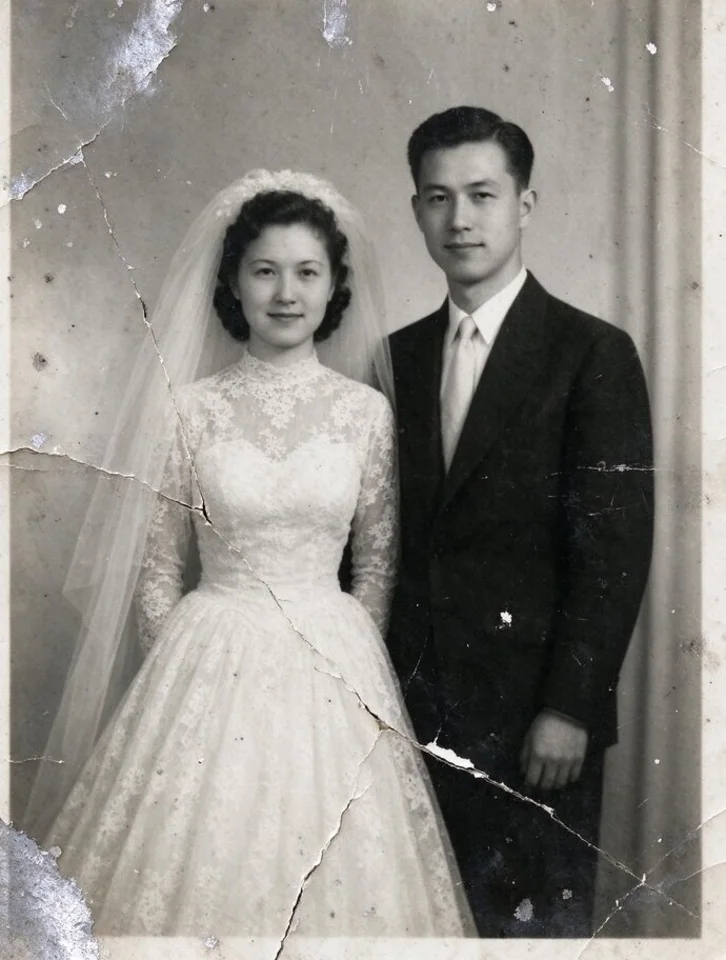 Example