Questions
How do I invert the colors of a picture?
Upload the picture and keep the Negative preset. Every color is replaced by its opposite instantly. Drag the divider to compare with the original, then download the result as PNG or JPG.
Can I turn a film negative into a normal photo?
Yes. Take a photo or scan of the negative, upload it and choose Scan a negative. It inverts the colors and stretches each channel to remove the orange tint of color film. Fine-tune with Contrast.
What does inverting only the brightness do?
Flip brightness turns light areas dark and dark areas light but keeps every hue, so a blue sky stays blue. It is useful for screenshots, diagrams and drawings.
Is it free, and is my photo uploaded?
It is free with no sign-up and no watermark. The colors are inverted by your own browser, so the photo stays on your device unless you choose Send to.
Does it work with transparent PNG files?
Yes. Only the colors are inverted; transparent areas stay transparent. Download a PNG to keep them, because JPG fills transparency with white.
How do I invert a picture on my phone?
Open this page in Safari or Chrome on your phone, tap Upload photo and choose a picture from your gallery. The negative appears immediately; tap PNG or JPG to save it to your downloads or photos.
Can I invert just part of an image?
Not directly in this tool, which inverts the whole frame. Invert the full picture, then use Send to and the AI Eraser or the draw-to-edit tool to bring back the areas you want to keep.
Why does my scanned negative still look orange or blue?
The film base or the light you photographed it on was not even. Make sure the negative fills the frame without background around it, then fine-tune with Contrast; borders and sprocket holes skew the automatic color stretch.
What is the difference between invert and the X-ray effect?
X-ray is a black-and-white negative with a little extra contrast, so outlines and highlights glow white on a dark ground. Plain invert keeps colors and simply swaps each for its opposite.
Does inverting reduce the image quality?
No. The calculation is exact, so no detail is lost. Download a PNG for a pixel-perfect copy; a JPG is saved at high quality and is noticeably smaller, which suits sharing.
Can I make a negative of a black and white photo?
Yes. Choose All colors, or turn on Black & white too if the photo has a slight tint. Old black-and-white negatives work the same way in reverse: photograph them on a light box and invert.
Go deeper
Before and after: what changes
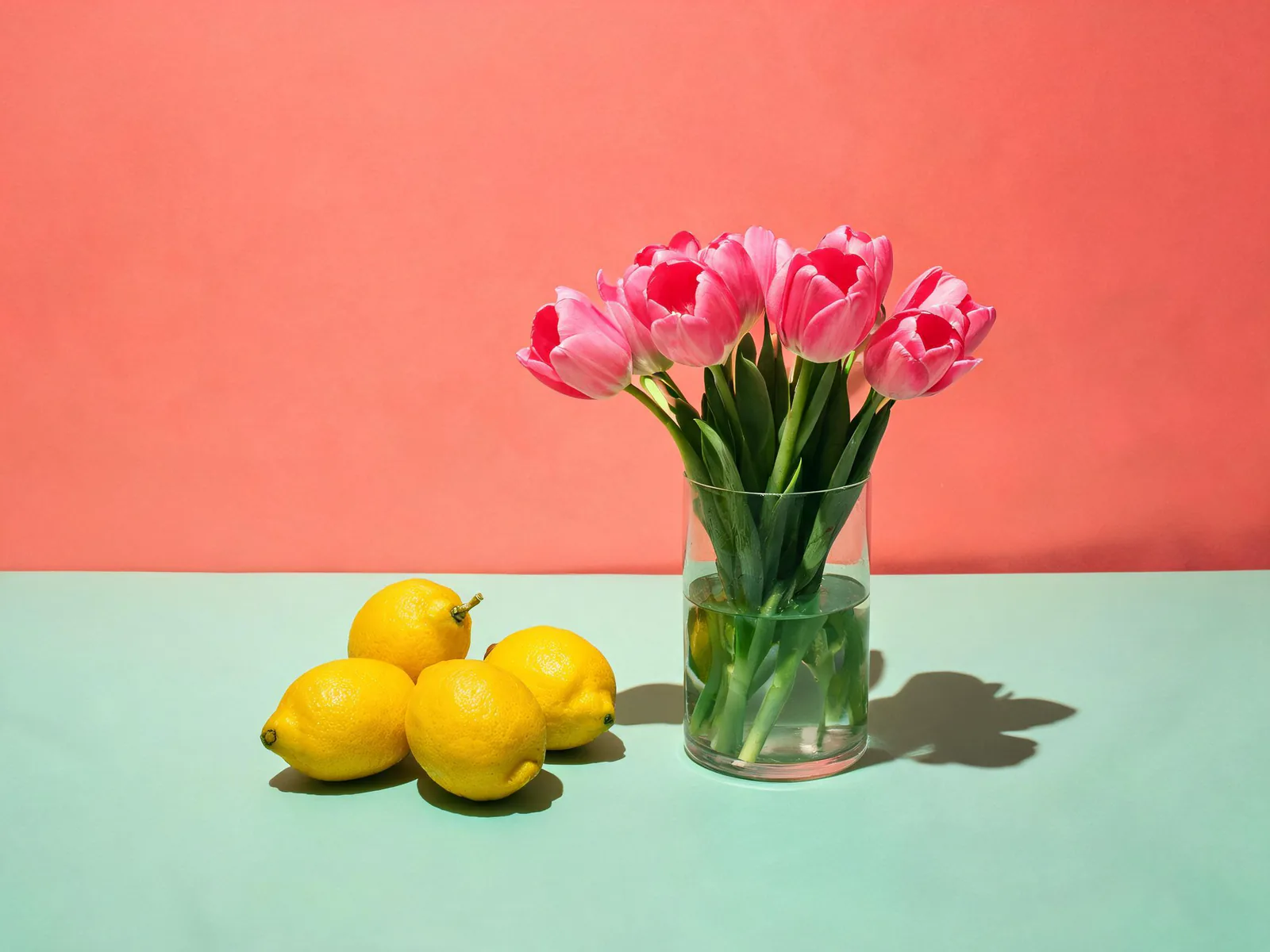
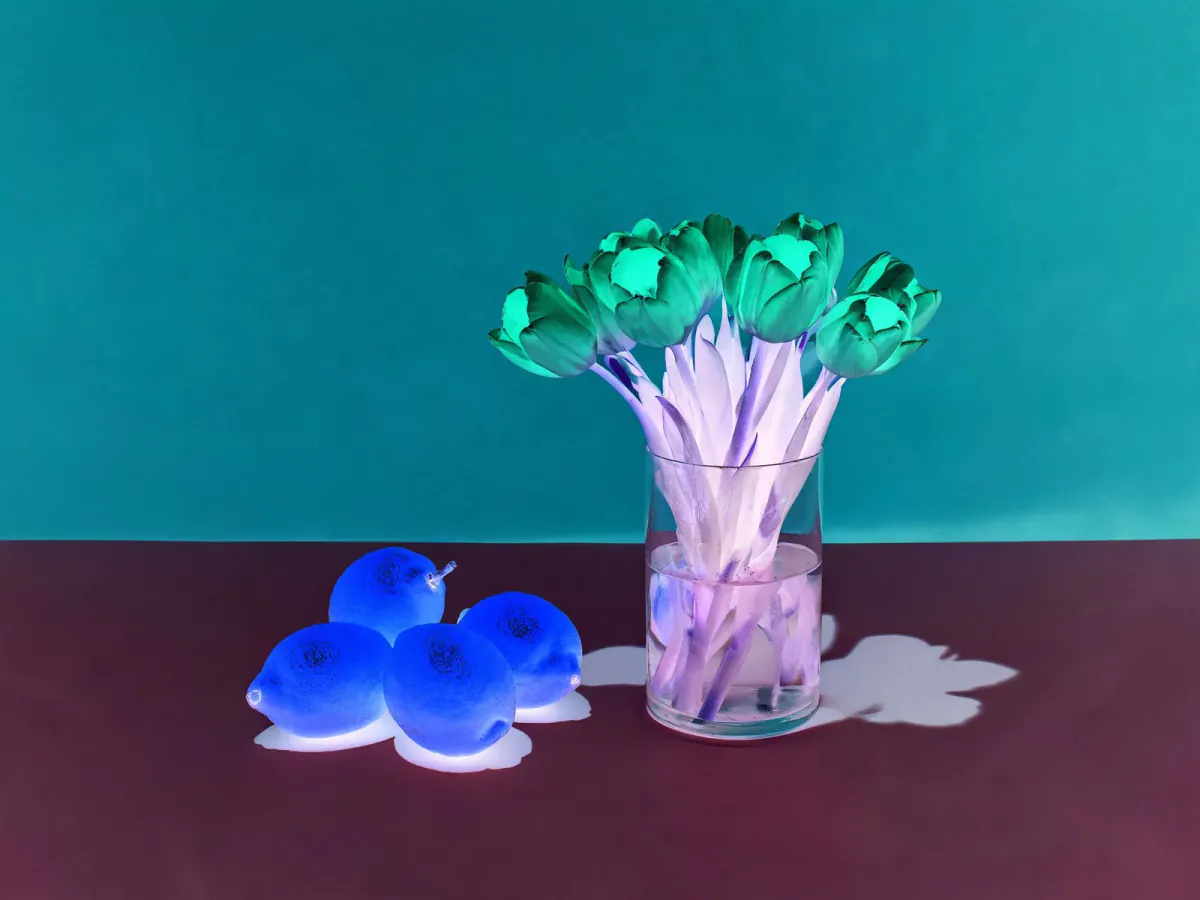
An inverted photo is the mirror image of its colors rather than its shape: every pixel moves to the far side of the color wheel and the brightness scale, so a sunny scene turns into a dark, glowing negative while every outline stays exactly where it was.
- What changes
- Each red, green and blue value is subtracted from 255. White 255, 255, 255 becomes black, a yellow lemon becomes blue and a coral wall becomes teal. Flip brightness and One channel change only part of that, and Film negative also rescales each channel.
- What stays the same
- Size, sharpness, framing and transparency are untouched. The download has exactly the same pixel dimensions as the picture you opened, up to 2048 px on the long side, so it lines up perfectly with the original if you layer them in an editor.
- What to look at when you compare
- Drag the divider across a face or a sky: in a true negative, skin turns blue-green and a blue sky turns amber. If you scanned a real negative, check that whites look neutral; if they lean pink or green, raise or lower Contrast.
Images that invert into something striking, and ones that turn muddy
Works well
- Bold, saturated pictures such as flowers, fruit, neon signs or a colorful street, which flip into equally bold opposite colors.
- Phone photos or scans of old color or black-and-white film negatives, held against a bright, even light source.
- Line drawings, diagrams and dark-mode screenshots, which become clean light versions with Flip brightness.
Avoid
- Mostly gray or beige photos: their opposite is another gray, so the negative looks flat rather than dramatic.
- Negatives photographed with a lamp or window reflection on them, because the glare becomes a dark blotch after inverting.
- Heavily compressed images from messaging apps, where hidden JPEG blocks become visible once the tones are reversed.
Step by step
- Open a picturePress Upload photo, drop a file on the page, paste one with Ctrl or Cmd + V, or pick from your library. The lemon still life loads first so you can see the effect right away.
- Choose what to flipUnder Invert, pick All colors for a classic negative, Brightness to keep hues, One channel to flip red, green or blue only, or Film negative to rescue a scanned strip.
- Shape the resultTurn Black & white on for an X-ray style image, push Contrast up or down, and lower Amount if you want the inverted look only partly mixed in.
- Compare and saveSlide the divider to check before and after, then download a PNG or JPG or use Send to to keep editing the inverted picture in another app.
What each invert mode does to the pixels
- All colors
- The classic formula: new value = 255 minus old value, for red, green and blue separately. Applying it twice returns the original, which is why designers use it to check contrast and spot dust on scans.
- Brightness only
- The picture is split into brightness and color (the YCbCr model used by JPEG). Only brightness is reversed, so hues survive: a red shirt stays red but a light background goes dark.
- One channel
- Only the red, green or blue values are reversed. Inverting red gives cyan skies and pink foliage, inverting blue turns whites yellow, which makes an eye-catching color shift for posters and album art.
- Film negative
- After inverting, each channel is stretched between its darkest and brightest 0.5 percent. Color negative film has an orange base layer; stretching the channels separately cancels that cast without manual color balancing.
Where to go next