Meme generator
A meme generator puts short, punchy text on a picture so it reads as a joke at a glance: white letters with a black outline at the top and bottom, a white caption bar above the photo, or a black poster frame with a big title. This one works on your own pictures, a PopNow creation or one of eight blank example images made for this tool, so you are never using someone else's copyrighted template. Type the top and bottom lines, add more captions or emoji stickers anywhere, drag, resize and rotate them on the picture, and pick one of five fonts. Download a PNG or JPG, copy it straight to the clipboard, or export an animated GIF where the text pops in, shakes, blinks or types itself out. It all runs in your browser, with no account and no watermark.
Questions
How do I make a meme with my own picture?
Upload the picture, type the top and bottom text and download. The Classic preset gives you the familiar white meme letters with a black outline; drag the text if it covers a face, or switch the layout to put the caption above the photo.
Does this meme generator have templates?
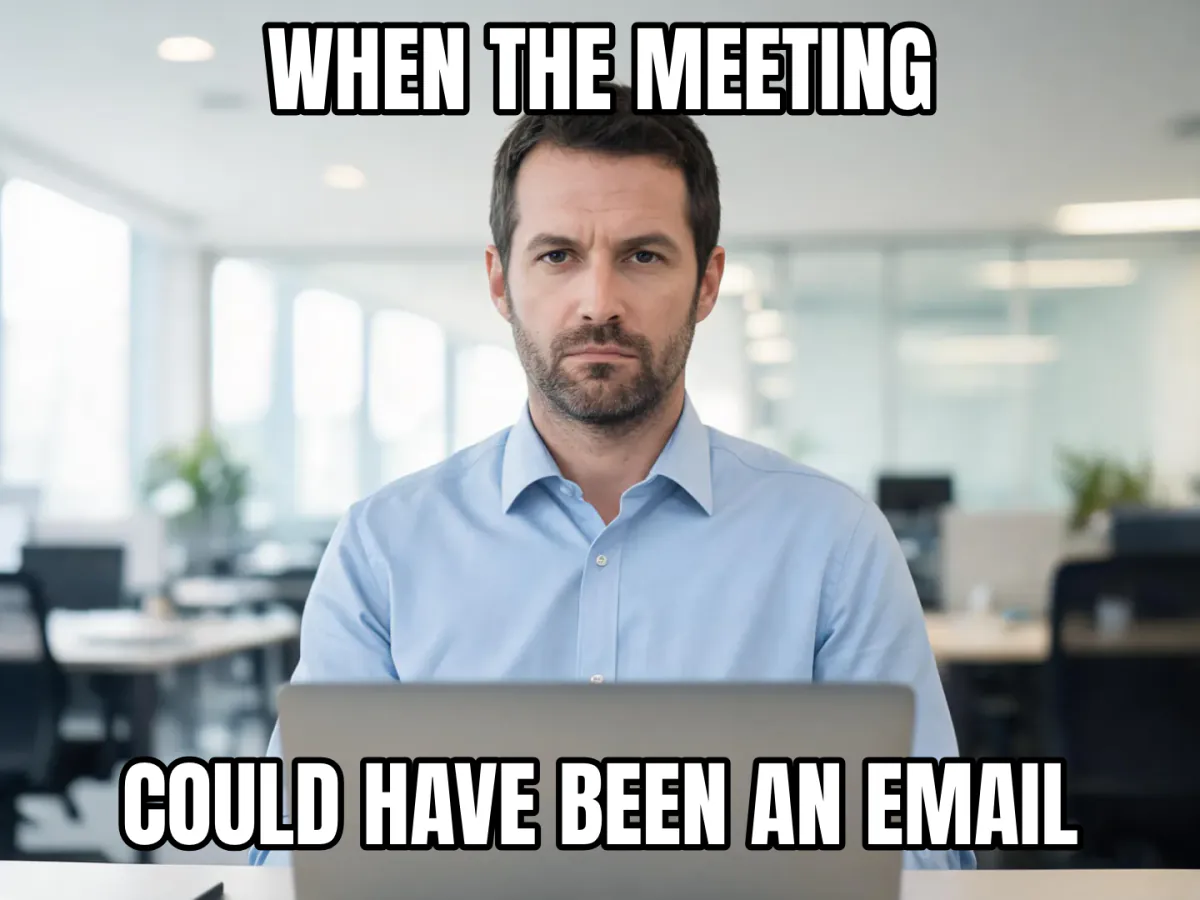
It has eight blank example images made for PopNow, such as a deadpan office worker, a judging cat and a confused corgi, each with sample text. It does not include famous meme templates, because those pictures belong to other people; upload a picture you have the right to use instead.
Can I add more than two lines of text?
Yes. Press Add text to place another caption anywhere, up to eight in total, and Add sticker for emoji. Drag any of them, pull the corner handle to resize and the top handle to rotate.
Can I make an animated meme GIF?
Yes. Choose a GIF animation (Pop, Shake, Blink, Zoom or Type) and press GIF. The text animates over a two second loop on your still picture. To caption a video clip instead, use the video to GIF tool.
Is it free, and is my picture uploaded?
It is free with no sign-up and no watermark. The meme is drawn by your own browser, so your picture stays on your device. It is only uploaded if you choose Send to, to keep editing in another PopNow app.
Which font do memes use?
Classic memes use a tall, bold condensed font with a black outline. Here the Classic font is Anton, an open-source font with the same look; Modern, Rounded, Marker and Serif are there for caption bars, comics and posters.
What size should a meme be?
The PNG keeps the picture's long side at up to 1600 px, which looks sharp on every social network. For chats and comments, a 480 px GIF or a JPG is lighter and loads instantly on mobile data.
Can I use famous meme templates?
This tool doesn't host famous templates, because those pictures are owned by other people. You can upload any picture you have the right to use, start from one of the blank examples, or create your own base picture with PopNow first.
How do I make text that is not white?
Pick Text color and Outline color under the presets, or try Marker yellow and Comic. For dark text on a white strip, choose the Caption bar layout, which adds a clean white band above the picture.
Why does my text look different in the GIF?
The GIF uses a smaller size and at most 256 colours per frame, so outlines can look slightly softer. Choose a GIF size of 640 px for crisper letters, or download the PNG when you don't need movement.
Can I put emoji on a meme?
Yes. Press Add sticker and pick from 28 emoji, then drag, resize or rotate them like text. They use your device's own emoji style, so the same meme can look a little different on iPhone, Android and Windows.
Does the meme generator work on my phone?
Yes. It runs in mobile Safari and Chrome: one finger drags text and stickers, the corner handle resizes and Copy image puts the meme on your clipboard so you can paste it into WhatsApp, Telegram or iMessage.
Go deeper
Before and after: what changes
You start with a plain picture, maybe a selfie, a pet photo, a screenshot or something you made in PopNow, and finish with a share-ready meme: a short line of bold outlined text that turns the picture into a reaction everyone recognises.
- What changes
- Text and stickers are drawn on top of the picture, or around it in the Caption bar and Poster layouts, which add a white strip above the photo or a black frame with a title underneath. If you pick a crop ratio, the picture is trimmed to 1:1, 4:5, 9:16 or 16:9.
- What stays the same
- The photo itself is not retouched, regenerated or filtered. Pixels outside the text, stickers and frame are your original pixels, and the full-size PNG keeps the long side at up to 1600 px so it stays sharp when people zoom in.
- What to look at when you compare
- Check that the text does not cover the face or the detail that makes the joke, that each line reads at phone-thumbnail size, and that light text sits on a dark outline. If a line wraps into three rows, shorten it rather than shrinking the size.
Pictures that make funny memes, and ones that fall flat
Works well
- A face or animal with one clear expression, such as disbelief, smugness, panic or boredom, centred with some empty space above and below for the text.
- Everyday situations people instantly relate to: a desk on Monday, a burnt dinner, a messy room, a pet staring at you.
- Your own photos and PopNow creations, which you are free to share, rather than screenshots of films or other people's posts.
Avoid
- Busy pictures where every corner is full of detail; the outlined letters lose contrast, so switch to the Caption bar layout or crop tighter.
- Tiny chat thumbnails and heavily compressed images, which look blocky next to crisp text once the meme is exported at full size.
- Photos of private people who have not agreed to it, or famous meme pictures you don't own; use a picture you have the right to share.
Step by step
- Pick the picturePress Upload picture, drop or paste one, open From my library, or tap one of the eight Blank examples. Pictures sent from another PopNow app open here automatically.
- Write the jokeType in Top text and Bottom text. Press Add text for extra captions anywhere and Add sticker for emoji. Tap an item on the picture to select it, drag to move, pull the corner handle to resize and the top handle to rotate.
- Style itChoose a preset such as Classic, Caption bar or Poster, then fine-tune Font, Text color, Outline color, Outline, Letters (ALL CAPS or As typed) and Text size. Pick a Crop ratio and drag the picture to reframe it.
- Animate it if you likeUnder Animated GIF, choose a Text animation (Pop, Shake, Blink, Zoom or Type) and a GIF size of 360, 480 or 640 px. The animation only applies to the GIF export.
- Export and shareDownload PNG or JPG for posts, Copy image to paste straight into a chat, or press GIF for the animated version. Send to opens the meme in another PopNow app.
How the meme is drawn
- Meme lettering that fits itself
- Each line starts at your chosen size and wraps at word boundaries; if it still does not fit the box, the font steps down a few percent at a time until it does. Words longer than a line break between letters, which also handles Chinese and Japanese text.
- Outline first, fill second
- Every letter is stroked with a rounded outline before it is filled, the way classic meme text is made, so thin strokes never eat into the letters. The outline width scales with the text size.
- Self-hosted open fonts
- Classic uses Anton, an open-source condensed font with the familiar meme look; Rounded uses Fredoka, Marker uses Permanent Marker and Serif uses Playfair Display. They are served from popnow.ai and load only when you pick them.
- GIF encoded on your device
- Animated memes render 24 frames, two seconds at 12 frames per second, and encode them in a background thread with a fresh 256-colour palette per frame, so the page stays responsive and nothing is uploaded.
Where to go next