What this AI headshot generator does
Upload one to four ordinary selfies and PopNow turns them into a matching set of professional headshots: the same face, hair and glasses, now with studio lighting, a clean background and business clothes. Pick one of 10 industry looks or mix your own from 18 backgrounds and 14 outfits. A set of 4 costs 24 credits with the default model, and new accounts get 30 credits, so your first set is on us.
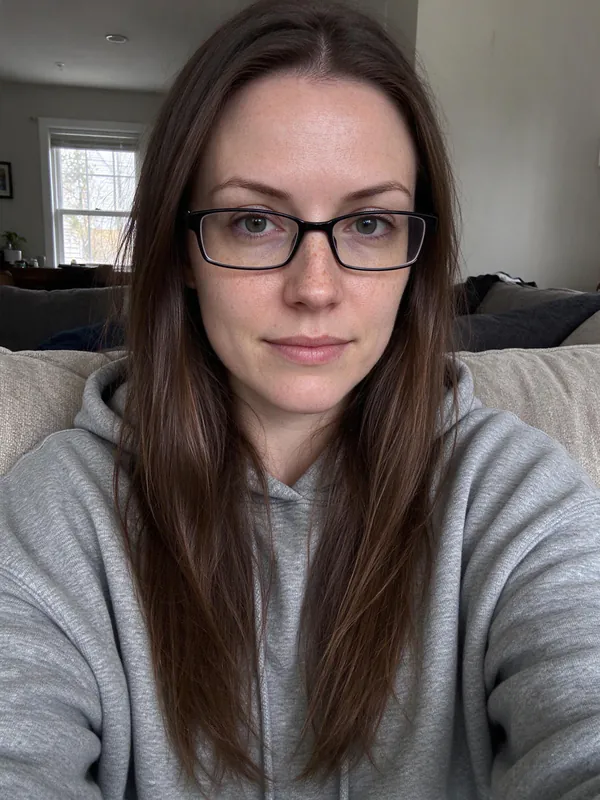
 Emma, 28, glasses, 2 selfies · LinkedIn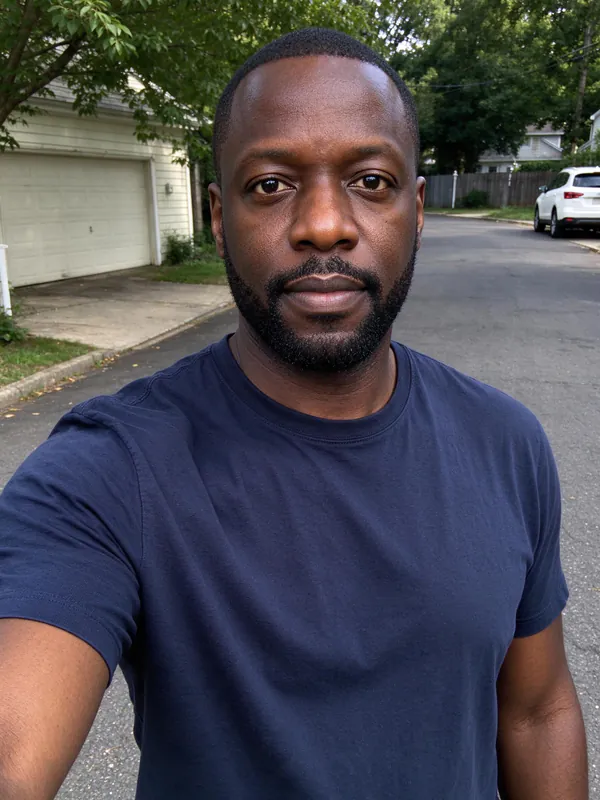
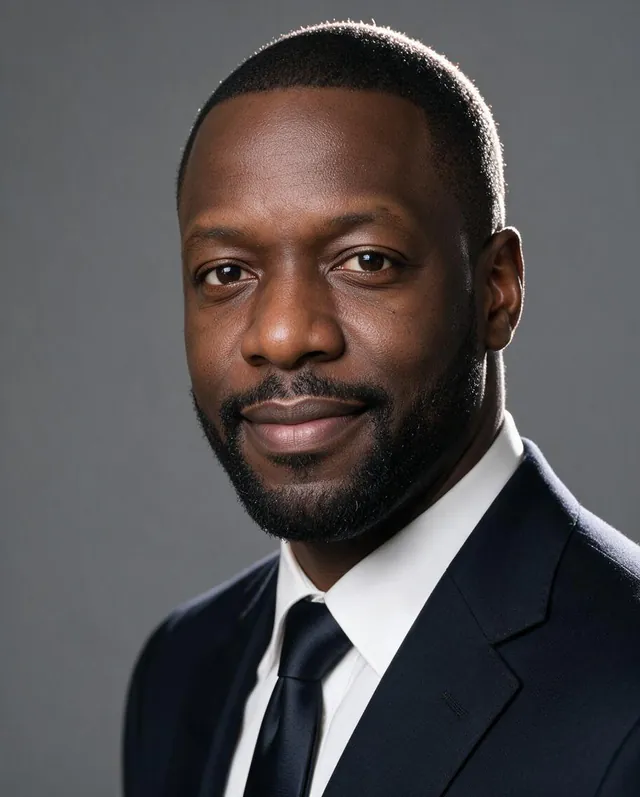 Marcus, 45, 2 selfies · Corporate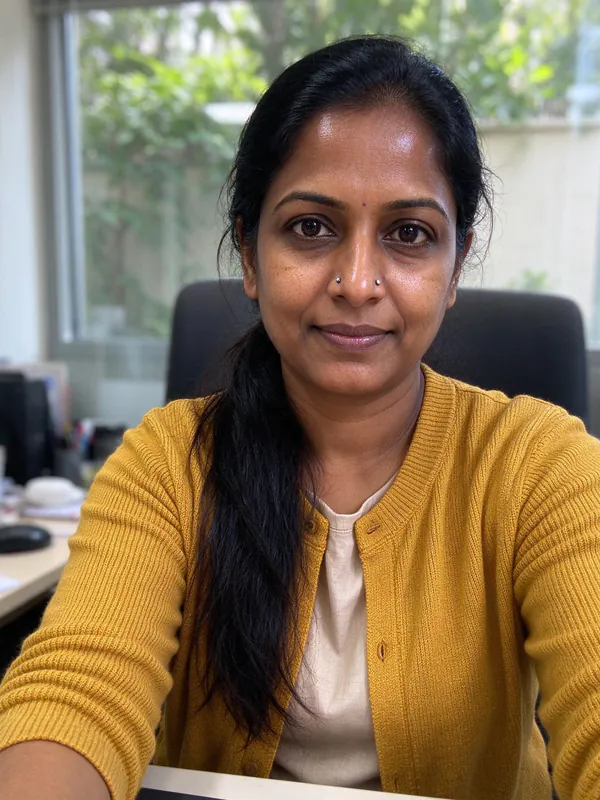
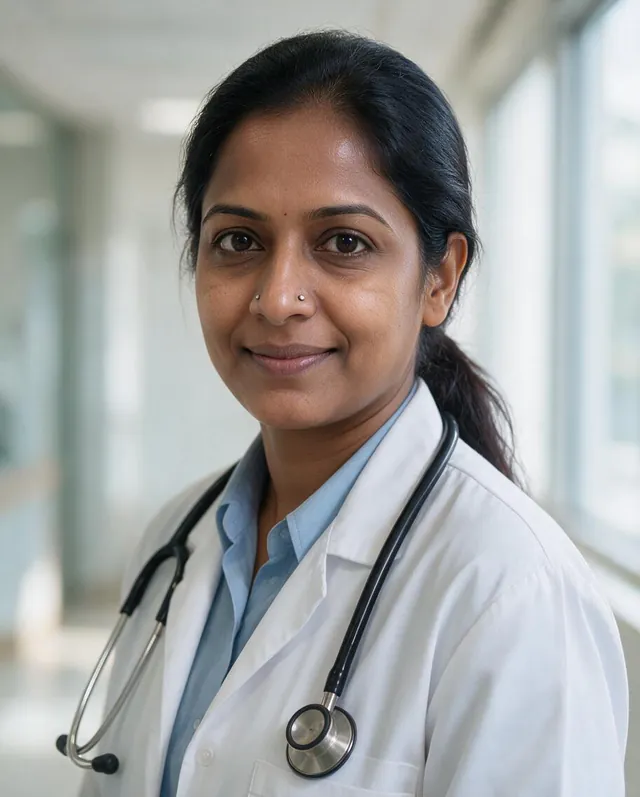 Devi, 40, 1 selfie · Doctor & nurse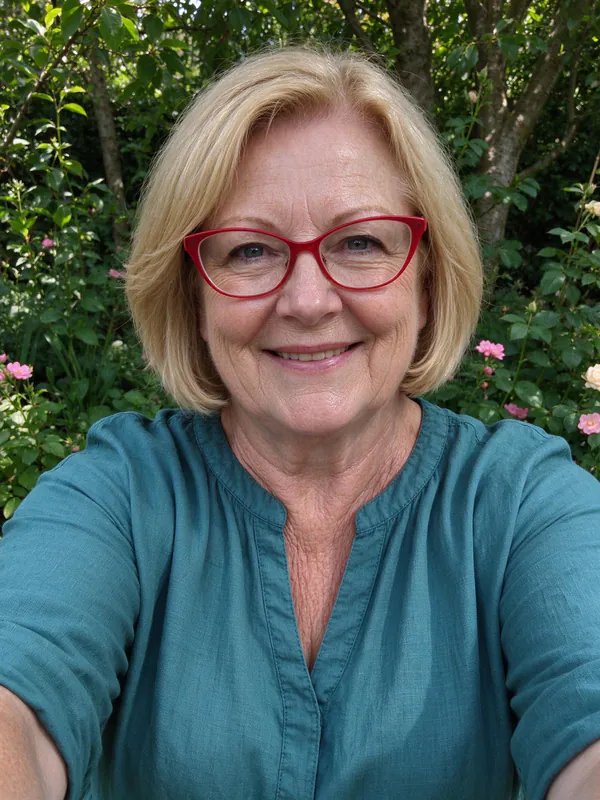
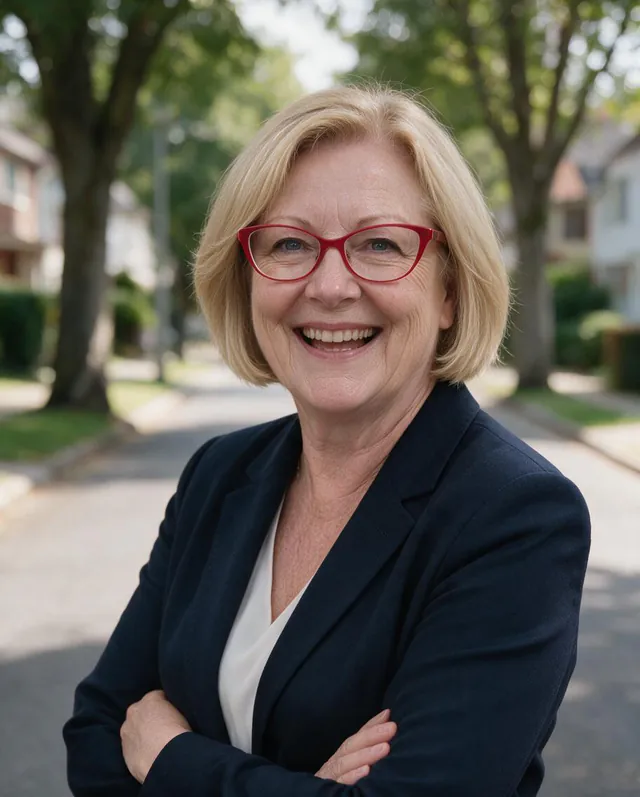 Helen, 58, 1 selfie · Real estate
How to make a professional headshot in three steps
- Add your selfiesOne clear, front-facing photo works. Two or three from slightly different angles give the model more to go on and keep your face more consistent across the set.
- Pick a lookChoose LinkedIn, Corporate, Lawyer, Doctor, Real estate and more, or set the background, outfit, framing, expression and size yourself. Add a detail in your own words if you like.
- Generate and downloadYou get 4 or 8 headshots (24 or 48 credits). Drag the slider to compare with your selfie, reshoot any single photo, then download the set as a ZIP or send a photo to another tool.
Presets for every job
Each preset fills in backgrounds, outfits, framing, expression and size for one kind of work. Every photo in a set rotates through your chosen backgrounds and outfits, so you get real choice, not four copies.
- LinkedInSquare, friendly and clean: the profile photo recruiters expect.
- CorporateSuit, studio backdrop, confident smile. Banking, consulting, executives.
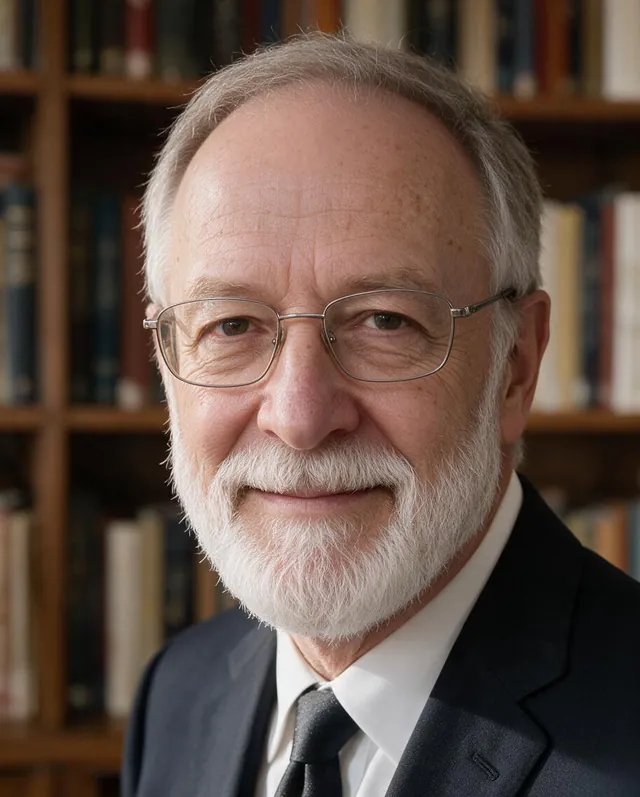 LawyerDark suit in front of bookshelves or a deep backdrop. Calm and trustworthy.
- Doctor & nurseWhite coat or scrubs in a bright clinic. Warm and reassuring.
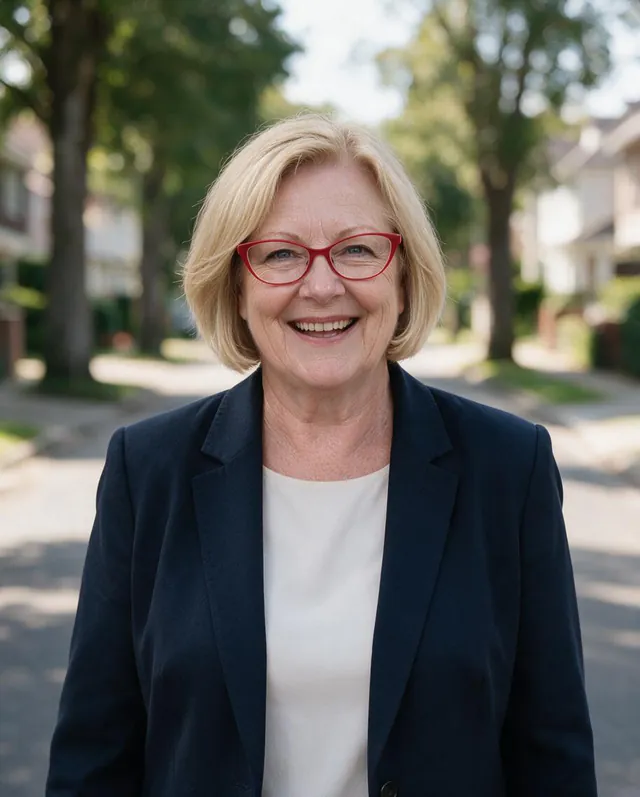 Real estateWaist-up, big smile, a street or skyline behind you. Made for listings and signs.
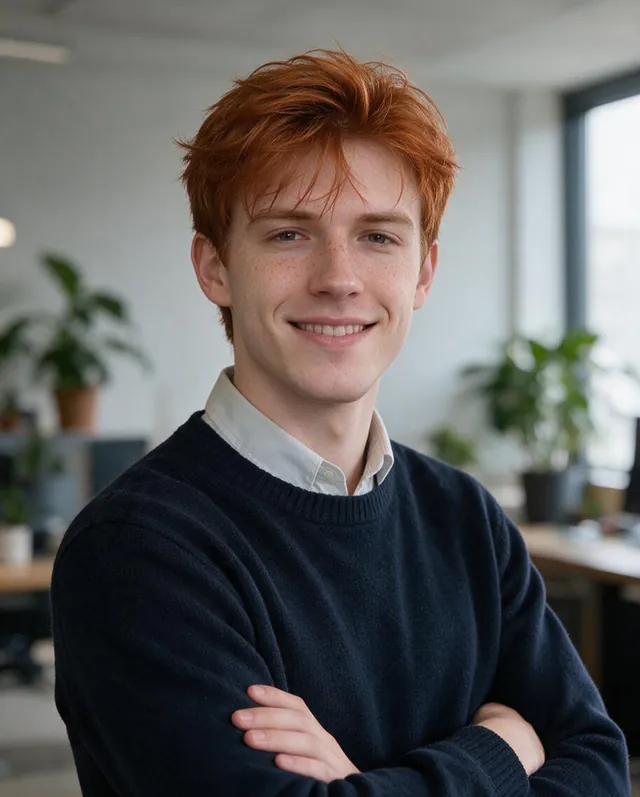 Tech & startupSweater or turtleneck in a bright office. Relaxed, not stiff.
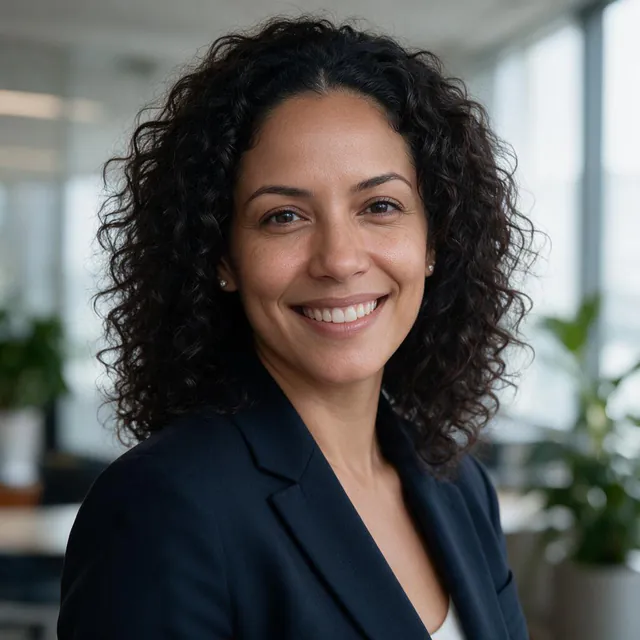 SalesApproachable and energetic, square for email signatures and CRM.
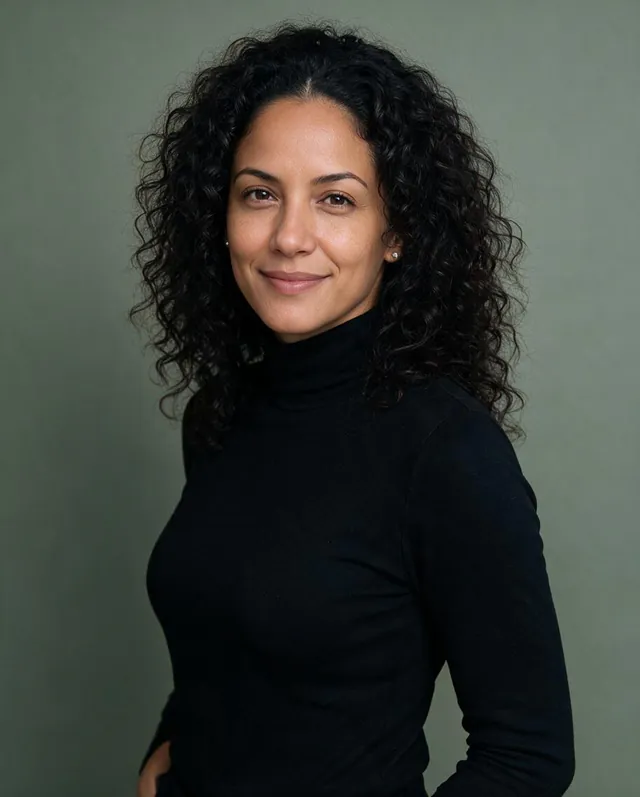 CreativeDenim or a turtleneck in a loft or café. For designers, writers and makers.
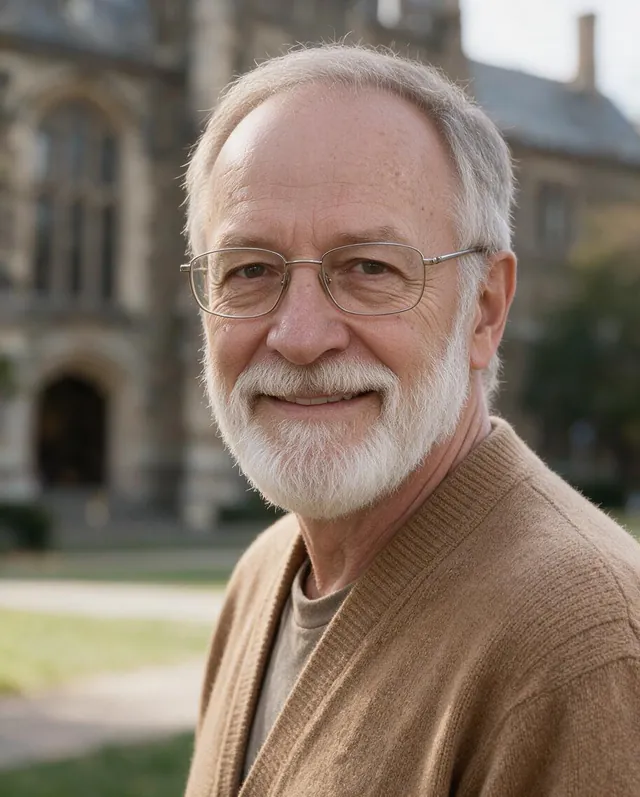 Teacher & academicCardigan or sweater on campus or by bookshelves. For faculty pages.
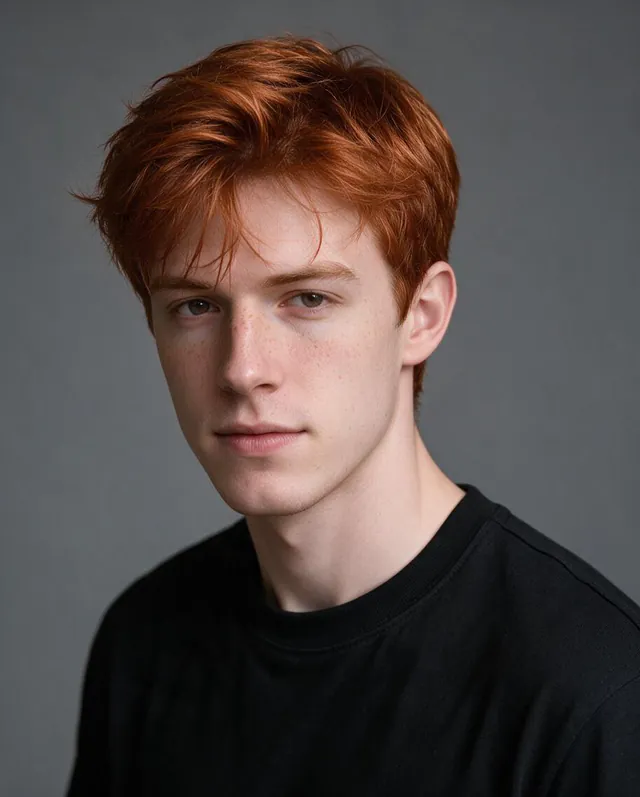 ActorPlain tee, simple backdrop, natural expression. Clean casting-style shots.
Backgrounds
Grey · White · Black · Navy · Beige · Sage · Open office · Meeting room · Bookshelves · Clinic · Brick loft · Home office · Park · Street · Campus · Skyline · Downtown · Café
Outfits
Suit and tie · Suit, no tie · Blazer · Dress shirt · Sweater · Oxford shirt · Polo · Cardigan · White coat · Scrubs · Turtleneck · Denim jacket · Plain tee · Keep my outfit
Good selfies and bad selfies
The headshot can only be as accurate as the photos you give it. A minute picking good selfies saves credits.
Good
- Your face fills a good part of the frame and looks toward the camera.
- Even, soft light: near a window or outside in the shade.
- Recent photos that show how you look today, with your usual hair and glasses.
- Two or three photos from slightly different angles, all of you alone.
Avoid
- Sunglasses, hats, masks or hands covering part of the face.
- Group photos, or photos where another face is bigger than yours.
- Heavy filters, beauty modes or strong color effects.
- Dark, blurry or very low-resolution pictures.
- Old photos from years ago, unless that is the look you want.
Tips for better results
- Wear glasses every day? Keep them in your selfies and leave “Remove my glasses” off. The headshot will keep the same frames.
- Want one exact look? Pick a single background and a single outfit; the set will vary only the pose.
- Use Extra details for small things like a tie color, a lanyard or hair tied back. Keep it short.
- HD 2K costs 11 credits per photo and is worth it for print; for LinkedIn the standard size is plenty.
Which model to use
- Seedream 5.0 ProThe default. In our tests across ages, skin tones and glasses it kept faces the most faithful, with natural skin texture. About 6 credits per photo.
- Seedream 5.0 FlashThe cheapest option, about 5 credits per photo (20 for a set of 4). Faces stay accurate; backgrounds are a little plainer.
- Nano Banana 2.1A slightly glossier, more retouched look. Try it if you want a magazine-style finish.
AI headshot questions
Is the AI headshot generator free?+
It runs on credits. New accounts get 30 free credits, and a set of 4 headshots costs 24 credits with the default model, so your first set is free. After that, credits come in packs, and nothing is charged if a photo fails.
How many selfies do I need?+
One clear selfie is enough. Two to four photos from slightly different angles help the model keep your face consistent across the whole set.
Will the headshots still look like me?+
That is the whole point. Every prompt tells the model to keep your face shape, features, skin tone, age, hair and glasses exactly as they are, and not to beautify or slim you. If one photo misses, reshoot just that one.
Can I use these for LinkedIn and my resume?+
Yes. Pick the LinkedIn preset for a square profile photo, or 4:5 for resumes and websites. They are AI-generated portraits, so check the rules of any platform or employer that asks for an unedited photo.
Can I keep or remove my glasses?+
By default your glasses stay exactly as in your selfies. Turn on “Remove my glasses” under More options to get the same face without them.
What industries and styles are there?+
There are 10 presets: LinkedIn, Corporate, Lawyer, Doctor and nurse, Real estate, Tech and startup, Sales, Creative, Teacher and academic, and Actor. You can also mix 18 backgrounds and 14 outfits, choose head-and-shoulders or waist-up, and pick the expression.
Can I make headshots of someone else?+
Only with their permission. Upload photos of yourself, or of a teammate who has agreed. Please don’t use photos of other people without consent.
What happens to my selfies?+
Your selfies are only used to make your headshots. Finished headshots are saved privately in Assets, where you can download or delete them. Nothing is posted publicly unless you choose to share it.
These are AI-generated portraits based on your photos. Before using one on a resume or ID, check what the platform or employer allows. Upload only your own photos, or photos you have permission to use.


