Free add-on for Blender 4.2+

AI render add-on for Blender

Block out a scene with grey shapes, frame it with your camera, and let PopNow paint it: a finished picture, a short video that follows your camera move, or a seamless texture for the selected object. It all happens in a PopNow tab in the 3D Viewport sidebar.

Version 0.1.0 · 57 KB · Windows, macOS, Linux

The add-on is free. Generations use PopNow credits, the same ones as on popnow.ai. New accounts get 30 free credits.

Clay renderWith AI
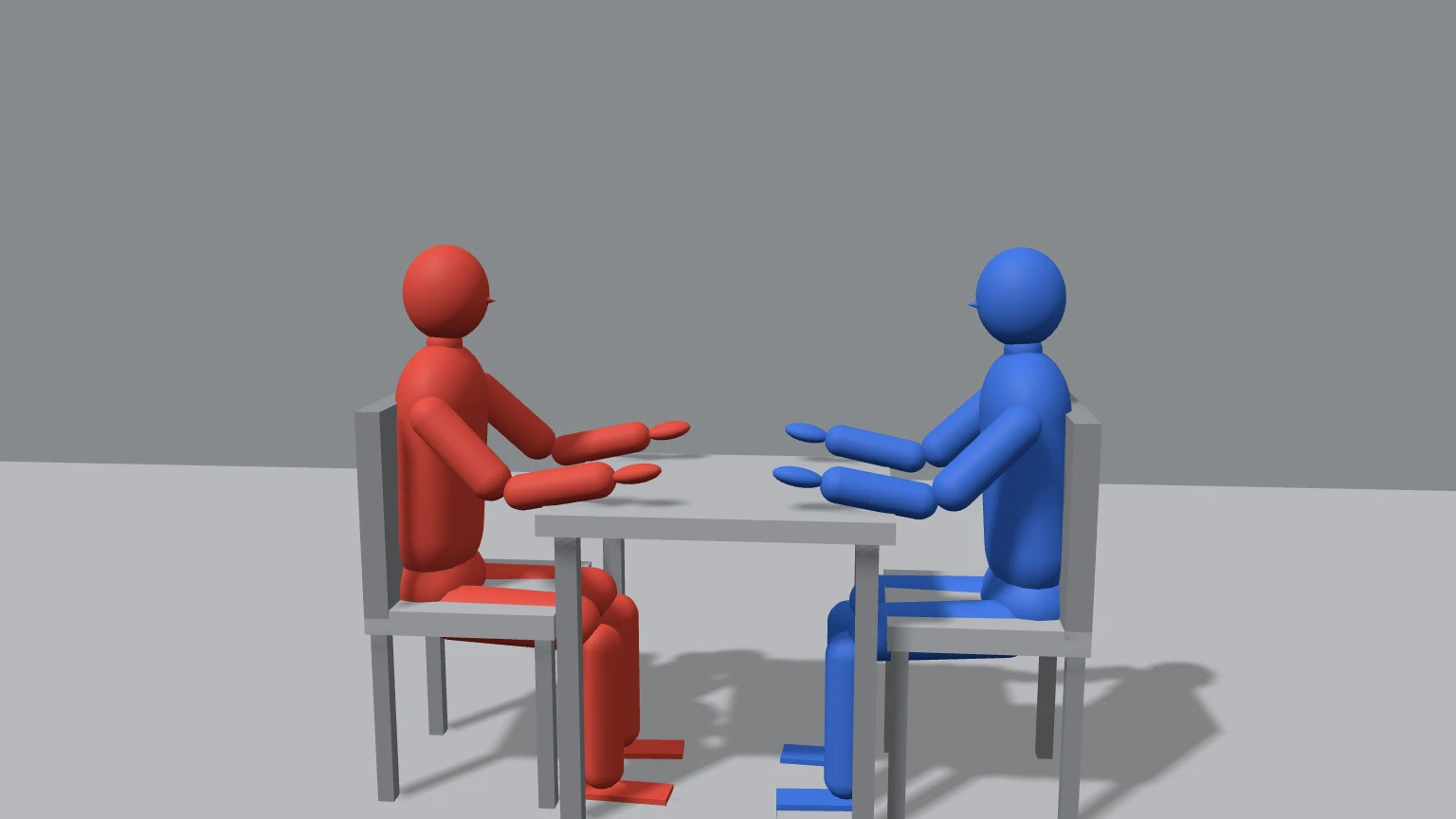
Two clay figures at a table → a café scene. Seedream 5.0 Pro, 2 reference photos.

Three things it does inside Blender

Render with AI

Renders your camera or viewport as clean grey clay, then turns it into a finished picture that keeps your composition, camera angle and silhouettes.

  • Six models, from quick drafts to exact-shape renders with a depth or line pass
  • Add up to three reference photos for a character or a product
  • Show it in the Image Editor, set it as the camera background, or project it onto your meshes

Animate with AI

Records a quick Workbench preview of your camera animation and uses it as the motion reference. The video keeps your camera move, blocking and timing.

  • Reference-to-video, frame-by-frame restyle, or motion control for a character photo
  • Pick the length (4 to 15 seconds on most models) and the resolution
  • The finished MP4 drops into the Video Sequencer in one click

Seamless textures

Describe a material and get a square texture. The add-on blends the edges so it tiles without a visible seam, builds a material and puts it on the selected objects.

  • Photo-scan, hand-painted or toon styles
  • Box projection, so it works on meshes without UVs
  • Tile scale you can change any time in the material

Clay in, finished frame out

Drag the line to compare. These were made from grey clay scenes with the same models the add-on calls; your result depends on your scene, prompt and model.

Clay renderWith AI
A dolly through a grey room → a sunlit living room. Seedance 2.0 Fast, 5 seconds.
Clay renderWith AI
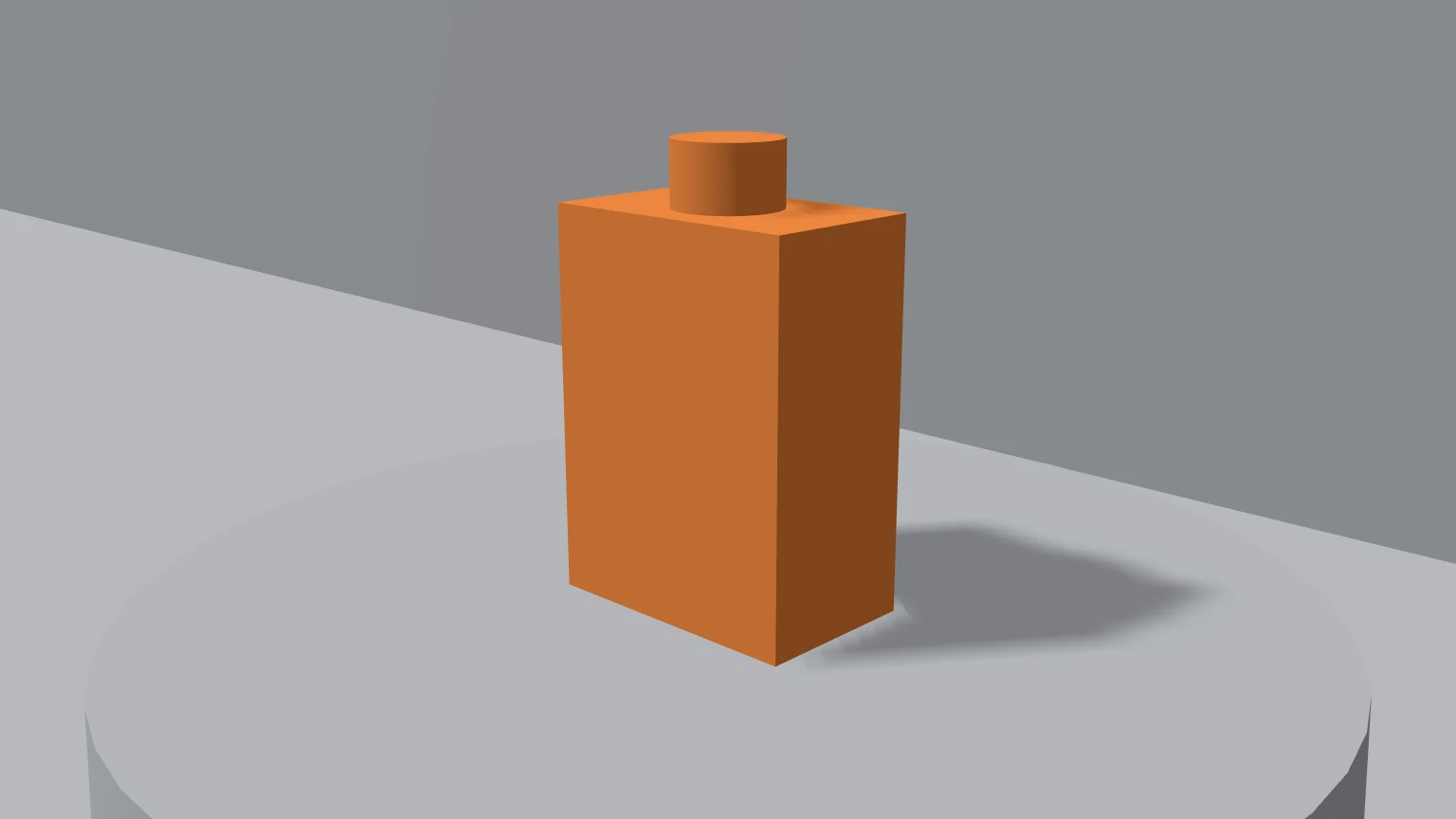
A clay bottle on a plinth → a product shot. Nano Banana 2.1, 1 product photo.

Install in three steps

  1. Download the zip

    Get popnow-blender-0.1.0.zip from this page. Do not unzip it.

    Download for Blender 0.1.0
  2. Install it in Blender

    In Blender 4.2 or newer, drag the zip into the Blender window. Or open Edit › Preferences › Get Extensions, click the ⌄ menu in the top right, choose Install from Disk and pick the zip.

  3. Paste your API key

    Press N in the 3D Viewport, open the PopNow tab, click Get API key, create a key in the developer console and paste it. Your balance appears right away.

    Get an API key

Blender asks you to allow online access the first time. PopNow needs it to send renders and download results.

What a render looks like

  1. Frame your shot with the camera, or switch the panel to Viewport.
  2. Write what you want to see, pick a style and a model. The button shows the price.
  3. The add-on renders the clay image, uploads it and gets an exact quote.
  4. Click Start. Blender stays responsive while it runs; progress shows in the Tasks panel.
  5. The result opens in the Image Editor and is saved next to your .blend file.
The PopNow tab in the 3D Viewport sidebar

Models and prices

Prices are in credits and match popnow.ai. These are the lowest tier of each model; the panel shows the estimate for your settings and you confirm the exact quote before anything starts.

Render with AI
ModelGood forFrom
Seedream 5.0 ProBalanced. Follows your layout closely6 credits1K image
Seedream 5.0 FlashFaster and cheaper5 credits1K image
Nano Banana 2.1Best with many reference images8 credits1K image
GPT Image 2Strong text and fine detail7 credits1K image
Qwen-Image 2.1 TurboCheapest drafts3 credits1K image
FLUX.1 dev ControlNetExact shapes from a depth or line pass. No reference images6 credits1K image
Animate with AI
ModelGood forFrom
Seedance 2.0 MiniCheapest. Good for drafts17 credits480p 5 s video
Seedance 2.0 FastGood balance of price and quality34 credits480p 5 s video
Seedance 2.0Higher quality, up to 4K65 credits480p 5 s video
Seedance 2.5Follows clay previz best111 credits480p 5 s video
Wan 3.0Strong motion, up to 1080p68 credits480p 5 s video
Kling O3 RestyleRepaints your clip frame by frame. 3 to 10 s94 credits720p 5 s video
Wan 2.2 AnimateMotion control: your character copies the clay figure40 credits480p 5 s video
Texture
ModelGood forFrom
Seedream 5.0 FlashFast and cheap5 credits1K image
Qwen-Image 2.1 TurboCheapest3 credits1K image
Seedream 5.0 ProMost detail6 credits1K image
Nano Banana 2.1Up to 4K8 credits1K image

1 credit = $0.01. If a generation fails, the held credits normally go straight back to your balance, and the Tasks panel says so.

What leaves your computer

  • Only the rendered clay image or preview clip and the reference images you pick. Your .blend file, meshes and textures stay on your machine.
  • Your API key is kept in Blender's preferences, never inside a .blend file, so sharing a project never shares your key.
  • Results download to a popnow folder next to your .blend file, or to a folder you choose.

Questions

Is the Blender add-on free?

Yes. The add-on costs nothing. Each generation uses PopNow credits from the same wallet as popnow.ai, and the price is shown before you start. New accounts get 30 free credits.

Which Blender versions does it support?

Blender 4.2 and newer on Windows, macOS and Linux. It installs as a Blender extension and has no extra Python packages to set up.

Do I need a GPU?

No. The heavy work runs on PopNow. Your computer only makes a quick clay render with Workbench, plus a one-sample Cycles pass if you ask for depth, normals or line art.

Can I stop a generation?

Before you click Start, cancelling costs nothing. Once it has started it runs to the end on PopNow; Stop waiting only stops the add-on from watching it, and you can resume later to download the result. If a generation fails, the held credits normally go back to your balance automatically.

Will the result match my scene exactly?

It keeps your composition, camera angle and the rough shapes. For exact outlines, such as a product or a building, choose FLUX.1 dev ControlNet with a depth or line-art pass. For video, Seedance 2.5 follows clay previz most closely.

Are the textures really seamless?

Yes. The models paint a square texture, then the add-on cross-fades the edges so the left side meets the right and the top meets the bottom. The result tiles without a visible seam.

Can I use my own local model, like Stable Diffusion?

No. The add-on calls the models hosted on PopNow, so there is nothing to download or run on your machine. If you prefer a local setup, a ComfyUI bridge is the better fit.

Your clay scene, rendered

Install the add-on, paste a key, press Render with AI.

Download for Blender

Blender is a registered trademark of the Blender Foundation. PopNow is not affiliated with or endorsed by the Blender Foundation.