How Remix works
Remix takes the structure of a trending edit (the beats, the shot list, the camera moves, the captions) and builds a brand-new video around your star.
Pick a template
Each template is written by PopNow: its own shot list, on-screen text and original music. Templates are grouped for pets, products and characters.
Add your star
Upload a clear photo of your pet or product, or pick an original character, or describe a new one. Use a photo without people.
Get your video
Every shot is generated fresh, then cut on the beat with the template's captions and music. Redo any shot you don't like; you're only charged for shots that finish.
What Remix is for
- Your own pets and products, or characters you make up.
- Every shot is newly generated. Nothing is pasted into an existing video.
- No photos of people, no real people or celebrities, no voices.
- Don't use it to pass off a video as real or to impersonate anyone.
Questions
Can I use a photo of myself or a friend?
No. Remix only works with pets, products and original characters.
Can my character look like a celebrity?
No. Characters have to be original. Don't name or copy a real person in the description.
What do I pay?
The button shows the credits before you start. Each shot is charged on its own, and a shot that fails gives its credits back.
Go deeper
Before and after: what changes
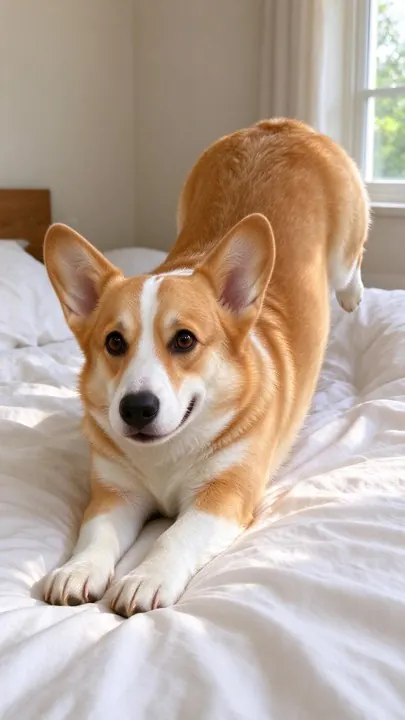
Remix starts from a single still photo of your corgi, your ceramic mug or a character you picked, and ends with a finished vertical edit that has its own shot list, captions, camera moves and an original backing track.
- What changes
- Every shot is drawn again from scratch inside the template’s scenes: a London street, a beach at noon, a gallery wall, a rainy alley. Your star is placed into each scene, lit for it and cut on the beat.
- What stays the same
- The star itself. A pet keeps its coat pattern, ears and expression; a product keeps its shape, color and label; an original character keeps the face and outfit from its reference sheet across all shots.
- What to look at when you compare
- Check the first and last shot side by side. If the markings, the logo or the hairstyle drift, redo just that shot instead of the whole video; you are only charged again for the shot you redo.
Photos that remix well, and photos that don't
Works well
- A pet filling most of the frame, eyes visible, in daylight, with nothing else competing for attention.
- A product shot straight on against a plain wall or table, label readable, no hands holding it.
- For characters, a clear description of age, build, hair and clothing, or one of the ready-made characters.
Avoid
- Photos with people in them: Remix is built for pets, products and original characters, and faces in the frame are flagged before upload.
- Tiny subjects in a busy room, where the model has to guess which object is the star.
- Heavy filters, stickers or text over the subject, which get copied into every new shot.
Step by step
- Pick a templateBrowse templates grouped for pets, products and characters. Each card shows the poster, the number of shots, the length and the music style.
- Add your starUpload one photo of your pet or product, or choose or describe an original character. The photo stays the reference for every shot.
- Choose quality and versionsFast is cheaper and good for testing a template; HD renders sharper motion shots. Make one to three versions in one go.
- Generate and reviewShots arrive one by one, then the edit is cut on the beat with captions and music. Redo any single shot before downloading.
- Save or keep editingDownload the MP4, save it to Assets, or send it to the video editor or the canvas to trim, add text or join it with other clips.
How a template turns into a finished edit
- A written shot list
- Each template is a PopNow-written plan: which scenes, which camera moves, how long each shot lasts, where captions land and which beat each cut falls on.
- New images, then motion
- Stills are generated with your photo as the reference, and the shots that move are animated with MiniMax H3 at 768p, the same pairing we tested on pets, products and characters.
- Assembled in your browser
- The final cut, captions and one of six original instrumental tracks are put together on your device, so re-cutting after a redo is instant and costs nothing.
More questions
How long is a Remix video?
Most templates run 8 to 20 seconds, cut for vertical feeds. The length, shot count and music are listed on each template card before you start.
Can I use my own music?
Templates come with original instrumental tracks made for PopNow. To use your own audio, send the finished video to the editor and replace the track there.
Why can’t I use a photo of a person?
Remix is designed around pets, products and original characters. For videos with people, use Video Swap, where real people need consent before they appear.
What happens if one shot looks off?
Redo just that shot from the results view. The rest of the edit stays as it is and only the redone shot is charged again.
Do I need to know video editing?
No. The template already decides cuts, captions and timing. You pick, upload and press the button; editing tools are optional afterwards.
Where to go next