What the Pupil Portal effect does
Pupil Portal pushes the camera straight into one of your eyes until the iris fills the frame, then opens a swirling violet and gold nebula inside the pupil and keeps flying forward into deep space.
It is a transition more than a portrait: the last frames contain no person at all, only stars and gas clouds, so it works best as the jump between a face and whatever comes next in an edit.
How to use Pupil Portal
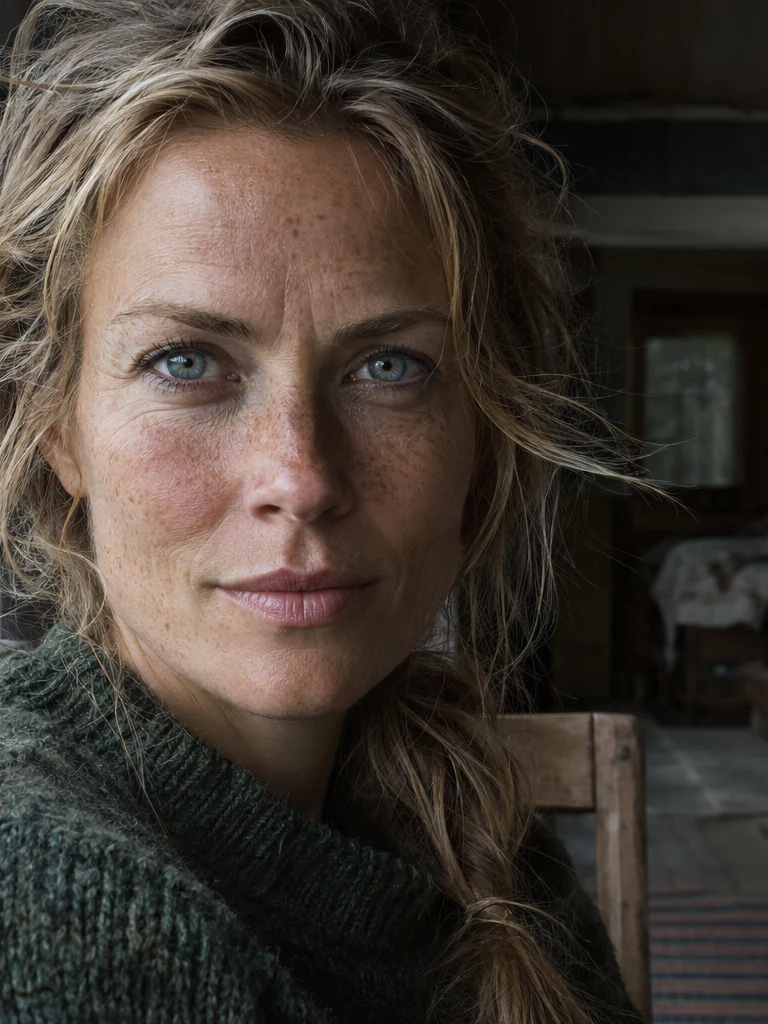
- Start close to the eyes Under Add a photo, upload a sharp close-up with open eyes looking toward the lens. Avoid reflective lenses and heavy shadows, since the zoom magnifies the eye area.
- Keep the space-flight ending In Pick a model, choose the 5s MiniMax H3 setting to leave time for the iris zoom and flight into the nebula. The 4s setting shortens the space section.
- Look beyond the iris Press Make it move and check whether the zoom reaches a full-frame nebula rather than stopping on the eye. If it stops early or the iris looks smeared, retry with a sharper, more evenly lit close-up.
Which photos work best for Pupil Portal
Works well
- Close-up portraits where both eyes are large and sharp
- Eyes open and looking at the lens
- Soft, even light on the face
Avoid
- Full-body or distant shots where the eyes are tiny
- Glasses with strong reflections over the eyes
- Heavy shadow across the eye area
Pupil Portal examples
Made with Seedance 2.0 FastBlue eyes under a fedora: the zoom ends on a crisp, textured iris.Made with MiniMax H3Gold eye shadow in warm light: a galaxy opens in the pupil and the camera flies into it. What we saw when we tested Pupil Portal
Our two runs were both tight portraits. An older man with blue eyes, white stubble and a dark fedora had the camera rush into his eye, and the shot finished on his iris in extreme detail. A woman with gold eye shadow in warm light got the full show: the push landed in her eye by about second one, a violet and gold galaxy opened in the pupil by second two, and from second three the camera flew on through it.
Detail matters. The zoom magnifies whatever is in the photo many times over, so sharp, well-lit eyes produced clean irises with visible texture, while softer areas looked smoothed.
Expect the nebula colors to drift a little: one run leaned violet and gold as written, another leaned violet and orange.
How Pupil Portal does on each model
- MiniMax H3 (210 credits · about 60 s) Used for both examples. In the full-nebula example, the eye fills the frame in about a second and the nebula appears around second two.$0.21 vs Runway $0.50 · 768p · 5s−58% vs Runway
- MiniMax H3 · 4s (168 credits · about 60 s) With one second less, the flight through space is shorter; the zoom itself is already fast enough to fit.$0.21 vs Runway $0.50 · 768p · 5s−58% vs Runway
- Seedance 2.0 Mini · 480p (125 credits · about 3 min) At 480p fine iris texture and star fields lose the most detail, so the payoff is weaker on this tier.$0.13 vs fal $0.36 · 480p · 5s−65% vs fal
The prompt behind Pupil Portal
The camera pushes straight into one of the person's eyes in a fast smooth zoom until the iris fills the whole frame. Inside the pupil a vast glowing nebula opens up, swirling violet and gold gas clouds full of stars, and the camera keeps flying forward into deep space through it. The final frames are a full-screen cosmic nebula.
Tips for a better Pupil Portal result
- Use your sharpest close-up; the iris is shown far larger than in the original photo.
- Take off reflective glasses or pick a photo without glare in the lenses.
- Cut straight from the final nebula frame into your next clip for a seamless transition.
Pupil Portal: questions and answers
Do I stay in the shot after the zoom?
The effect is designed to finish on a full-frame nebula, leaving the face behind. That ending works as the last clip of a section or as a transition.
Which eye does it zoom into?
The preset asks the model to zoom into one eye without choosing a side. There is no dedicated eye selector; use Add a note in More options to describe a preference.
Will glasses ruin it?
Clear frames usually work. Lenses that reflect a window or a lamp confuse the zoom, because the model tries to fly into the reflection.
Can I zoom into my cat's or dog's eye?
Yes, a sharp close-up of a cat or dog with visible eyes works the same way; the prompt does not need a human face.
Why does my galaxy look more orange than purple?
The colors are generated each time. Across our runs the nebula ranged from violet and gold to violet and orange, depending partly on the light already in the photo.
Related effects and tools
- Into the Eyes · Push in until one eye fills the whole screen.
- Inner Glow · Golden light builds in your eyes and outlines you in an aura.
- Cosmic Zoom · Keep rising past the clouds until the whole planet glows.
- Crash Zoom · One beat of calm, then a punchy snap-zoom to your face.
- Sharpen a soft portrait first with the AI Image Upscaler

 Your photo

