DaVinci Resolve Studio 19.0.2+ · macOS & Windows

Create right on your DaVinci Resolve timeline

Edit the clip under your playhead, add foley, dub dialogue, upscale or reframe shots, transform still frames, and generate music or voiceovers — imported straight into your PopNow bin on a new track.

MIT open-source plugin on GitHub. Includes the full Workflow Integration panel for DaVinci Resolve Studio 19.0.2+ plus a Python script option for compatible editions.

PopNowDaVinci Resolve Studio
1,420
A004_C012_Harbor.movA004_C012_Harbor.mov
V2
3.0 s
Top track clip · Edit video3.0 s

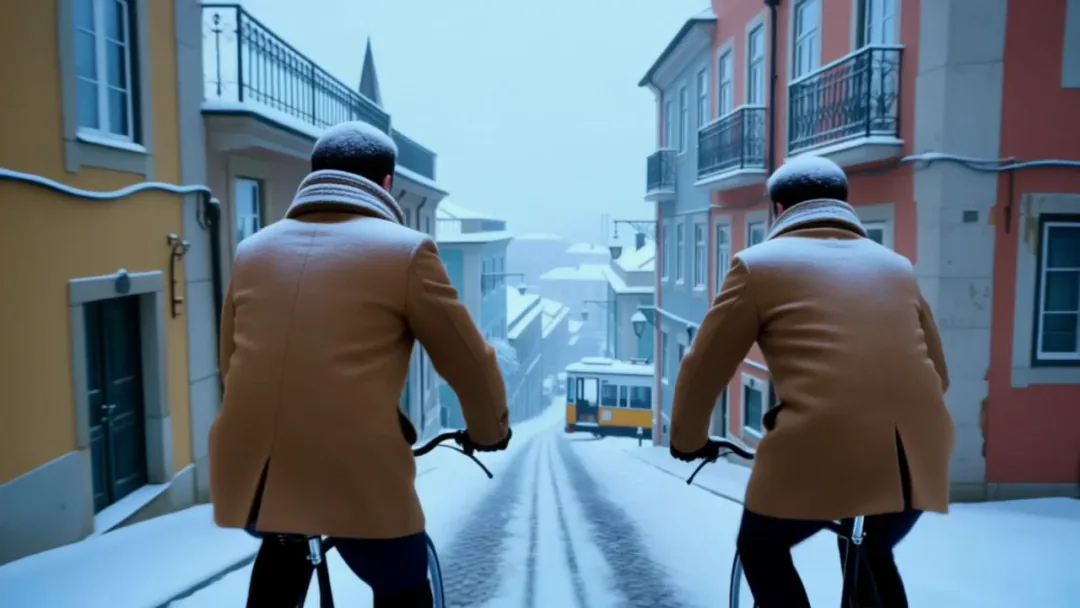
Shift overcast harbor into light snowfall at dusk, maintain handheld camera sway and boat reflections.

Imports to PopNow bin and places on a new track

Two ways to run PopNow in Resolve

Use the full docked Workflow Integration panel in DaVinci Resolve Studio, or run the lightweight Python script when working in supported script environments.

Workflow Integration plugin

DaVinci Resolve Studio 19.0.2+ · Workspace > Workflow Integrations > PopNow

The complete panel with Clip tools (Edit video, Video to audio, Video translator, Upscale, free Reframe), Frame tools (Edit image, Image to video), and Text tools (Text to video, Music, Voiceover) alongside your live credit balance.

Uses Resolve's built-in WorkflowIntegration.node directly — nothing proprietary from Blackmagic is bundled.


Python script mode

Studio & Free 19.1–21.0 (Python 3.6+) · Workspace > Scripts > PopNow

Supports Video to audio on the playhead clip, plus Edit image and Image to video on the current frame. Because Blackmagic disabled UIManager in Free 19.1, Free 19.1–21.0 opens controls in a local 127.0.0.1 browser page. Note: Free 21.1+ removed Python scripting.

Shares the exact same PopNow sign-in file and credit balance as the Workflow Integration plugin.

Install in three steps

Package or download the open-source plugin from GitHub and run the included installer script for macOS or Windows.

  1. 1

    Build or download from GitHub

    Clone popnow-ai/popnow-davinci, run npm install and npm run package to build dist/popnow-davinci-<version>.zip, then unzip it and quit DaVinci Resolve.

  2. 2

    Run the installer script

    On macOS run ./install.sh (or ./install.sh --script for script-only). On Windows run .\install.ps1 in an Administrator PowerShell window (or add -ScriptOnly).

  3. 3

    Open PopNow in Workspace

    Relaunch DaVinci Resolve, open Workspace > Workflow Integrations > PopNow (or Workspace > Scripts > PopNow), and sign in with your PopNow account.

What you can create on your timeline

Every clip, frame, and text tool writes clean local files into your PopNow media folder and aligns outputs right back with your playhead.

  • Edit timeline clips

    Transform weather, lighting, or scene details on the clip under your playhead on the top video track, trimmed automatically to your timeline edit.

  • Video to audio and foley

    Generate matched sound effects and environmental ambience from your timeline cut and drop the audio clip directly onto a new track.

  • Video translator

    Translate spoken dialogue into new languages right from the edit bay, with clear likeness and voice permission confirmation before anything runs.

  • Edit the playhead frame

    Export the current frame under your playhead as a PNG, paint out distractions or relight the shot, and bring the plate back into your PopNow bin.

  • Animate stills & text to video

    Turn a freeze frame into motion footage, or generate B-roll, original background music, and clean voiceovers straight from text prompts.

  • Upscale and free Reframe

    Sharpen soft archival footage with AI video upscaling, or reframe horizontal timeline clips for vertical social deliverables at zero credit cost.

Trimmed before quoting, synced with your PopNow balance

Clip actions upload your source file for free, trim out only the portion sitting on your timeline for free, and show a Get price quote for that exact duration before charging a single credit. Text tools price themselves live as you type. Every run is capped at the quoted button price and draws from your single PopNow credit balance.

DaVinci Resolve plugin FAQ

Does PopNow work on the free version of DaVinci Resolve?

The full Workflow Integration panel requires DaVinci Resolve Studio 19.0.2 or later because Workflow Integrations are a Studio-only feature in Resolve. On free editions 19.1 through 21.0 with Python 3.6+, you can run the PopNow script (which opens its controls in a local browser page on 127.0.0.1). Blackmagic moved Python scripting to Studio in 21.1, so free 21.1 and later cannot run external scripts.

Which clip does PopNow edit on my timeline?

Clip tools target the clip directly under the playhead on the top video track, since Resolve's scripting interface does not expose multi-clip selection. Frame tools export the exact frame currently under the playhead as a PNG.

Am I charged for a 10-minute camera roll if my cut is only 3 seconds?

No. Uploading the source file is free, and PopNow cuts out only your 3-second timeline segment for free before quoting and charging. If trimming fails for any reason, the button clearly warns Priced on the whole source clip and waits for your explicit click.

Where are generated clips and audio files stored on disk?

Results are saved locally to ~/Movies/PopNow on macOS or Videos\PopNow on Windows, imported into a PopNow bin in your media pool, and placed onto a new track aligned with the original clip or playhead.

How does sign-in work and where are credentials kept?

Clicking Sign in opens popnow.ai in your browser and returns safely to 127.0.0.1 via OAuth with PKCE. Your session is stored in a user-only file shared between the plugin and script, and choosing Sign out in the menu deletes it immediately.

What happens if I click Stop waiting during a long video render?

Stop waiting only stops the Resolve panel from polling. Your render continues normally on PopNow and lands in your online library at popnow.ai/assets so you can download it whenever it finishes.

How does Video translator handle consent?

Before running Video translator, the panel requires you to confirm that the face and voice belong to you or that you have permission, and that nobody shown is under 18. PopNow never checks that box automatically.

All plugins

Keep your edit inside DaVinci Resolve

Install the open-source Workflow Integration plugin and script from GitHub today.