What is the Live Wallpaper Maker?
It turns one picture into a short video that loops forever without a visible jump: clouds keep drifting, rain keeps falling, neon keeps flickering. Use your own photo or artwork, or describe a scene and we paint it first.
The picture is used as both the first and the last frame, so the clip ends exactly where it starts. Then your browser blends the last moment into the first, which hides any tiny difference that's left.
How to make a live wallpaper
- Add a pictureDrop in a photo, artwork or screenshot, or describe a scene in a sentence.
- Pick a motionChoose what moves, like clouds, water, rain, snow, petals or neon, or write your own.
- DownloadWatch it loop, check the seam, then download MP4 for phone, desktop or tablet, or a GIF.
Why the loop has no cut
- Same first and last frame. The video model is told to start and finish on your picture, so the motion comes back around.
- Only one thing moves. Each motion keeps the camera locked and the rest of the scene still, so nothing drifts away and has to snap back.
- Seam smoothing. The last fraction of a second is blended into the first in your browser. You can turn it off in More options.
- Tested models. We compared four first-and-last-frame models on the same pictures and picked the one that lands back on the first frame most precisely (MiniMax H3 X).
Motions to choose from
Drifting clouds, flowing water, twinkling stars, rain, snowfall, falling petals, neon glow, fireflies, a breeze through grass and hair, and a slow camera drift. Each has a sample you can watch before you pick. Choose Your own to describe any other movement.
How to set it as your wallpaper
- iPhone: iOS only animates Live Photos on the Lock Screen. Save the MP4, turn it into a Live Photo with a converter app, then pick it in Settings > Wallpaper.
- Android: Save the phone-size MP4, then set it with your phone's video wallpaper option or a free video wallpaper app.
- Windows: Use the desktop-size MP4 with a live wallpaper app such as Wallpaper Engine or Lively Wallpaper.
- Mac: Use the desktop-size MP4 with a video wallpaper app, or as a screen saver.
What people make with it
- Phone wallpapers. A calm moving lock screen from a favorite travel photo.
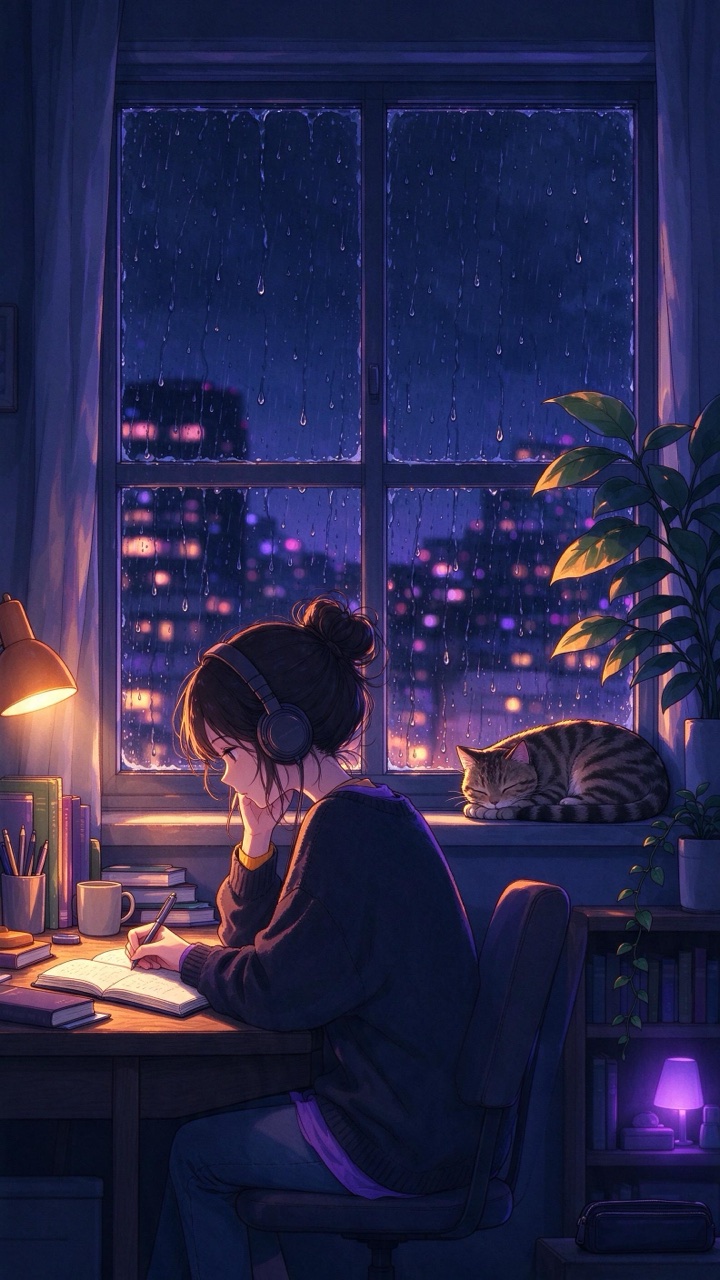
- Desktop backgrounds. A cozy rainy window or a neon street behind your apps.
- Stream and video backgrounds. Loop it to 15 or 30 seconds for a stream overlay, a lofi mix or a presentation.
- Social posts. A cinemagraph-style post where one thing moves and the rest stays still.
Tips for a cleaner loop
- Pick a picture with an obvious thing to move: sky, water, lights, snow or hair.
- Keep it simple. One motion per wallpaper loops better than many at once.
- Gentle movement hides the loop best. Use Lively for posts that need more action.
- If the shape of your picture doesn't match your screen, choose Phone or Desktop and we crop it before animating.
Price
A 5-second loop costs 160 credits (about $0.16) with MiniMax H3 X, or 120 credits with the cheaper MiniMax H3 X Turbo. Describing a scene adds 29 credits for the picture. Smoothing the seam and every download size are free, and failed runs are refunded.
Questions
Is the Live Wallpaper Maker free?+
Watching the examples and downloading them is free. Making your own loop costs 160 credits for 5 seconds, and all download sizes and the GIF are free.
Will the loop really have no jump?+
In our tests the last frame lands within a hair of the first, and seam smoothing blends the rest. Scenes where one thing moves loop best; busy scenes with people walking are harder.
Can I use my own photo?+
Yes. Upload any picture you have the rights to. Landscapes, cityscapes, artwork and anime-style images work especially well.
Which sizes can I download?+
Phone (1080×1920), desktop (1920×1080), tablet (1536×2048), square (1080×1080) or the original size, as MP4. You can also download a GIF.
Can I make it longer than one loop?+
Yes. Choose About 15 s or About 30 s when downloading and the loop is repeated seamlessly.
Does it work as an iPhone live wallpaper?+
iPhone only animates Live Photos on the Lock Screen, so convert the MP4 to a Live Photo with a converter app first. On Android, Windows and Mac you can use the MP4 directly with a video wallpaper app.
Which motion should I choose?+
Match it to what's in your picture: Drifting clouds for skies, Flowing water for rivers and waterfalls, Neon glow for night streets, Breeze for fields and hair. Use Your own for anything else.

 Example
