What the Outfit Check effect does
Outfit Check is a runway-style spin with the camera holding a full-length framing at eye level. Within the first second you pivot to show your outfit in profile, keep turning to show the back and the other side with the clothes swinging out, and by the fourth second you land facing the camera in a hand-on-hip pose, chin up.
It is the quickest way to show a whole look from one photo, made for outfit-of-the-day posts and shop listings.
How to use Outfit Check
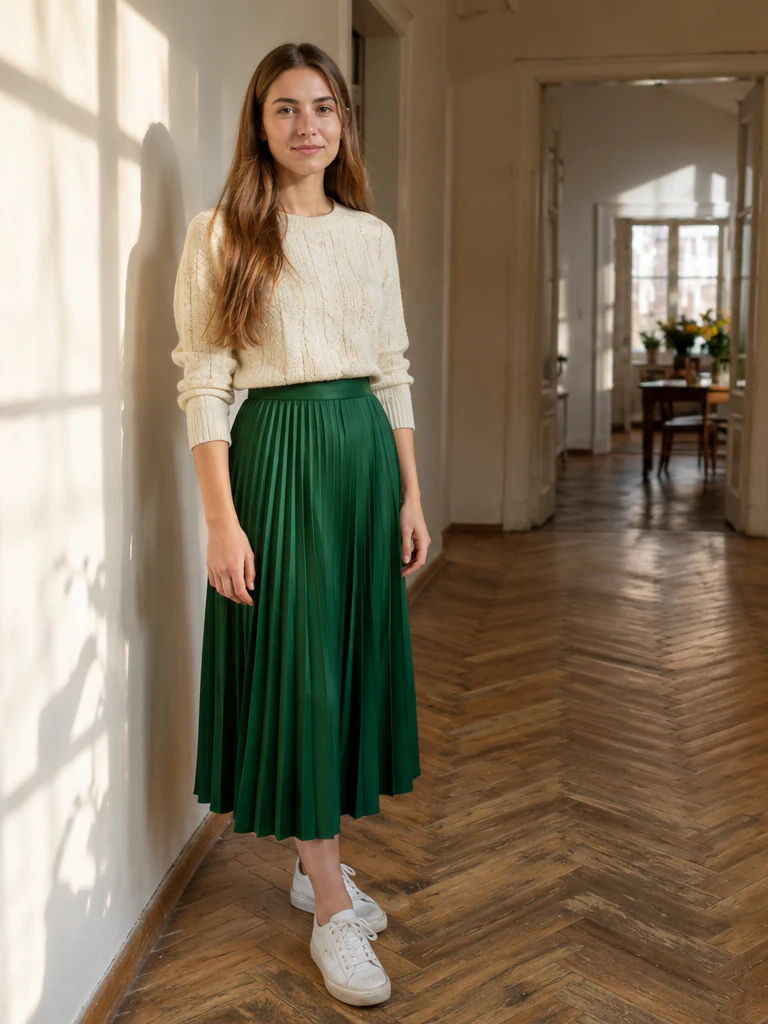
- Show the outfit head to toe In Add a photo, upload one standing full-length portrait with shoes visible against a simple wall or studio backdrop. Pleats, coats and loose trousers make the turn easier to read.
- Give the final pose time Open More options and select MiniMax H3 at 5s for the full turn and the hand-on-hip finish shown in the examples. The 4s tier shortens the final hold.
- Inspect the generated back view Press Make it move and compare the front, sides and back as the person turns. If garment details are wrong, use a clearer source or a simpler outfit, and treat unseen back details as generated rather than verified.
Which photos work best for Outfit Check
Works well
- Full-length photos from head to shoes
- Plain studio or wall backgrounds
- Skirts, coats or suits that swing as you turn
Avoid
- Cropped photos that miss the shoes
- Busy backgrounds
- Seated photos
Outfit Check examples
Made with Seedance 2.0 FastGreen pleated skirt in a grey studio: a full turn with the skirt swinging, back to the camera.Made with MiniMax H3Cobalt suit in a yellow studio: profile at 1 s, back at 2 s, hands on hips by 4 s. What we saw when we tested Outfit Check
The first example is a young woman with short natural curls in an ivory long-sleeve top and a green pleated midi skirt in a grey studio: she turned to show her profile and back, the skirt swinging out, and landed facing the camera. The second is a young man with a high-top fade in a cobalt suit, orange turtleneck and white loafers in a plain yellow studio: profile within the first second, the back of the suit by two, the other side, and by four both hands on his hips, chin up.
The back of the outfit is generated, because the photo only shows the front. In both runs it looked plausible and consistent with the front.
Plain studios made the turn crisp; it is basically a product video for clothes.
How Outfit Check does on each model
- MiniMax H3 (210 credits · about 60 s) Both examples. A full turn by second four, then the pose.$0.21 vs Runway $0.50 · 768p · 5s−58% vs Runway
- MiniMax H3 · 4s (168 credits · about 60 s) The turn is quicker, and the final pose is held for a shorter time.$0.21 vs Runway $0.50 · 768p · 5s−58% vs Runway
- Seedance 2.0 Mini · 480p (125 credits · about 3 min) Fabric texture softens at 480p; the silhouette and colors stay clear.$0.13 vs fal $0.36 · 480p · 5s−65% vs fal
The prompt behind Outfit Check
The camera holds a full-length framing at eye level the whole time. Within the first second the person pivots on the spot to show their outfit in profile, keeps turning to show the back, then the other side, the clothes swinging out with the turn. By the fourth second they land facing the camera again and snap into a hand-on-hip pose with chin up, holding a confident look into the lens to the end. The person stays exactly as they appear in the photo.
Tips for a better Outfit Check result
- Use a full-length photo against a plain background.
- Pleats, coats and loose trousers show the swing of the turn.
- Remember the back is generated; check details like prints or logos before using it for a shop.
Outfit Check: questions and answers
Will the back of my outfit look right in Outfit Check?
It is generated from the front, so it looks plausible but may not match your real garment exactly.
Does the camera follow me as I turn?
No, it holds a full-length eye-level frame the whole time.
Is it good for selling clothes?
It shows a look from every angle quickly. Check generated details before listing.
What pose does it end on?
A hand-on-hip pose with the chin up, facing the camera.
Outfit Check or Twirl?
Outfit Check is a slow turn to show the outfit; Twirl is one quick spin that flares a skirt.
Related effects and tools
- Twirl · One spin and the dress flares into a perfect circle.
- Runway Walk · Strobes, a runway stride and a hard final pose.
- Cover Shot · Studio flashes, three sharp poses, one magazine cover.
- Fan Transition · Spin once under the ceiling fan and, as a blade sweeps past, you land in a brand-new outfit.
- Change the outfit first with AI Clothes Changer

 Your photo

