


AI video effect · Fan Transition
Trending in October 2026
AI Outfit Transition: The Ceiling Fan Outfit Change
Spin once under the ceiling fan and, as a blade sweeps past, you land in a brand-new outfit.
1Add a photo
- Show the full outfit from head to toe
- A clean wall or street makes a great runway
- Standing poses work better than sitting
2Pick a model
5-second video · usually ready in about 1 min
More to try
All effects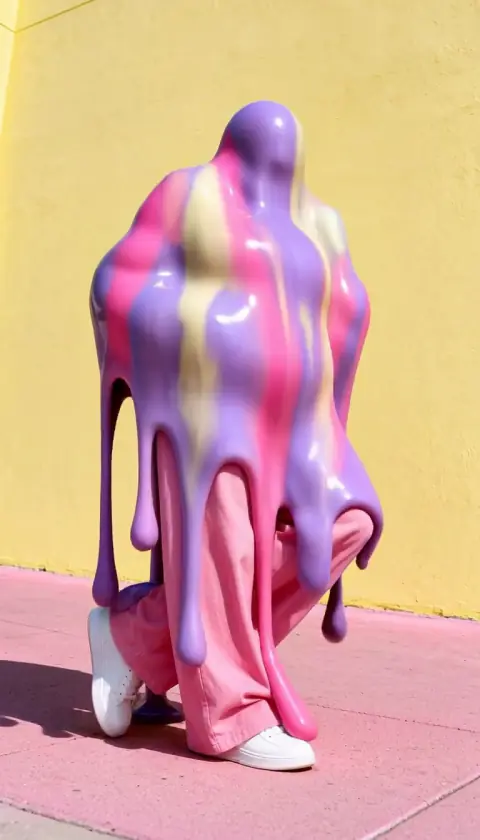



What the Fan Transition effect does
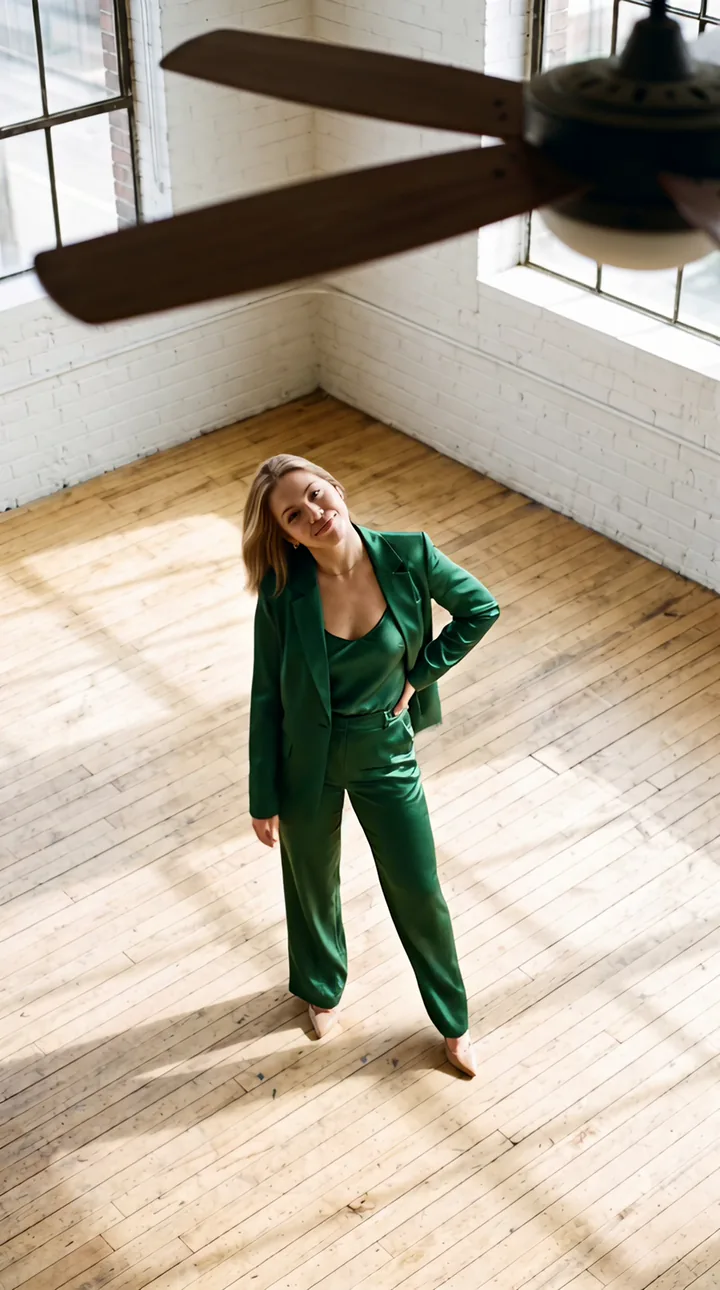
The fan transition is the outfit-change trend filmed from above: the camera looks down past a slowly spinning ceiling fan, you spin, and the moment a blade sweeps across the lens your clothes switch to a sleek emerald satin suit.
It is one continuous shot with no cuts, which is what makes it look like a real trick.
Why Fan Transition is trending
The ceiling fan transition peaked on short-video apps in October 2026: filmed from above, a fan blade sweeps the lens and the person underneath lands in a new outfit. We built a single-photo version and added it to the Trending board on October 16, 2026 as a Hot trend.
It looks like a real editing trick because it is one continuous shot, which is what people love about the original.
How to use Fan Transition
- Add one photo Upload a clear photo of the person, pet or object you want in the Fan Transition clip.
- Keep the default model or pick another Kling 3.0 is selected; the list shows every other model with its price before anything runs.
- Press Make it move The clip is usually ready in about 1 min. Download it or send it to another tool.
Which photos work best for Fan Transition
Works well
- A full-body photo standing
- Plain clothes so the change is obvious
- Even indoor light
Avoid
- Photos taken from below
- Busy patterned outfits
Fan Transition examples

What we saw when we tested Fan Transition
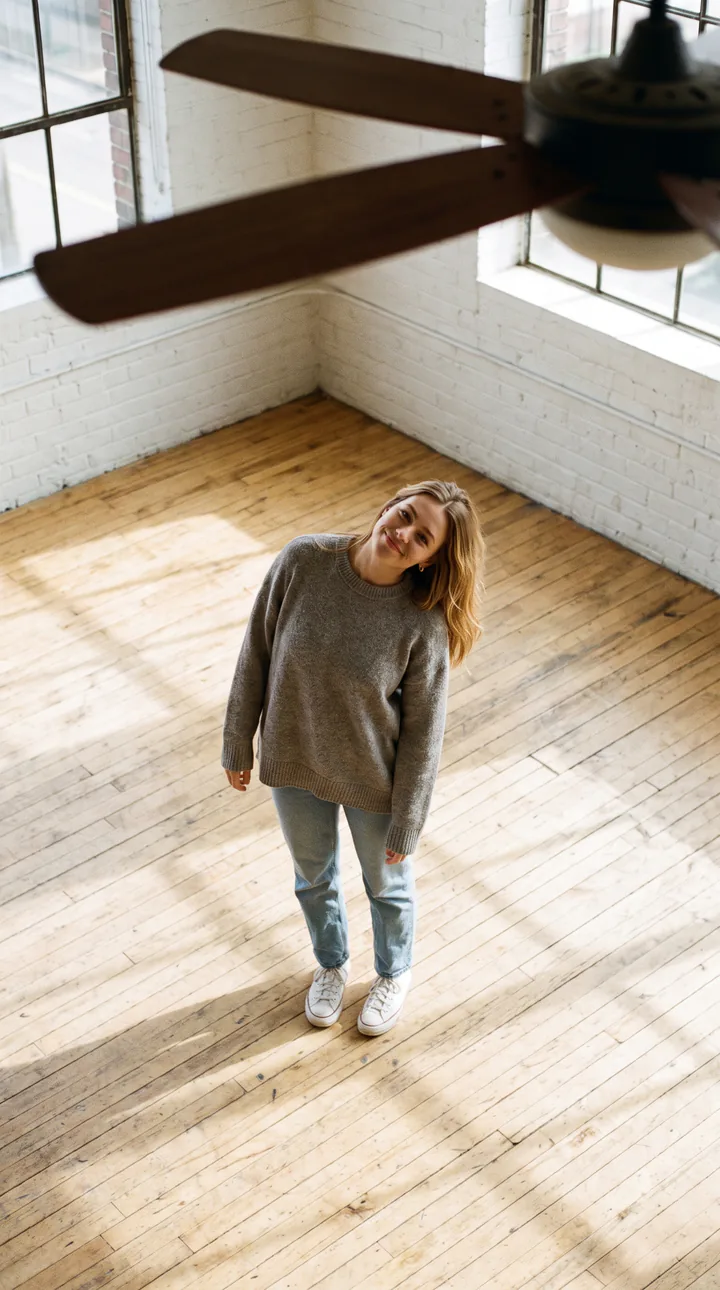
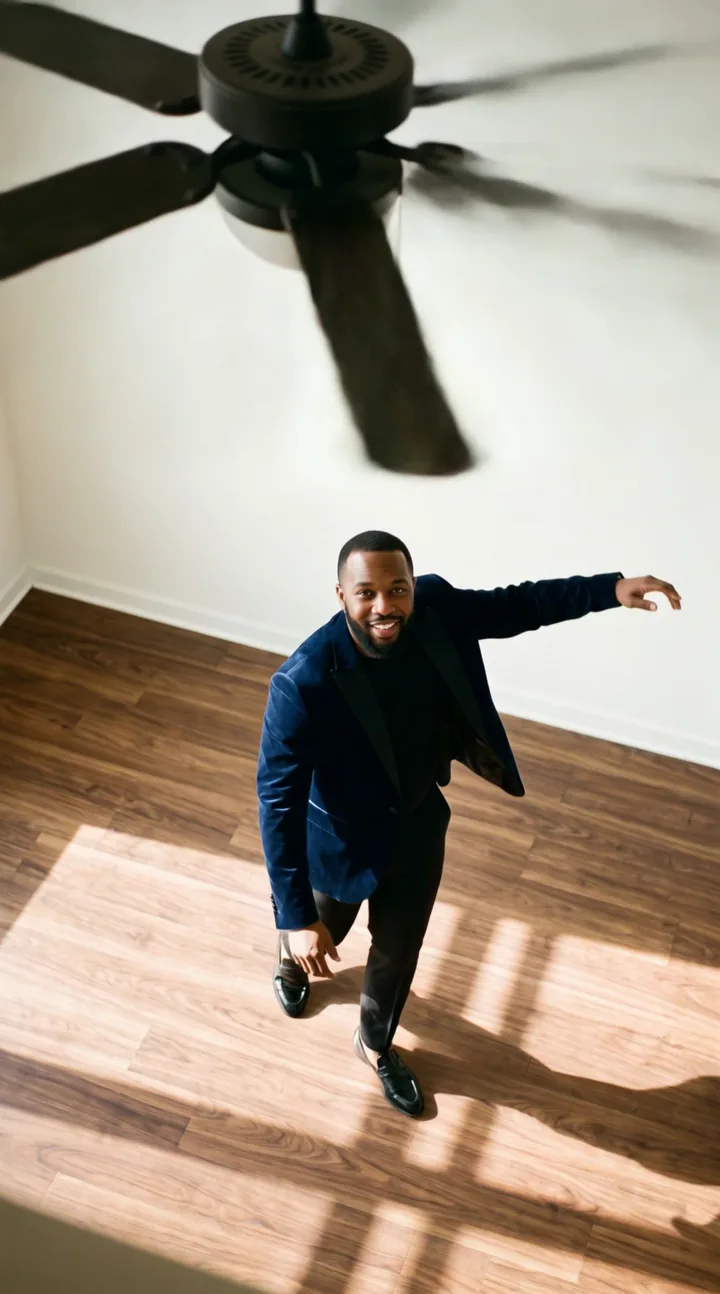
The main example was rendered with Kling 3.0 from a first and last frame: a woman with light hair in a grey sweater, seen from above under a spinning fan, spun once and landed in a sleek emerald satin suit with a confident pose. The second example is a single-photo MiniMax H3 run of a man in a beige outfit, who spun under the fan and finished in a dark navy jacket, arms out.
Both starting photos were taken from above with the fan already at the top of the frame, which is how the trend is filmed. In our single-photo test on Kling 3.0 the turn and outfit change also worked, scoring a little below the first-and-last-frame version.
The new outfit is meant to be the emerald suit; the H3 run chose a different jacket, so the cheaper path is less predictable about the outfit.
How Fan Transition does on each model
- Kling 3.0 Default. The main example: a clean spin into the emerald suit.
- MiniMax H3 The second example: the spin works, but the new outfit was a navy jacket instead of the emerald suit.
- Seedance 2.0 Mini · 480p The cheapest fallback; the moment the blade sweeps the lens is softer at 480p.
The prompt behind Fan Transition
You never write a prompt for Fan Transition. This is the exact text it sends with your photo:
The camera looks straight down at the person from high above, past the dark blades of a slowly spinning ceiling fan in the foreground. They look up at the camera, then spin around once in place; exactly as a fan blade sweeps across the lens mid-spin, their outfit changes into a sleek tailored emerald satin suit, and they finish the turn and strike a confident pose looking up at the camera. One continuous shot with no cuts. Plain clothes with no logos, no stripes and no text. Their face stays exactly the same.What the prompt asks for
- What happens
They look up at the camera, then spin around once in place; exactly as a fan blade sweeps across the lens mid-spin, their outfit changes into a sleek tailored emerald satin suit, and they finish the turn and strike a confident pose looking up at the camera.
- What stays the same
Their face stays exactly the same.
- Ground rules
One continuous shot with no cuts.
- Camera
The camera looks straight down at the person from high above, past the dark blades of a slowly spinning ceiling fan in the foreground.
Tips for a better Fan Transition result
- Take the photo from above, ideally with a ceiling fan at the top of the frame.
- Plain clothes make the outfit change obvious.
- Stand in an open spot so the spin has room.
Fan Transition cost and time
Fan Transition costs 51 credits with Kling 3.0 and is usually ready in about 1 min.
The cheapest option is Seedance 2.0 Mini · 480p: 19 credits for Fan Transition, ready in about 2 min.
Fan Transition: questions and answers
Can I choose the new outfit?
This effect always switches to the emerald satin suit. For other looks, use the outfit tools on a photo first, then animate it.
Why is the camera above me?
The trend is filmed looking down past a ceiling fan; the fan blade is what hides the outfit change.
Do I need a ceiling fan in my photo?
It helps a lot. Both examples were shot from above with the fan visible; the prompt adds the blades, but a top-down photo makes the shot convincing.
Why didn't I get the emerald suit?
Cheaper single-pass models can pick a different outfit. Kling 3.0, the default, followed the prompt in our run.
Is it really one continuous shot?
Yes, no cuts: the outfit changes exactly as a blade sweeps the lens.
Related effects and tools
- Halloween Costume Spin · Spin once and land in a full witch costume on a pumpkin porch.
- Outfit Check · A full turn to show the look, then a hand-on-hip finish.
- Costume Walk Reveal · Slow steps toward the camera, then one beat later a full vampire costume reveal.
- Whip Pan · Hold, then whoosh: a blurry swish straight out of the scene.
- Pick a specific outfit with AI Clothes Changer