What the Hologram effect does
Hologram sweeps blue scan lines over you from head to toe and turns your whole figure into a translucent, flickering blue projection with glowing wireframe edges, so the background shows through. A moment of digital glitch splits the image into colored fringes, then the hologram steadies and hovers, still looking into the lens.
It is the classic sci-fi transmission look, popular for tech intros and futuristic profile clips.
How to use Hologram
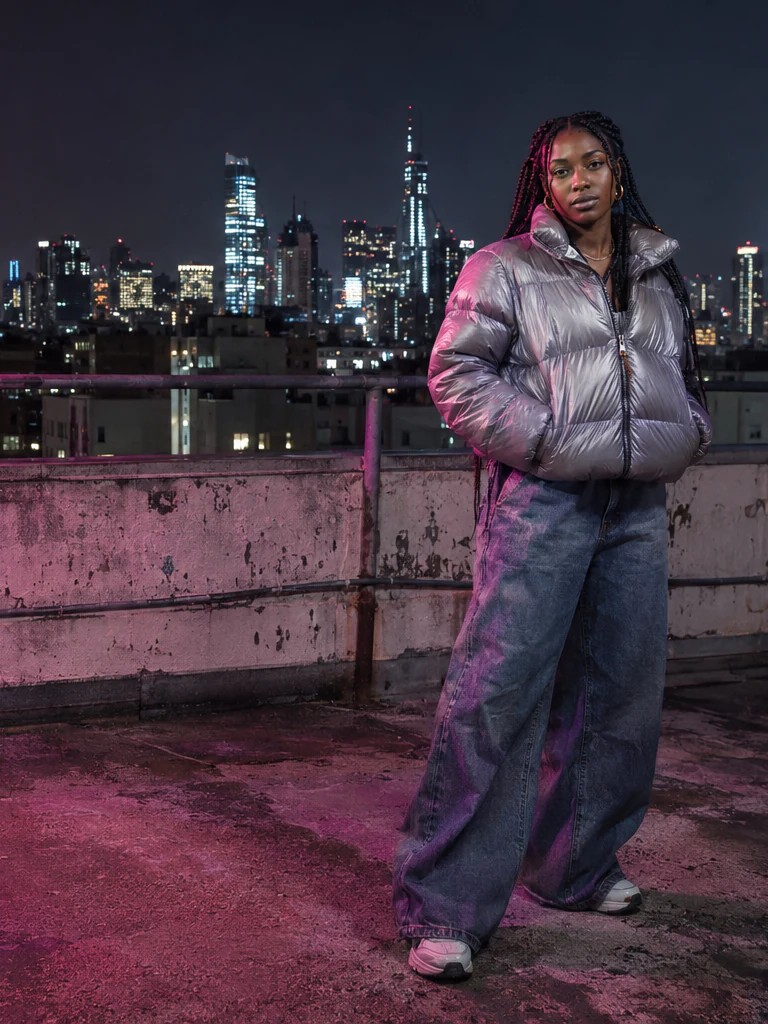
- Show a clear full silhouette Use Add a photo for one full-length portrait facing the camera against a dark skyline. Background lights help make the see-through blue projection visible.
- Keep the projection settling time Choose MiniMax H3 in More options and keep Length at 5s for the downward scan, brief glitch and stabilized hover. Press Make it move.
- Look through the blue figure Check for glowing edges and background detail showing through the body after the glitch. If the outline is lost, use Change for a darker, less busy scene with a larger subject.
Which photos work best for Hologram
Works well
- Full-length photos at night, especially with a city behind you
- Front-facing poses that read clearly as a projection
- Dark backgrounds that make the blue glow
Avoid
- Busy daylight scenes that compete with the hologram
- Expecting your real clothing colors; everything turns blue
- Tiny figures far from the camera
Hologram examples
Made with Seedance 2.0 FastSilver braids on a night rooftop: hologram by 3 s, a glitch, then a steady full-length projection.Made with MiniMax H3White puffer before a night skyline: a blue figure with city lights shining through. What we saw when we tested Hologram
The first example is a woman with long silver braids in a metallic jacket on a night rooftop: scan lines swept down from the head, she was a translucent blue hologram with wireframe edges by second three, glitched into color fringes for a moment and stabilized as a full-length projection. The second is a red-haired woman in a white puffer jacket against a night skyline, who turned into a glowing blue figure with the city lights showing through her.
Night skylines worked beautifully, because the lights behind the person stay visible through the translucent figure.
Real colors do not survive: the red hair and white jacket both became shades of blue, which is the style, not a fault.
How Hologram does on each model
- MiniMax H3 (210 credits · about 60 s) Both examples. Fully holographic by second three, then a brief glitch and a stable hover.$0.21 vs Runway $0.50 · 768p · 5s−58% vs Runway
- MiniMax H3 · 4s (168 credits · about 60 s) The stable hover after the glitch is shorter.$0.21 vs Runway $0.50 · 768p · 5s−58% vs Runway
- Seedance 2.0 Mini · 480p (125 credits · about 3 min) Thin wireframe lines are hard to keep sharp at 480p.$0.13 vs fal $0.36 · 480p · 5s−65% vs fal
The prompt behind Hologram
Blue scan lines sweep down over the person from head to toe. Their whole figure turns into a translucent, flickering blue hologram with glowing wireframe edges, and the background shows through them. Digital glitches split the image into colored fringes for a moment, then the hologram stabilizes and hovers, still looking into the lens.
Tips for a better Hologram result
- Night photos with city lights behind you look the most like a real projection.
- Stand facing the camera; the hologram keeps eye contact at the end.
- Do not worry about outfit colors, everything becomes blue.
Hologram: questions and answers
Do I keep my real colors in the Hologram effect?
No. The whole figure turns blue and translucent; that is the hologram look.
Does the glitch last long?
Only a moment. The image splits into colored fringes once, then the hologram stabilizes.
Can people see the background through me?
Yes, the figure is translucent, so lights and buildings behind you show through.
Can the hologram glow in a sunny photo?
It works, but the glow is weaker. Night or dark scenes make it convincing.
Hologram or Digital Glitch?
Hologram turns you into a blue projection; Digital Glitch keeps you as you are and breaks up the video signal.
Related effects and tools
- Glitch · Red-and-cyan glitches tear through, then snap back clean.
- Pixel Scatter · Break into glowing pixels that blow away on a digital wind.
- Storm Charge · Eyes flash white as lightning crackles down your arms.
- Game Character Select · You become a 3D game character spinning on a neon select screen.
- Turn the photo into anime art first with Photo to Anime

 Your photo

