


by MiniMaxImageNew

MiniMax H3-Image HighSpeed
Fast 2K and 4K stills with up to sixteen-photo editing
- Up to 4K
- Up to 16 reference images
- 15 aspect ratios
From 42 credits per image≈ $0.042· Create Image · 1K
What is MiniMax H3-Image HighSpeed?
MiniMax H3-Image HighSpeed is MiniMax's fast tier of its H3-Image model, released on 24 November 2026. It generates at 1K, 2K or 4K in fifteen aspect ratios from 3:1 to 1:3 and edits from one to sixteen photos. Our generations took 27 to 28 seconds and our edits 22 to 28 seconds.
Best on PopNow for: Wide cinematic frames, fashion editorials and multi-photo product composites when you want the result in under half a minute.
Good for
- Cinematic ultrawide frames at 21:9 for banners, headers and title cards
- Combining a product, a fabric and a location from separate photos into one catalogue shot
- Changing a scene's season or time of day while the framing stays exactly where it was
What MiniMax H3-Image HighSpeed does well
Ultrawide in one pass
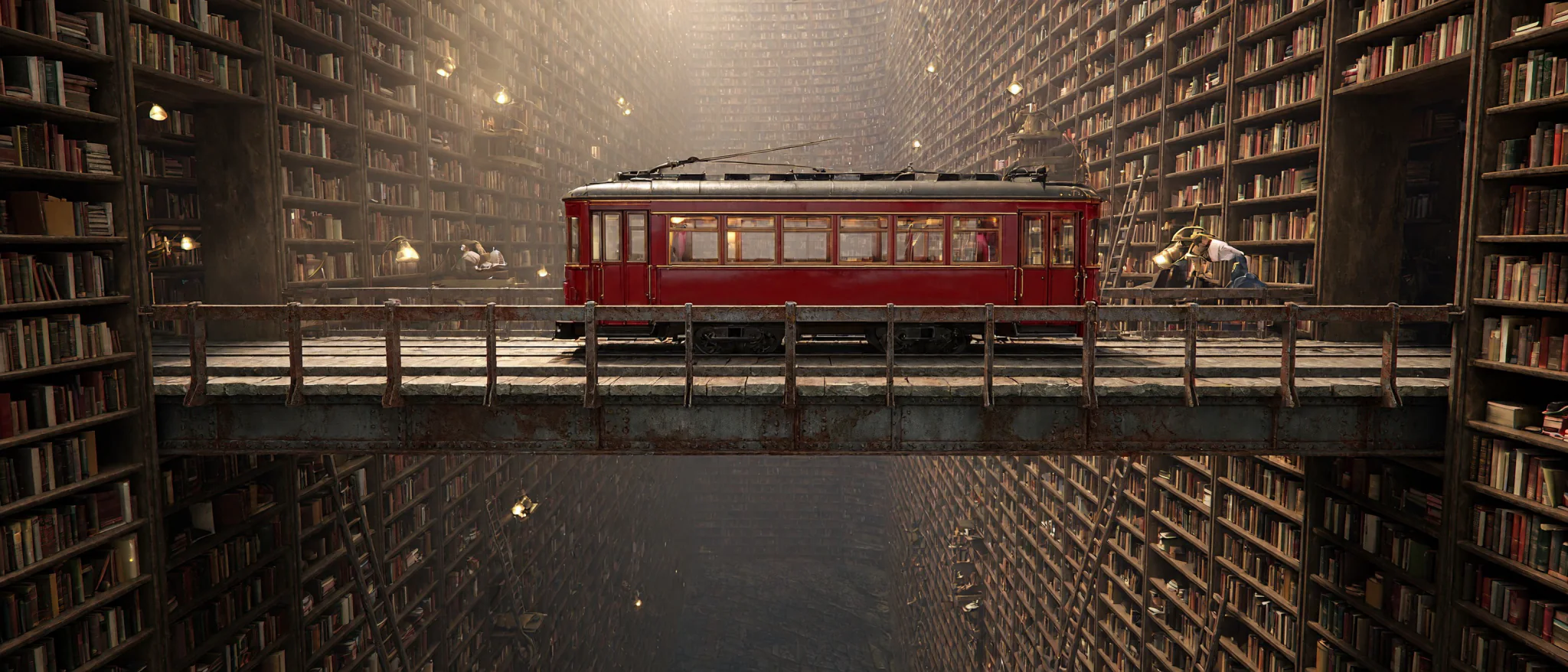
In our tests on PopNow (November 2026), a 2K 21:9 scene of a red tram crossing a canyon of library shelves came back at 3136 × 1344 in 28 seconds. Book spines, rolling ladders and reading lamps stayed dense across the whole width, and tiny readers on the ledges kept the right scale for the depth of the shot.
Texture in fashion portraits
A man in a rust double-breasted suit carrying a glowing lantern over Marseille read as an editorial photograph, with believable salt-and-pepper beard and fabric weave at 1824 × 2288. The pink evening sky and terracotta roofs held together behind him instead of collapsing into a generic sunset backdrop.
Edits that keep the frame
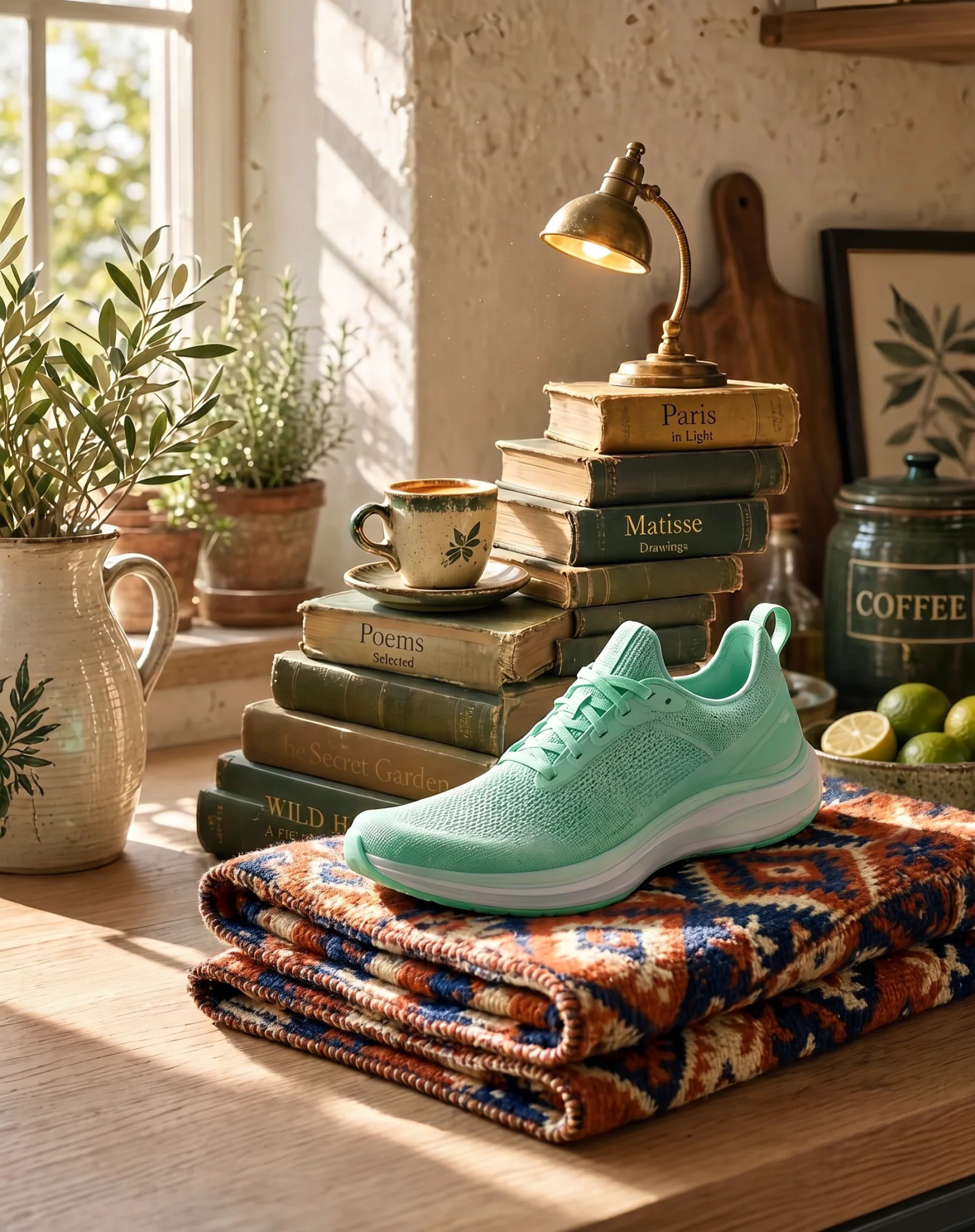
Turning the canyon into a snowy night left the bridge, the tram and the framing exactly in place while snow settled on every shelf and the headlight cut through it. That edit returned the full 3136 × 1344 in 22 seconds, so wide formats survive editing. A three-photo composite put a knit shoe on a kilim on an oak counter and took on the morning light of the third picture.
Real results from MiniMax H3-Image HighSpeed

 Input
Bring your own image
 Input
Bring your own image
Prompts that worked on MiniMax H3-Image HighSpeed
Cinematic wide photograph: a single red vintage tram crosses a narrow iron bridge over a canyon whose walls are floor-to-ceiling library bookshelves, thousands of books, rolling ladders and reading lamps on the ledges. Late afternoon sun cuts across the shelves, dust in the air, tiny figures reading on the ledges for scale. Anamorphic lens, rich film colour, sharp detail.
It names the format first, a cinematic wide photograph, which suits the 21:9 frame, then gives one clear subject, a single red tram, against a very busy setting. The scale cue of tiny figures reading on the ledges is what makes the canyon feel enormous. Lens and colour notes come last, so they set the finish without competing with the scene.
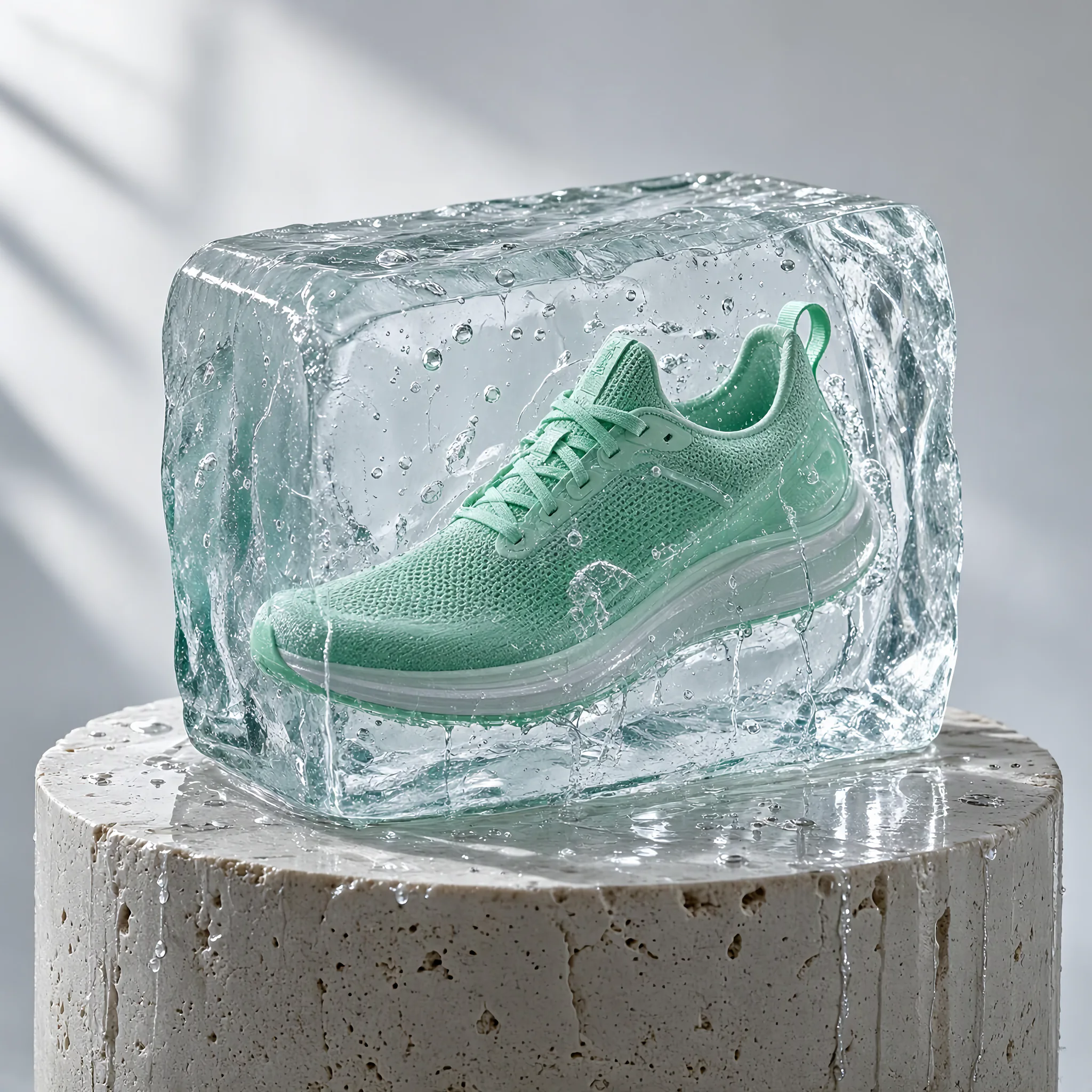
RecreateCatalogue photograph: the mint-green knit running shoe from image 1 rests on a folded wool kilim with the pattern from image 2, on the sunlit oak kitchen counter from image 3 beside the stack of old books. Keep the shoe's shape, knit texture and colour exactly; soft morning sun and long window shadows as in image 3.
Every reference has one stated contribution: the shoe from image 1, the kilim pattern from image 2, the counter and books from image 3. The prompt then protects the product by naming its shape, knit texture and colour, and says whose light to borrow. With roles that clear, three sources merged into a single believable catalogue shot.
RecreateWhat MiniMax H3-Image HighSpeed can do


Best ways to use MiniMax H3-Image HighSpeed on PopNow
Banners and title cards
Pick HighSpeed in the image workspace and set 21:9 or 3:1 for headers. The wide formats come straight from the model, with nothing cropped away.
OpenProduct scenes from your own photos
For store listings, combine a product photo with texture and location references, then build the full gallery set in the product listing app.
OpenThumbnails on a deadline
Short waits make it practical to try several thumbnail backgrounds in a row; finish the headline layer in the thumbnail maker.
OpenHow to prompt MiniMax H3-Image HighSpeed
- Number your photos in the prompt and give each one a single job: the shoe from image 1, the pattern from image 2, the counter from image 3.
- 2K costs only slightly more than 1K, so start at 2K and keep 4K for print or very large screens.
- Prompt expansion is on by default. Switch it off when you have written a long, exact brief and want it followed as written.
Settings worth knowing
Resolution1K · 2K · 4K- Choose an available output size.
Aspect ratio1:1 · 16:9 · 9:16 · 4:3 +11- The shape of the frame: wide, square or tall.
Images≤ 16- Photos to edit or combine. Say in the prompt what each one adds.
Prompt boost- Lets the model add detail to a short prompt.
Formatpng · jpeg · webp- File type of the result.
How it compares
MiniMax H3-Image is the standard version of the same model, with the same sizes, ratios and sixteen-photo edits, and it costs less per image. Choose HighSpeed when turnaround matters, for live previews or large batches, and the standard version when budget counts for more than seconds.


Where MiniMax H3-Image HighSpeed falls short
Composites built around products held together well, but placing a person from one photo into a differently lit scene looked pasted in our tests. When people are involved, start from source photos with similar light.
- Specific shapes can drift: a paper moon lantern came back as a cylinder rather than a sphere.
- Putting a person from one photo into a scene with different light looked pasted in our test, while product composites stayed steady.
- 4K costs several times the 2K rate, so keep it for files that truly need the extra pixels.
How to use MiniMax H3-Image HighSpeed in three steps
- Open Image, choose MiniMax H3-Image HighSpeed and pick a resolution and one of fifteen ratios.
- Write one clear subject with a scale cue, or upload up to sixteen photos and number their roles.
- Check the result, then edit it with a one-line change; the framing will stay put.
Questions about MiniMax H3-Image HighSpeed
How much does MiniMax H3-Image HighSpeed cost?
On PopNow, MiniMax H3-Image HighSpeed starts at 42 credits ($0.042) per image. Larger sizes cost more: 1K 42 · 2K 44 · 4K 156.
What sizes can MiniMax H3-Image HighSpeed make?
MiniMax H3-Image HighSpeed renders up to 4K in 15 aspect ratios, and edits with up to 16 reference images.
How fast is MiniMax H3-Image HighSpeed?
Every job in our November 2026 tests finished in 22 to 28 seconds, queue included, for both 2K generation and edits.
How many photos can I combine in one edit?
Up to sixteen. Our three-photo test merged a product, a fabric and a kitchen counter in 28 seconds.
Can it make 21:9 and other wide images?
Yes. It offers fifteen ratios, including 21:9, 2:1 and 3:1 plus their tall versions. Our 2K 21:9 picture measured 3136 × 1344.
Do edits keep the original size?
They follow the resolution and ratio you choose. With 2K and 21:9 selected, our snowy canyon edit matched the 3136 × 1344 source exactly.
Is HighSpeed a lesser version of H3-Image?
It is the same model family set up for speed. We have not run the two side by side on these prompts; pick standard H3-Image when the lower price matters more than the wait.
Which file format should I download?
PNG is the default. JPEG and WebP are there when file size matters more than lossless pixels.
What does 4K cost compared with 2K?
A 2K picture costs 44 credits and a 4K picture 156 credits.
MiniMax H3-Image HighSpeed or MiniMax H3-Image?
MiniMax H3-Image is the standard version of the same model, with the same sizes, ratios and sixteen-photo edits, and it costs less per image. Choose HighSpeed when turnaround matters, for live previews or large batches, and the standard version when budget counts for more than seconds.
Make something with MiniMax H3-Image HighSpeed
Frame it wide, number your photos, and spend the saved minutes on more takes.