


by MicrosoftImageNew

MAI-Image-2.7 Flash
Fast 1K and 2K stills and five-photo edits built for quick iteration
- Up to 2K
- Up to 5 reference images
- 11 aspect ratios
From 19 credits per image≈ $0.019· Edit Image
What is MAI-Image-2.7 Flash?
MAI-Image-2.7 Flash is the faster, cheaper tier of Microsoft's MAI-Image-2.7. It takes the same inputs, a prompt rendered at 1K or 2K in eleven ratios, or one to five photos to edit, and costs about a third as much per picture. Our 2K renders arrived in about 39 seconds, against 55 to 60 seconds for the full model.
Best on PopNow for: Catalogue-style packshots, still lifes and quick backdrop swaps, plus fast rounds of drafts before a final render.
Good for
- Product and still-life shots where a clean backdrop and controlled light matter most
- Running many versions of a layout or colourway before you commit to a final
- Moving a product onto a new backdrop while its shape, colour and angle stay the same
What MAI-Image-2.7 Flash does well
Product surfaces read clearly
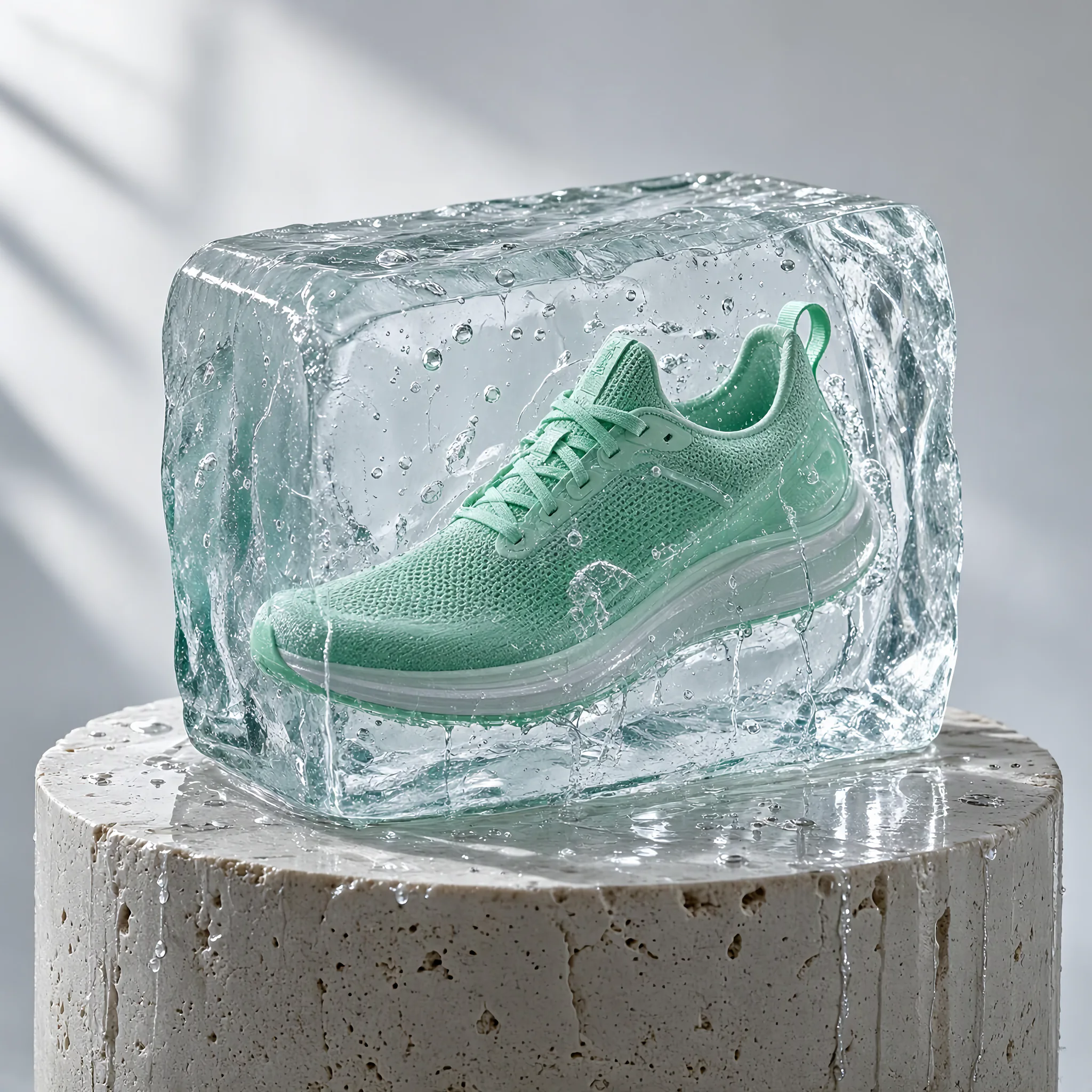
Our first 2K test froze a mint knit running shoe inside a melting block of ice on a travertine plinth. Refraction through the ice, droplets running down it, the pores of the stone and the knit pattern of the upper were all legible at 2048 × 2048. For catalogue work, that is the detail that sells the material.
It obeys a no-text line
The ice-block prompt ended with no text, no logo, and the frame came back with neither, not even an invented brand on the plinth. Left alone, Flash does letter its props, as the book still life showed, so treat that closing line as standard for every packshot.
Backdrop swaps keep the product
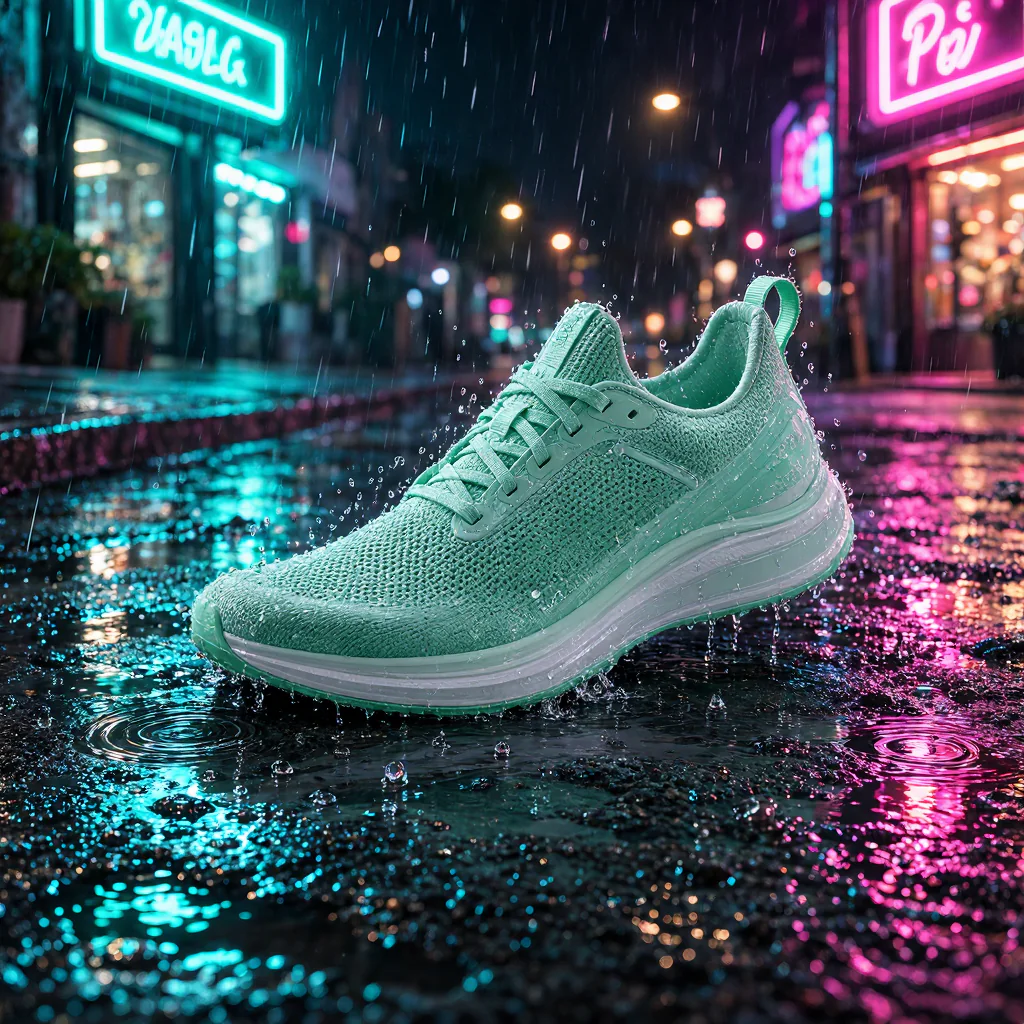
In edit mode we removed the ice and plinth and stood the same shoe on wet asphalt under teal and magenta neon. Silhouette, colour and camera angle survived, and the job took 27 seconds at 1024 × 1024. Relighting the book stack for late evening kept every spine title and moved all the light into the small brass lamp.
Real results from MAI-Image-2.7 Flash

 Input
Bring your own image
 Input
Bring your own image
Prompts that worked on MAI-Image-2.7 Flash
Product photograph: a mint-green knit running shoe frozen inside a clear block of ice that is slowly melting on a white travertine plinth, water droplets running down the ice and a small puddle catching the light. Clean pale-grey studio backdrop, soft daylight from the left, crisp reflections, catalogue look, no text, no logo.
It opens with the job, product photograph, then works from the object outward: shoe, ice, plinth, backdrop, light direction. Naming one source, soft daylight from the left, gave crisp reflections that all fall the same way. The two exclusions at the very end are why the stone front stayed blank.
RecreateSame scene and composition. Make it late evening: the little brass lamp is now the only light, casting a warm pool over the books and the cup, and the window behind shows a deep blue night with a few distant city lights.
An edit that begins with same scene and composition locks the layout before anything moves. It then names a single light source and says it is now the only one, which pushed the rest of the counter into shadow. Describing the window by what it should show, deep blue night with a few distant city lights, avoided a vague request to make it darker.
RecreateWhat MAI-Image-2.7 Flash can do


Best ways to use MAI-Image-2.7 Flash on PopNow
Packshots and lookbook drafts
Stay at 1K while you test angles and colourways, then rerun the chosen prompt at 2K. Switch to edit mode to try the same product on other backdrops.
OpenCut the product out afterwards
A plain studio frame from Flash goes straight into background removal when a store listing needs a transparent product image.
OpenTurn a look into a listing set
Once the styling is settled, the product listing app builds main images and gallery shots for a store page.
OpenHow to prompt MAI-Image-2.7 Flash
- Write the exclusions out. In our frozen-shoe test, ending with no text, no logo produced a frame without any lettering at all.
- Spell out shapes in plain geometry. We asked for a spiral staircase of books and got a staggered stack, so describe each step when the form matters.
- Small shop signs in the background of an edit came out garbled. When the signs must be readable, add that lettering afterwards with Ideogram 4.6.
Settings worth knowing
Resolution1K · 2K- Choose an available output size.
Aspect ratio1:1 · 16:9 · 9:16 · 4:3 +7- The shape of the frame: wide, square or tall.
Images≤ 5- Photos to edit or combine. Say in the prompt what each one adds.
How it compares
MAI-Image-2.7 runs the same features at roughly three times the price and took 55 to 60 seconds for our 2K stills. It earns that time on skin texture and crowded scenes with believable scale. Flash is the better default for products, still life and rounds of drafts; move the chosen prompt to MAI-Image-2.7 for the hero version.


Where MAI-Image-2.7 Flash falls short
Like the full model, it invents small text on props. Our book stack came back with spine titles such as Paris in Light and Wild Herbs that were never in the prompt.
- Specific shapes get simplified: a spiral staircase of books became an irregular stack.
- Distant background text in edits can turn to nonsense, as the neon shop signs did in our street test.
- Edits return at about 1K, for example 1024 × 1024 from a 2048 square source, and offer no size control.
How to use MAI-Image-2.7 Flash in three steps
- Open Image, choose MAI-Image-2.7 Flash and stay on 1K while you explore.
- Write the product, its surface and one named light source; add no text, no logo for packshots.
- Switch to 2K for the keeper, or upload it to edit mode to change the backdrop or the time of day.
Questions about MAI-Image-2.7 Flash
How much does MAI-Image-2.7 Flash cost?
On PopNow, MAI-Image-2.7 Flash starts at 19 credits ($0.019) per image.
What sizes can MAI-Image-2.7 Flash make?
MAI-Image-2.7 Flash renders up to 2K in 11 aspect ratios, and edits with up to 5 reference images.
Is MAI-Image-2.7 Flash a separate model from MAI-Image-2.7?
It is Microsoft's faster tier of the same release. Settings and features match; Flash costs less and finishes sooner, while the full model keeps more fine detail.
How fast is MAI-Image-2.7 Flash?
In our November 2026 tests, 2K text to image took about 39 seconds and edits 27 to 33 seconds, counted from submit to finished file.
What does a 2K Flash picture cost?
50 credits per picture, against 168 credits for MAI-Image-2.7 at the same size.
Will it print text on my product?
Only if you leave room for it. With no text, no logo in the prompt our packshot had none; without that line, Flash printed made-up titles on book spines.
Can Flash put my product in a new scene?
Yes. Upload the product photo, ask it to keep the item exactly as it is at the same angle and size, then describe the new setting. One edit can read up to five photos.
What size are Flash edits?
About 1K. A 2048 square source returned 1024 × 1024, and a 1760 × 2336 still life returned 896 × 1184.
MAI-Image-2.7 Flash or MAI-Image-2.7?
MAI-Image-2.7 runs the same features at roughly three times the price and took 55 to 60 seconds for our 2K stills. It earns that time on skin texture and crowded scenes with believable scale. Flash is the better default for products, still life and rounds of drafts; move the chosen prompt to MAI-Image-2.7 for the hero version.
Make something with MAI-Image-2.7 Flash
Draft fast, keep instructions literal, and move the winner to 2K.