


by MeshyImageNew
Meshy N1
A new finish for a 3D model from one reference image, shape unchanged
- Up to 4 reference images
From 480 credits per run≈ $0.48
What is Meshy N1?
Meshy N1 is Meshy's image-guided texturing model, released on 31 October 2026. It paints colour directly onto an existing 3D model, which keeps its original shape, using either photos of the object or one style image. There is no text prompt and no PBR output: you get a single colour texture that follows the pictures.
Best on PopNow for: Bringing a generated model's colours back in line with the real product photo, or borrowing a palette from one picture for a fast colour study.
Good for
- Fixing the texture of a model made from a photo, using that same photo
- Trying the palette of a rug, a poster or a product shot on a plain mesh
- White or untextured models that need colour for a quick preview
What Meshy N1 does well
The object's own photo as the guide
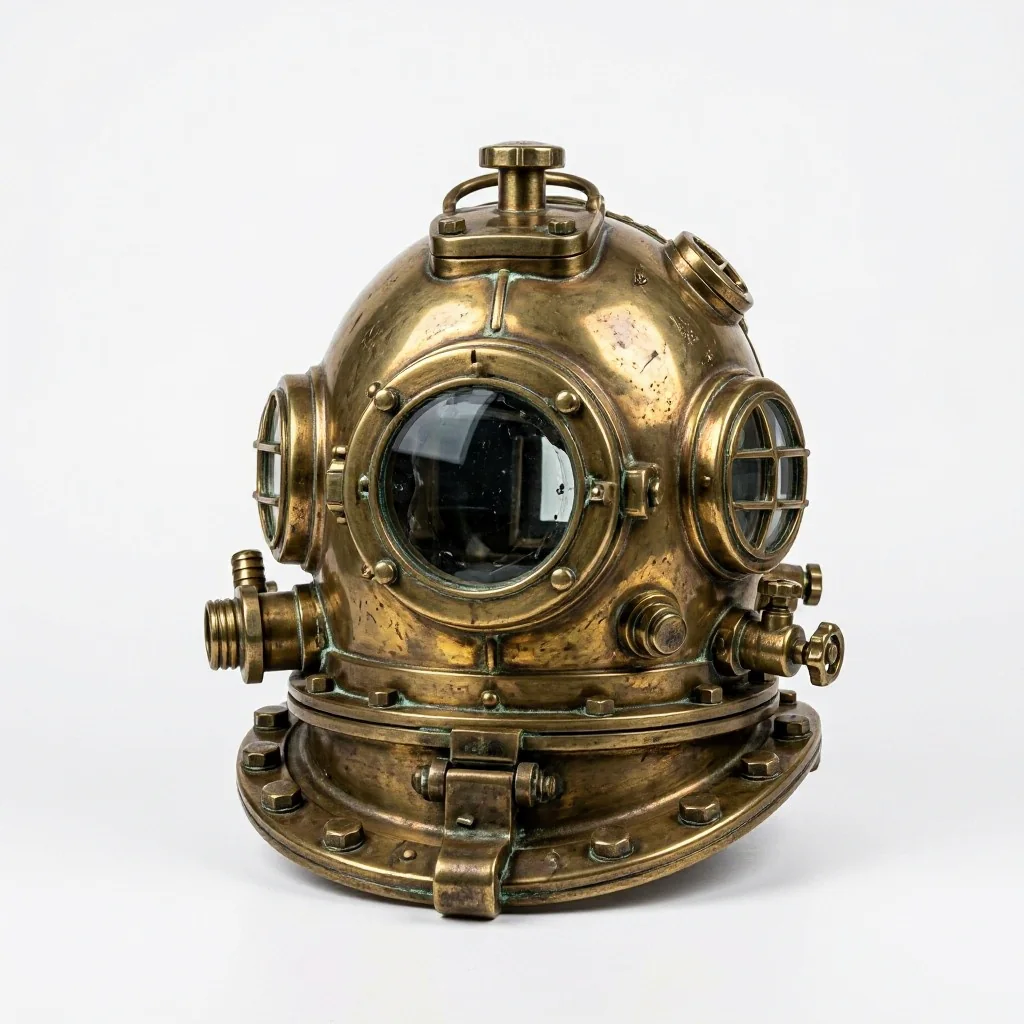
In our tests on PopNow (November 2026), we sent the diving helmet mesh from Meshy T2 together with the product photo it had been built from. After 66 seconds it came back in aged brass with darker patina in the recesses, and the back, which the photo never showed, was painted in the same mottled tone.
A palette borrowed from one picture
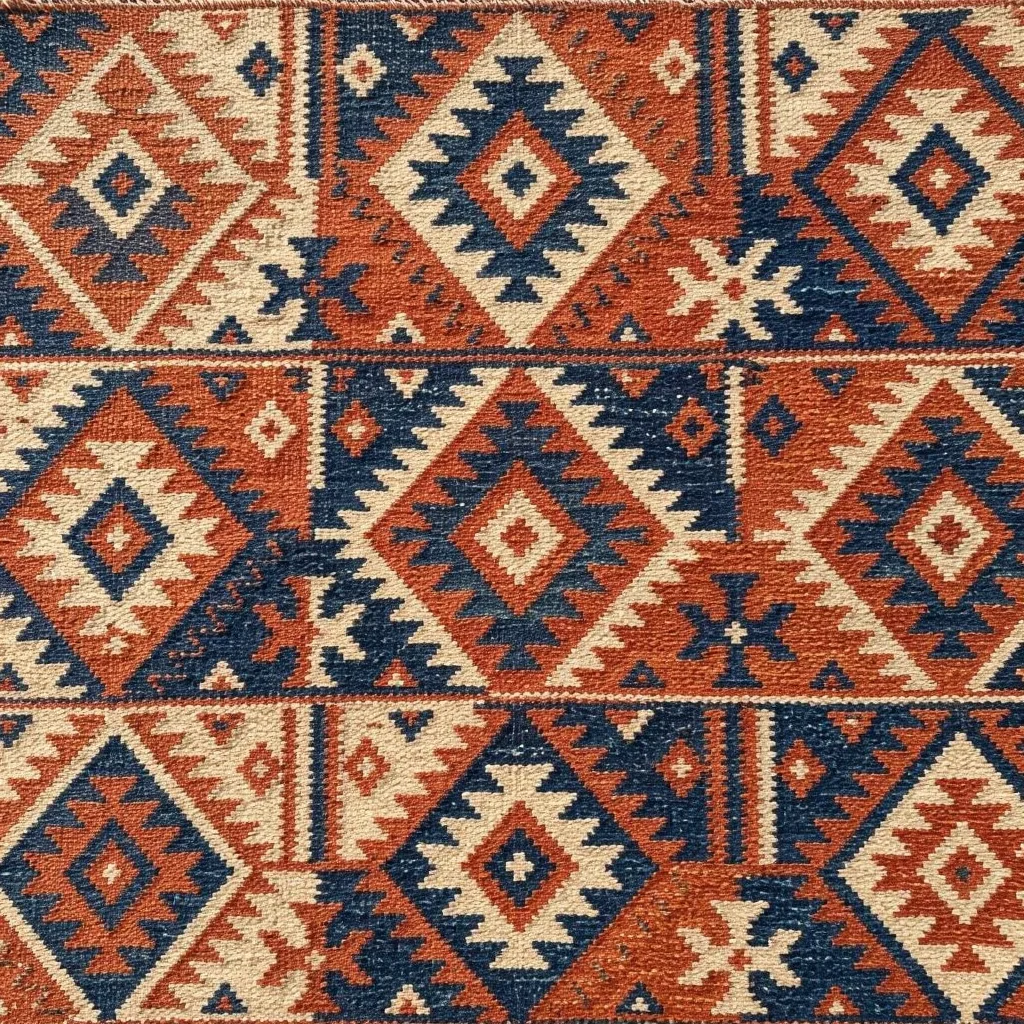
A single kilim photo on a running shoe spread navy, terracotta and cream over the whole upper and sole in 39 seconds. The mesh went in with 114,395 faces and came out with 114,374, no visible change in shape, and the shoe reads as if it had been cut from that textile.
Colour and nothing else
Every N1 result we downloaded held one 2048-pixel colour image and no metallic, roughness or normal maps. That keeps files light, 4.9 MB for the helmet, and suits stylised viewers, but realistic metal needs a material tweak afterwards. The example clips are turntables we recorded by spinning each returned GLB in a three.js viewer.
Real results from Meshy N1
 Input
No prompt, just the settings
Bring your own 3D model
 Input
No prompt, just the settings
Bring your own 3D model
Prompts that worked on Meshy N1
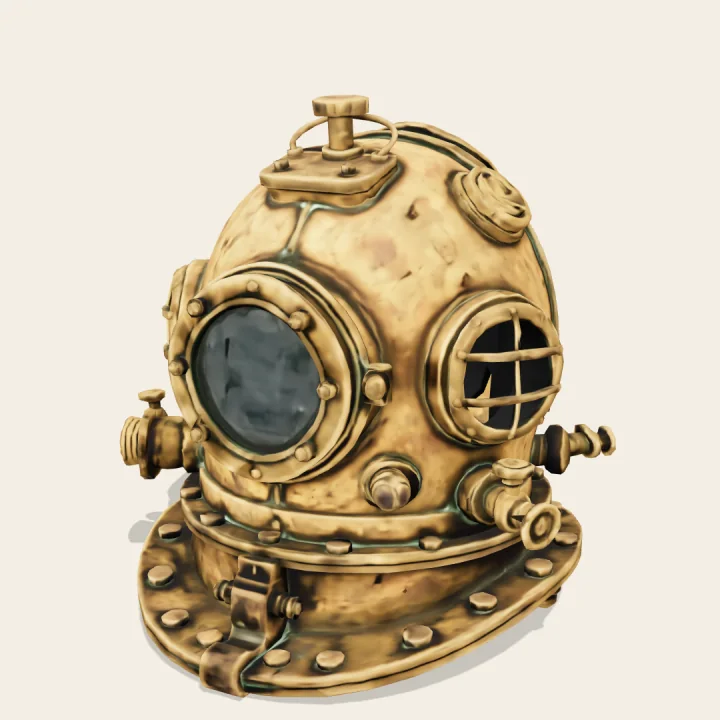
With no prompt available, the choice of picture is the whole brief. Using the very photo the mesh was generated from means every porthole, bolt and valve in the image has a matching shape on the model, so each colour lands where it belongs. One clean front view on a white background was enough here; up to four views can go in when the sides matter.
Recreate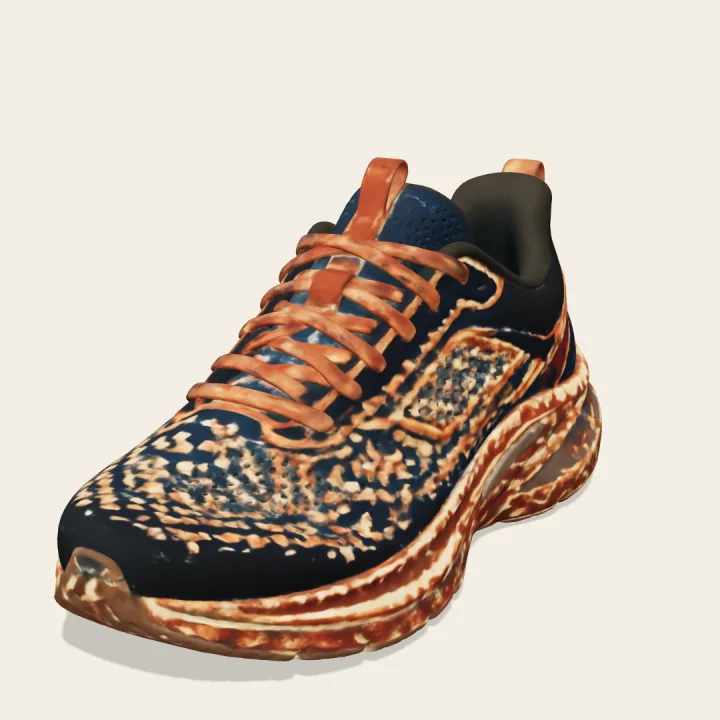
A flat, frame-filling photo of a woven kilim gave N1 a pure palette and pattern, with no lighting or object in it to confuse the result. The colours carried across cleanly, and the same picture shows the trade-off: a pattern scaled for a rug breaks into small dots on laces and the tongue. A bolder, larger motif is the safer choice for objects with many small parts.
RecreateWhat Meshy N1 can do
Best ways to use Meshy N1 on PopNow
Fix a texture after Image to 3D
When a generated model's colours drift from the product, send the same product photos to N1 and let it repaint the surface to match them.
OpenPut colourways on a launch page
Repaint one product model from a few colour references, check each result from every side, and load the keepers into 3D Product Page as options.
OpenHow to prompt Meshy N1
- When you send several photos, put the front view first and crop away busy backgrounds.
- For a style picture, pick one with large, clear areas of colour. Fine, dense patterns tend to break up on small parts.
- Expect colour only. Add shine or roughness in your own renderer if the object should look metallic or glossy.
Settings worth knowing
Reference images≤ 4- Pictures of the people, outfits or places the result should keep.
How it compares
Meshy 7 is the pick when you want to describe a finish in words, need metallic, roughness and normal maps, or want 8K textures. Meshy N1 stays closer to what its reference pictures actually show and needs no writing at all.
Where Meshy N1 falls short
There is no prompt and no seed, so the only way to get a different result is to change the pictures.
- There is no prompt. The only controls are the pictures and whether to keep the model's UV layout.
- No PBR maps: metal, gloss and surface bumps are not part of the result.
- A plain cobalt-and-cream stripe swatch did not carry over in our armchair test. The chair came back in grey, beige and cream with a faint woven grain but no stripes, so we left it out of the examples.
- Busy patterns fragment on small parts; on our sneaker the kilim motif broke into specks across the laces and the tongue.
- Send either one style image or up to four object photos, never both.
- Maps already on the model are replaced, not kept: our sneaker arrived with metal-roughness and normal maps and left with a colour map alone.
How to use Meshy N1 in three steps
- Open Meshy N1 and upload the model, a GLB, FBX, OBJ or STL of up to 90 MB.
- Add up to four photos of the object with the front view first, or switch to a single style image.
- Generate, then turn the model all the way round and check the back, the small parts and anything the pictures did not show.
Questions about Meshy N1
Can I describe the texture in words?
No. N1 has no text field. If you want to write the finish, use Meshy 7.
What is the difference between object photos and a style image?
Object photos, up to four, show the actual thing, so N1 tries to recreate its real colours. A style image only lends its colours and markings to whatever shape you sent.
Does Meshy N1 create PBR materials?
No. Results carry one colour texture; in our tests it was a 2048-pixel PNG.
How much does Meshy N1 cost?
480 credits per model, whatever the number of pictures.
Will it change my model's shape or polygon count?
No. The helmet kept all 14,311 faces, while the armchair lost 8 and the sneaker 21, with no visible change in shape.
Why didn't my fabric pattern show up?
A single swatch is not always applied as a pattern. Try a picture where the motif is large and clear, or switch to Meshy 7 and describe the pattern in words.
Meshy N1 or Meshy 7?
N1 when you have pictures and want the model to follow them. Meshy 7, from 480 credits, when you would rather write the finish, need PBR maps or want 8K textures.
Make something with Meshy N1
Show Meshy N1 what the object should look like, and it paints that look onto the shape you already have.