


by MeiGen-AIVideo
InfiniteTalk
Talking video up to 10 minutes from a portrait or clip at 480p or 720p.
- Up to 720p
From 39 credits per second of video≈ $0.039· AI Avatar · 480p
What is InfiniteTalk?
InfiniteTalk is an open-weight model released by MeiGen-AI in August 2025 under the Apache-2.0 license. On PopNow it works two ways: a portrait plus a recording becomes a talking video, or an existing clip is re-performed to a new recording, with head, expression and posture regenerated along with the mouth. Audio can run from 3 seconds to 10 minutes, rendered at 480p or 720p.
Best on PopNow for: Long-form speaking video from one image, such as a ten-minute lesson segment, a podcast episode with a face or a recorded talk, and re-voicing footage when the new line should change the delivery as well as the lips.
Good for
- Long explainers and lessons from a single portrait
- Podcast clips and voice notes with a face
- Picking one speaker in a group photo
What InfiniteTalk does well
Ten minutes per render
Audio from 3 seconds up to 10 minutes goes through in one job, billed per second with a three-second minimum. That is ten times the basic Talking Avatar's ceiling and five times Flash's, so a full lesson segment needs no stitching and no visible restart of the pose.
A footage mode that re-performs
Besides animating a still, InfiniteTalk can take a video and a new recording. Unlike Sync Lipsync 3 or ByteDance Lip Sync, which only redraw the mouth, it regenerates head motion, facial expression and posture to suit the new audio, so a flat take can gain energy. The trade is that the original movement is not kept frame for frame.
Masks, seeds and scene notes
In a group image, a white-on-black mask marks the speaker. The optional prompt describes the setting and how the person moves, and a fixed seed holds the random start steady while you test one change, such as a different prompt or the step up from 480p.
Real results from InfiniteTalk
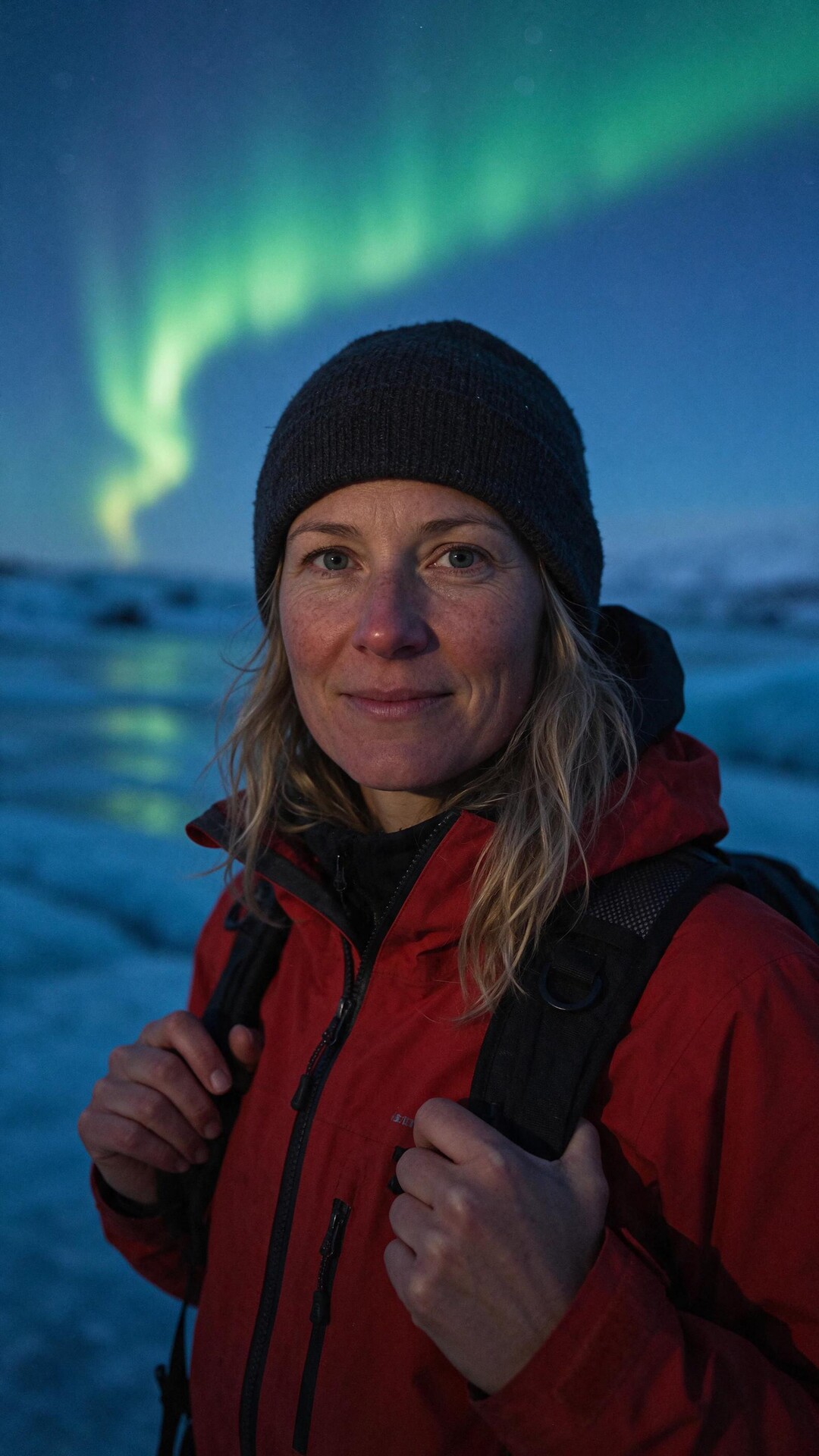 Input
Bring your own image
Prompts that worked on InfiniteTalk
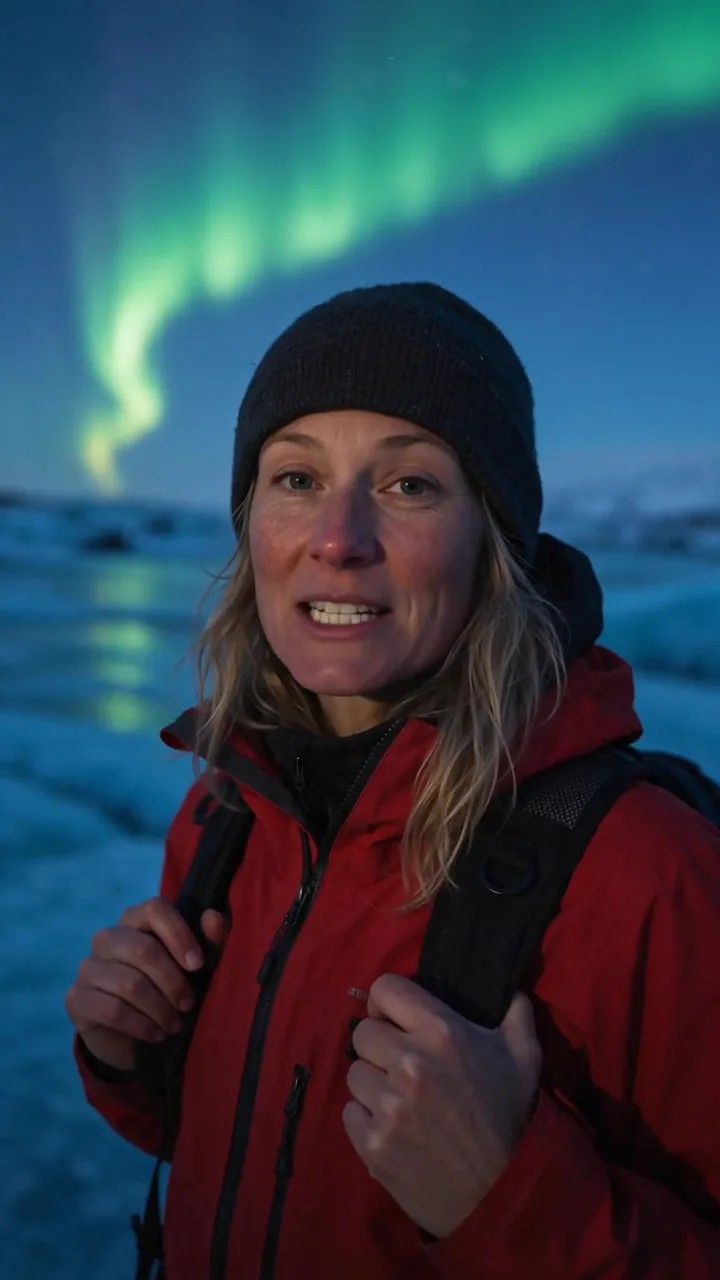
A woman on a glacier at dusk talks softly to the camera, small natural head movements, the aurora shimmering behind her.
Same glacier guide portrait and 6.5-second aurora line as the other talking-photo models, but here the prompt was a single sentence describing the scene rather than the full performance direction. At 720p the lips tracked accurately and the head swayed slightly and naturally through the line. The expression stayed level, though: the soft hello at the end did not bring the brighter eyes and smile OmniHuman 2.0 gave the same audio. Length matched the recording at 6.48 seconds.
RecreateWhat InfiniteTalk can do


Best ways to use InfiniteTalk on PopNow
A long lesson from one portrait
In the talking avatar app, upload a portrait and a recording of up to ten minutes. Render the whole thing at 480p first to check sync over the full length, then decide whether 720p is worth it.
OpenRe-perform a take to a new line
In the lip sync app, InfiniteTalk can redo an existing clip so the head and face follow a new recording, which suits a replacement line delivered with a different mood.
OpenProduce the narration first
Long voice-overs are easiest to build in the audio workspace. Keep music out of the file you send, since a clean voice drives the mouth best.
OpenHow to prompt InfiniteTalk
- Use a front-facing photo with the face well lit and the mouth closed.
- Clean speech without background music gives the best lip movement.
- Check timing at 480p first, then render the keeper at 720p.
Settings worth knowing
Resolution480p · 720p- Choose an available output size.
Image- The picture to start from.
Video- The clip to work on.
Audio- The voice or music track to use.
Mask- Paint over the area that should change.
Seed0–2147483647- Use the same seed and settings for more controlled comparisons.
How it compares
Talking Avatar is PopNow's default for quick clips. InfiniteTalk takes recordings up to 10 minutes and a mask to pick the speaker in a group photo.


Where InfiniteTalk falls short
- Output tops out at 720p, and 480p is the default; there is no 1080p setting. For a sharper talking photo, compare a short line against OmniHuman 1.5 or HeyGen Avatar 6.
- The performance is steady rather than expressive. In our glacier test the lips were right and the head moved a little, but the face barely changed on the emotional beat; Talking Avatar Flash and HeyGen Avatar 6 Turbo both moved more from identical inputs.
- In footage mode, motion from the source is regenerated rather than preserved, so a specific original gesture can change. In both modes the charge follows the recording, pauses included, and long recordings take correspondingly longer to come back, so test 20 to 30 seconds before a ten-minute job.
How to use InfiniteTalk in three steps
- Pick the mode: a portrait for a talking photo, or a clip with the speaker clearly visible for re-performing.
- Upload the recording (3 seconds to 10 minutes), optionally describe the scene and movement, and add a mask if more than one person is in frame.
- Run a 480p pass, watch it with sound, then repeat at 720p with the same seed once the timing works.
Questions about InfiniteTalk
How much does InfiniteTalk cost?
On PopNow, InfiniteTalk starts at 39 credits ($0.039) per second of video. Larger sizes cost more: 480p 39 · 720p 68.
Is InfiniteTalk free?
The weights are free to download under Apache-2.0, but rendering on PopNow is paid per second of audio. Talking photos cost 39 credits per second at 480p and 68 credits at 720p; footage mode costs 39 credits and 78 credits.
How long can InfiniteTalk videos be?
Each render accepts 3 seconds to 10 minutes of audio in both modes. Billing rounds up to whole seconds with a three-second minimum, and the output runs as long as the recording.
InfiniteTalk vs Talking Avatar?
Talking Avatar is PopNow's own budget tool: 3 to 60 seconds, about 352×640 for a vertical photo, cheaper per second. InfiniteTalk renders 480p or 720p, runs ten times longer and adds a mode for existing footage. Both accept a speaker mask and a seed.
InfiniteTalk vs OmniHuman 1.5?
OmniHuman 1.5 outputs 1080p and stops at 60 seconds of audio; InfiniteTalk stops at 720p but goes to 10 minutes and is open source. From the same portrait and line, both kept the lips accurate and neither made big gestures: OmniHuman added slight nods, InfiniteTalk a slight sway.
InfiniteTalk lip sync vs Sync Lipsync 3?
Sync Lipsync 3 keeps the filmed performance and swaps only mouth movement, billed by the length of the video. InfiniteTalk rebuilds head, face and posture to fit the new recording, billed by the audio length, with output at 480p or 720p.
Can I run InfiniteTalk on my own hardware?
Yes, MeiGen-AI publishes the model openly. Running it on PopNow skips the GPU setup; you pay only for the seconds you render and keep the results in your library.
InfiniteTalk or Talking Avatar?
Talking Avatar is PopNow's default for quick clips. InfiniteTalk takes recordings up to 10 minutes and a mask to pick the speaker in a group photo.
Make something with InfiniteTalk
Reach for InfiniteTalk when the recording is long or when filmed footage should re-perform to a new line; keep short, showy clips for the more expressive avatar models.