


by PopNowVideoNew
Video Relighter
Move the sun or turn day into night in footage you already shot
- Up to 1080p
From 24 credits per second of video≈ $0.024· 480p
What is Video Relighter?
Video Relighter is a PopNow tool that changes the lighting of an existing clip. Ten daylight presets move and reshape the sun, five night presets take the same footage after dark, and the framing, camera move, motion, length and soundtrack of your clip are kept.
Best on PopNow for: Rescuing grey daylight footage, building a day-to-night sequence from a single take, and matching shots filmed on different days.
Good for
- Giving flat overcast footage real sunlight and shadows
- Turning a daytime take into blue hour or a street-lamp night without a reshoot
- Making shots filmed at different times of day cut together
What Video Relighter does well
Hard sun on an overcast day
Our town-square clip was shot under a white sky. With low sun from the left, the man and the giant tortoise gained crisp, long shadows across the zebra crossing and the façades warmed up, while every step and the tortoise's slow walk stayed exactly where they were.
Day into night without a reshoot
Blue hour turned a sunny Lisbon street into dusk: a deeper sky, street lamps switched on, a cooler cast on the walls. The two cyclists, the yellow tram and the hand-held camera move came through untouched, including the moment one rider turns back laughing.
Choose where the sun sits
Eight directions, from front to behind, steer the daylight presets. Backlight and hazy backlight put a rim around people; golden hour from the front left gave our riders warm faces at the moment they looked back at the camera.
Real results from Video Relighter
No prompt, just the settings
Bring your own clip
No prompt, just the settings
Bring your own clip
No prompt, just the settings
Bring your own clip
Prompts that worked on Video Relighter
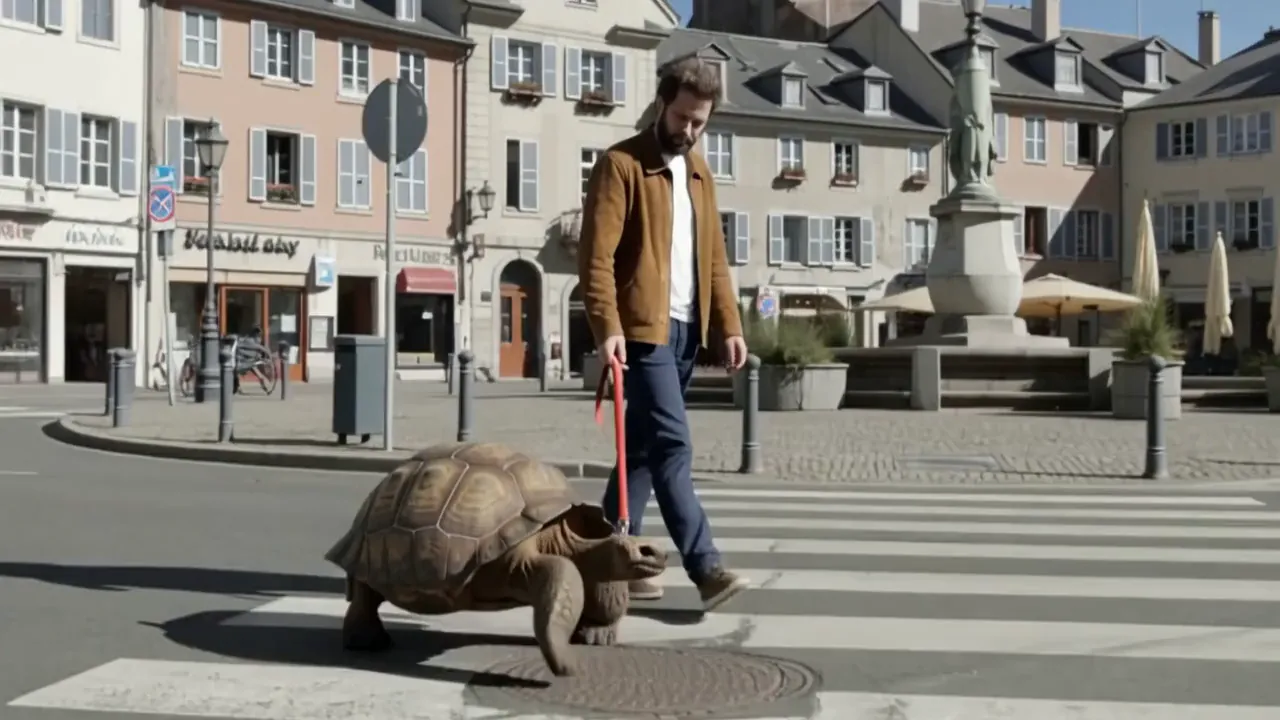
There is no prompt here, so the choices are the footage and two settings. Flat overcast light is the best starting point for sunlight presets: nothing in the clip contradicts the new shadows, and a side direction makes them long enough to notice.
Recreate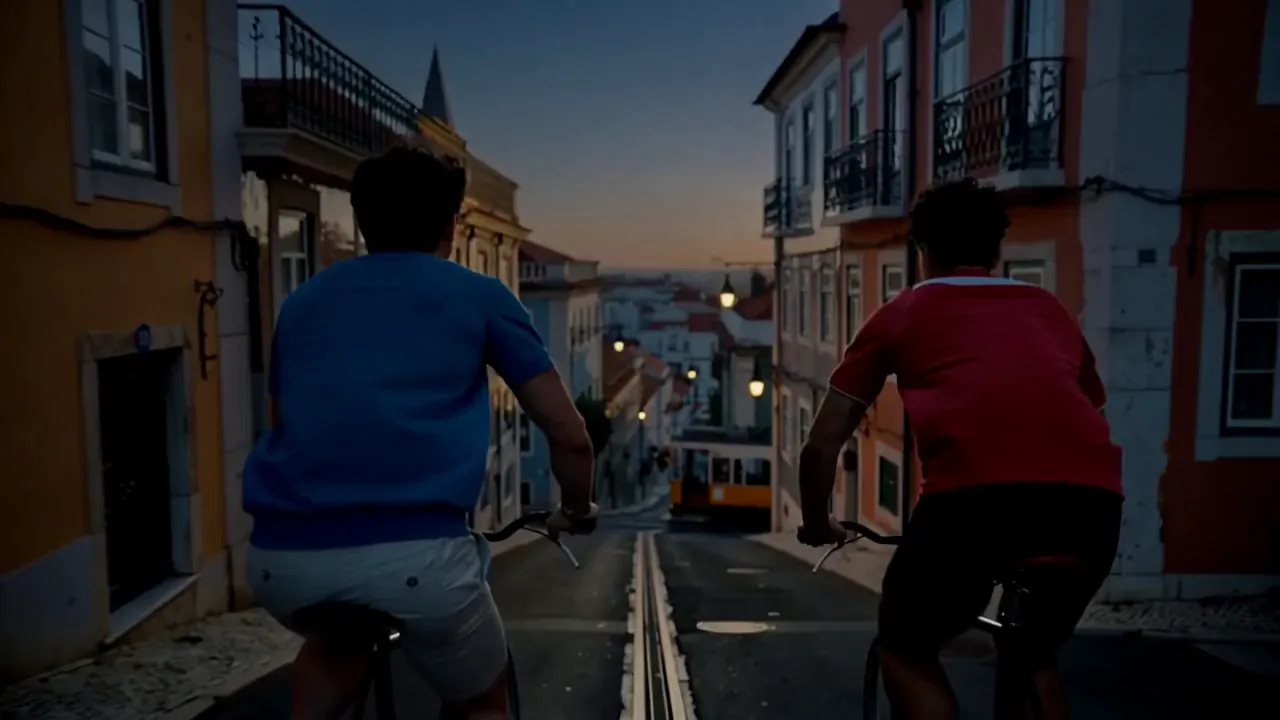
A night preset on the same street needs no direction at all. It works because the scene already has the parts a city at dusk needs, lamp posts and windows, which the relighter switched on.
RecreateWhat Video Relighter can do

Best ways to use Video Relighter on PopNow
Relight a single photo
Relight Photo changes the light in a still from a short description, useful for a thumbnail or a key frame cut from the same footage.
OpenRelight clips in the video workspace
Upload a clip in the video generator, pick Video Relighter and compare presets at 480p before the final render.
OpenHow to prompt Video Relighter
- Daylight presets follow the light direction; the five night presets ignore it. For long shadows that read on screen, pair low sun or golden hour with a side direction such as left or right.
- Open outdoor shots relight best. Our overcast town square took hard sun convincingly because the façades, bollards and zebra stripes gave the new light something to fall on.
- Compare presets at 480p, which costs half the 720p rate, then render the one you keep at 720p or 1080p.
Settings worth knowing
Resolution480p · 720p · 1080p- Choose an available output size.
Video- The clip to work on.
Seed0–2147483647- Use the same seed and settings for more controlled comparisons.
How it compares
Relight changes the light in a single photo from a written description. Video Relighter works on moving footage and keeps every frame in the same new light, chosen from presets rather than a prompt.


Where Video Relighter falls short
Billing follows the length of the uploaded clip at the chosen resolution, with a three-second minimum, so trim the clip to the part you need first.
- It changes light, not content: weather, wardrobe and objects stay as shot, so adding snow or rain needs a video edit model instead.
- Night presets ignore the light direction setting.
- Clips can run from 1 to 120 seconds; longer footage has to be split and relit in parts.
- The seed helps when comparing presets, but identical frames on a rerun are not guaranteed.
How to use Video Relighter in three steps
- Open the video workspace, choose Video Relighter and upload the clip you want to relight.
- Pick a daylight preset with a sun direction, or a night preset such as blue hour or street lights.
- Compare looks at 480p, then render the one you keep at 720p or 1080p.
Questions about Video Relighter
Can Video Relighter turn day into night?
Yes. Five night presets, moonlight, starry, street lights, city glow and blue hour, re-render the same take after dark while keeping the people and camera move.
Does it change my footage apart from the light?
No. Framing, camera movement, motion, length and audio come from your clip; only the lighting and the colour of the light change.
How much does Video Relighter cost?
It is billed by the length of your clip: five seconds at 720p costs 240 credits, and 480p costs half the 720p rate.
What footage works best?
Outdoor shots with sky, buildings or open ground. Clear surfaces give new sunlight and shadows something to land on.
Which preset should I try first?
Golden hour or low sun for warmth and long shadows, overcast or soft daylight to calm harsh midday light, and blue hour for the first night look.
Video Relighter or Relight?
Relight changes the light in a single photo from a written description. Video Relighter works on moving footage and keeps every frame in the same new light, chosen from presets rather than a prompt.
Make something with Video Relighter
Keep the take you love and change only the hour it seems to have been shot.