


by OpenAIImageNew
GPT Image 2.6 Sunburst
OpenAI's precision tier for detail that holds across repeated edits, up to 4K
- Up to 4K
- Up to 16 reference images
- 15 aspect ratios
- Up to 10 per run
87 credits per image≈ $0.087· Create Image · 1K · xhigh · square · ≤100 prompt tokens
What is GPT Image 2.6 Sunburst?
GPT Image 2.6 Sunburst is the high-accuracy tier of OpenAI's GPT Image 2.6 family, tuned for dense typography, realistic skin and fabric textures, and edits that survive several revision passes without degrading. It renders across five quality tiers up to 4K, takes up to sixteen reference images with optional masks or hand-drawn markup guides, supports transparent PNG or WebP cut-outs, and outputs short looping GIFs from a single prompt.
Best on PopNow for: Finished editorial visuals with small technical labels or handwritten notes, multi-round client revisions where untouched details must stay locked, and transparent assets ready for compositing.
Good for
- Final images where small text, fabric and faces get looked at closely
- Careful retouching over several rounds, guided by a mask or a marked-up copy
- Short looping GIFs made from a single prompt
What GPT Image 2.6 Sunburst does well
Small lettering and fractions rendered cleanly
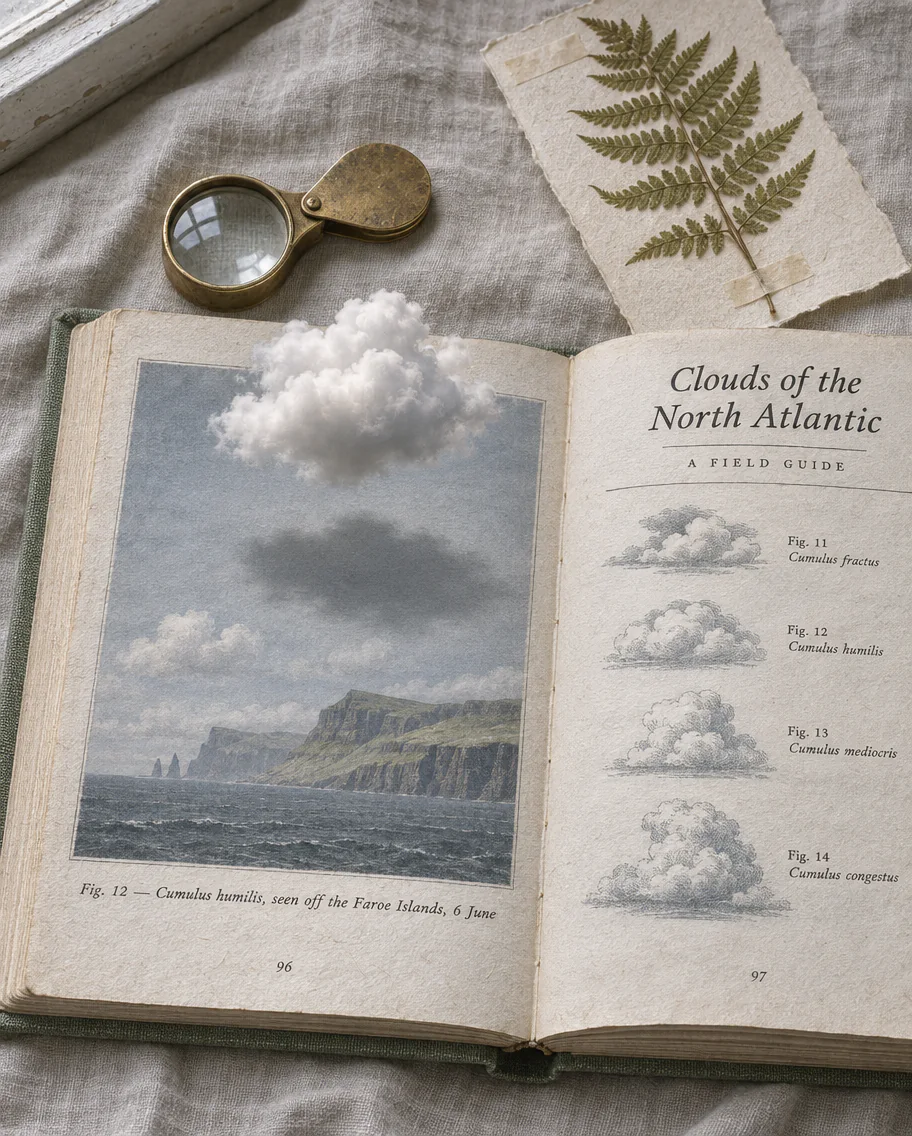
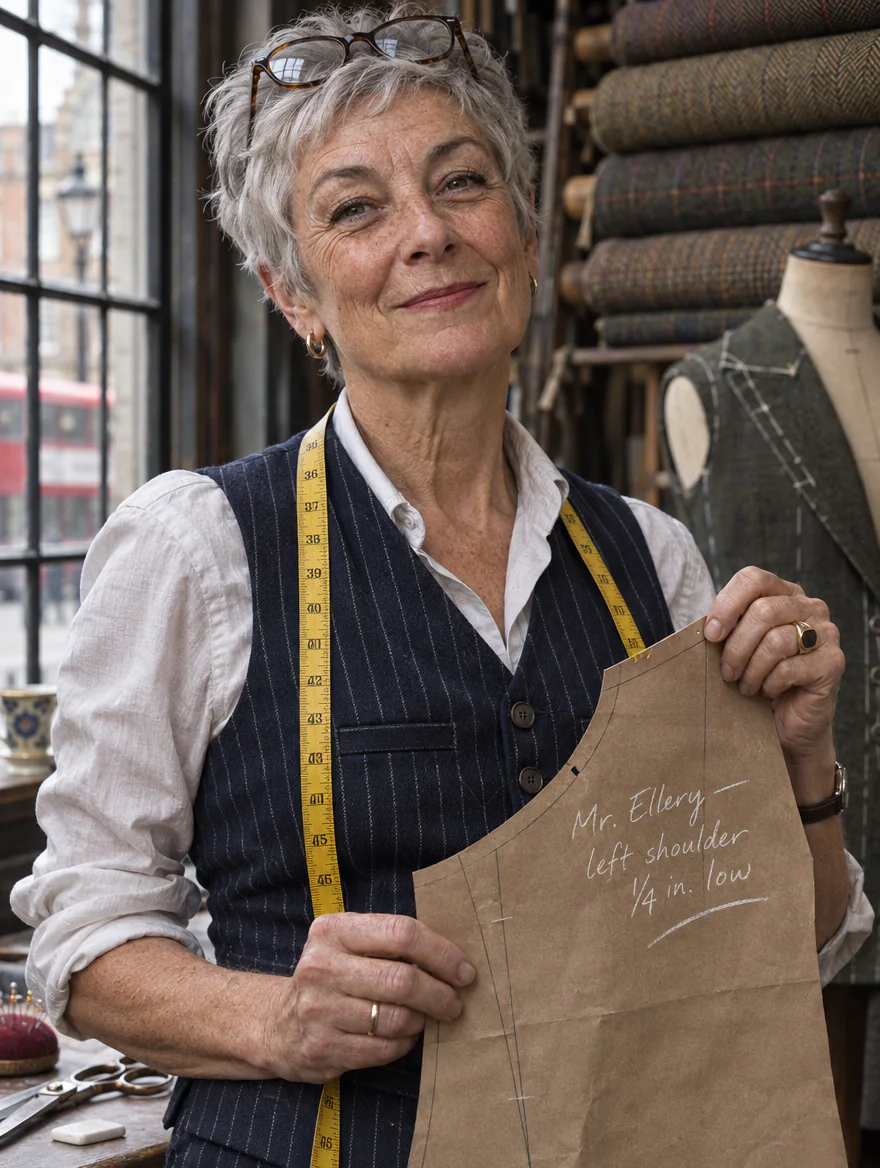
In our studio tests, Sunburst held multi-line serif captions, four Latin binomial labels across a two-page book spread, and handwritten chalk measurements including fractions without garbling characters or smearing edges.
Multi-pass edits that preserve untouched pixels
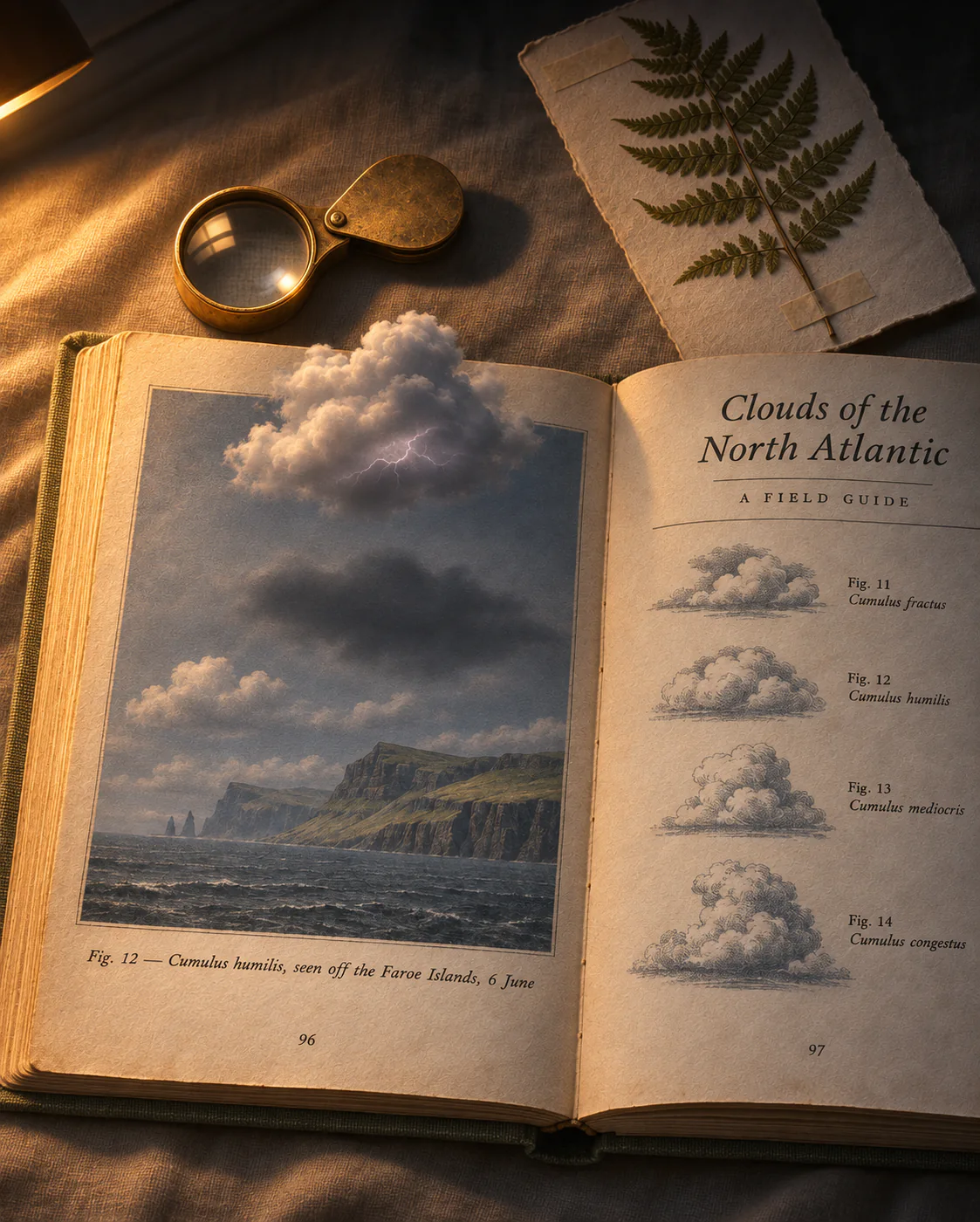
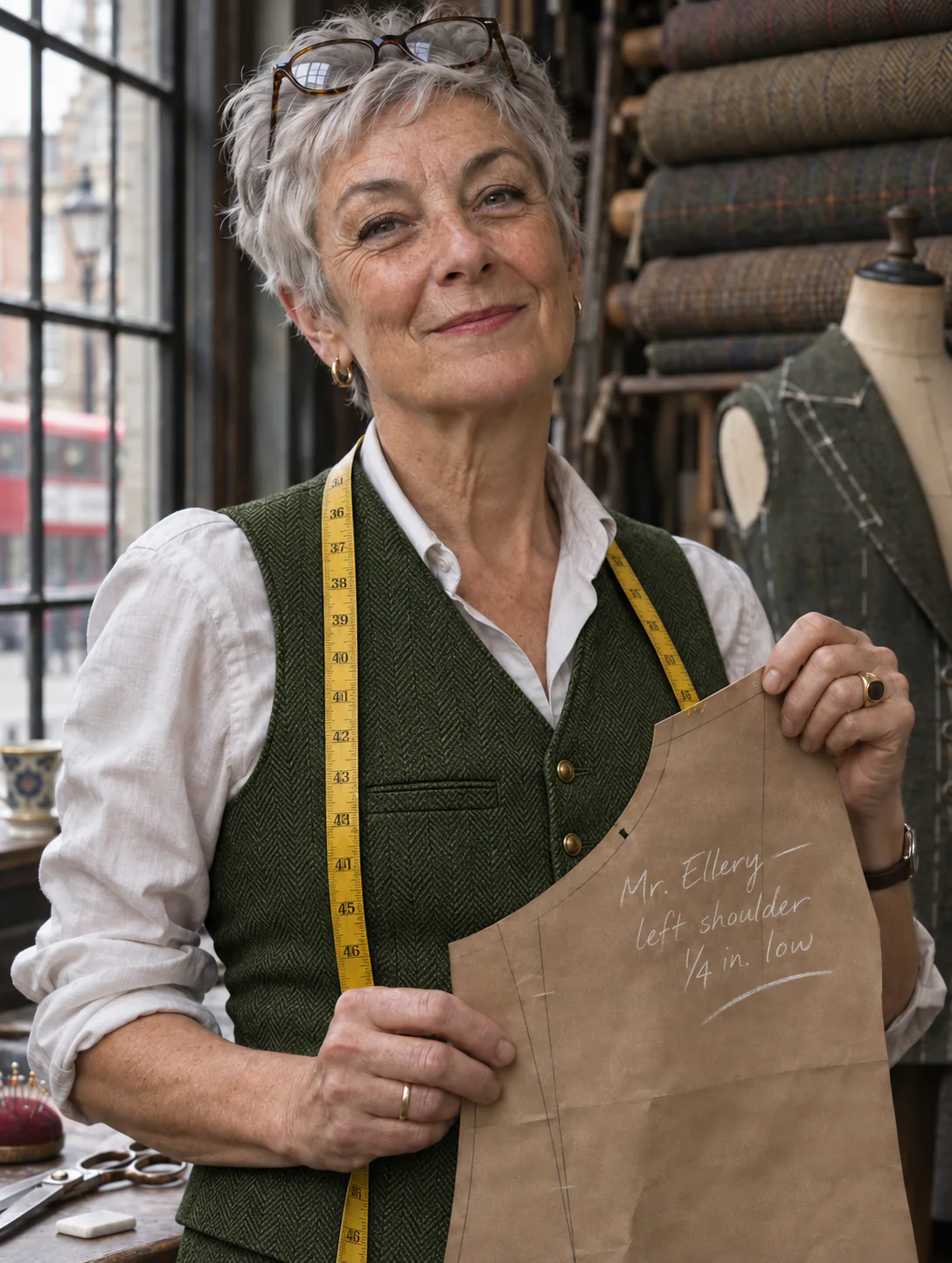
When we relit an illustrated book spread from daylight to desk-lamp night and added lightning inside a miniature cloud, every printed caption, pressed fern and magnifying glass stayed anchored in place. Swapping a tailor's navy waistcoat for forest-green tweed kept her face, measuring tape markings and chalk notes intact.
Markup guides, masks and looping GIF output
Upload either a painted mask or an annotated copy of your picture with arrows and circles to steer local changes. Beyond still frames up to 4K, Sunburst also generates short looping GIF sequences directly from text.
Real results from GPT Image 2.6 Sunburst
 Input
Bring your own image
 Input
Bring your own image
Prompts that worked on GPT Image 2.6 Sunburst
Overhead editorial still life on a washed linen tablecloth: an open clothbound field guide titled "Clouds of the North Atlantic" lies beside a brass magnifying loupe and a pressed fern. A real cumulus cloud the size of a teacup hovers two fingers above the open page and casts a soft grey shadow on the paper. The left page carries a caption in small serif type that reads "Fig. 12 — Cumulus humilis, seen off the Faroe Islands, 6 June". Soft north-window daylight, visible paper fibres and linen weave, muted sage, cream and slate tones, shot on a 50mm lens.
Quoting the exact figure caption and placing the four Latin species labels on the facing page gave Sunburst a concrete typographic map, while naming linen grain, deckle-edge paper and a cast shadow grounded the hovering miniature cloud.
RecreateChange her waistcoat to a forest-green herringbone tweed with small brass buttons. Keep her face, hair, glasses, expression, the tape measure, the paper pattern with its chalk note, her hands and the background exactly the same.
Naming the single garment change (forest-green herringbone tweed with brass buttons) and explicitly locking the tailor's face, glasses, tape measure and chalked measurement let Sunburst rewrite fabric texture cleanly across an edit pass.
RecreateWhat GPT Image 2.6 Sunburst can do


Best ways to use GPT Image 2.6 Sunburst on PopNow
Editorial photography and campaign hero shots
Build finished product scenes and portrait concepts in the image workbench when typography and natural skin detail are going to be inspected up close.
OpenPosters and print-ready layouts
Draft book spreads, event posters and packaging mockups with exact headlines and sub-copy before taking assets into final layout.
OpenTransparent product assets
Generate cut-out bottles, icons and merchandise graphics on clean transparency using PNG or WebP output.
OpenHow to prompt GPT Image 2.6 Sunburst
- Medium quality is the default. Raise it to high, xhigh or max for finals; higher levels take longer and cost more.
- To show where to change something, either paint a mask or upload a copy of the photo with circles or arrows drawn on it, not both.
- For a transparent cut-out, choose a transparent background with PNG or WebP. GIFs can't have a transparent background.
Settings worth knowing
Resolution1K · 2K · 4K · 512 · 768- Choose an available output size.
Aspect ratio1:1 · 16:9 · 9:16 · 4:3 +11- The shape of the frame: wide, square or tall.
Qualitylow · medium · high · xhigh · max- Choose one of this model’s quality settings.
Images1–10- How many results to make in one go.
Images≤ 16- Photos to edit or combine. Say in the prompt what each one adds.
Mask- Paint over the area that should change.
Backgroundtransparent · opaque- Keep, remove or replace the background.
Formatpng · jpeg · webp · gif- File type of the result.
How it compares
GPT Image 2.6 Flare has the same options and the same price per image, and it finishes sooner: about 12 to 16 seconds at medium 1K in testing, against about 30 seconds for Sunburst.


Where GPT Image 2.6 Sunburst falls short
OpenAI moderation is strict and can refuse a request. Refused requests aren't charged.
- At high quality, a single 1K generation took around a minute in our benchmark runs, making Sunburst slower than Flare for rapid ideation.
- Editing outputs can step up slightly in pixel dimensions relative to the uploaded source frame, so verify exact dimensions before dropping revisions into fixed-grid layouts.
- OpenAI's upstream content moderation is strict and may refuse borderline prompts, though rejected runs are not billed.
How to use GPT Image 2.6 Sunburst in three steps
- Pick GPT Image 2.6 Sunburst in the image workbench and choose Create for fresh visuals or Edit when modifying up to sixteen uploaded photos.
- Quote every word, fraction or label verbatim in your prompt, and name what must stay untouched when running multi-round edits.
- Start at medium quality for composition checks, then switch to high, xhigh or max quality (or transparent PNG / GIF settings) for your final export.
Questions about GPT Image 2.6 Sunburst
How much does GPT Image 2.6 Sunburst cost?
On PopNow, GPT Image 2.6 Sunburst starts at 23 credits ($0.023) per image. Larger sizes cost more: 1K 23 · 512 27 · 2K 42 · 768 44 · 4K 75.
What sizes can GPT Image 2.6 Sunburst make?
GPT Image 2.6 Sunburst renders up to 4K in 15 aspect ratios, and edits with up to 16 reference images.
When should I pick GPT Image 2.6 Sunburst instead of GPT Image 2.6 Flare?
Choose Sunburst for final renders, tiny serif or handwritten typography, and multi-pass retouching where detail stability matters most. Choose Flare when you want faster turnaround during early concept drafts.
Can GPT Image 2.6 Sunburst edit an image using hand-drawn notes?
Yes. You can upload a marked-up copy of your photo with circles or arrows showing what to change, or use a painted mask. Use one guide method per run rather than sending both together.
How many reference images can Sunburst combine in one edit?
Sunburst accepts up to sixteen input images in a single edit request. Refer to them cleanly in your prompt so each picture has a clear role.
Does Sunburst support transparent backgrounds?
Yes. Set background to transparent and choose PNG or WebP output. Transparency is not supported when rendering looping GIFs.
What happens if OpenAI moderation rejects a prompt?
The run stops with a refusal message and you are not charged. Rewording ambiguous terms or avoiding restricted subjects usually resolves false positives.
Does Sunburst accept a seed for exact repeatability?
No. OpenAI's GPT Image 2.6 endpoints do not expose a deterministic seed parameter, so each generation produces a fresh variation.
GPT Image 2.6 Sunburst or GPT Image 2.6 Flare?
GPT Image 2.6 Flare has the same options and the same price per image, and it finishes sooner: about 12 to 16 seconds at medium 1K in testing, against about 30 seconds for Sunburst.
Make something with GPT Image 2.6 Sunburst
Use GPT Image 2.6 Sunburst whenever small lettering, natural textures and locked multi-pass edits matter more than raw speed.