


by AppleVideoNew
Depth Pro 2 Video
Steady frame-by-frame depth video from your clip, original sound kept
From 12 credits per second of video≈ $0.012
What is Depth Pro 2 Video?
Depth Pro 2 Video is Apple's depth estimation model for video. It reads a clip of 1 to 120 seconds and returns a depth video of the same size and frame rate, where every pixel shows how far away it is, without flicker between frames and with the original audio kept.
Best on PopNow for: Depth passes that steer other video tools, colour depth previews for breakdowns and explainers, and checking how a shot is layered before compositing.
Good for
- A grayscale depth pass to steer another video model or a compositing tool
- Colour depth previews for breakdown reels, explainers and pitch decks
- Checking how a shot is layered before adding fog, blur or relighting
What Depth Pro 2 Video does well
Steady from the first frame to the last
A depth map that jumps between frames is useless for video work. Over ten seconds of a long tiled corridor, the gradient from the near walls to the far door stayed smooth while the camera drifted, with no visible flicker in the floor reflections.
Fine edges separate cleanly
In our Lisbon clip, bicycle spokes, hair and shirt sleeves stood out from the street behind as the riders pedalled uphill. Thin detail like that is what blur, fog and relighting effects need to look right.
Three palettes for two jobs
Grayscale, near white and far black, is the format other tools read. Inferno and turbo spread the same depth across colour so people can see it: the riders glow yellow against purple buildings, and the corridor runs from red to deep blue.
Real results from Depth Pro 2 Video
No prompt, just the settings
Bring your own clip
No prompt, just the settings
Bring your own clip
No prompt, just the settings
Bring your own clip
Prompts that worked on Depth Pro 2 Video
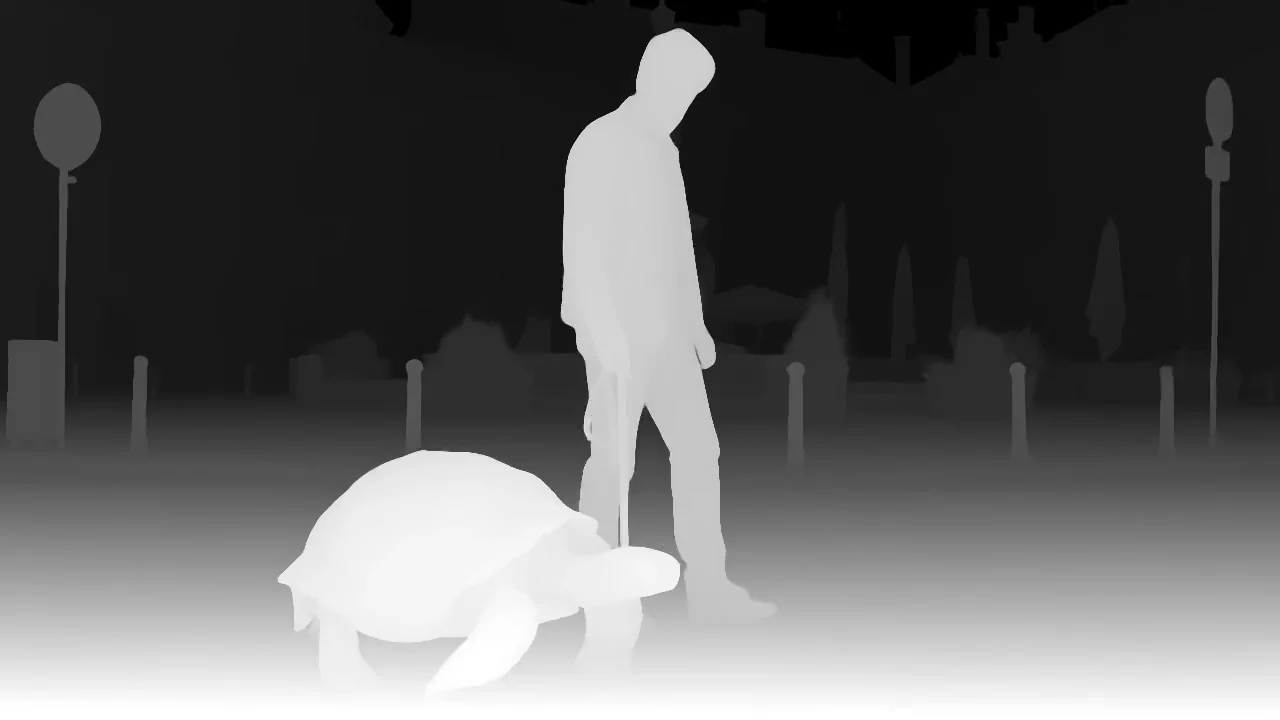
No prompt, only footage and a palette. A static camera with one clear foreground subject, the man and the tortoise on the crossing, gives a clean grayscale pass that another model can use to keep the same layout.
Recreate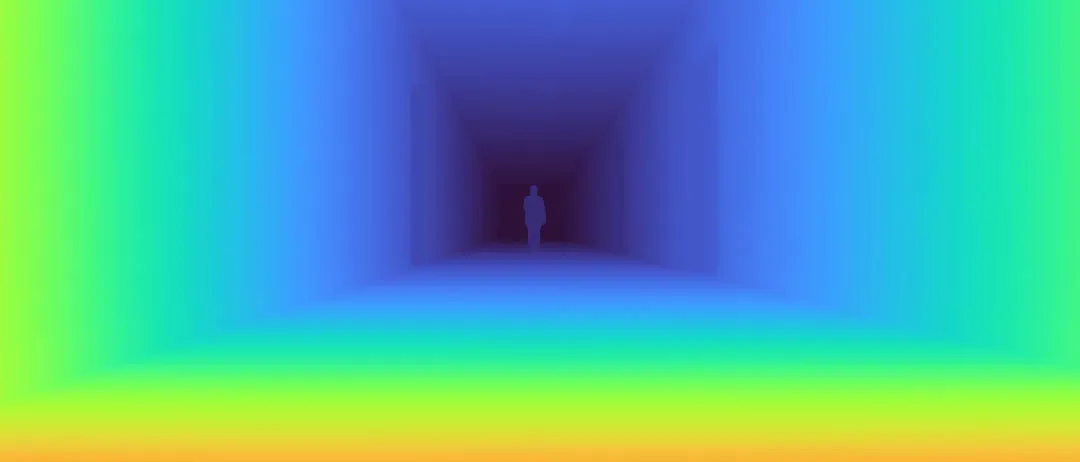
A one-point-perspective corridor is the ideal test for steadiness: any flicker would show as bands crawling along the walls. Turbo makes the ten-second gradient easy to read at a glance.
RecreateWhat Depth Pro 2 Video can do

Best ways to use Depth Pro 2 Video on PopNow
How to prompt Depth Pro 2 Video
- Pick grayscale (near is white, far is black) when another tool will read the result; inferno and turbo are palettes for people to look at.
- Shots with clear layers give the most useful maps: our ten-second tiled corridor produced one smooth gradient from the nearest wall to the far door.
- Fine edges survive, so you do not need to simplify the footage: bicycle spokes and the riders' hair in our Lisbon clip stayed separate from the street behind them.
Settings worth knowing
Video- The clip to work on.
How it compares
Depth Pro 2 makes a sharp depth map from one photo. Depth Pro 2 Video keeps the depth consistent from frame to frame, which a frame-by-frame run of the photo model cannot guarantee.
Where Depth Pro 2 Video falls short
There is no prompt and only one setting, the palette. Billing follows the clip length per second, with a three-second minimum.
- It outputs depth only: there is no prompt, and the palette is the only setting.
- The result is a viewable depth video, not a file of measured distances; for metric depth of a still image, Depth Pro 2 can export a 32-bit EXR.
- Clips must run between 1 and 120 seconds, and frame rate is kept only up to 30 fps.
- Very short clips are billed as three seconds.
How to use Depth Pro 2 Video in three steps
- Open the video workspace and choose Video Depth Map, or pick Depth Pro 2 Video directly.
- Upload a clip of up to two minutes and choose grayscale, inferno or turbo.
- Download the depth video and use it as a pass in your edit or as input for another tool.
Questions about Depth Pro 2 Video
How much does Depth Pro 2 Video cost?
On PopNow, Depth Pro 2 Video starts at 12 credits ($0.012) per second of video.
What does a depth video show?
How far each part of every frame is from the camera. In grayscale, near objects are white and far ones are black.
Does Depth Pro 2 Video keep my audio?
Yes. The original soundtrack stays attached, and the output keeps the size and frame rate of your clip.
Which palette should I choose?
Grayscale for feeding another tool or a compositing program, inferno or turbo when people will look at the result.
How much does it cost?
It is billed per second of the uploaded clip: a five-second clip costs 60 credits, with a three-second minimum.
How is it different from Depth Pro 2?
Depth Pro 2 makes a depth map of one photo. The video model keeps depth consistent across frames so the result does not flicker.
Depth Pro 2 Video or Depth Pro 2?
Depth Pro 2 makes a sharp depth map from one photo. Depth Pro 2 Video keeps the depth consistent from frame to frame, which a frame-by-frame run of the photo model cannot guarantee.
Make something with Depth Pro 2 Video
Upload the shot, keep grayscale for tools and turbo for people, and let the depth pass do the layering work.