


AI video effect · Skyline Track Flag
Skyline Flag Effect: Photo to Video
You stand atop a skyscraper spire, holding a giant flag over the city.
1Add a photo
- One person or pet, clearly in view
- A little empty space around them leaves room for the gag
- Bright, sharp photos get the funniest results
More options
about 1 min
More to try
All effects Fluffy ChefYour product turns to soft felt, and a little felt chef slices it open to reveal cotton.Try itNewRecreate
 Summer PostcardYour product joins a paper-craft summer scene, clinks glasses, and becomes a postcard.Try itNewRecreate
 Product UniverseGolden swirls carry your product into a giant dream world built around its colors and shape.Try itNewRecreate
 Fluffy FactoryThe camera flies over a felt village into a factory where your product gets made.Try itNewRecreate
 Poke My Little CutieYour pet shrinks to palm size for a gentle cheek poke and a very unimpressed look.Try itNewRecreate
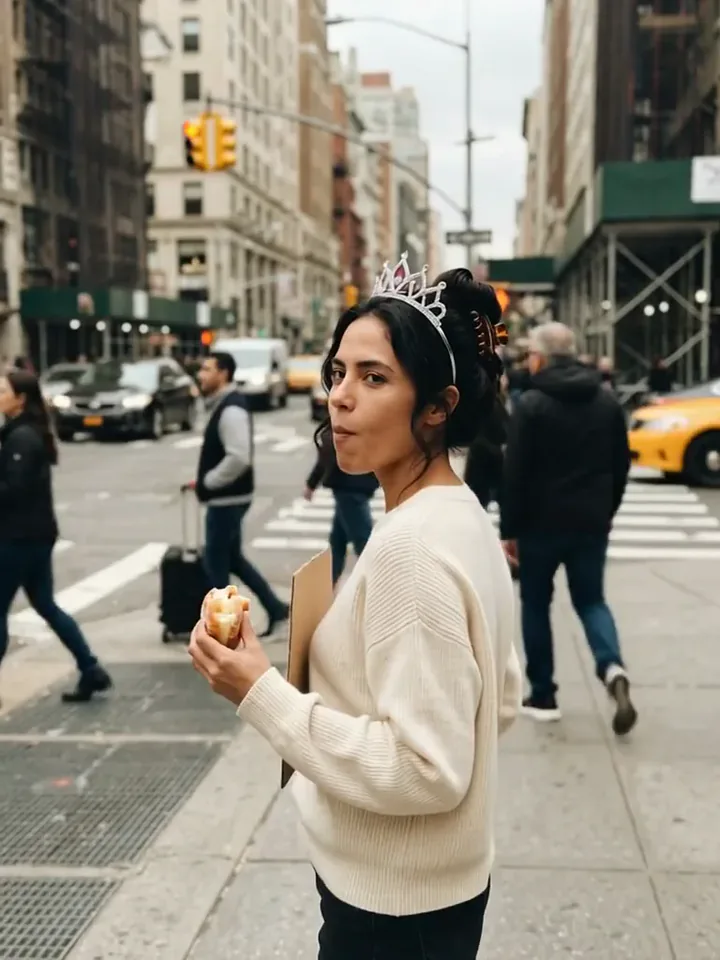 Today Is My BirthdayYou celebrate your birthday on a busy street with a tiara, a treat and a sign.Try itNewRecreate
 Mini Football HeroYou turn into a tiny big-headed footballer who weaves past giants to score a bicycle kick.Try itNewRecreate
 2 photosTop of the WorldTwo portraits join a team trophy celebration with raised cups and falling gold confetti.Try itNewRecreate
 My Future Has Infinite PossibilitiesYou walk through one life and step into another, a quick glimpse of your future self.Try itNewRecreate

What the Skyline Track Flag effect does
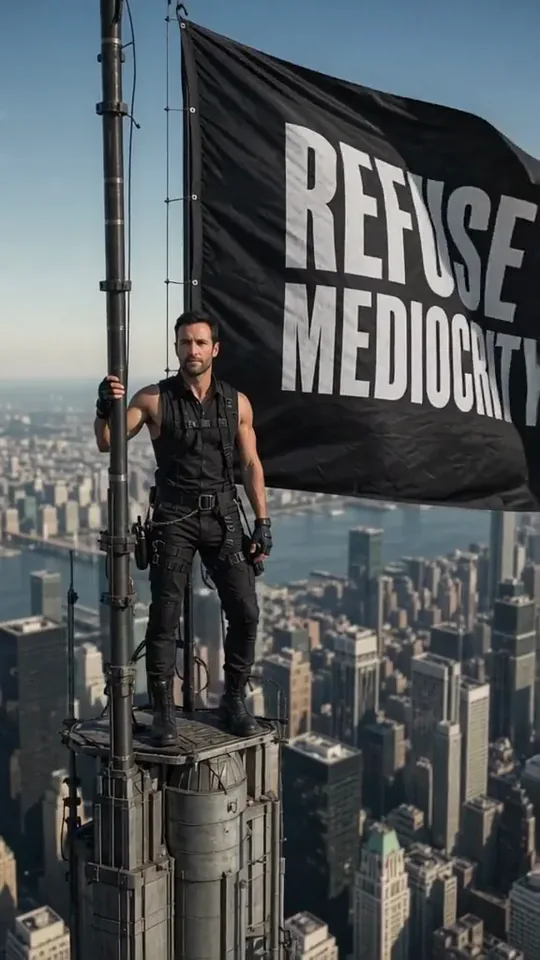
Stand on a narrow skyscraper spire beside an oversized black flag. The city spreads far below, while dark clothing and large white flag lettering create a bold silhouette. This is a high-altitude pose rather than a running race or a tour through city streets.
This is a fixed preset: the template sets the motion, scene, and 8-second length. You only upload one photo; there is no choreography, scene, or duration to write or adjust.
How to use Skyline Track Flag
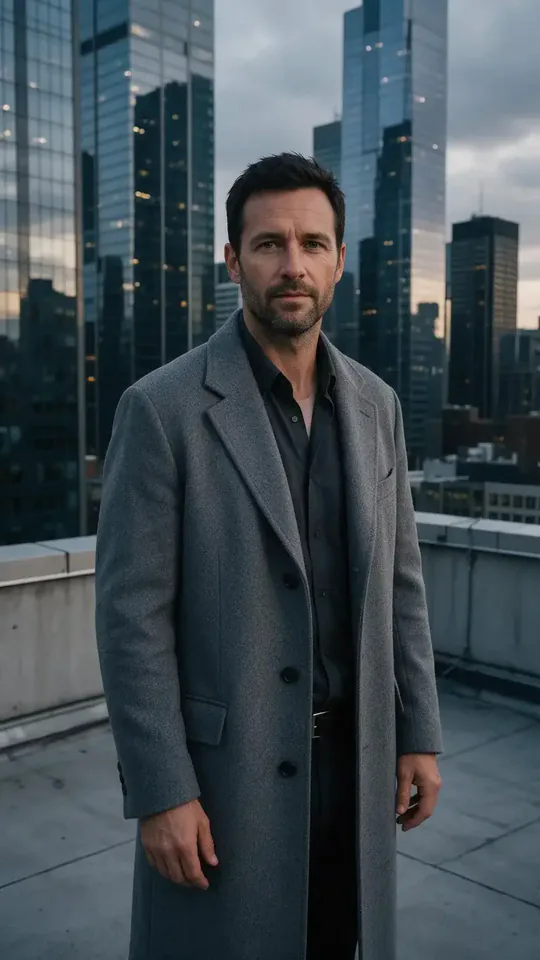
- Choose the source Use a single clear image with the main subject easy to distinguish. Read the photo suggestions below before uploading, and compare your framing with the two source examples.
- Run the preset Start Skyline Flag with your uploaded photo. Its movement and setting are already selected, so you do not need a written prompt or a separate motion reference.
- Review the result Watch the whole clip before saving it. Check the opening, the main action, and the ending together; the sampled examples illustrate possible results rather than a guarantee that every detail will repeat.
Which photos work best for Skyline Track Flag
Works well
- A clear portrait with the face separated from the background.
- An unobstructed head and upper body with recognizable hair.
Avoid
- Several people competing for the central position.
- Small faces hidden behind a large foreground object.
Skyline Track Flag examples

What we saw when we tested Skyline Track Flag
The gray-coated rooftop portrait becomes a man in dark sleeveless clothing standing on a small spire platform. A large black flag fills much of the frame above the dense city.
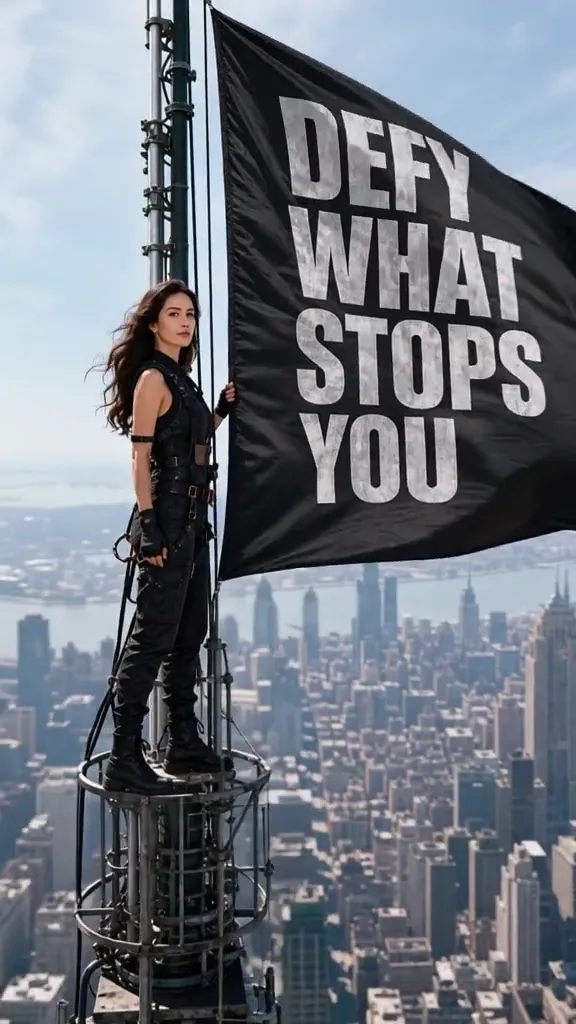
The woman in white also appears in black clothing on a spire. Her flag has different white wording, and the sampled views move closer to her; the original sea terrace is gone.
How Skyline Track Flag does on each model
- PixVerse V6 Effects The single template model runs the complete 8-second sequence. The two examples below show this preset with different uploads; they are not a comparison between model options.
The prompt behind Skyline Track Flag
You never write a prompt for Skyline Track Flag. This is the exact text it sends with your photo:
A sprint finish on a rooftop track above the city skyline, then a victory lap with a flag.What the prompt asks for
- What happens
A sprint finish on a rooftop track above the city skyline, then a victory lap with a flag.
Tips for a better Skyline Track Flag result
- Pick the face you want to recognize, rather than choosing a source for its skyline.
- Check the flag lettering in the finished clip before using a still as a cover image.
Skyline Track Flag cost and time
Skyline Track Flag costs 249 credits with PixVerse V6 Effects and is usually ready in about 1 min.
Skyline Track Flag: questions and answers
Does the flag show the same slogan every time?
The two reviewed flags carry different white lettering. Treat the wording as generated decoration; this page does not provide a field for your own slogan.
Is there a rooftop sprint in the examples?
The sampled results show a standing figure holding a flag on a spire. They do not show a rooftop track or a victory lap.
Will my white outfit stay white above the city?
The white-outfit source changes to a black outfit in the second run. Clothing is part of the generated look, so its color may change.
Must the source photo already include tall buildings?
One example begins on a sea terrace. The tall-city panorama is supplied by the effect rather than copied from that source.
Can I set a different camera height for the spire?
The preset determines the elevated composition and camera progression. A new upload changes the source subject, not a height setting.
Related effects and tools
- Hero Shot · Low angle, open sky, warm flare. Main-character energy.
- Drone Rise · Lift off into a sweeping aerial opening shot.
- Billboard Reveal · The camera pulls back to show your photo on a giant city billboard.
- Trim and arrange the finished clip in the Video Editor