


AI video effect · Cyber Armor: Reborn in the Rain
Rain Armor Effect: Photo to Video
In a storm, lightning gathers in your hands and sleek silver-blue armor builds around you.
1Add a photo
- A waist-up or full-body shot works best
- Plain backgrounds make the change pop
- Face the camera so the result still looks like you
More options
about 1 min
More to try
All effects Kitty ShopYour cat becomes a little shopkeeper, pushing a treat cart down a cobbled street.Try itNewRecreate
 Screen Killer KingYou leap off the sofa, dive through the TV screen and land in the match to score.Try itNewRecreate
 Dynamic Football PosterYou become the star of a team poster, and teammates charge out as it comes to life.Try itNewRecreate
 Courtyard Makeover PartyYour backyard lawn turns into a landscaped patio around you while you keep smiling.Try itNewRecreate
 My Future Has Infinite PossibilitiesYou walk through one life and step into another, a quick glimpse of your future self.Try itNewRecreate
 Magma RiseYou crack open in glowing magma and rise as a towering lava creature in a city street.Try itNewRecreate
 Love LauncherYou fire a pink confetti cannon, and gift boxes drift down on little parachutes.Try itNewRecreate
 Football Live King!You livestream your own match from the pitch as hearts and gifts flood the chat.Try itNewRecreate
 Trophy BreakthroughYou burst out of a monitor in lightning, shake hands and step out holding a trophy.Try itNewRecreate

What the Cyber Armor: Reborn in the Rain effect does
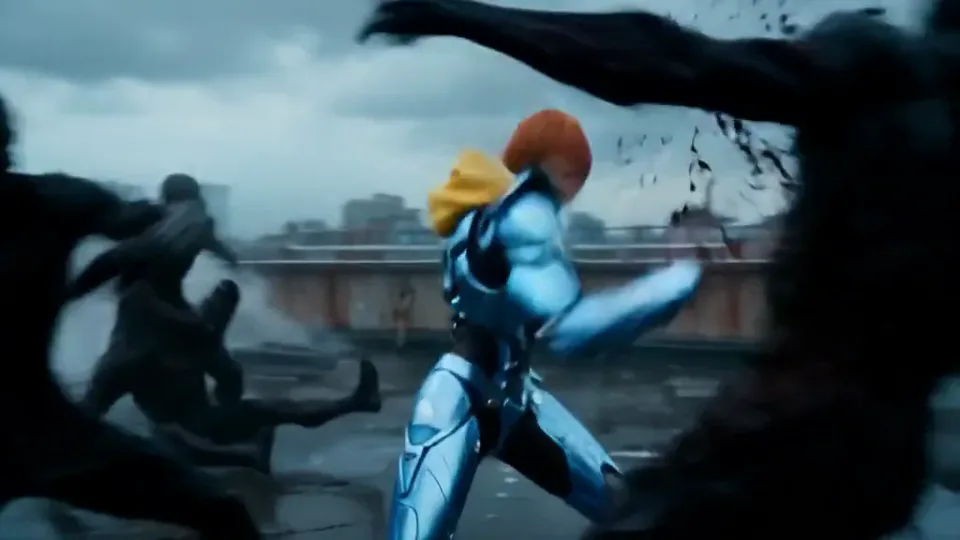
A person in the rain gathers blue light around a raised fist before appearing in angular metallic armor. Dark figures, a rooftop, and a distant skyline create an action setting. The ending emphasizes the completed armored silhouette rather than the original everyday outfit.
This is a fixed preset: the template sets the motion, scene, and 15-second length. You only upload one photo; there is no choreography, scene, or duration to write or adjust.
How to use Cyber Armor: Reborn in the Rain
- Choose the source Use a single clear image with the main subject easy to distinguish. Read the photo suggestions below before uploading, and compare your framing with the two source examples.
- Run the preset Start Rain Armor with your uploaded photo. Its movement and setting are already selected, so you do not need a written prompt or a separate motion reference.
- Review the result Watch the whole clip before saving it. Check the opening, the main action, and the ending together; the sampled examples illustrate possible results rather than a guarantee that every detail will repeat.
Which photos work best for Cyber Armor: Reborn in the Rain
Works well
- A clearly lit face with hair away from the eyes.
- One person with shoulders visible and a readable body outline.
Avoid
- Crowded action photos with overlapping limbs.
- Very small faces that offer little detail for the opening close view.
Cyber Armor: Reborn in the Rain examples

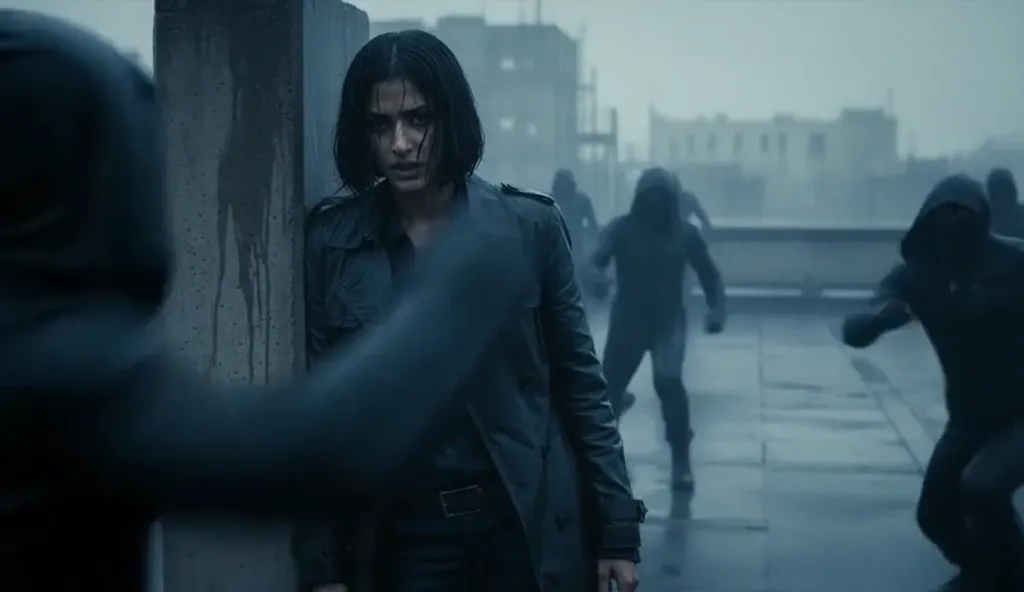
What we saw when we tested Cyber Armor: Reborn in the Rain
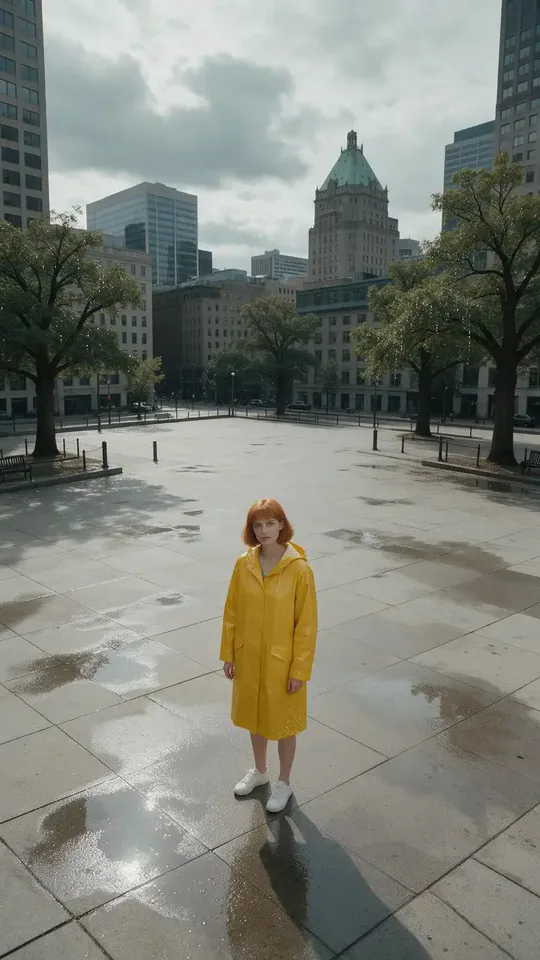
The yellow-raincoat source becomes a wet rooftop encounter. Blue light surrounds a fist, metallic armor appears during the action, and the final frame shows the armored figure standing among dark shapes on the roof.
The cafe portrait enters a similar rainy rooftop sequence. Blue electricity crosses the chest and raised arm, followed by an armored movement and a final silver-blue suit with the face visible.
How Cyber Armor: Reborn in the Rain does on each model
- PixVerse V6 Effects The single template model runs the complete 15-second sequence. The two examples below show this preset with different uploads; they are not a comparison between model options.
The prompt behind Cyber Armor: Reborn in the Rain
You never write a prompt for Cyber Armor: Reborn in the Rain. This is the exact text it sends with your photo:
Sleek cyber armor forms piece by piece in the rain.What the prompt asks for
- What happens
Sleek cyber armor forms piece by piece in the rain.
Tips for a better Cyber Armor: Reborn in the Rain result
- Keep a clear facial reference for the close view before the armor dominates.
- Review both the face and armor joints during the action, rather than judging only the ending.
Cyber Armor: Reborn in the Rain cost and time
Cyber Armor: Reborn in the Rain costs 467 credits with PixVerse V6 Effects and is usually ready in about 1 min.
Cyber Armor: Reborn in the Rain: questions and answers
Do I upload a separate suit reference for the armor?
The metallic suit is supplied by this preset. This page takes a portrait rather than a separate armor-design image.
Does the rainy action use my cafe background?
The cafe source moves onto a roof under gray skies. The rooftop and other figures are generated for the action sequence.
Is the yellow coat visible until the last frame?
Yellow fabric is visible early in the preview, but the ending is dominated by blue metallic armor. The original clothing does not remain the final costume.
Can I pick the armor color or remove the fight?
The suit styling and action beats are preset choices. A different color or a quiet reveal requires a separately directed scene.
Does the face disappear inside a helmet?
The sampled ending views show the face and hair above the armor. They do not establish that every result will preserve the same amount of facial detail.
Related effects and tools
- Storm Charge · Eyes flash white as lightning crackles down your arms.
- Liquid Chrome · A mirror-bright wave turns you into polished metal.
- Hologram · Scan lines sweep in and you flicker into a blue hologram.
- Trim and arrange the finished clip in the Video Editor