One Clever Fold, made with GPT Image 2.5 Sunburst
Example made with GPT Image 2.5 Sunburst

Text to imageInfographics & diagrams

GPT Image 2.5 Sunburst infographic promptOne Clever Fold

The exact text-to-image prompt behind this picture, made with GPT Image 2.5 Sunburst.

Prompt

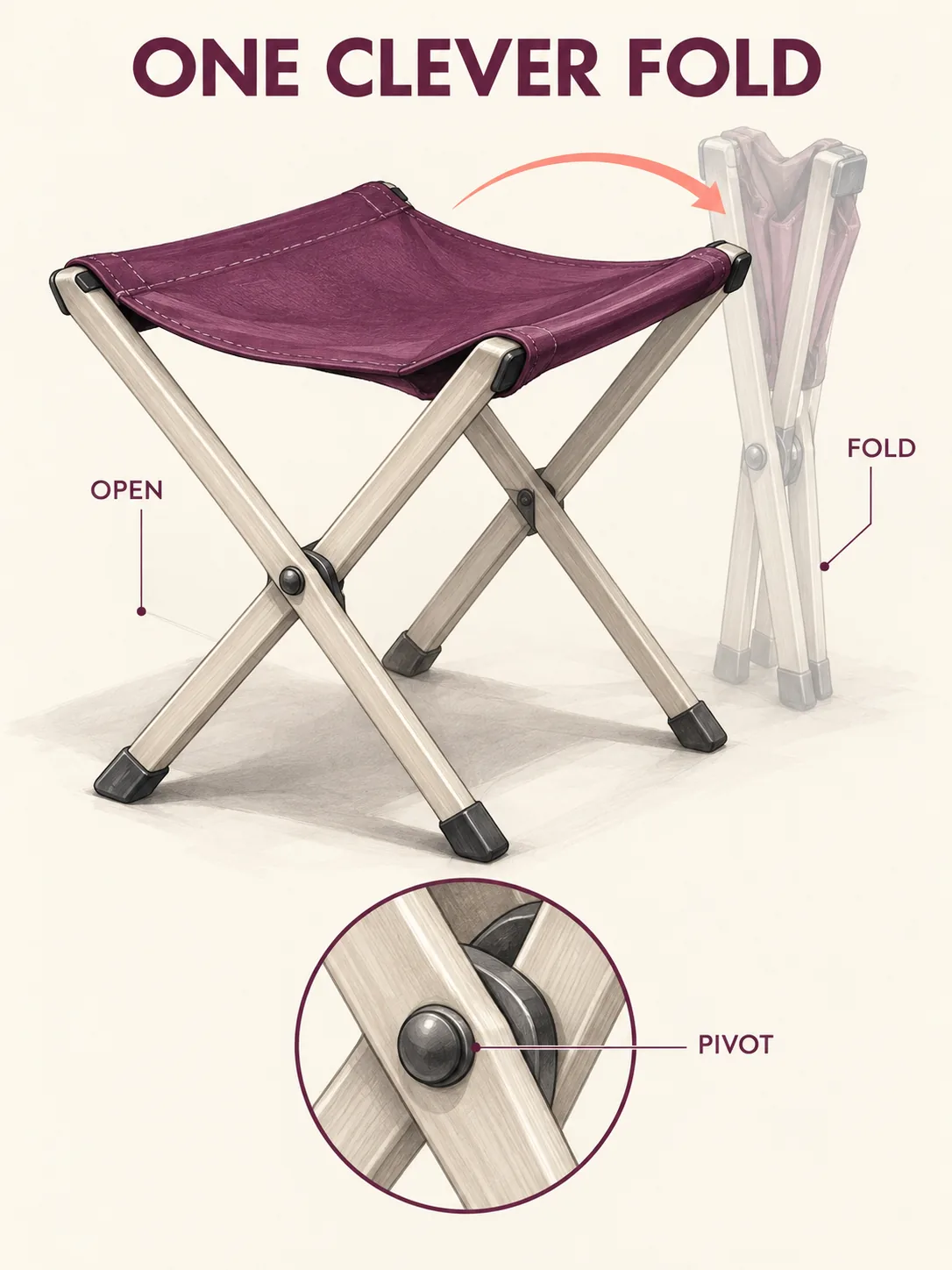
Vertical 3:4 infographic poster. A folding camp stool appears as one large open object with a ghosted translucent closed position directly behind it, a single coral arc indicating the hinge motion. Pale ash legs and plum canvas seat contrast with cream paper. Clean industrial-design marker rendering under soft studio light, one enlarged circular hinge detail at the bottom, title reading "ONE CLEVER FOLD", labels "OPEN", "FOLD" and "PIVOT", no logos, no other text.

Prompts are kept in their original English to help reproduce the example. Copy one as it is, or adapt it for your project.

Opens GPT Image 2.5 Sunburst with this prompt and the settings below filled in.

135 tested GPT Image prompts →

Settings

Mode
Text to image
Aspect ratio
3:4
Quality
high
Price
From 2 credits

The exact price shows before you generate.

Make your own version

  1. The words in quotes, "ONE CLEVER FOLD", are printed in the picture. Keep them short and change them to your own.
  2. For a different mood, rewrite only the light: Clean industrial-design marker rendering under soft studio light.
  3. Vertical 3:4 infographic poster sets the whole feel of the shot. Swap it for another camera style to change the vibe.

Style prompt guide

Style traits to keep

A technical design poster illustrates a folding camp stool using ghosted motion overlays, callouts, and clean hand-rendered marker styling. It works because GPT Image 2.5 Sunburst handles typographic layouts smoothly while balancing crisp line art against soft translucent layers. Specifying exact text strings and distinct color pairs ensures the informational diagram remains uncluttered.

The industrial-design marker style mimics professional concept drafting sheets used in product prototyping studios.

Medium
Marker rendering creates visible layered strokes, soft color fills, and fine ink contours rather than glossy 3D CGI.
Palette
Warm cream paper pairs with plum and ash tones, using a single coral accent to isolate functional movement.
Composition
A hierarchical poster layout features the primary object centered, a technical detail callout grounded below, and clean header text.
Line
Sharp technical contours outline moving components, while translucent ghosting demonstrates sequential states without visual clutter.

What defines this look

  1. format and layout foundationVertical 3:4 infographic poster.

    Establishes the orientation and overall visual structure of a design breakdown. Removing this causes the model to generate a free-floating product photo rather than an organized presentation page.

  2. subject and kinetic overlayA folding camp stool appears as one large open object with a ghosted translucent closed position directly behind it, a single coral arc indicating the hinge motion.

    Defines the core mechanical concept by showing both states of the furniture piece at once. The motion arc guides the eye and explains the pivot without needing extra descriptive paragraphs.

  3. palette and background tonePale ash legs and plum canvas seat contrast with cream paper.

    Restricts the color gamut to soft, muted designer tones on warm stock. Without this, the stool defaults to generic metal and black polyester on sterile pure white, ruining the sketchbook aesthetic.

  4. rendering style and inset calloutClean industrial-design marker rendering under soft studio light, one enlarged circular hinge detail at the bottom,

    Forces a design studio illustration technique and adds a standard schematic breakdown circle. Altering this can result in photorealistic 3D CGI or a crude pencil doodle instead of polished concept art.

  5. typography and negative text guardtitle reading "ONE CLEVER FOLD", labels "OPEN", "FOLD" and "PIVOT", no logos, no other text.

    Supplies exact text for the model to place in prominent locations while blocking random gibberish labels. Leaving out the negative constraint leads to synthetic branding badges and unreadable fake paragraphs.

Same style, new subjects

Ergonomic posture study

Shifts the subject to human ergonomics while keeping the identical two-state marker style and diagrammatic layout.

Prompt

Vertical 3:4 infographic poster. An adult office worker appears seated upright with a ghosted translucent slouched posture directly behind them, a single coral arc indicating spinal curvature. Pale charcoal clothes and navy chair contrast with cream paper. Clean industrial-design marker rendering under soft studio light, one enlarged circular lumbar support detail at the bottom, title reading "POSTURE ALIGNMENT", labels "UPRIGHT", "SLOUCH" and "SUPPORT", no logos, no other text.

Feline biomechanics sheet

Applies the motion-arc and ghosted-state visual language to animal anatomy and movement.

Prompt

Vertical 3:4 infographic poster. A domestic shorthair cat appears in mid-leap with a ghosted translucent crouched stance directly behind it, a single coral arc indicating the jump trajectory. Pale ginger fur and white patches contrast with cream paper. Clean industrial-design marker rendering under soft studio light, one enlarged circular paw pad detail at the bottom, title reading "SPRING MECHANICS", labels "COIL", "LAUNCH" and "EXTEND", no logos, no other text.

Modular kiosk diagram

Translates the marker infographic format to architectural street furniture and larger kinetic structures.

Prompt

Vertical 3:4 infographic poster. A modular transit shelter appears with an open canopy roof and a ghosted translucent folded shutter directly behind it, a single coral arc indicating the roof retraction. Pale pine cladding and sage steel contrast with cream paper. Clean industrial-design marker rendering under soft studio light, one enlarged circular bracket detail at the bottom, title reading "URBAN SHELTER", labels "DEPLOY", "STOW" and "JOINT", no logos, no other text.

Model and settings

Keep the aspect ratio at 3:4 to allow enough vertical headroom for the uppercase title, stool body, and bottom callout circle. Set quality to high so GPT Image 2.5 Sunburst renders legible letterforms on the labels and avoids fuzzy ghosting artifacts. If adapting this concept for wide slides, switch the ratio to 16:9 and place the circular detail alongside the stool instead of underneath it.

  • Nano Banana ProChoose Nano Banana Pro when you want to plan complex multi-part layouts, as its layout-first approach prevents dense technical callouts and diagram labels from drifting.

When the style drifts

The rendering turns into a photorealistic catalog photograph instead of a marker illustration.
Replace soft studio light with architectural concept marker sketch on bond paper, and remove any mention of studio lighting.
The ghosted closed stool renders as a solid second object, making the graphic look like two separate chairs.
Change ghosted translucent closed position to faint 15% opacity dotted wireframe silhouette of the closed position.
Unwanted fake text blocks and invented logo emblems clutter the white space around the stool.
Move no logos, no other text to the front of the prompt or explicitly specify entirely blank negative space around diagram elements.

Questions about this style prompt

How do I ensure the title text renders without spelling mistakes?

Keep the title short, put it in uppercase quotation marks, and limit the total word count on the page. GPT Image 2.5 Sunburst excels at short text phrases like ONE CLEVER FOLD when not overwhelmed by paragraphs.

Can I swap the stool materials for metal and leather?

Yes. Replace pale ash legs and plum canvas seat with brushed aluminum frame and tan saddle leather. Keep the background cream paper to maintain the marker sketch contrast.

Why is the motion arc appearing in the wrong place?

AI models sometimes place trajectory curves randomly if the pivot point is vague. Specify thin coral curved arrow connecting the top backrest to the lower crossbar to anchor its exact coordinates.