GPT Image 2.5 Sunburst cutaway diagram promptCutaway Car Illustration
The exact text-to-image prompt behind this picture, made with GPT Image 2.5 Sunburst.
Fill in the blanks
Change any box and the prompt below updates. Copy it, or make one with your version.
Prompt
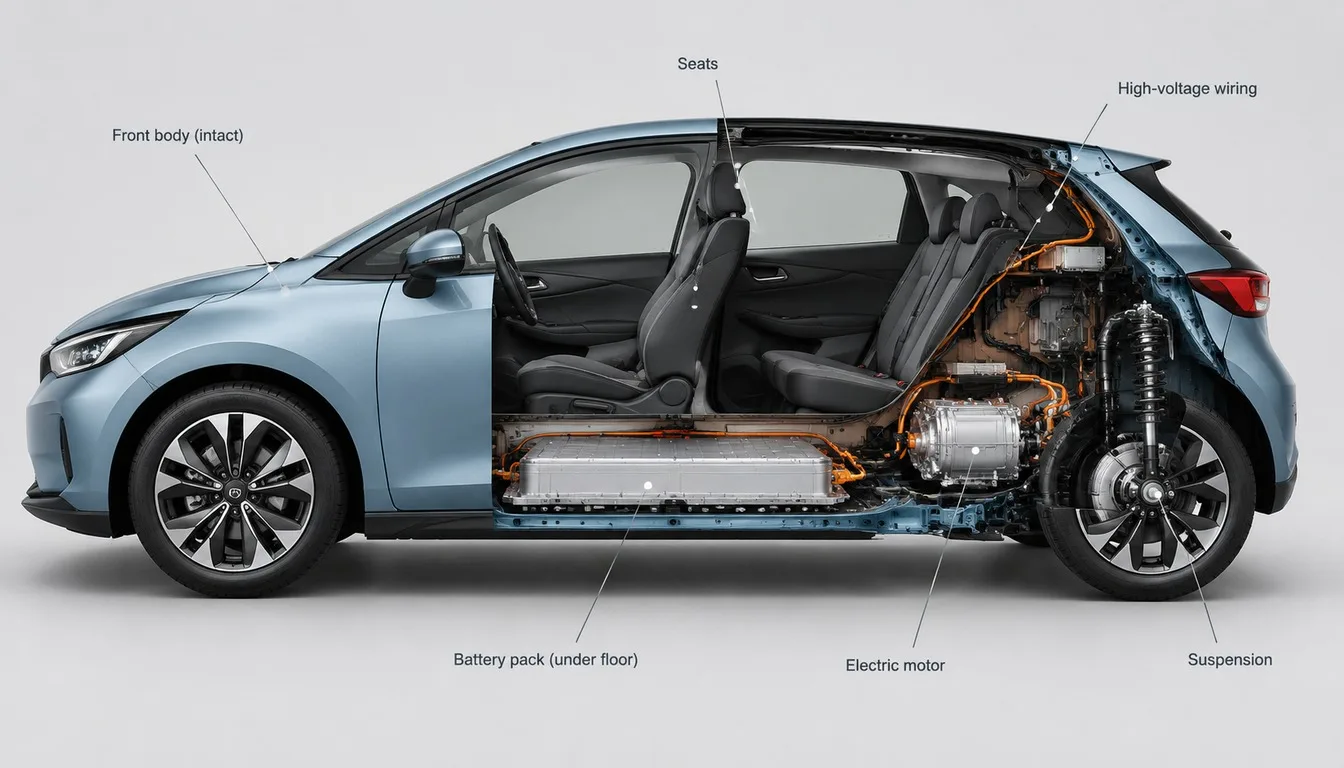
A cutaway visualisation of a compact electric hatchback in side view: the front half shows the intact painted body, the back half is cut open to expose the battery pack under the floor, the electric motor, the seats, the wiring and the suspension. Accurate proportions, realistic materials, thin callout lines with short labels, clean light-grey studio background, technical illustration meets product render.
Prompts stay in English, the language these models follow best. Copy it as it is, or change a few words.
A technical cutaway render blends commercial car photography with precise engineering illustration using GPT Image 2.5 Sunburst. The side-view split contrasts glossy exterior paint against complex internal mechanical components. This technique works because clear architectural contrast keeps the diagram informative without looking cluttered.
This technical infographic style balances clean industrial design with advertising polish to communicate complex internal mechanics clearly.
Composition
A strict horizontal profile divides the subject symmetrically between an intact exterior shell and exposed internal systems.
Line
Crisp cross-sectional cuts and delicate pointer lines isolate key structural areas without obstructing mechanical details.
Texture
Glossy automotive clear coats contrast sharply with matte rubber wiring, brushed aluminum battery cases, and steel chassis beams.
Light
Soft, neutral studio illumination casts gentle shadows beneath the floorpan while evenly lighting inner internal cavities.
What defines this look
viewpoint and vehicle typeA cutaway visualisation of a compact electric hatchback in side view:
Establishes the broadside orientation necessary for engineering diagrams. Changing this to an isometric or front three-quarter view alters the layout and makes the interior cutaway harder to align cleanly.
structural split breakdownthe front half shows the intact painted body, the back half is cut open to expose the battery pack under the floor, the electric motor, the seats, the wiring and the suspension.
Dictates exactly where the shell vanishes to reveal inner hardware. If you delete specific component names, the generator fills the cut section with generic, unrealistic metal shapes.
Prevents cartoonish stylisation and enforces realistic rendering on metallic chassis parts, glass, and automotive paint. Removing this can result in flat, toy-like textures.
infographic framingthin callout lines with short labels, clean light-grey studio background,
Adds instructional infographic lines and isolates the vehicle from noisy environments. Leaving this out causes the model to place the car on an outdoor street instead of a diagram stage.
Fuses sleek commercial lighting with precise drafting clarity. Without this phrase, the image leans either toward a dry blueprint or a standard advertisement photo.
Same style, new subjects
Camera Gear Cutaway
Applies the hybrid cutaway style to an optical product still life with complex mechanical gears.
Prompt
A cutaway visualisation of a vintage mechanical film camera in side view: the left half shows the intact leatherette body, the right half is cut open to expose the shutter curtain, optical glass prisms, gears, and film spool. Accurate proportions, realistic materials, thin callout lines with short labels, clean light-grey studio background, technical illustration meets product render.
Robotic Pet Cutaway
Uses the same split diagrammatic style for a futuristic robotics subject.
Prompt
A cutaway visualisation of a domestic robotic companion dog in side view: the head shows intact smooth polymer casing, the torso is cut open to expose the copper wiring harness, servo joints, processor unit, and lithium cells. Accurate proportions, realistic materials, thin callout lines with short labels, clean light-grey studio background, technical illustration meets product render.
Smart Home Architecture Cutaway
Transfers the technical render method to architectural structures and building systems.
Prompt
A cutaway visualisation of a modern modular tiny house in side view: the exterior facade shows intact cedar cladding, the interior is cut open to expose thermal insulation, plumbing conduits, floor heating pipes, and framed rooms. Accurate proportions, realistic materials, thin callout lines with short labels, clean light-grey studio background, technical illustration meets product render.
Model and settings
Keep the 16:9 aspect ratio to give the elongated side-view profile adequate room for callouts without clipping the bumpers. Set the mode to text-to-image with high quality to render crisp mechanical components and clear textures. Leave the resolution at 1k for rapid drafting, or adjust upward if you need ultra-fine detail on wiring and miniature labels.
Nano Banana ProPick Nano Banana Pro when you want perfectly structured infographic layouts, dense mechanical annotations, and sharp pointer line placement.
FLUX.2 ProChoose FLUX.2 Pro if you require exact brand-specific paint shades via hex color control and photorealistic reflections on raw metal hardware.
When the style drifts
The cutaway shell looks broken or smashed rather than mechanically sliced.
Replace 'cut open' with 'precision laser cross-section cutaway' and add 'smooth sliced cross-section edge'.
Callout text appears as messy, illegible gibberish across the frame.
Simplify the prompt to 'thin minimalist pointer lines without text' or specify exact short terms like 'labels: Motor, Battery'.
The car blends into a chaotic garage or street scene instead of a diagram layout.
Strengthen the isolation by adding 'pure solid light-grey void background, isolated studio staging' to the prompt.
Questions about this style prompt
How can I cut away a different section of the vehicle?
Modify the spatial prompt terms directly. Replace 'the back half is cut open' with 'top-down cross-section' or 'quarter-panel cutaway exposing the front axle' to reveal different engineering zones.
Why does the model sometimes generate fake technical text?
AI image models often generate decorative symbols when asked for generic labels. To fix this, provide explicit words in quotation marks or remove label requests entirely to focus strictly on the visual cross-section.
Can I convert this cutaway style to an old-fashioned blueprint?
Yes. Swap 'product render' and 'clean light-grey studio background' for 'white line technical drafting blueprint on dark blue grid paper' while keeping the component breakdown intact.
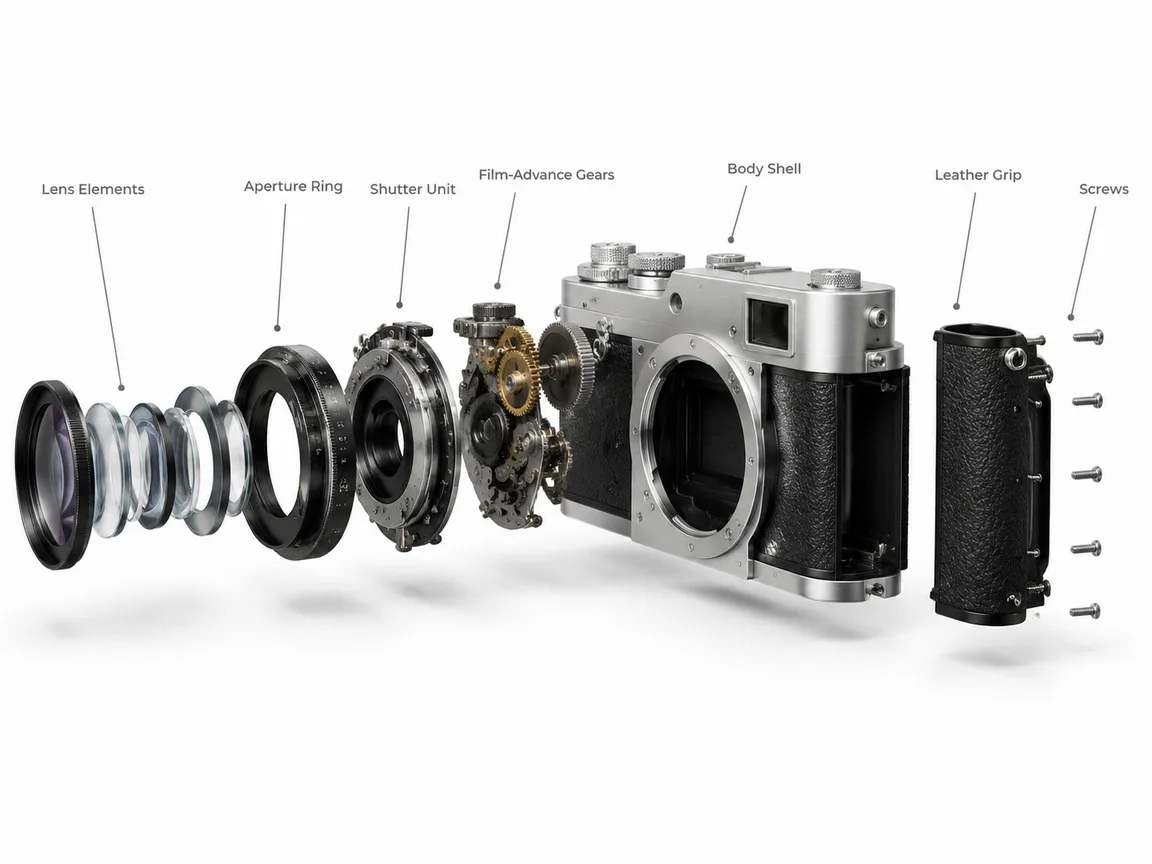
A clean 3D exploded assembly view of a vintage film camera, every part floating apart along one straight axis in the order it is assembled: lens elements, aperture ring, shutter unit, film-advance gears, body shell, leather grip and screws. Keep the real proportions and the brushed silver and black finish, on a plain unbranded body with no logos or model names. Thin grey leader lines link each part to a short label in a neat sans-serif. White studio background, soft shadows under each floating part, technical product-render look.
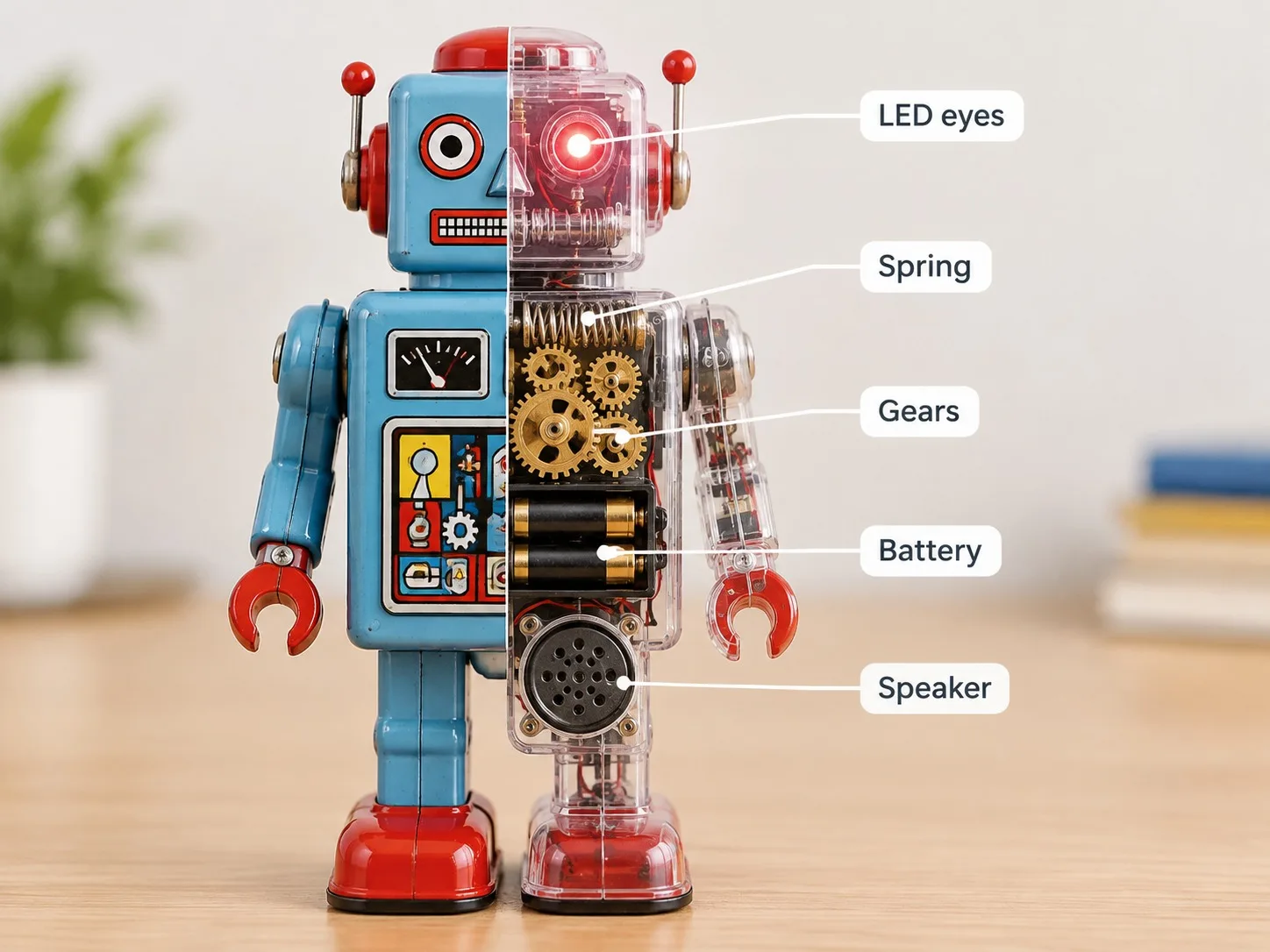
One retro tin robot toy stands on a desk, displayed split down the middle. The left half is the normal painted toy; the right half is a clear transparent shell that reveals the inner mechanism: a wind-up spring, brass gears, a battery box, a tiny speaker and LED eyes. Thin white leader lines point from each part to short labels on the right side of the picture: "Spring", "Gears", "Battery", "Speaker", "LED eyes". Bright clean background, softly blurred tabletop, product photography lighting, crisp readable labels.
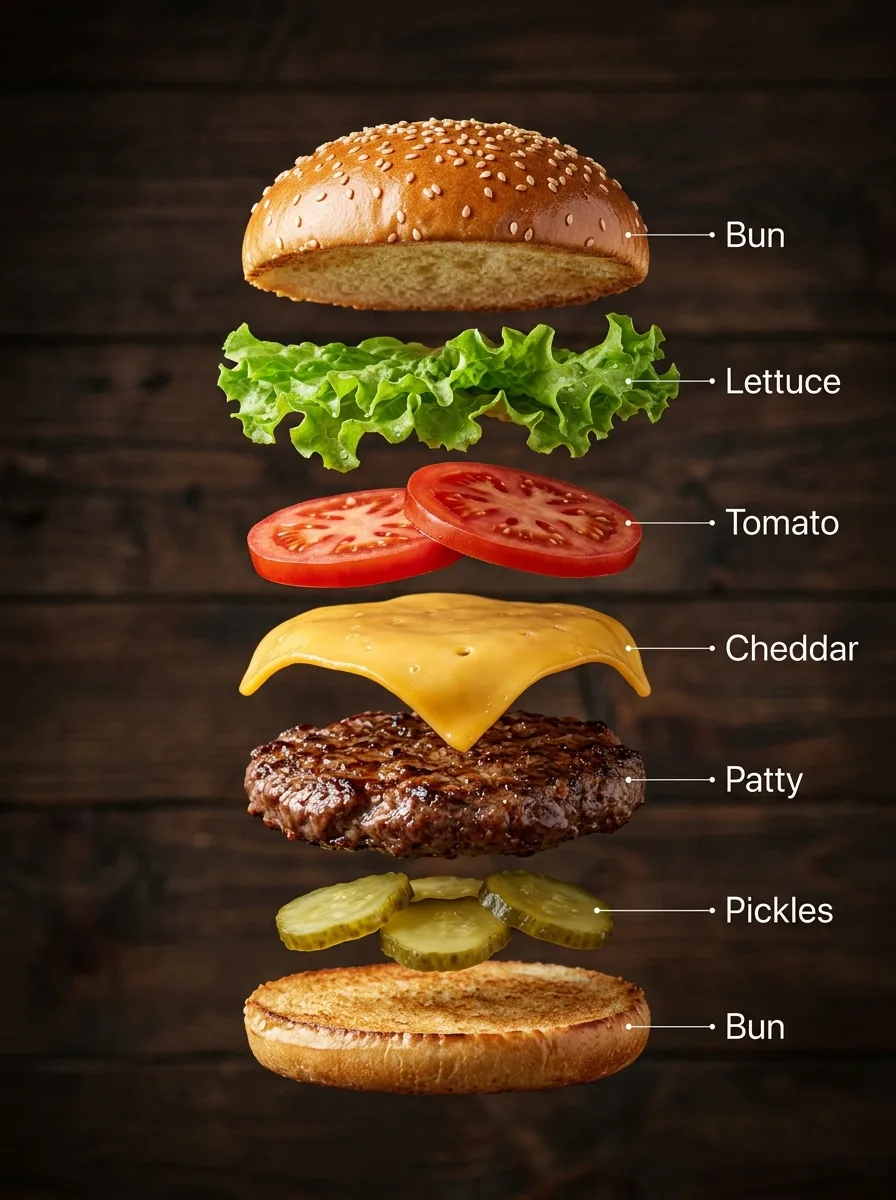
A hyper-real exploded vertical infographic of a classic cheeseburger: every layer floats in a perfectly aligned stack, top to bottom: sesame bun top, lettuce, tomato slices, melted cheddar, grilled beef patty, pickles, bun bottom. Realistic shadows under each layer, rustic wooden background, soft studio light. Clean labels with thin pointer lines using these exact words: "Bun", "Lettuce", "Tomato", "Cheddar", "Patty", "Pickles". Ultra-detailed food textures, premium commercial look.
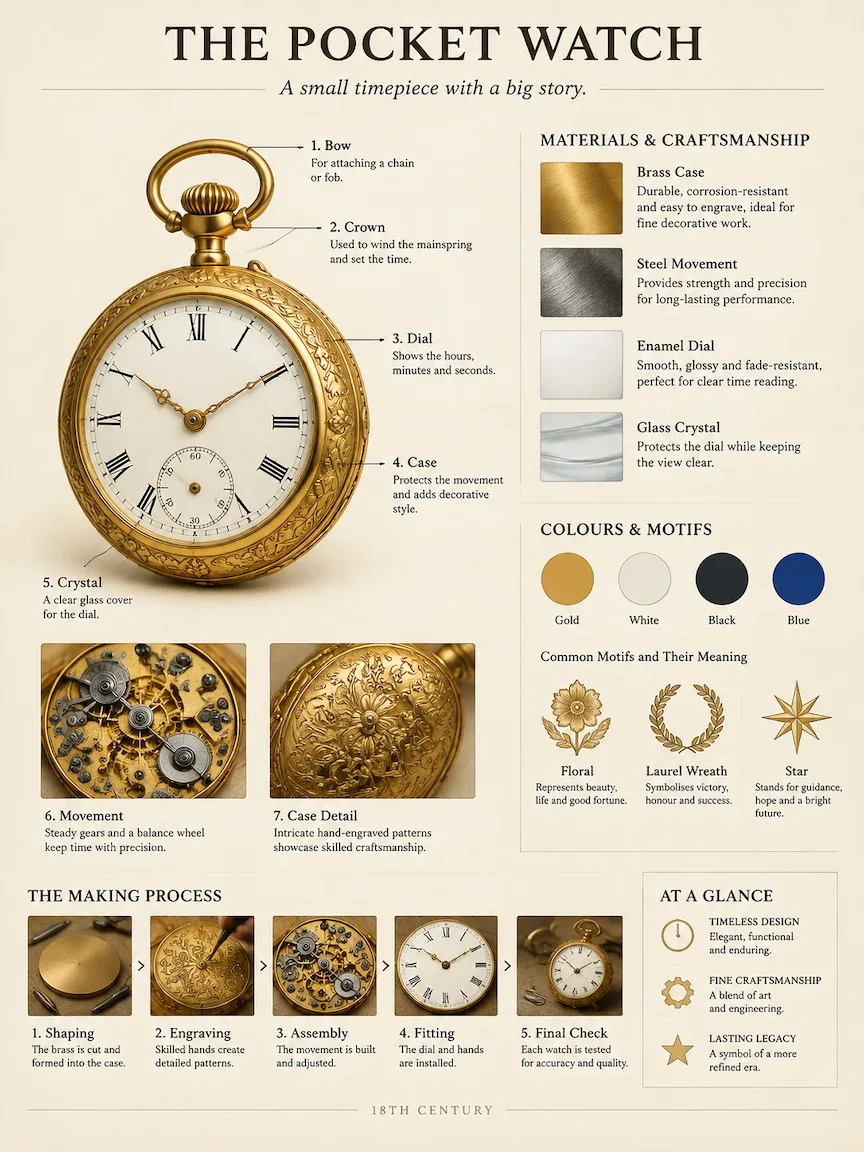
A museum catalog-style breakdown poster of an 18th-century brass pocket watch. Work out the right structure, materials and history yourself. Fixed layout on warm ivory paper: top, the title "THE POCKET WATCH" with a one-line subtitle; left, the object large and photoreal with numbered leader-line callouts to its key parts and two close-up insets; upper right, material and craft samples with short notes; middle right, colour swatches and what its motifs mean; bottom, a small making-process strip and a three-point summary. Calm, professional exhibition-panel design, crisp readable English text, no clutter.
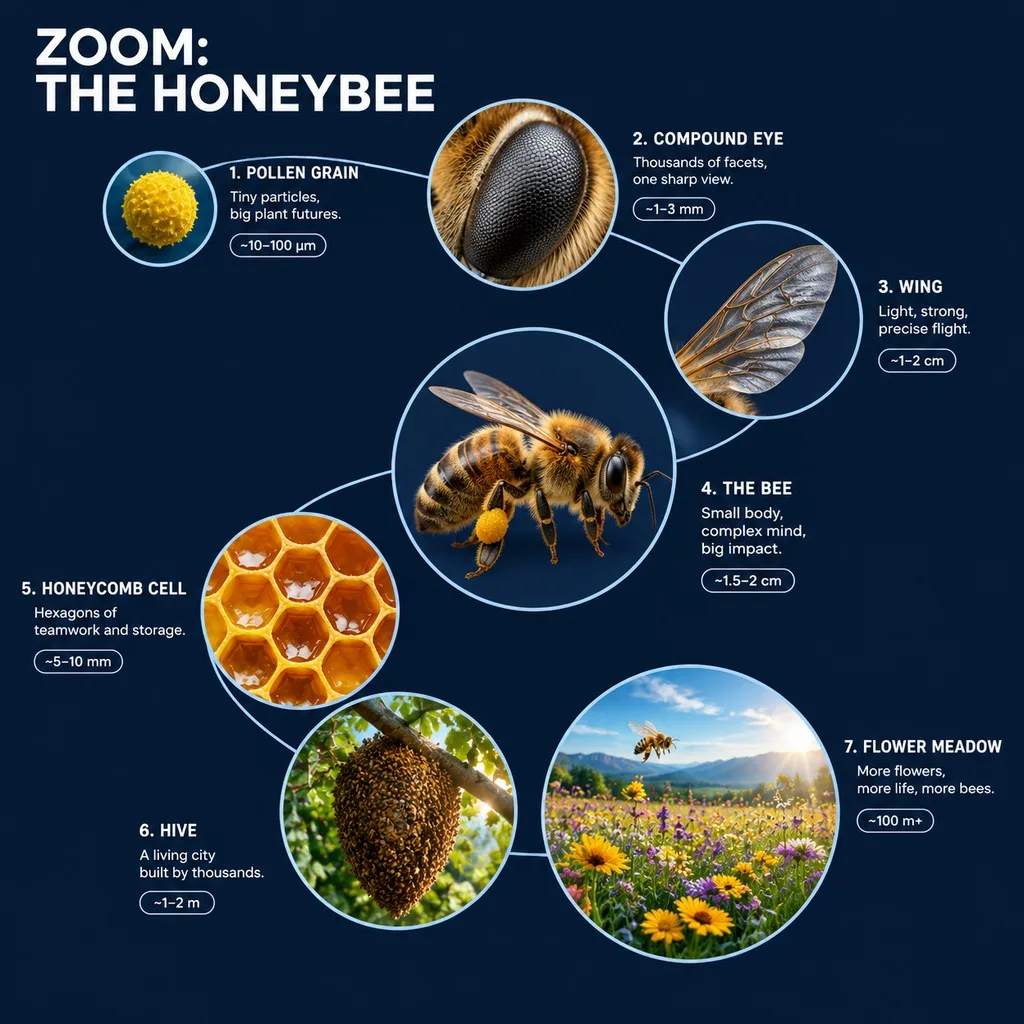
A 3D zoom-sequence science infographic about a honeybee, titled "ZOOM: THE HONEYBEE". Seven circular frames arranged in an expanding spiral, from the smallest detail to the full subject in its world: a pollen grain, the compound eye, a wing, the whole bee, a honeycomb cell, the hive and the flower meadow. Each frame holds a detailed render at that scale, the scale name, a four-word insight and a size tag. Frames are joined by thin zoom-path lines; no two frames show the same scale, and each frame grows with its scale. Clean dark navy background, crisp white labels, no generic magnifying-glass icons.
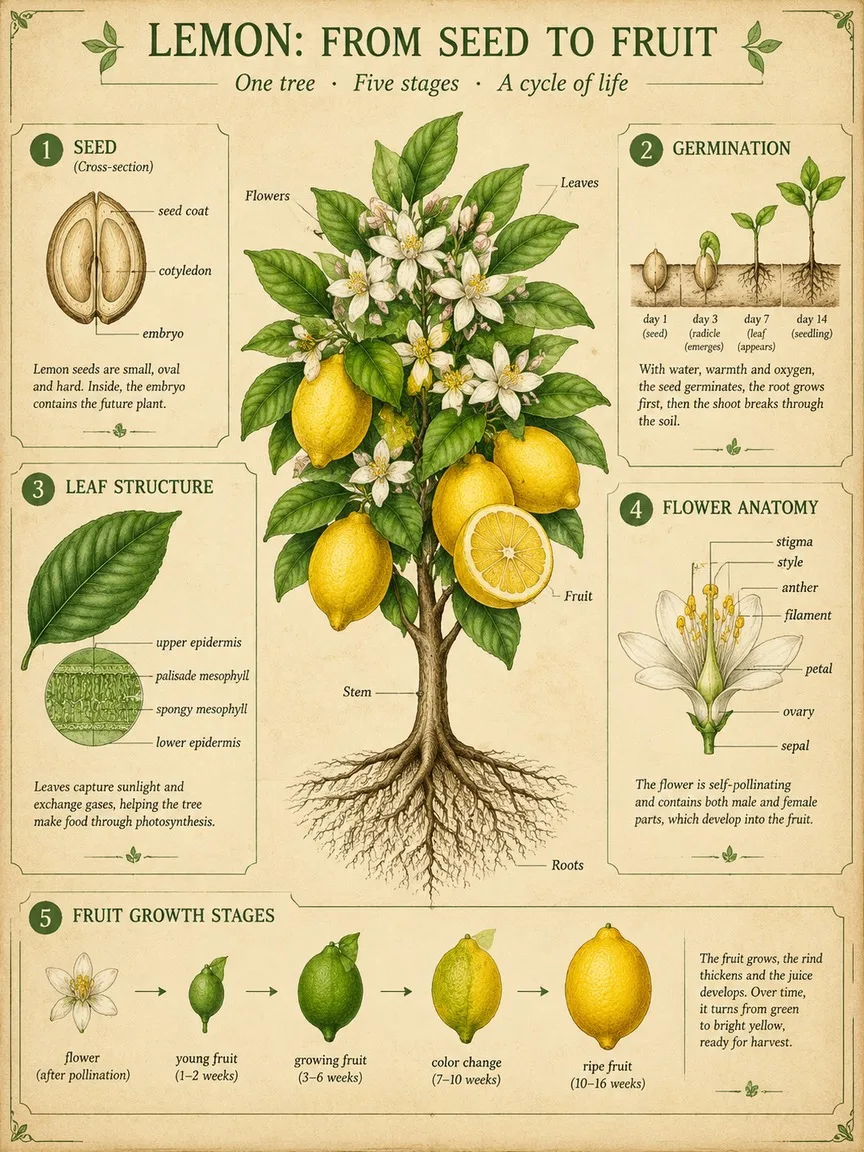
A scientific botanical infographic poster of the lemon tree: vintage botanical illustration mixed with clean modern infographic design on parchment. Centrepiece: the whole plant with roots, stem, leaves, flowers and fruit, one fruit cut in half. Around it, five numbered panels: 1 seed cross-section, 2 germination, 3 leaf structure, 4 flower anatomy with labelled parts, 5 fruit growth stages. Title at the top: "LEMON: FROM SEED TO FRUIT". Palette: leaf greens, lemon yellow and soft ink brown. Fine linework, readable labels.
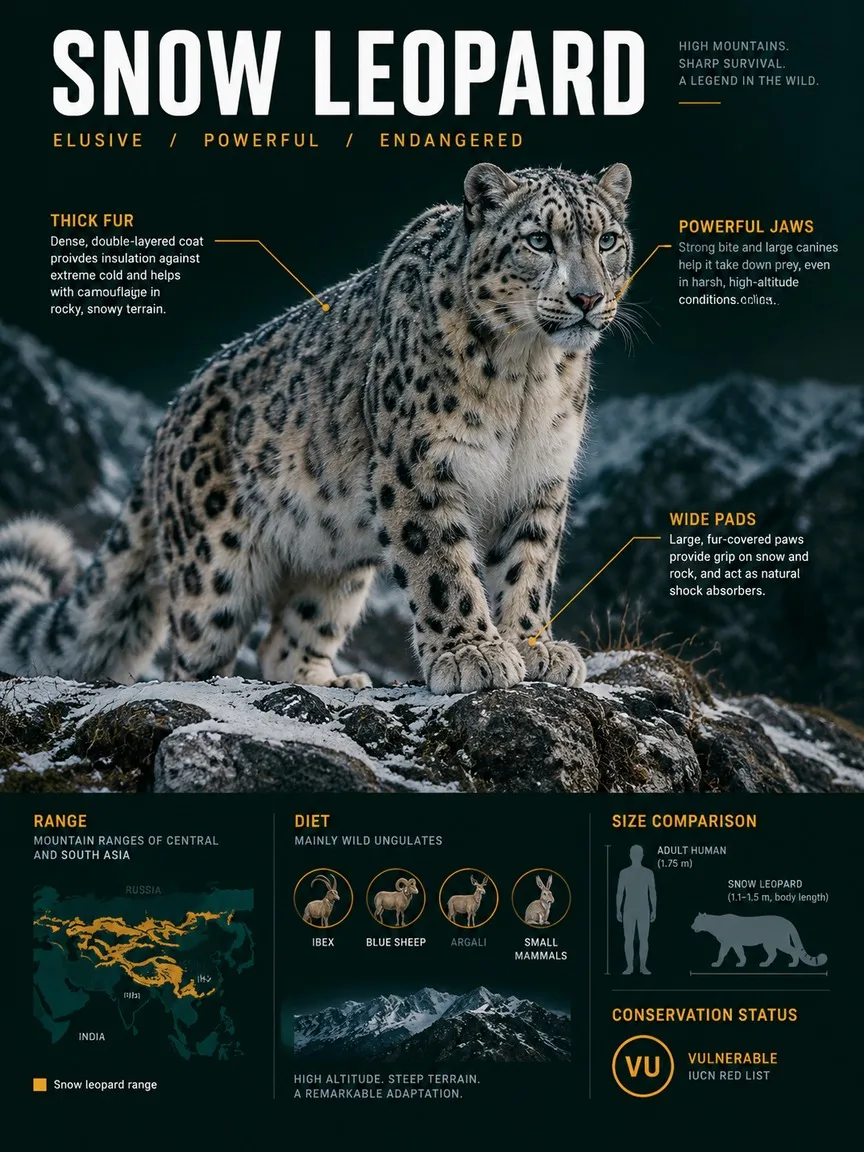
A premium wildlife infographic poster about the snow leopard, styled like a sleek field dossier rather than a school chart. The animal dominates the page in photoreal detail in its habitat, a windswept rocky ridge with light snow. Around it, layered callouts: three anatomy notes with thin lines, a range map, a size comparison with an adult human silhouette, a diet icon row and a conservation-status badge. Title "SNOW LEOPARD" at the top in bold condensed type. Dark green-black background, crisp white and amber text.
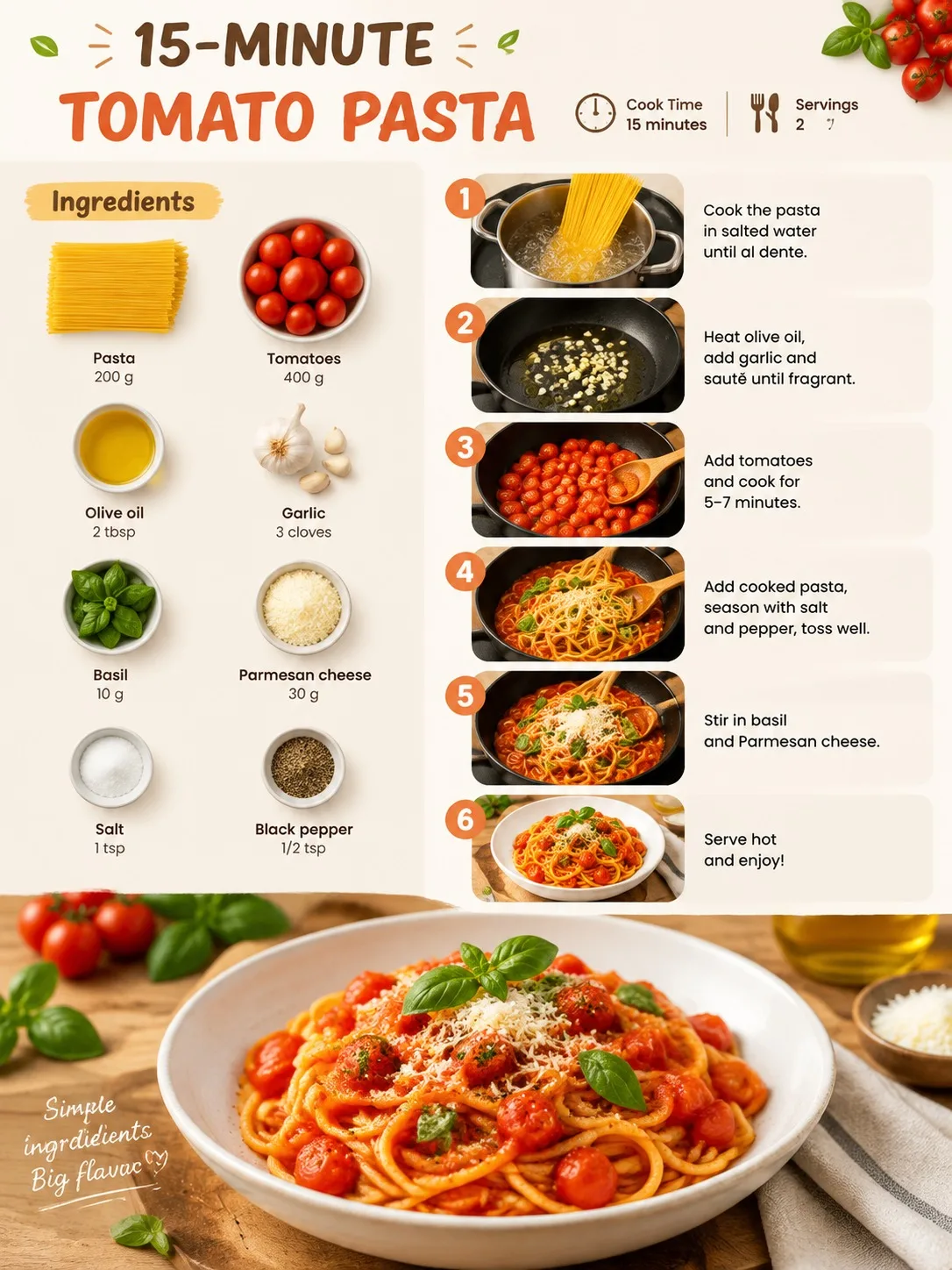
A clean, appetising recipe infographic for a quick tomato pasta, vertical layout. Top: the title "15-MINUTE TOMATO PASTA" with small icons for cook time and servings. Left column: an ingredients flat-lay with each item labelled with its amount. Right column: six numbered step panels, each with a small photo-style illustration and one short line of instruction. Bottom: the finished dish as a hero shot. Warm kitchen colours, crisp readable text, plenty of white space.