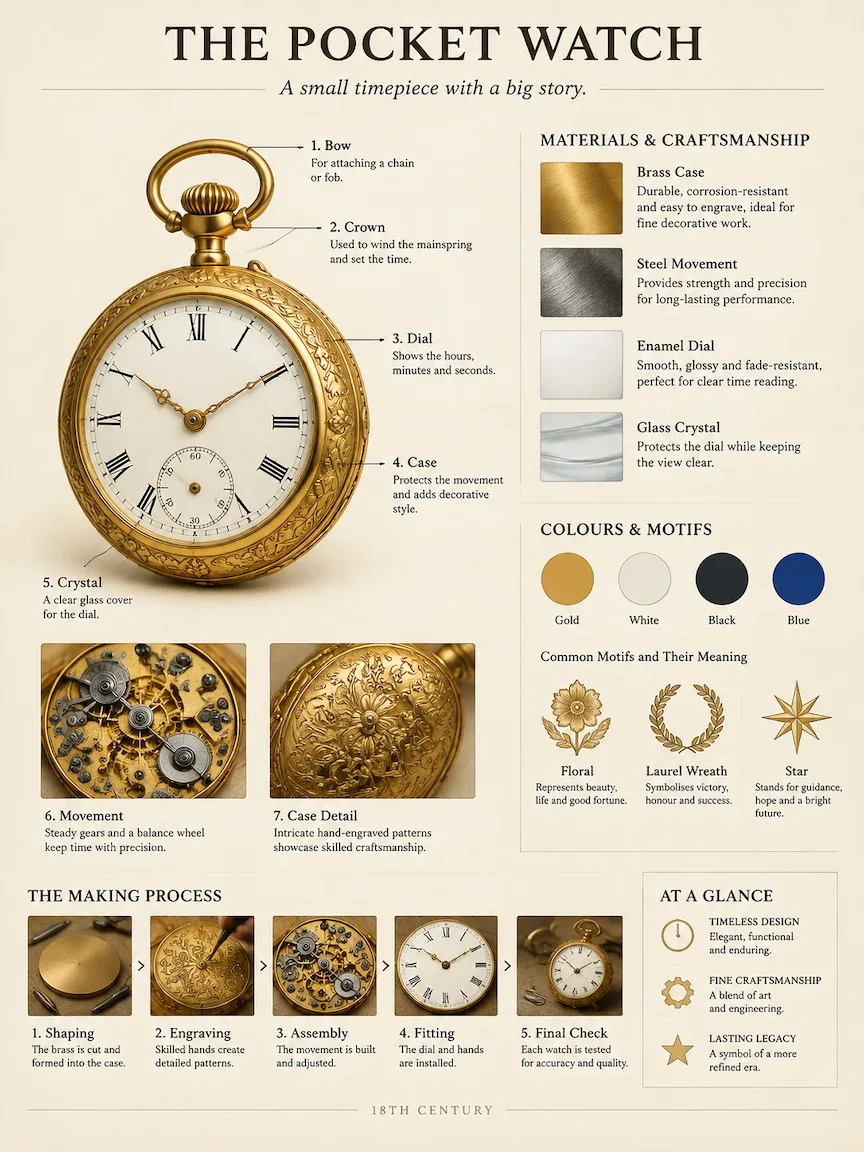
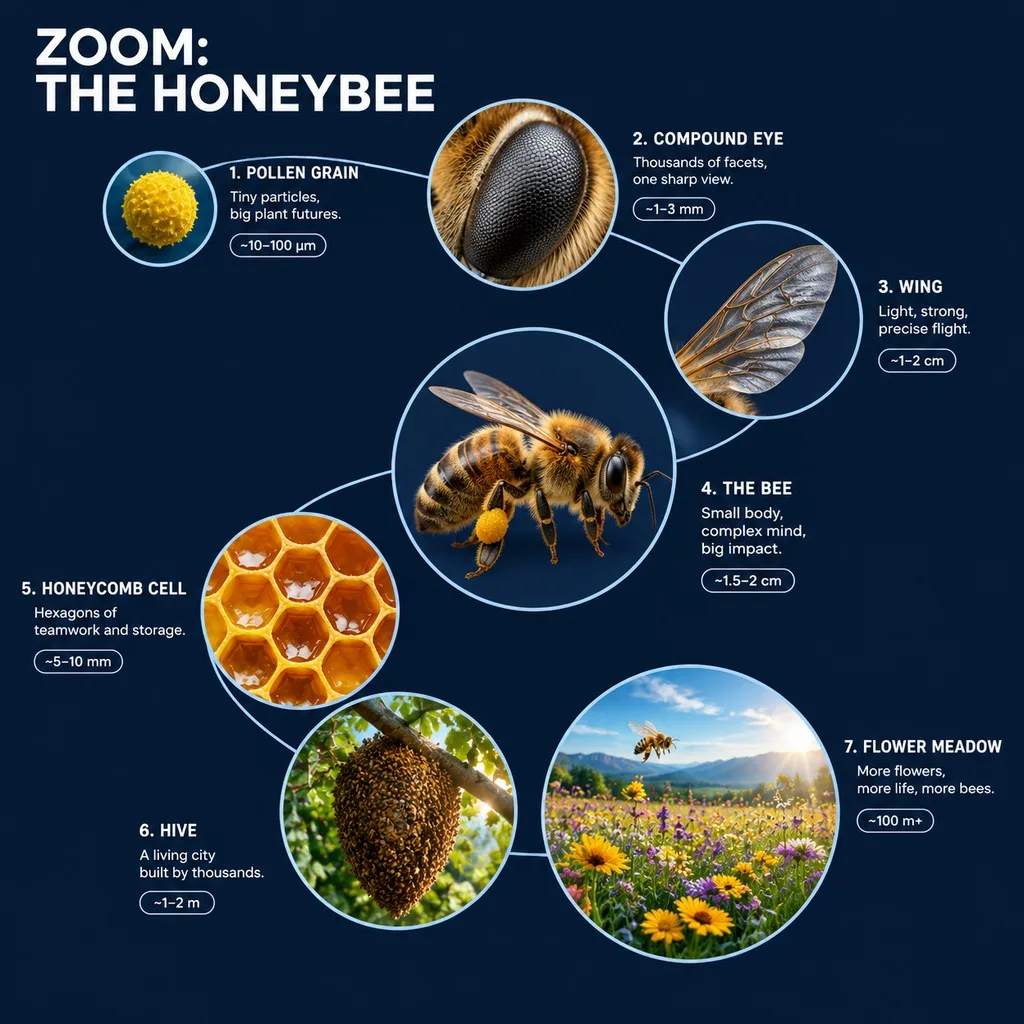
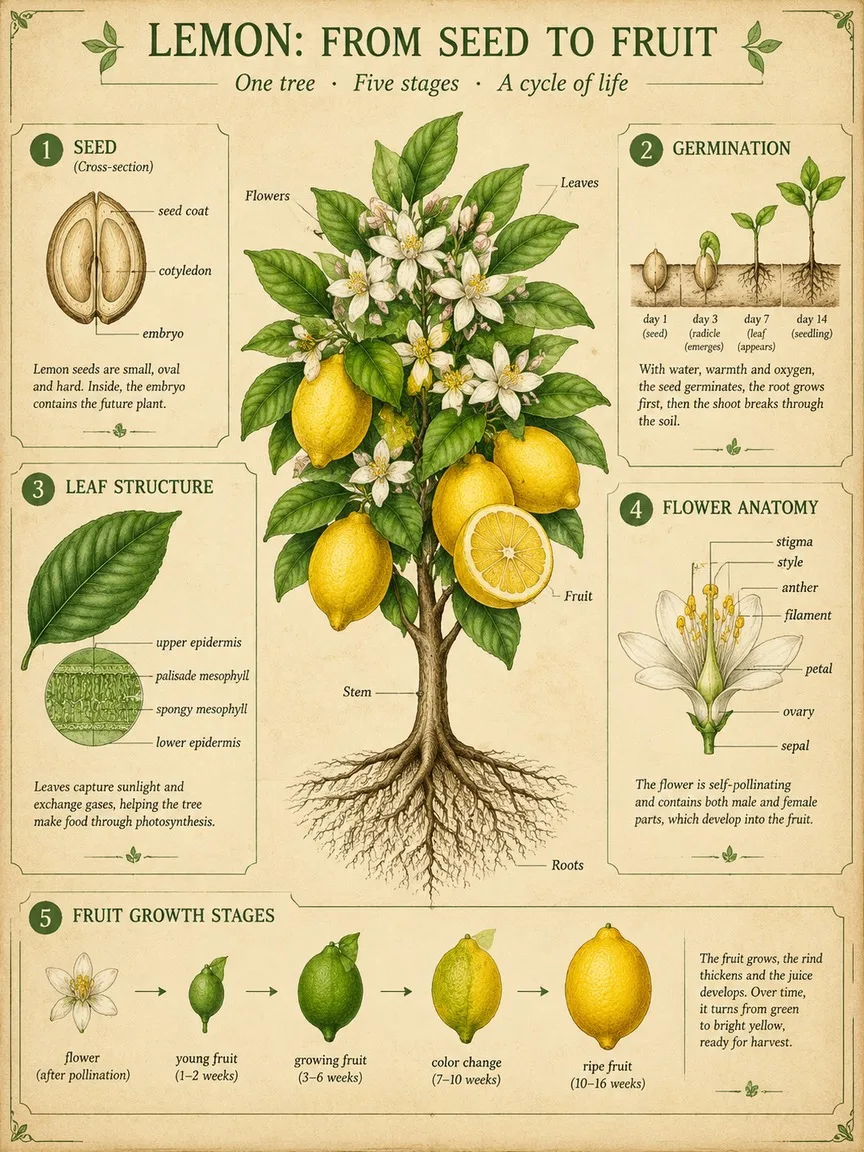
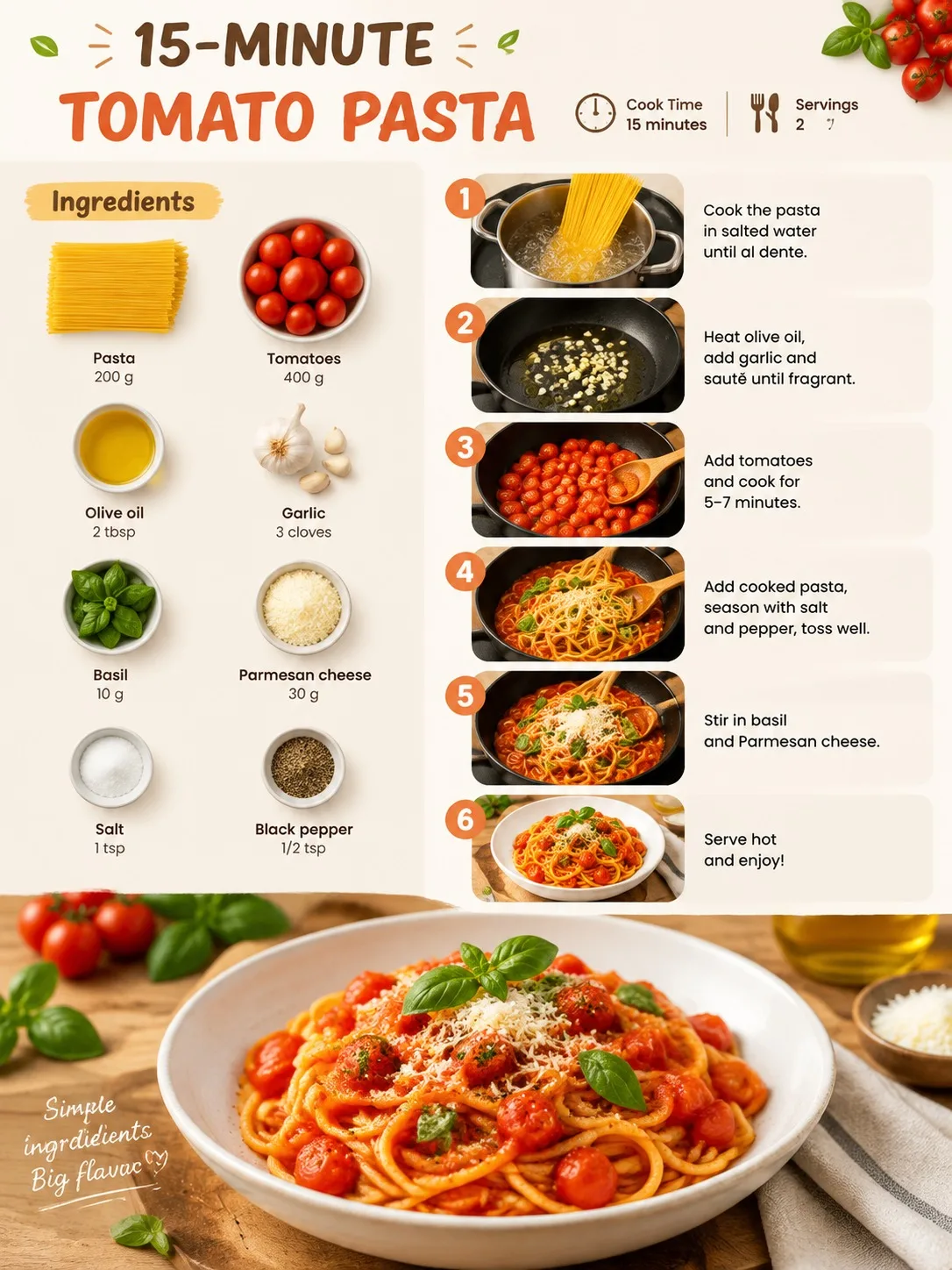
Exploded View Diagram, made with GPT Image 2.5 Sunburst
Example made with GPT Image 2.5 Sunburst

Text to imageInfographics & diagrams

GPT Image 2.5 Sunburst exploded view promptExploded View Diagram

The exact text-to-image prompt behind this picture, made with GPT Image 2.5 Sunburst.

Fill in the blanks

Change any box and the prompt below updates. Copy it, or make one with your version.

Prompt

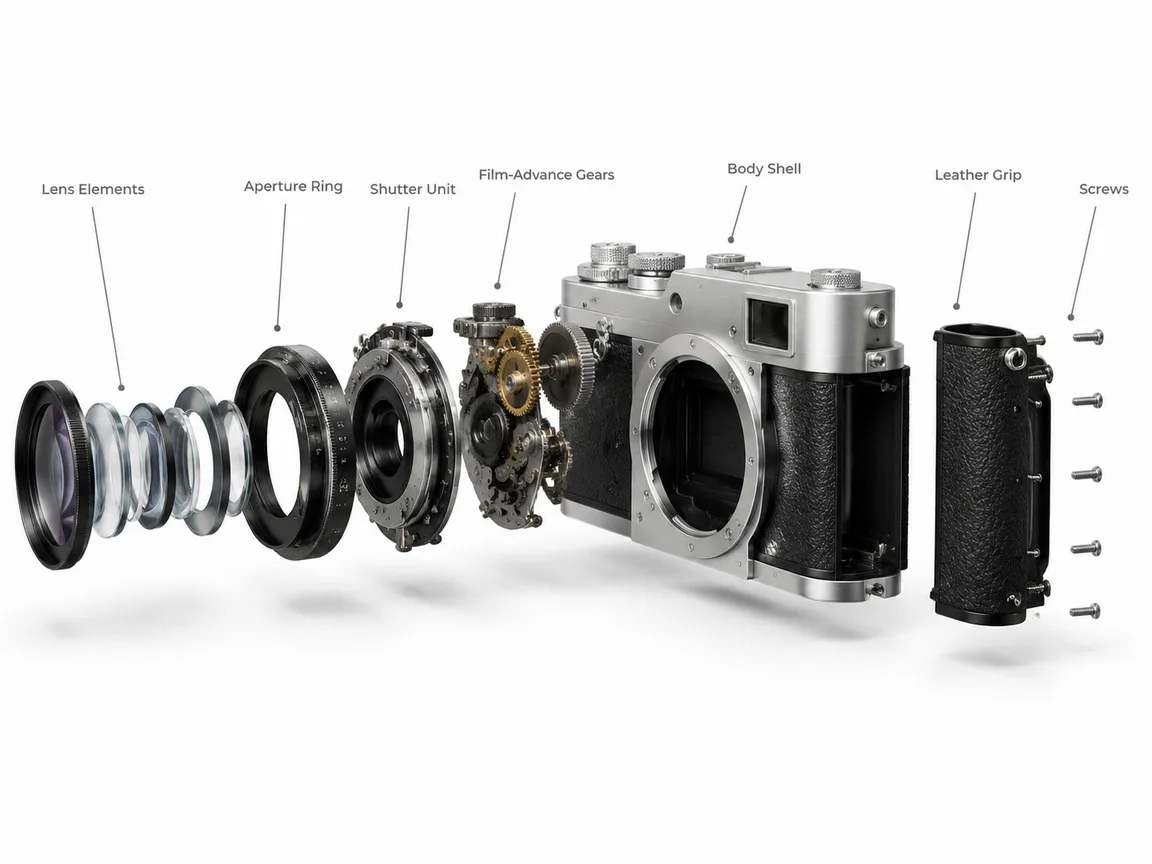
A clean 3D exploded assembly view of a vintage film camera, every part floating apart along one straight axis in the order it is assembled: lens elements, aperture ring, shutter unit, film-advance gears, body shell, leather grip and screws. Keep the real proportions and the brushed silver and black finish, on a plain unbranded body with no logos or model names. Thin grey leader lines link each part to a short label in a neat sans-serif. White studio background, soft shadows under each floating part, technical product-render look.

Prompts stay in English, the language these models follow best. Copy it as it is, or change a few words.

Opens GPT Image 2.5 Sunburst with this prompt and the settings below filled in.

67 tested GPT Image prompts →

Settings

Mode
Text to image
Aspect ratio
4:3
Resolution
1k
Quality
high
Price
From 2 credits

The exact price shows before you generate.

Make your own version

  1. The layout is spelled out piece by piece: every part floating apart along one straight axis in the order it is assembled. Keep that structure and change only the content, or the model loses track of the page.
  2. This is a fill-in template: swap the parts in braces, like {object}, in the boxes above and keep the rest word for word.
  3. Naming every label up front, Thin grey leader lines link each part to a short label in a neat sans-serif, is what keeps the words spelled right. Keep labels short and concrete.

Where this template comes from

Adapted from a prompt by @AIimagined, collected in PicoTrex/Awesome-Nano-Banana-images under CC BY 4.0. PopNow rewrote it as a fill-in template and made the example above.

Style prompt guide

Style traits to keep

A technical exploded-view diagram separates an object into its individual components along a single visual axis. GPT Image 2.5 Sunburst renders the intricate internal mechanisms with realistic brushed metal materials while keeping leader lines and annotations crisp against a studio backdrop.

The technical exploded-view style relies on disciplined alignment, tactile mechanical textures, and graphic clarity.

Composition
All internal and external parts float suspended along a single straight diagonal or horizontal axis, showing disassembly sequence.
Texture
Materials show realistic physical finishes like brushed silver metal, knurled dials, and textured leatherette rather than flat digital shading.
Line
Thin, minimalist grey leader lines extend outward from parts to connect components to text callouts without crossing each other.
Light
Even, neutral white studio illumination casts subtle contact drop shadows beneath every floating piece, grounding their spatial depth.

What defines this look

  1. core diagram structureA clean 3D exploded assembly view of a vintage film camera, every part floating apart along one straight axis in the order it is assembled:

    Establishes the technical illustration format and aligns all components in sequential order. Removing the straight axis instruction causes parts to scatter randomly across the frame.

  2. component breakdownlens elements, aperture ring, shutter unit, film-advance gears, body shell, leather grip and screws.

    Lists the specific mechanical parts needed to construct the camera. Omitting this list leaves the model guessing, often producing generic or fused mechanical shapes.

  3. material and branding rulesKeep the real proportions and the brushed silver and black finish, on a plain unbranded body with no logos or model names.

    Maintains physical plausibility and authentic vintage materials while preventing messy, AI-generated faux brand text from cluttering the surfaces.

  4. infographic annotation styleThin grey leader lines link each part to a short label in a neat sans-serif.

    Adds instructional diagram details using simple typography and callout lines. Altering this can result in heavy black arrows or illegible script.

  5. lighting and background contextWhite studio background, soft shadows under each floating part, technical product-render look.

    Creates a sterile commercial render aesthetic that separates the floating elements from the background. Dropping the shadow instruction makes the floating pieces look flat.

Same style, new subjects

Espresso Grinder

Swaps the subject to a kitchen gadget, demonstrating how precision alignment works on cylindrical home tools.

Prompt

A clean 3D exploded assembly view of a manual coffee grinder, every part floating apart along one straight axis in the order it is assembled: ceramic burrs, central shaft, adjustment ring, bean hopper, stainless steel casing, wooden handle grip and ball bearings. Keep the real proportions and the brushed silver and walnut wood finish, on a plain unbranded body with no logos. Thin grey leader lines link each part to a short label in a neat sans-serif. White studio background, soft shadows under each floating part, technical product-render look.

Mechanical Wristwatch

Applies the detailed diagram style to high-density miniature horology components.

Prompt

A clean 3D exploded assembly view of a mechanical wristwatch, every part floating apart along one straight axis in the order it is assembled: sapphire crystal, dial face, gear train, balance wheel, mainspring barrel, steel case, crown stem and leather strap. Keep the real proportions and the polished gold and steel finish, on a plain unbranded body with no logos. Thin grey leader lines link each part to a short label in a neat sans-serif. White studio background, soft shadows under each floating part, technical product-render look.

Sneaker Construction

Uses the engineering breakdown format on soft goods and athletic footwear layers.

Prompt

A clean 3D exploded assembly view of a running shoe, every part floating apart along one straight axis in the order it is assembled: rubber outsole, foam midsole, carbon plate, cushioned insole, breathable mesh upper, lace eyelets and heel counter. Keep the real proportions and the matte grey and neon blue finish, on a plain unbranded body with no logos. Thin grey leader lines link each part to a short label in a neat sans-serif. White studio background, soft shadows under each floating part, technical product-render look.

Model and settings

Keep the aspect ratio at 4:3 or switch to 16:9 for wider machines so the exploded parts have enough horizontal room to stretch out without clipping. Maintain high quality to ensure small mechanical parts like screws and gear teeth render cleanly. Set resolution to 1k for testing, then increase to higher resolutions if you need the sans-serif text labels to remain crisp and readable.

  • Nano Banana ProChoose Nano Banana Pro when your diagram requires highly complex layout planning, denser part callouts, and structured text alignment.
  • FLUX.2 ProUse FLUX.2 Pro if you want strict control over specific metal hex colors and hyper-photorealistic surface finishes on mechanical parts.

When the style drifts

Parts scatter across the frame in a chaotic explosion rather than an orderly breakdown
Reinforce the phrase floating apart along one straight linear axis and remove any generic words like shattered or burst.
Small parts like screws and gears fuse together into an unrecognizable metal lump
Add ample negative space between each floating component and specify exact individual part names in the prompt.
Leader lines cross each other or text labels turn into garbled alien symbols
Simplify the prompt to three or four main named parts, or switch model to Nano Banana Pro for stronger diagram layout control.

Questions about this style prompt

How do I keep all the exploded parts aligned in a neat line?

Specify that the components float along one straight linear axis in sequential assembly order. Explicitly listing the parts from front to back helps the model place them in a disciplined row.

Can I get readable text labels on the diagram parts?

GPT Image 2.5 Sunburst handles short, clean sans-serif text well, but keeping the requested labels brief improves readability. Request short 1-word labels and avoid overloading the diagram with long descriptions.

Why is the background cluttered instead of a clean diagram backdrop?

Ensure you specify a white studio background and technical product-render look. Omitting the studio instruction can cause the model to place the disassembled object onto an active workbench or room setting.