



AI video effect · Pop
Trending in October 2026
Pop Effect: Puff Up Like Bubble Gum, Pop Into Someone New
Puff up like bubble gum, pop in a burst of confetti, and come out as someone new.
1Pick what you pop into
2Add a photo
- A waist-up or full-body shot works best
- Plain backgrounds make the change pop
- Face the camera so the result still looks like you
3Pick a model
about 1 min
More to try
All effects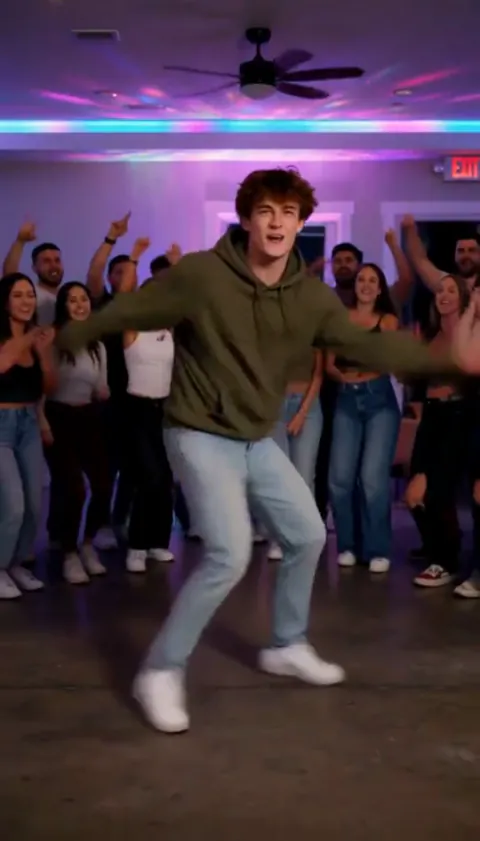 Party FreestyleYou break into a high-energy freestyle while the house party cheers.Try it
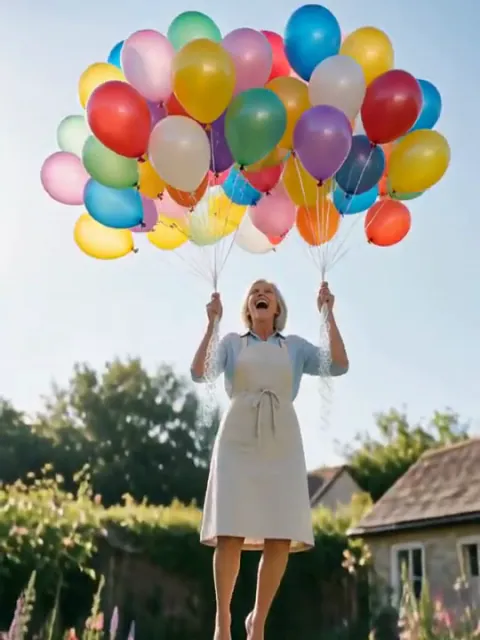 Balloon LiftMore and more balloons appear until they lift you up into the sky.Try it
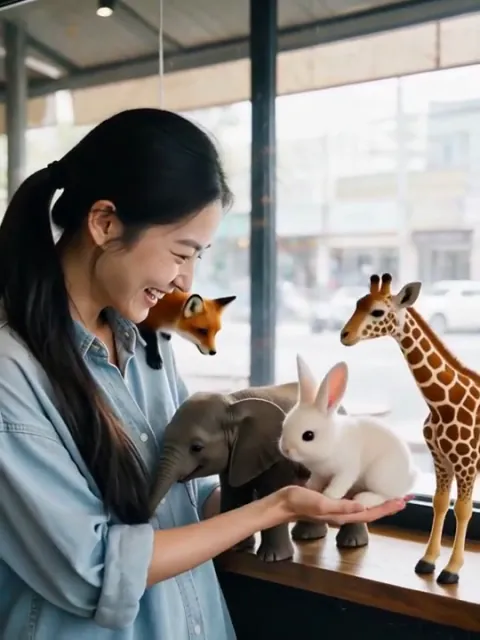 Tiny CrittersA palm-sized elephant, fox and bunnies wander in and climb onto you.Try it
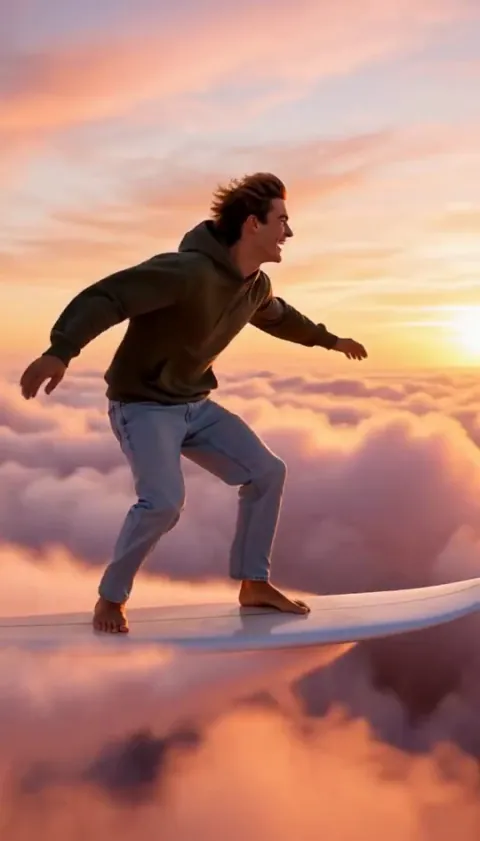 Cloud SurfThe ground falls away and you surf across pink sunset clouds.Try it
What the Pop effect does
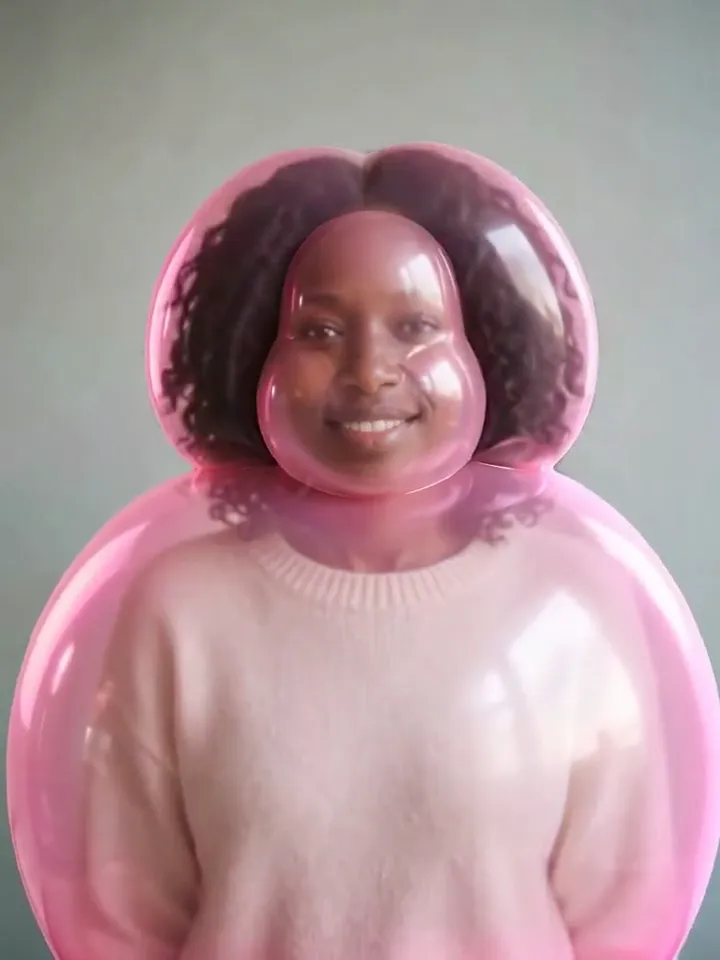
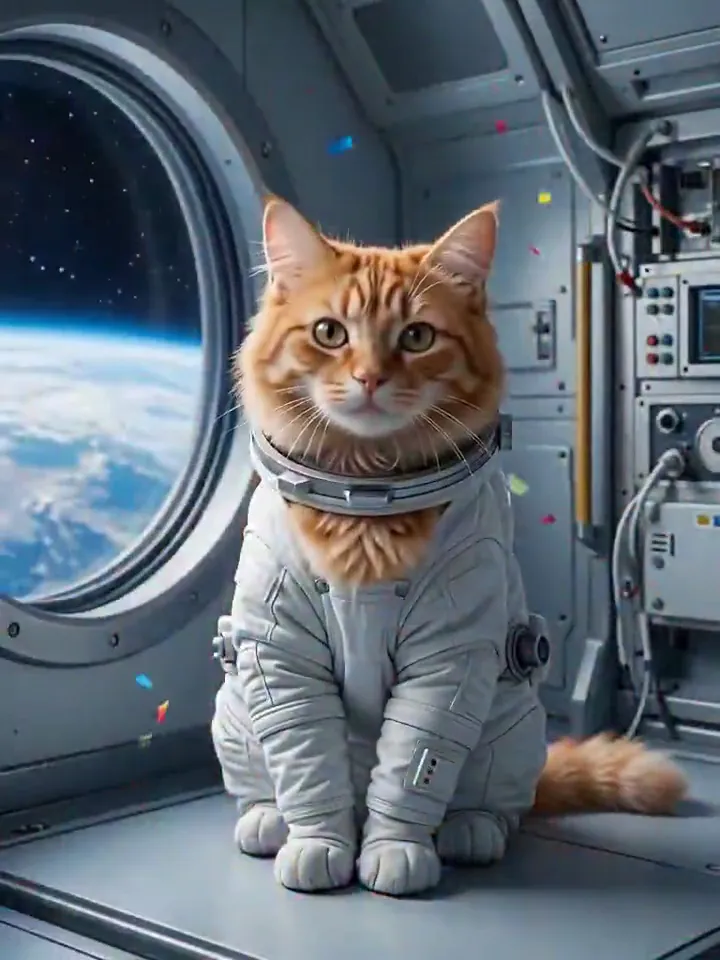
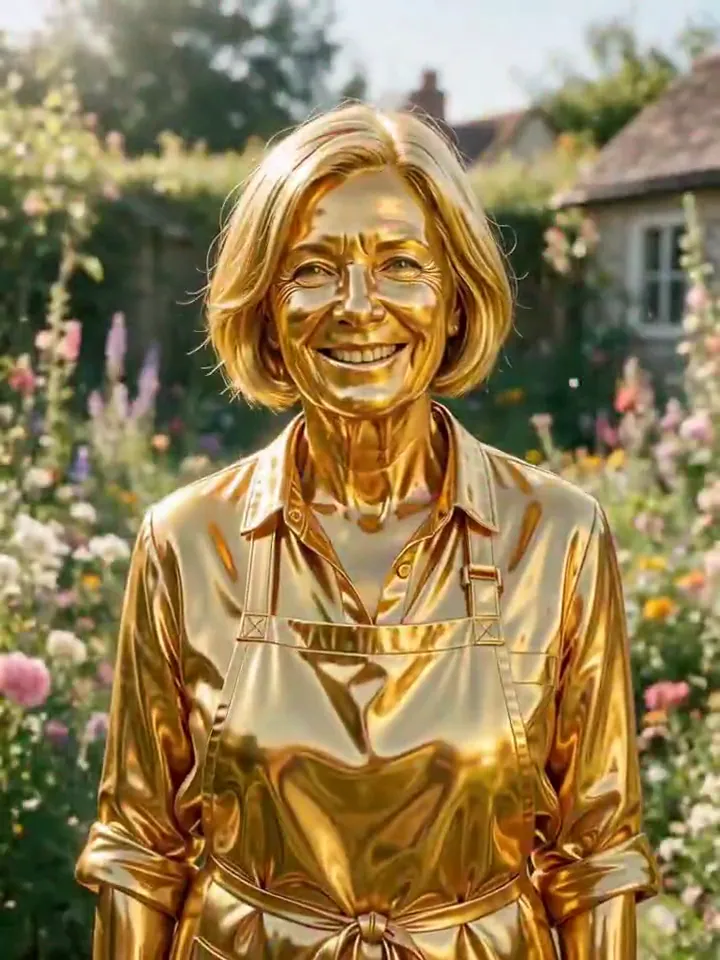
Pop is the PopNow signature photo effect. The person, pet or object in your photo slowly puffs up into a glossy pink bubble-gum balloon, wobbles, bursts with a pop into a screen full of candy-colored confetti, and the confetti falls away to show them transformed: as an astronaut, a solid gold statue, an anime character, a neon night look, a royal oil painting, a superhero, a movie poster hero or a clay figure. You get one vertical video of about nine seconds with the pop sound already on it.
Behind the button there are four AI jobs and one edit. Nano Banana 2.1 draws two pictures from your photo at the same time: the balloon version of you and the finished look you picked. MiniMax H3 then films two short clips side by side, your photo puffing up into the balloon, and the balloon bursting into the new look. Our server joins the two clips and lines the pop sound up with the frame where the balloon bursts, which it finds by measuring how sharply the picture changes from one frame to the next.
Why Pop is trending
Squishy inflate clips, where a friend, a pet or a mug swells up like a balloon, were among the most shared AI photo tricks of 2026. Pop launched on PopNow in October 2026 and adds the two beats those clips were missing, the burst and the reveal, so the video ends on a surprise instead of a balloon. The pop is also the move our mascot Poppie is named for.
How to use Pop
- Add one photo Upload a clear photo of the person, pet or object you want in the Pop clip.
- Keep the default model or pick another MiniMax H3 is selected; the list shows every other model with its price before anything runs.
- Press Make it move The clip is usually ready in about 2 min. Download it or send it to another tool.
Which photos work best for Pop
Works well
- One clear subject: a person, a pet or a single object
- Head and shoulders or waist-up, so the balloon has room to grow
- Glasses, beards and bold hair colors, which stay visible through the pink jelly
- Side profiles: the reveal keeps the same pose
- Pets facing the camera and sitting still
Avoid
- Group photos: the effect is built around one subject
- Tiny figures in a wide landscape shot
- Faces hidden behind a phone, a mask or deep shadow
- Very dark or blurry photos
Pop examples

What we saw when we tested Pop
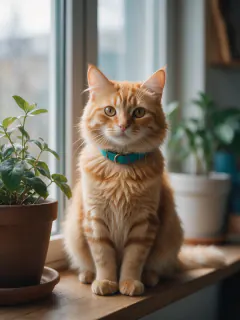
Before launch we ran Pop on five very different photos: a woman in her sixties in her garden, a dark-skinned woman against a plain wall, a bearded man in round glasses, a woman shot in side profile and a ginger cat on a windowsill, with every ending tried at least once. In every run the balloon let their own colors show through the pink sheen, so silver hair, brown skin and a copper bob were still easy to spot, and the glasses survived both the balloon and the anime ending. The cat grew two round balloon ears, which became one of our favorite results.
Two things changed during testing. The first astronaut suits came back with space-agency logos and flags, so the prompt now asks for a plain suit with nothing printed on it. The side-profile woman turned to smile at the camera during the reveal, so the prompt now holds the original pose, and the retake kept her in profile all the way through.
The weakest ending is Clay figure: the face turns into clay but the background usually stays photographic. Movie poster writes a single word, POP, across the bottom, and in one run the balloon hung on for almost three seconds before bursting, which leaves a shorter reveal. On the default model the burst landed between 1.0 and 2.8 seconds into the second clip, and the pop sound followed it every time.
How Pop does on each model
- MiniMax H3 Default. Two 4-second clips; the burst fills the whole frame with confetti, about two minutes in total.
- Kling 3.0 Two 3-second clips. Inflates more slowly and smoothly and the burst is tighter, but it costs more.
- MiniMax H3 · 4s Quick Pop: one 4-second clip from your photo alone. Far cheaper, but the bubble usually forms around the head and the ending is improvised from a short description, so faces drift more.
The prompt behind Pop
You never write a prompt for Pop. This is the exact text it sends with your photo:
Step 1 · The balloon picture
Keep the exact same framing, camera angle and background as the photo. Blow this same subject up like bubble gum into a big, round, inflatable balloon version of themselves: the head and body puffed up plump and smooth like a shiny parade balloon, made of glossy semi-translucent bubble-gum jelly with a soft candy-pink sheen and pink light glowing through the edges, while their own skin tone, hair color and clothing colors stay clearly visible under the glossy surface. The face stays clearly recognizable as the same subject, same eyes, smile, hairstyle and any glasses, just rounder and softer, with a happy expression. Cute, playful and toy-like, never scary or grotesque. Photorealistic lighting, no text.Step 2 · Puffing up
The subject slowly puffs up like a bubble-gum bubble being blown: their head and body gradually swell round, plump and glossy into a cute, semi-translucent pink jelly balloon version of themselves, stretching softly and smoothly while light glows through the shiny surface. They keep the same face and a happy expression. At the end the plump balloon figure wobbles gently. Static camera, playful and cute, never scary.Step 2 · The pop and the reveal
The glossy pink jelly balloon figure wobbles twice like jelly, then bursts with a pop into an explosion of candy-colored confetti that fills the whole frame. The confetti rains down and clears, revealing the transformed subject holding the same pose. Static camera, joyful and smooth.Step 1 · The endings you can pick
- Astronaut
- Keep the exact same framing, camera angle and pose as the photo. Dress this same subject as an astronaut in a plain white spacesuit with no logos, flags, patches or lettering anywhere, helmet off so the whole face is visible, and turn the background into the inside of a spaceship with a big round window showing Earth and stars. The subject stays clearly the same: same face shape, eyes, expression, skin tone, hairstyle, hair color and any glasses. A few tiny pieces of candy-colored confetti still drift through the air. No text.
- Solid gold
- Keep the exact same framing, camera angle and pose as the photo. Turn this same subject into a gleaming polished solid gold statue that keeps their exact pose, expression, hairstyle and clothing folds, every detail cast in mirror-bright gold with warm highlights. The background stays the same. The subject stays clearly the same: same face shape, eyes, expression, skin tone, hairstyle, hair color and any glasses. A few tiny pieces of candy-colored confetti still drift through the air. No text.
- Anime
- Keep the exact same framing, camera angle and pose as the photo. Redraw the whole image as a high-quality 2D anime illustration: this same subject as a cel-shaded anime character with the same hairstyle, hair color, skin tone, outfit and any glasses, clean line art, and a bright anime version of the same background. The subject stays clearly the same: same face shape, eyes, expression, skin tone, hairstyle, hair color and any glasses. A few tiny pieces of candy-colored confetti still drift through the air. No text.
- Neon night
- Keep the exact same framing, camera angle and pose as the photo. Turn the scene into a glowing neon night: this same subject in a reflective holographic jacket, lit by vivid pink and cyan neon light, standing in a rainy neon-lit city street at night with glowing neon outlines tracing their silhouette. The subject stays clearly the same: same face shape, eyes, expression, skin tone, hairstyle, hair color and any glasses. A few tiny pieces of candy-colored confetti still drift through the air. No text.
- Royal portrait
- Keep the exact same framing, camera angle and pose as the photo. Turn this into a classical oil painting: this same subject as royalty in a deep red velvet robe with a gold crown, painted with visible brush strokes, warm museum lighting and a dark painted background. The subject stays clearly the same: same face shape, eyes, expression, skin tone, hairstyle, hair color and any glasses. A few tiny pieces of candy-colored confetti still drift through the air. No text.
- Superhero
- Keep the exact same framing, camera angle and pose as the photo. Dress this same subject as an original superhero in a sleek red and navy suit with a flowing cape, no logos or emblems, on a city rooftop at golden sunset with wind in their hair. The subject stays clearly the same: same face shape, eyes, expression, skin tone, hairstyle, hair color and any glasses. A few tiny pieces of candy-colored confetti still drift through the air. No text.
- Movie poster
- Keep the exact same framing, camera angle and pose as the photo. Turn this into a dramatic cinematic movie poster with this same subject as the hero: moody rim lighting, teal-and-orange color grade, an epic stormy sky and city skyline behind them, and one bold title POP in large clean letters at the bottom. The subject stays clearly the same: same face shape, eyes, expression, skin tone, hairstyle, hair color and any glasses. A few tiny pieces of candy-colored confetti still drift through the air. No other text.
- Clay figure
- Keep the exact same framing, camera angle and pose as the photo. Remake the entire image as a handmade stop-motion claymation scene: everything, including the subject's face, skin, hair and clothes, is now sculpted from soft matte modeling clay with visible fingerprint texture, rounded simplified shapes and slightly oversized eyes, like a clay figure on a miniature set. Keep only the recognizable traits: hairstyle and hair color, skin tone, outfit colors and any glasses. The subject stays clearly the same: same face shape, eyes, expression, skin tone, hairstyle, hair color and any glasses. A few tiny pieces of candy-colored confetti still drift through the air. No text.
What the prompt asks for
- What happens
The glossy pink jelly balloon figure wobbles twice like jelly, then bursts with a pop into an explosion of candy-colored confetti that fills the whole frame.
Tips for a better Pop result
- Pick the ending before you add your photo: each one shows its own sample, so you can compare looks without spending credits.
- Leave space around the head. Tight face crops still work, but the balloon has less room to grow.
- Turn the sound on when you share it. The pop is timed to the burst and is half of the fun.
Pop cost and time
Pop costs 62 credits with MiniMax H3 and is usually ready in about 2 min.
The cheapest option is MiniMax H3 · 4s: 23 credits for Pop, ready in about 55 s.
Pop: questions and answers
Why does Pop make two pictures before the video?
Video models are much better at moving between two fixed frames than at inventing a transformation on their own. Drawing the balloon and the finished look first gives the clips a clear start, middle and end, which is why the face still looks like you after the burst.
Can I choose what I turn into?
Yes. Pick one of eight endings before you tap the button: Astronaut, Solid gold, Anime, Neon night, Royal portrait, Superhero, Movie poster or Clay figure. Every ending shows its own sample on the page, so you can see the result before you spend credits.
Does the Pop video have sound?
Yes. Pop adds the signature pop sound: a stretchy squeak while the balloon fills up, a sharp pop timed to the burst frame, then a sprinkle of confetti chimes. Your result starts muted; tap the speaker in the player to hear it.
Can my cat or dog become a balloon too?
Yes. Our test cat puffed up into a round pink balloon cat with balloon ears, burst, and came back as an astronaut cat and as an anime cat. Pets that face the camera give the cleanest reveal.
What happens if one step fails?
Each of the four jobs is billed on its own. If a clip fails, its credits come back automatically and the pictures that were already made stay in your assets. If joining the clips fails, you still get the burst-and-reveal clip as your result.
Where do I find my Pop video later?
The finished video is saved to your assets automatically, next to the balloon picture, the ending picture and both clips, so you can reuse any of them in other effects or send them to the video editor.
Related effects and tools
- Molten Gold · Liquid gold pours over you and sets into a gleaming statue.
- Clay Morph · You and the scene turn into handmade stop-motion clay, then you wave.
- Balloon Lift · More and more balloons appear until they lift you up into the sky.
- Zombie Turn · Dusk falls, film-grade zombie makeup creeps across your face, and you look up with clouded eyes.
- Turn the same photo into an anime picture with Anime
- Try the clay, oil and pixel looks as still photos in Styles