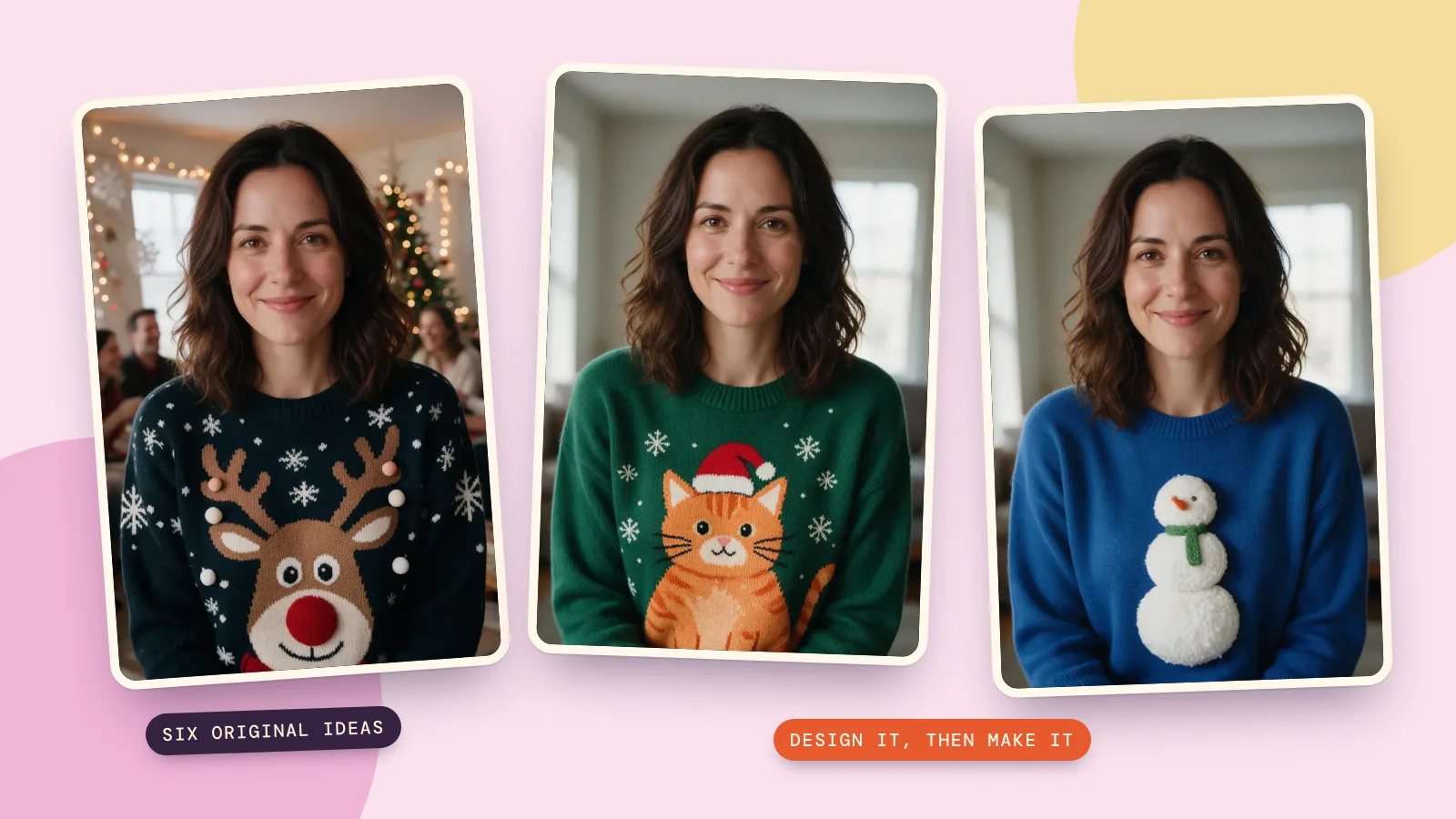
To create an ugly Christmas sweater, choose one funny centerpiece, add a repeating holiday pattern and limit the colors so the idea is easy to read. You can preview it on your photo with the Christmas sweater scene on PopNow's AI Christmas photo page, then use that picture as a plan for a real DIY sweater.
This guide covers both jobs: designing a photo and making something you can wear. On November 6, 2026, we generated one fictional adult source portrait with Seedream 5.0 Pro at 1K, then made six 2K sweater designs from that same source. The reindeer version uses the Christmas page's exact scene prompt and default HD settings; the other five use targeted image edits with the same model.
How do you design an ugly Christmas sweater from a photo?
- Add a clear photo with the whole sweater front visible. A straight-on pose makes the central motif easier to judge; keep hands and bags away from the pattern.
- Under Pick a scene, choose Christmas sweater. Set Outfit to Festive so the scene can replace the original clothing.
- Keep Size at Same as photo, choose HD quality and set How many to 1. We left Add your own touch empty for the reindeer sample.
- Press Make my Christmas photo, then compare the face, hair, clothing edges and background with the original. Save a version only after checking the entire image.
The preset creates a party portrait, including a decorated room and softly blurred guests. If you want the room to stay unchanged while only the sweater changes, use the targeted edit route below. Selecting Keep mine asks to retain the original clothing, so it works against the goal of replacing a plain sweater.

Which six original sweater designs can you make?
Here are all six versions, with the same source supplied separately for every edit. We did not edit the cat into the gingerbread and then edit that again: starting from the original each time avoids carrying previous changes into the next design. Every finished picture below uses Seedream 5.0 Pro at 2K, costing 72 credits each.
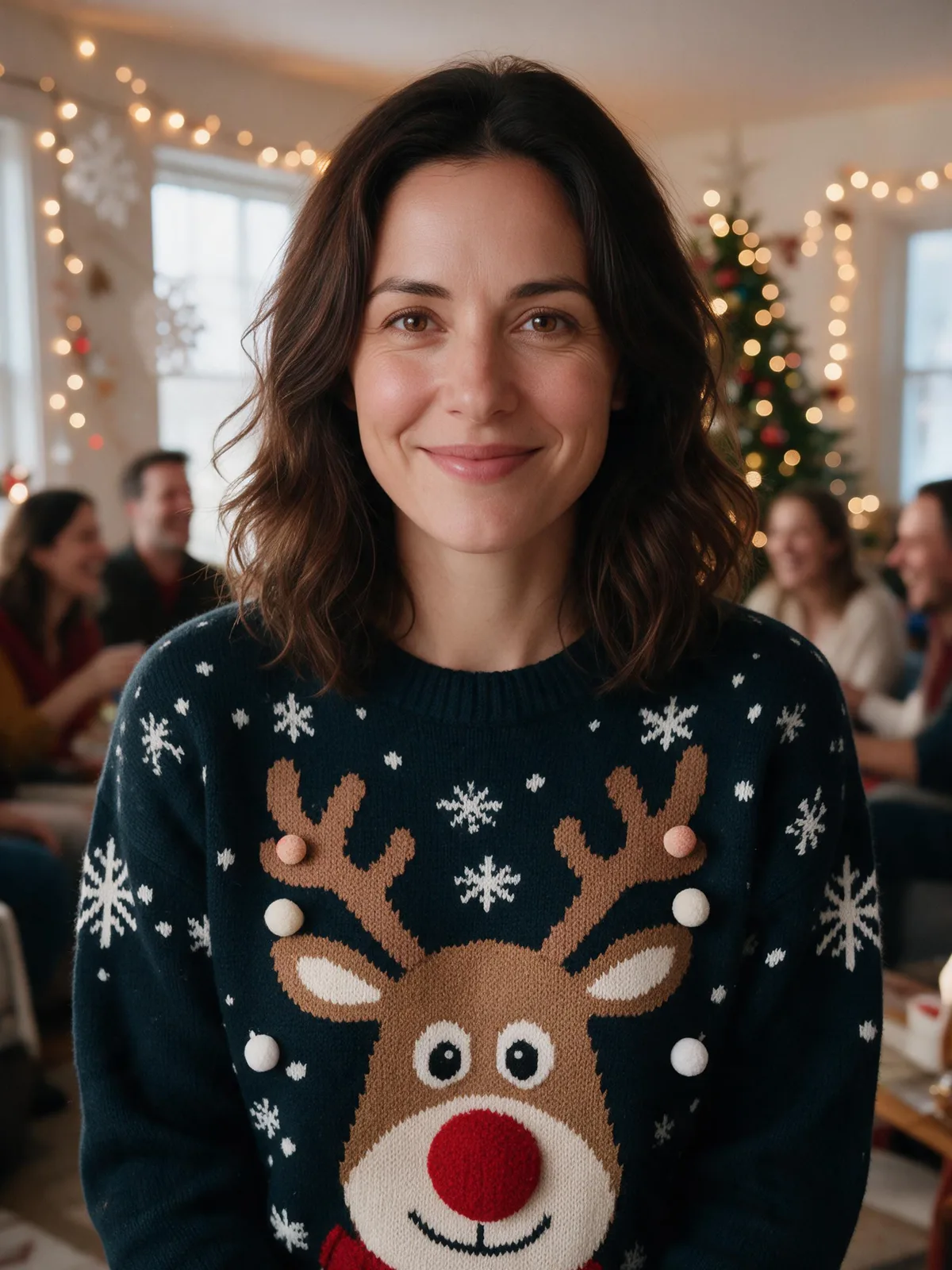 Reindeer and snowflakes
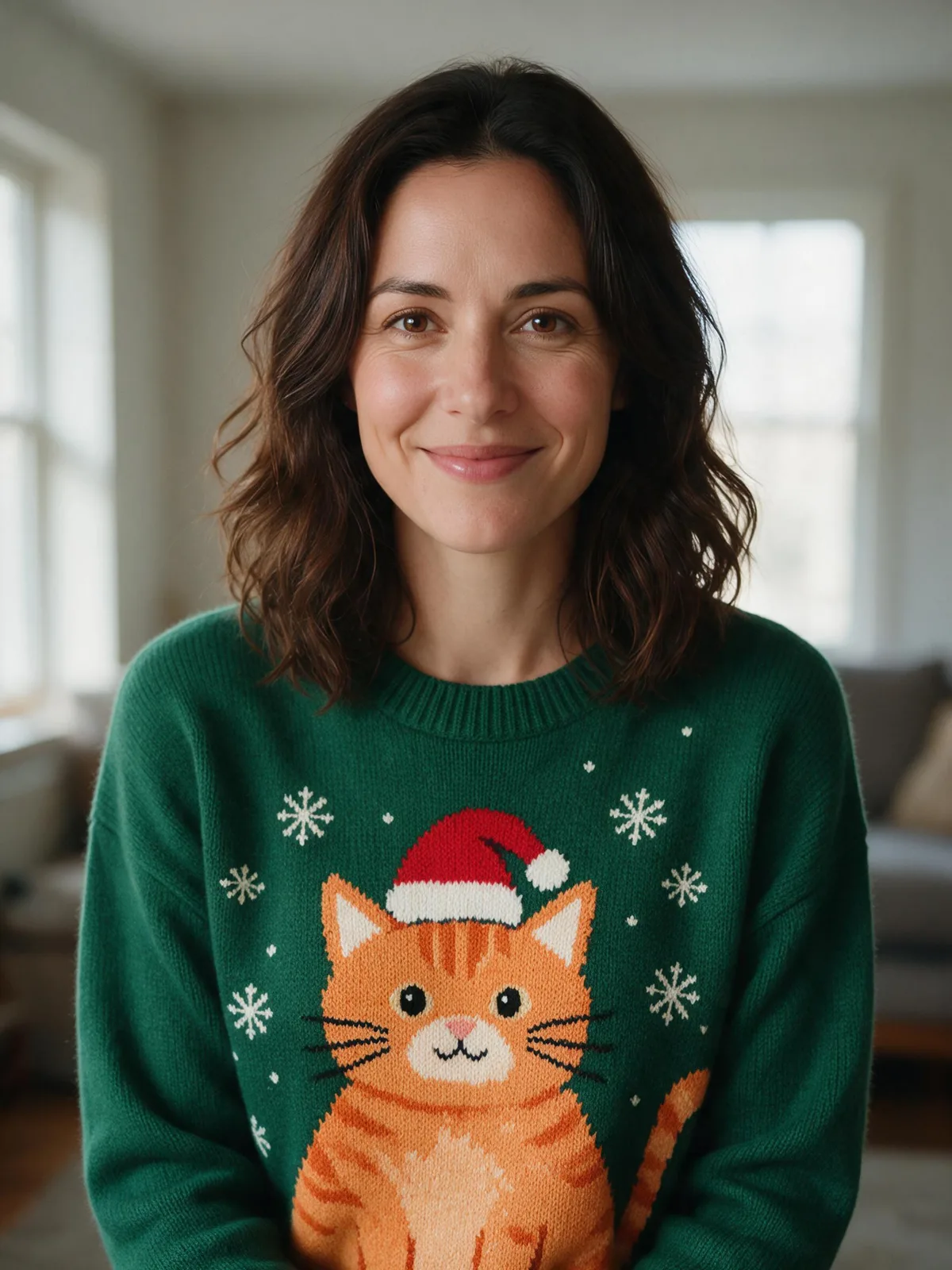 Santa-hat cat
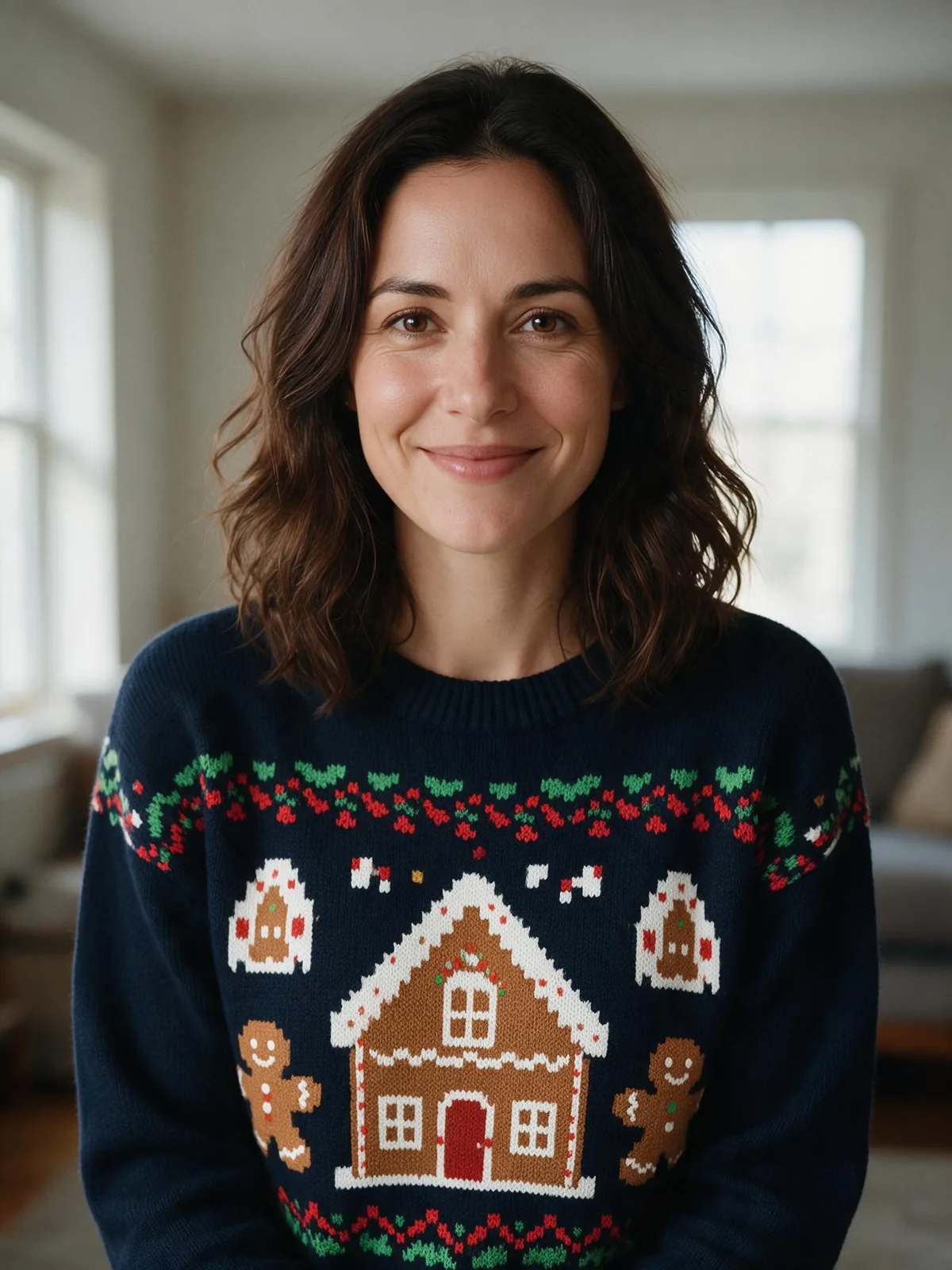 Pixel gingerbread
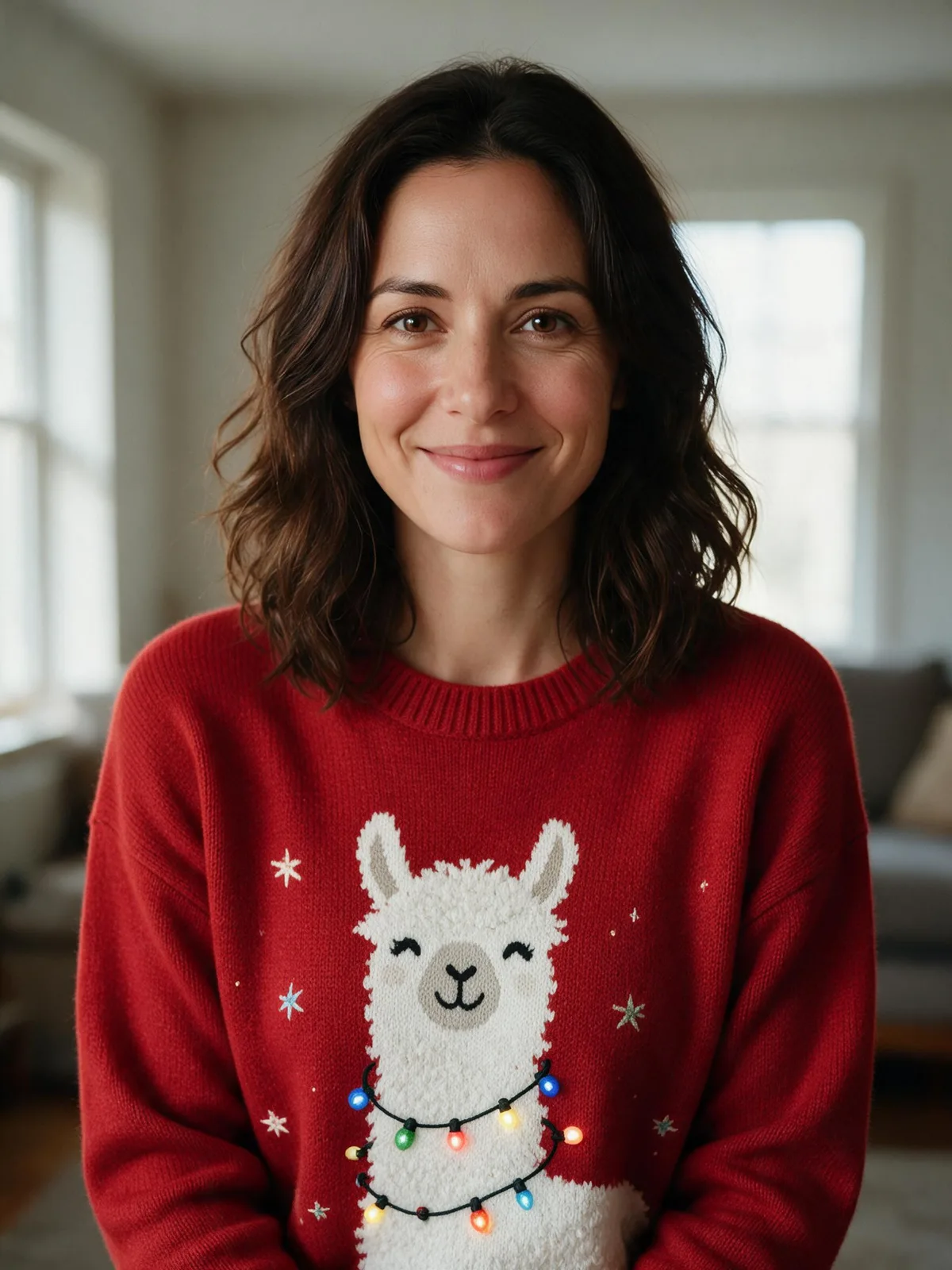 Llama lights
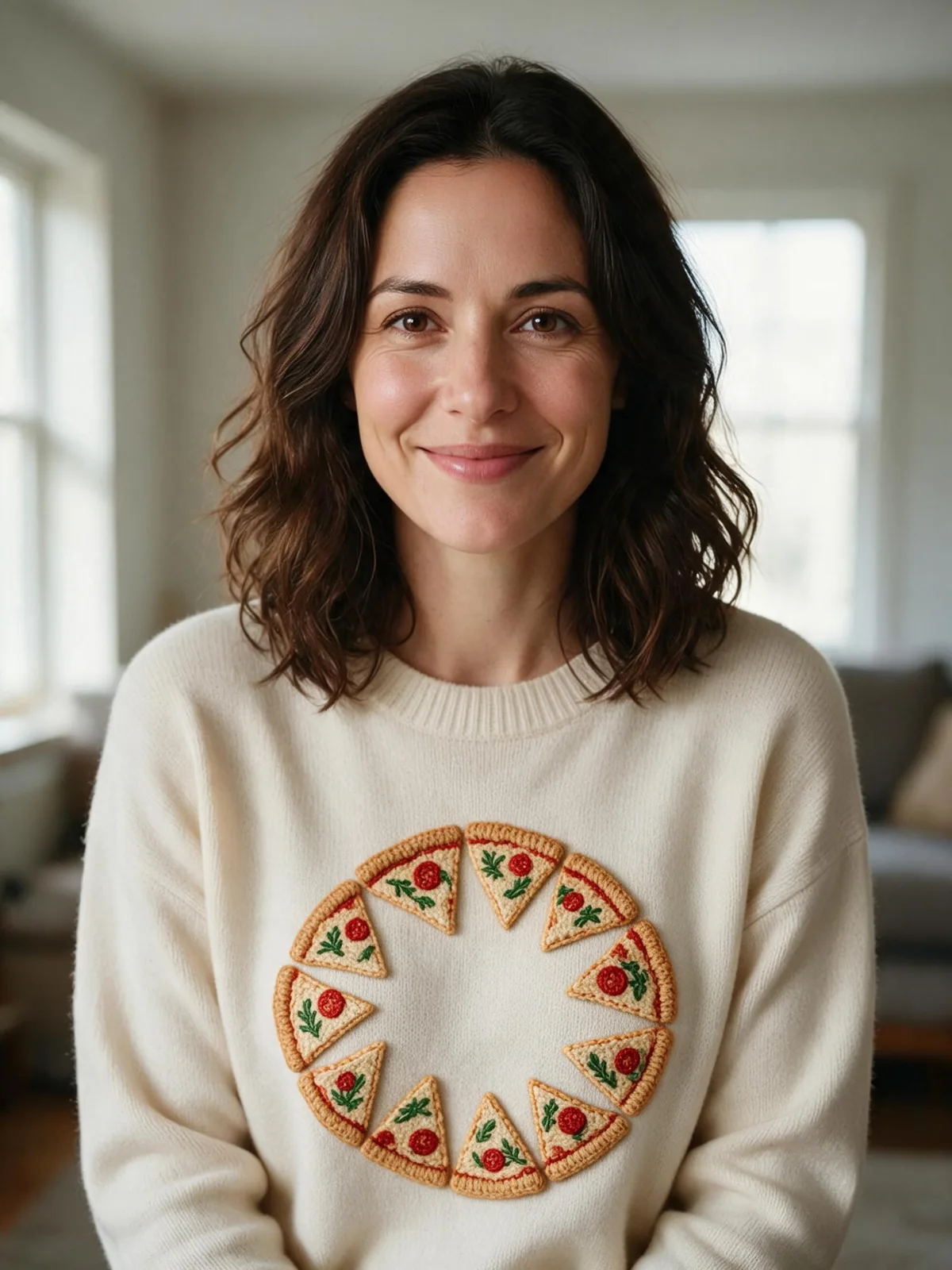 Pizza wreath
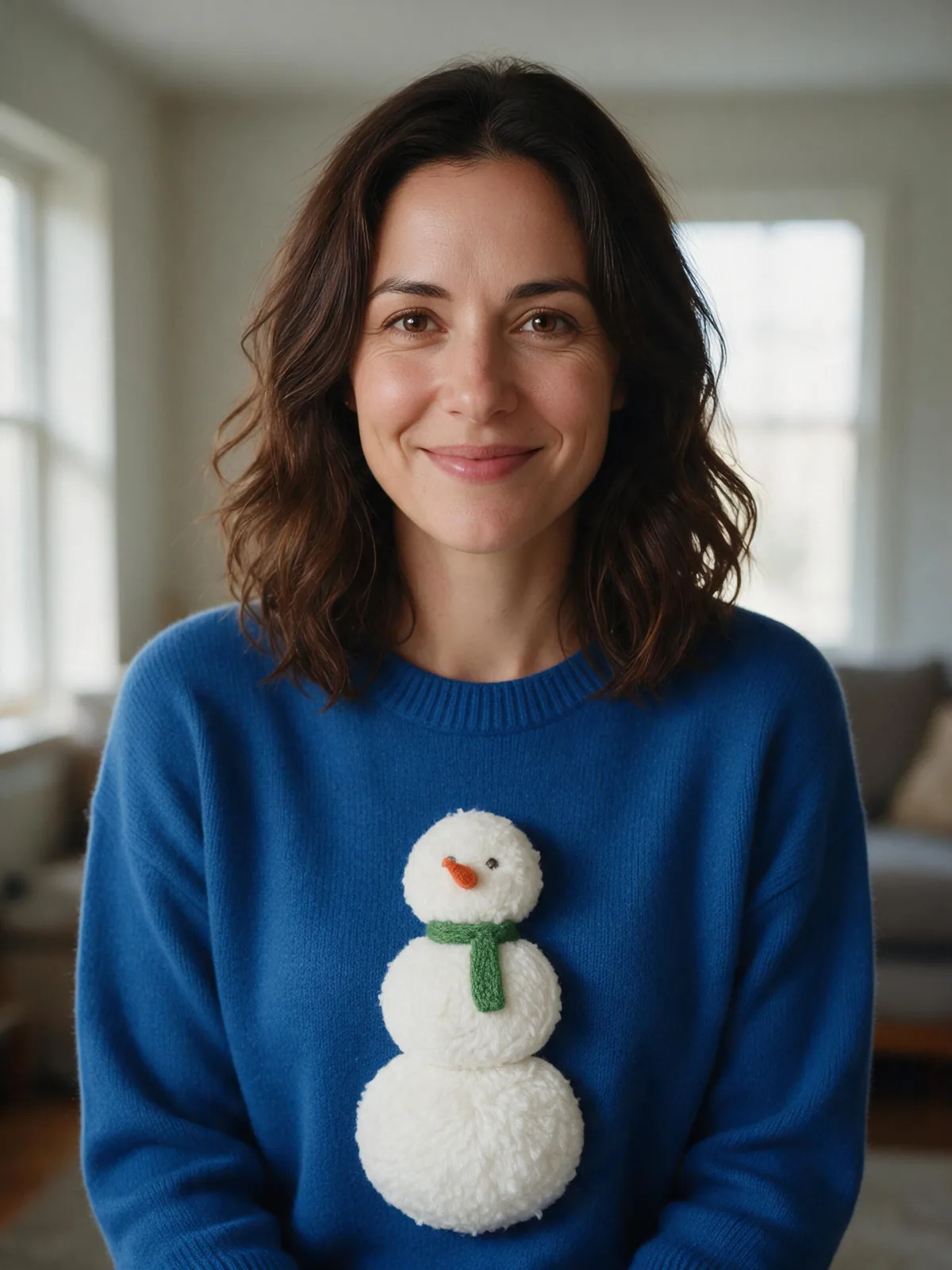 Pom-pom snowman
- Reindeer and snowflakes: the familiar holiday option, with a broad pattern you can read from across a room. The page's scene also adds the party setting.
- Santa-hat cat: one large cat is easier to reproduce with felt than a sweater covered in dozens of tiny animals. Use a contrasting hat so the joke reads quickly.
- Pixel gingerbread: square blocks turn naturally into a grid for felt pieces. Keep the smallest details large enough to cut and attach cleanly.
- Llama lights: a long neck gives a light-string motif room to wind around. For a real version, embroidered or felt lights are easier to manage than wires.
- Pizza wreath: triangle slices become a holiday circle without needing lettering. A cream base lets the red and green details stand out.
- Pom-pom snowman: raised white yarn adds texture, while a small scarf and nose make a simple three-circle shape recognizable.
How do you change just the sweater pattern?
Open Edit Image, upload the original portrait, select Seedream 5.0 Pro and describe only the clothing change. We used 2K, the original aspect ratio and JPEG output for all six edits. The prompt cards below contain the exact text and settings we ran; add your source photo after opening a card in the generator.
Turn this photo into a bright, warm Christmas photo: place the people from the photo in a lively Christmas sweater party in a decorated living room with string lights, paper snowflakes and a big tree, friends' party in the softly blurred background. Dress them in a fun knitted Christmas sweater with reindeer, snowflakes and a little pom-pom. Keep every person exactly the same: same face and features, skin tone, hairstyle, glasses and age, with a natural, happy expression. Realistic photo, bright festive lighting, joyful mood, no text, no logos.
The first prompt is deliberately broader because it comes from the Christmas scene. The next five keep the room, pose and lighting in their instructions, which makes them better starting points when you want an ugly sweater maker for a particular motif rather than a whole party portrait.
Edit only the sweater in this photo. Replace the plain sweater with a large original knitted orange cat wearing a red Santa hat, surrounded by small cream snowflakes on a forest-green sweater. Keep the same crewneck shape and long sleeves. Keep the person exactly the same: same face and features, skin tone, hairstyle, age, expression and pose. Keep the original room, camera framing and lighting unchanged. Realistic textile texture, no text, no logos, no extra people.
Edit only the sweater in this photo. Replace the plain sweater with an original pixel-art gingerbread house and gingerbread figures, square icing patterns and red-and-green pixel borders on a navy sweater. Keep the same crewneck shape and long sleeves. Keep the person exactly the same: same face and features, skin tone, hairstyle, age, expression and pose. Keep the original room, camera framing and lighting unchanged. Realistic textile texture, no text, no logos, no extra people.
Edit only the sweater in this photo. Replace the plain sweater with an original smiling knitted white llama with colorful string lights loosely around its neck, small stars and a red background. Keep the same crewneck shape and long sleeves. Keep the person exactly the same: same face and features, skin tone, hairstyle, age, expression and pose. Keep the original room, camera framing and lighting unchanged. Realistic textile texture, no text, no logos, no extra people.
Edit only the sweater in this photo. Replace the plain sweater with an original circular pizza wreath made of knitted triangular pizza slices with green herb shapes and red tomato circles, on a cream sweater. Keep the same crewneck shape and long sleeves. Keep the person exactly the same: same face and features, skin tone, hairstyle, age, expression and pose. Keep the original room, camera framing and lighting unchanged. Realistic textile texture, no text, no logos, no extra people.
Edit only the sweater in this photo. Replace the plain sweater with an original large white snowman made of three raised yarn pom-poms, a tiny orange felt nose, dark stitched eyes and a green scarf on a royal-blue sweater. Keep the same crewneck shape and long sleeves. Keep the person exactly the same: same face and features, skin tone, hairstyle, age, expression and pose. Keep the original room, camera framing and lighting unchanged. Realistic textile texture, no text, no logos, no extra people.
Review the result even when the prompt says to keep everything else. Compare the eyes, smile, hairline and sweater edges, then look for stray stitches, accidental letters or a motif that merges into the sleeve. A generated photo is a visual sketch; its apparent knitting is not a reliable knitting chart or sewing pattern.
How do you make a DIY ugly Christmas sweater from the design?
- Choose a base. Start with a plain sweater you already own or find one in a thrift shop. Lay it flat, check its care label and measure the front area available for decorations.
- Simplify your favorite picture. Pick the central motif and two or three supporting colors. Sketch its position on paper at the actual size before cutting felt or opening a pack of patches.
- Arrange before attaching. Place felt shapes, iron-on patches and pom-poms on the sweater while it lies flat. Keep bulky details away from cuffs, necklines and places that rub when you move.
- Attach for your fabric. Sew-on decorations let you control placement. For iron-on transfers or patches, follow the material's heat instructions and the sweater's care label; test an inconspicuous area first. Use glue only if it is suitable for that fabric.
- Try it on and finish. Check that you can move comfortably and that the main picture still reads when the sweater stretches. A little tinsel can frame the motif, but secure loose ends and keep decorations away from candles and heaters.
For the cat, cut a large felt silhouette and a small red hat. For the pizza wreath, arrange six or eight felt triangles in a circle. For the snowman, sew on three white pom-poms and add a felt scarf. You do not need to recreate every AI stitch: a few clear shapes usually make a stronger handmade design than dozens of tiny details.
If printing is your plan, ask the print shop what dimensions, file type and resolution it needs before preparing a transfer. A photo of someone wearing a sweater includes fabric folds, perspective and shadows; it is not a flat, ready-to-print design file. Rebuild or isolate the motif and check a proof before paying for a full garment.
How do you compare models without losing the design idea?
Same prompt, different models: Compare can help you explore alternative models, but all six designs here use Seedream 5.0 Pro. We did not make a cross-model test for this article. Keep the same source and prompt when comparing, then judge face preservation, motif clarity and fabric texture rather than changing everything at once.
FAQ
What makes a Christmas sweater ugly?
Usually it is a deliberately over-the-top mix of holiday colors, oversized motifs and raised decorations. It can still have a clear design: one funny cat or pizza wreath often reads better than many unrelated pictures. Choose something you will enjoy wearing rather than trying to include every Christmas symbol.
Can I print the AI design onto a real sweater?
You can use the result as a design reference, then prepare a flat motif for a print shop or suitable iron-on transfer paper. Check fabric compatibility, image resolution and the print proof. The portrait itself is a mockup, so do not expect it to become a seamless all-over garment print automatically.
Can I make it for a couple or a group photo?
The Christmas page accepts extra reference photos, but our six examples use one fictional adult. For several people, provide clear faces and ask for a shared palette or matching motif. Inspect everyone separately; a crowded group and small faces make errors harder to spot.
Can I make a matching Christmas card?
Yes. Save the approved sweater portrait and follow the AI Christmas card guide. Keep the same motif or color palette on the card and leave room for a greeting. For a coordinated group picture, see the family Christmas photo ideas.
How much do the sweater designs cost?
One HD, 2K sweater image with Seedream 5.0 Pro costs 72 credits. Six separate designs at those settings cost 432 credits, excluding the source portrait. The Christmas page's Standard option uses 1K and costs 36 credits per image. Check one design first before generating more versions.