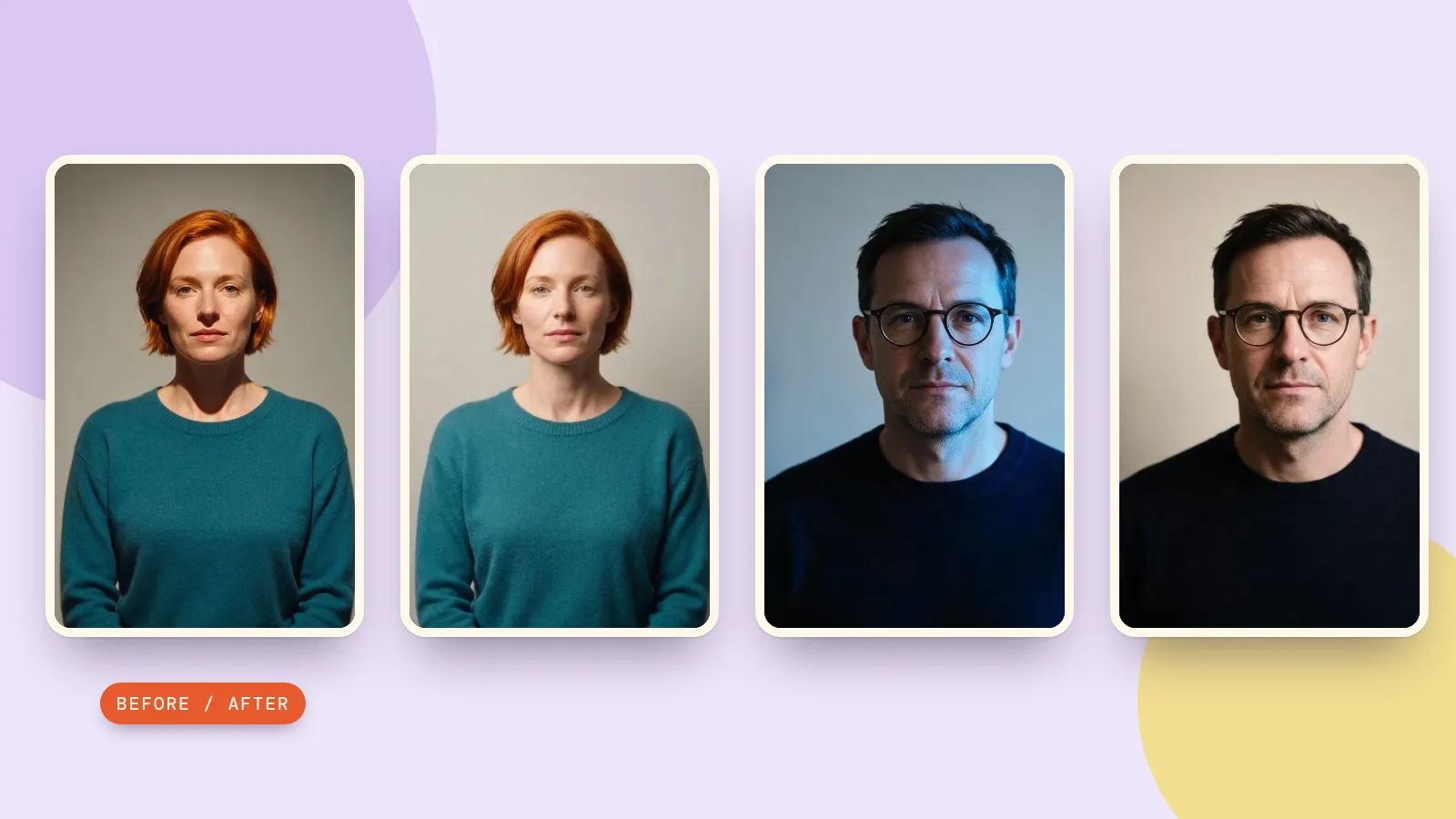
To make images all the same lighting, process each photo with the same light direction, color, softness and model, then compare the results together. PopNow's photo relighting tool sends a repeatable lighting instruction for each photo. This can bring a set closer together, but it does not guarantee identical brightness or exact product colors.
For a team portrait set, start with neutral, soft light. For shop photos, also keep the background, crop and object size consistent. A warm picture and a blue picture need more than the same brightness adjustment: the shadows and color cast need attention too.
How do you choose one lighting setup for a set?
- Pick a target image. Choose the clearest source with the look you want, rather than the most dramatic one. Keep it visible when checking the rest.
- Choose a direction. Upper-left lighting should stay upper-left across the set. Matching the color while leaving shadows on opposite sides still looks inconsistent.
- Choose neutral color and soft shadows. Daylight and a soft treatment are a useful starting point for everyday portraits and objects.
- Keep the inputs comparable. Similar framing and background make the lighting easier to judge. A distant person and a close portrait cannot look like the same studio setup just because their light matches.
These choices are a visual recipe, not a measurement of a real lamp. A daylight setting describes the intended appearance; it cannot calibrate the color accuracy of every original photo or display.
How do you match lighting in photos on PopNow?
- Open the page and add Your photo. It initially selects Remove shadows, which is a separate operation using Shadow Remover.
- Choose Soft studio under Light. Its default engine is Relight; for the results below, switch to Nano Banana 2.1 in Fine-tune.
- Open Fine-tune. Keep Upper left, Daylight, the softest Softness, and Natural under Strength. Use the same model and leave Add a detail empty for each run.
- Press Relight photo and compare the result with its source. Repeat with the next image using the same settings; the page processes one uploaded photo at a time.
- Keep Effect strength consistent when exporting. This control blends the result with the source in your browser; it is different from the generation setting called Strength.
One Nano Banana 2.1 result costs 48 credits; three cost 144 credits. The button shows the total before generation. Changing the browser blend does not generate another image, while another model run does.
What should you check on three differently lit sources?
We generated three deliberately mismatched sources with Seedream 5.0 Pro at 1K on October 29, 2026: two fictional adults and an unbranded mug. Relight edits failed our detail checks, so we retried the same Soft studio prompt with Nano Banana 2.1 at 1K, original aspect ratio and JPEG output. Both portraits improved on the first Nano Banana attempt. Two mug attempts, including one with an extra direction note, still left the shadow pointing left. We show two selected portrait pairs at full effect strength and only the mug’s original. This is a useful improvement in tone and softness, not a successful three-image match or a calibrated studio setup.
1. A portrait under warm overhead light
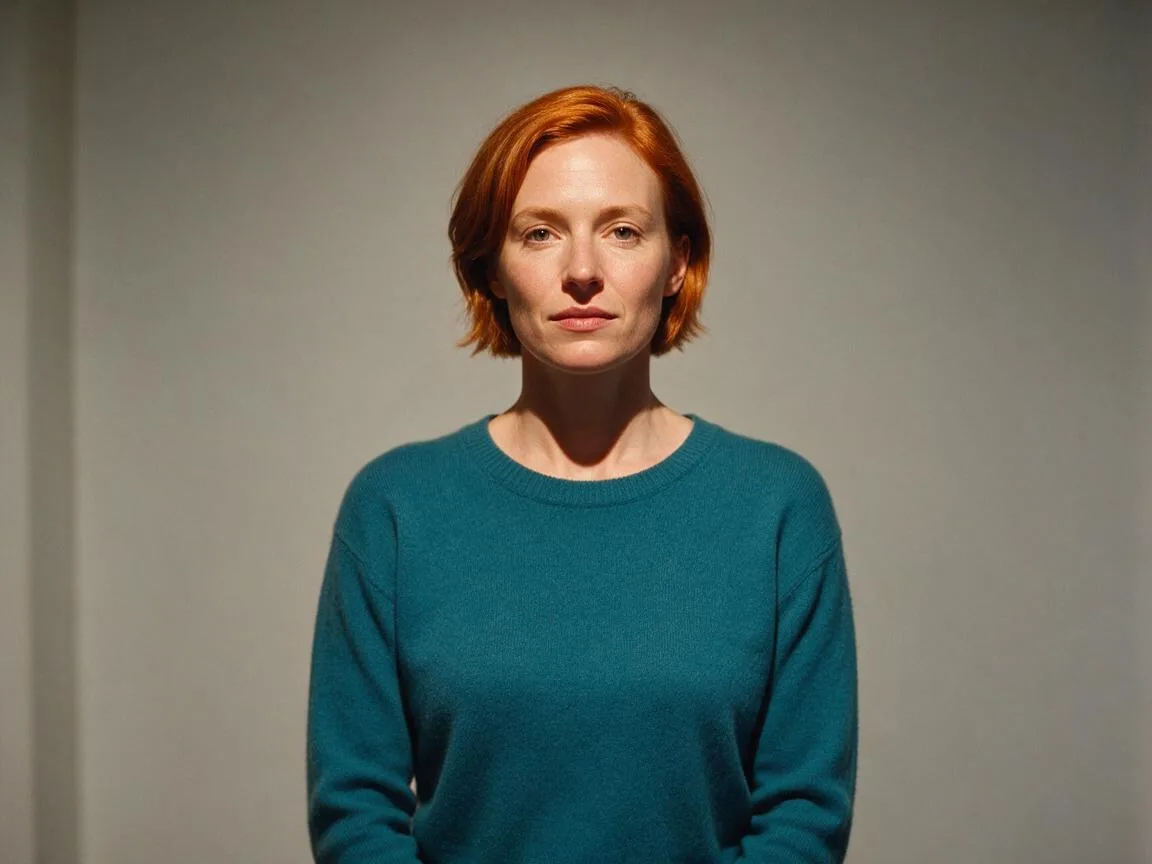 Before
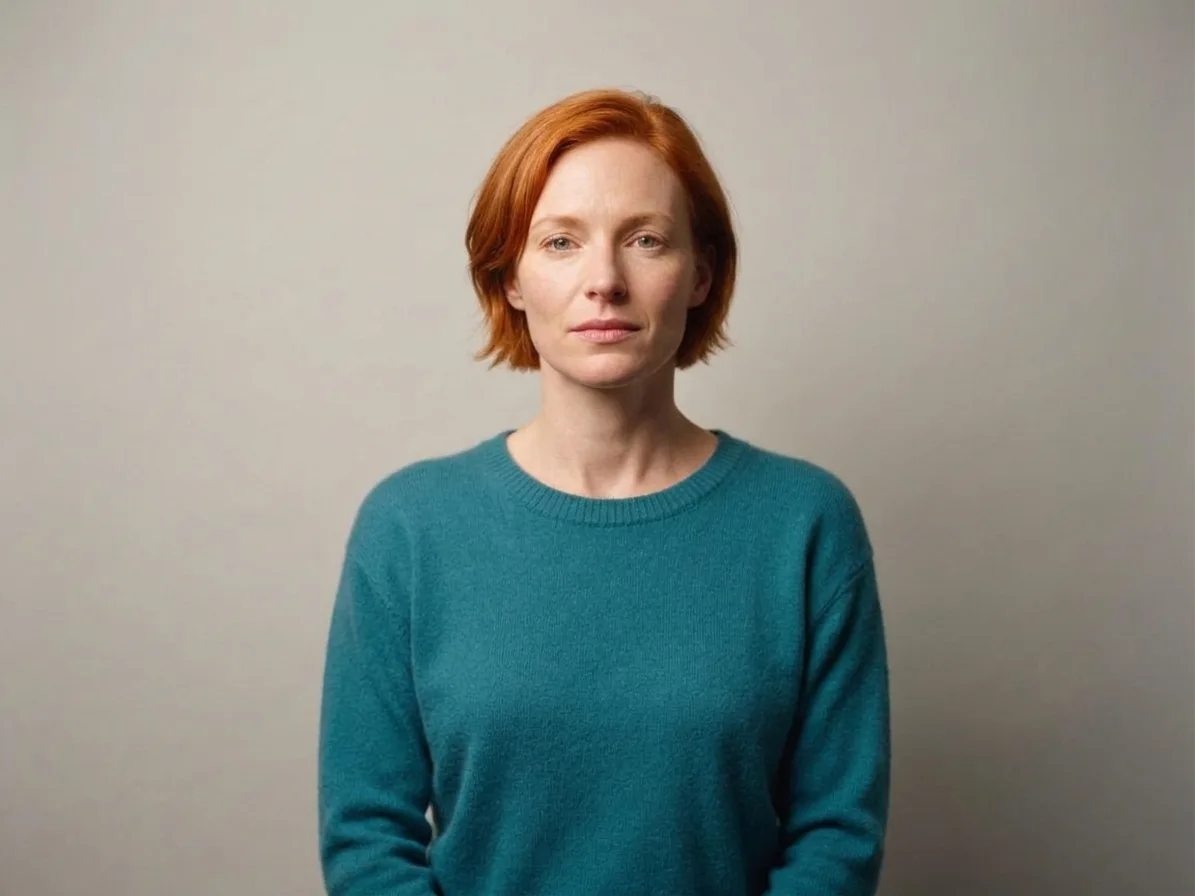 After
The heavy shadow beneath the chin becomes softer, and the wall looks more neutral. Her short auburn hair, teal sweater and expression remain recognizable, with no added glasses or lamps. Compare the face and hair edges as well as the light: a pleasing edit is still an interpretation of the source.
2. A portrait under blue side light
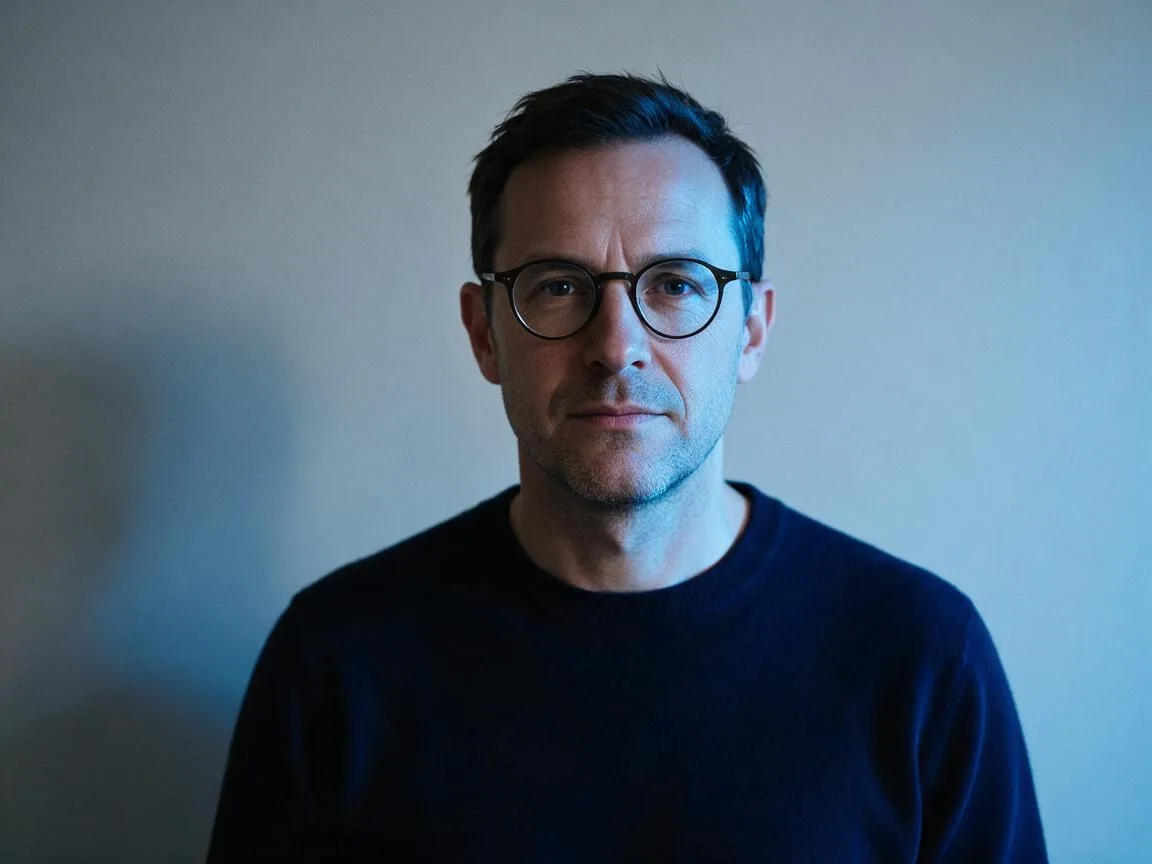 Before
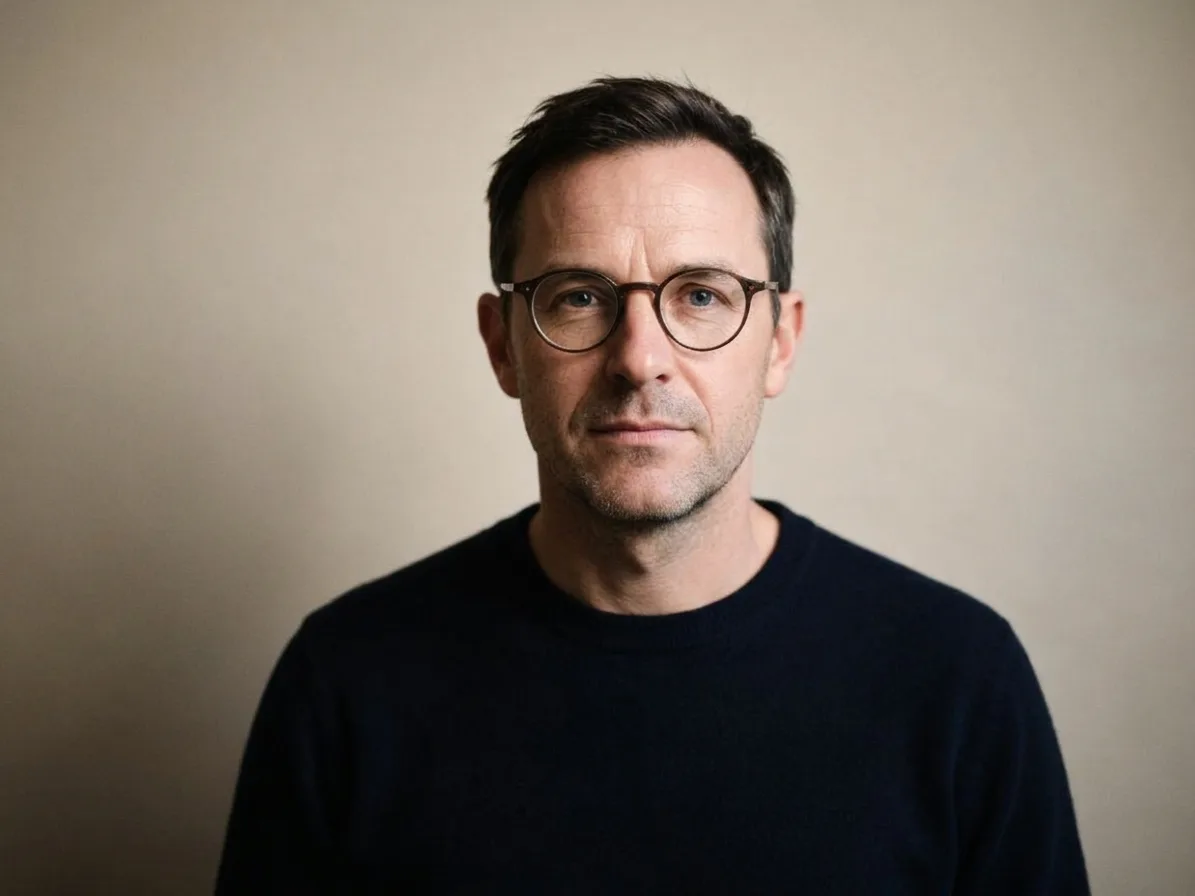 After
The strong blue cast is removed, bringing this portrait closer to the first one. The round glasses, hairline and navy sweater remain recognizable. Some contrast remains on the shaded side. Matching light does not mean making two people’s natural complexion identical.
3. A mug with a long hard shadow
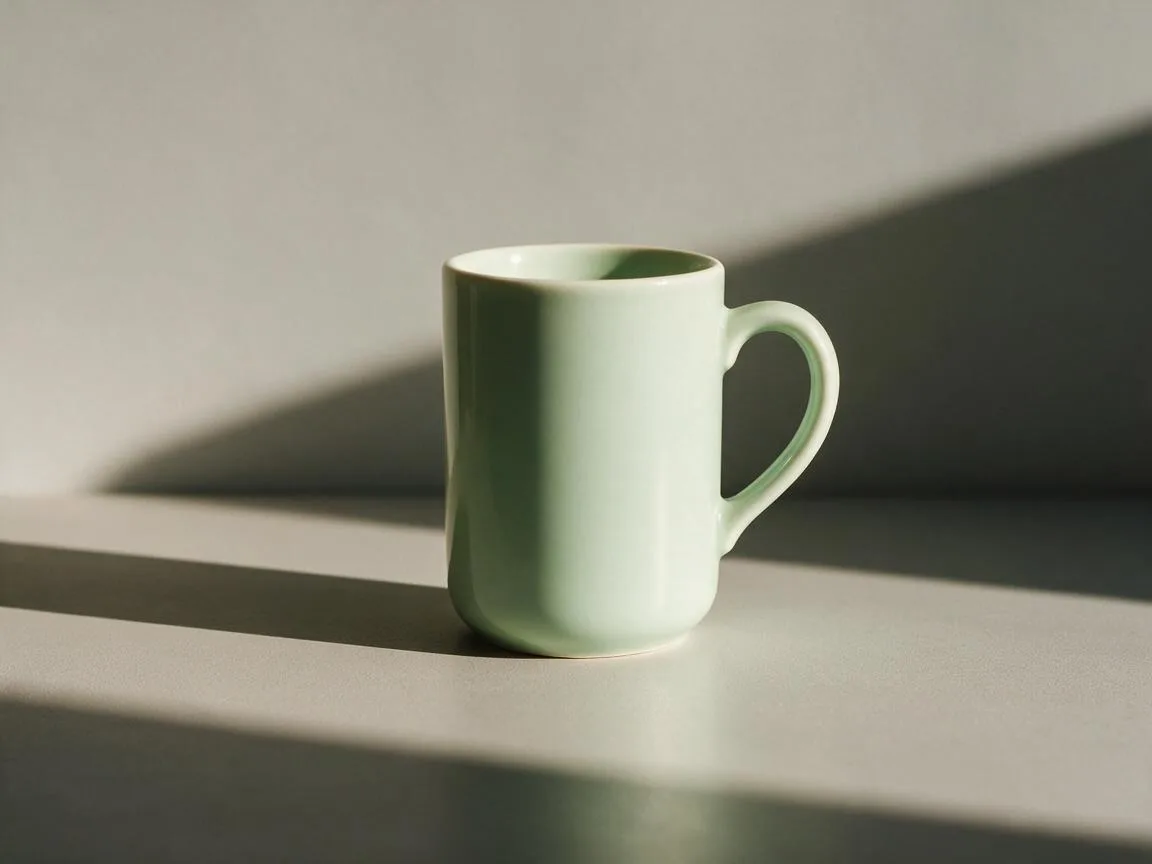
Both Nano Banana mug edits softened the large shadow, but neither moved it to the requested lower-right direction. We rejected both and show only the original here. This is where reusing a portrait instruction on a product fell short. For a catalogue, test Product softbox separately and check the rim, handle opening, cast shadow and paint color before accepting an edit.
The card below contains the exact prompt and settings used for both selected portrait edits. Add your own source image when trying it and compare the result with the original. The optional direction note used in the rejected mug retry is not part of this portrait recipe.
Relight the image with very soft, diffused neutral white (about 5600K) portrait-studio light from high up on the left; shadows fade out gently. The upper left is bright and the lower right falls into shadow. Even and flattering, with a gentle fill on the shadow side, like a professional headshot. The light source itself stays outside the picture: do not add lamps, windows, candles, neon signs or any new object. Keep the person, face, expression, skin tone, hair, glasses, clothing, pose, background and composition exactly the same; only the lighting and its colour change.
How should you handle product sets and different models?
For a catalogue set, Product softbox is the more specific preset on the same page. It starts with Nano Banana 2.1 at 1K, costing 48 credits per image. We did not run that preset for the examples above. Check the model shown in Fine-tune, because the page can use Relight when the default product model exceeds your available balance.
For a new background or a styled scene, continue to product photography. Relighting alone aims to keep the existing scene. The separate Remove shadows option with Product on white is the route to a white product square; do not expect Soft studio to cut out the background.
Same prompt, different models: Relight added unwanted details or left the original cast in our tests. Nano Banana 2.1 improved both portraits with the same instruction, but neither of its mug attempts met our direction check. This small test does not rank models for every photo. Use model comparison, then inspect one representative source before editing a whole collection.
FAQ
Can I make the same photo with different lighting?
Yes. Start from the same original for each version and change the light preset. Do not repeatedly edit the previous result: small changes to details can accumulate. Compare the versions at the same size.
Is matching lighting the same as matching brightness?
No. Brightness affects how light or dark the image looks overall. Lighting consistency also involves direction, shadow softness and color. A blue side-lit portrait can remain visibly different from a neutral front-lit portrait even at similar brightness.
Can I relight a whole folder at once?
This page works with one source photo at a time. Repeat the same preset and Fine-tune settings for every image. The Try 4 lights option makes different looks from one photo; it does not match four separate photos.
Will relighting keep every detail unchanged?
The prompt asks it to, but an AI edit can still alter small details. Inspect glasses, facial features, product edges and textures. Very dark or overexposed sources offer less useful information, so another original may be a better starting point.
How much does matching three photos cost?
Three Relight edits cost 90 credits. Three Product softbox edits using Nano Banana 2.1 at 1K cost 144 credits. Those are editing costs; creating source images or making extra versions is additional.