
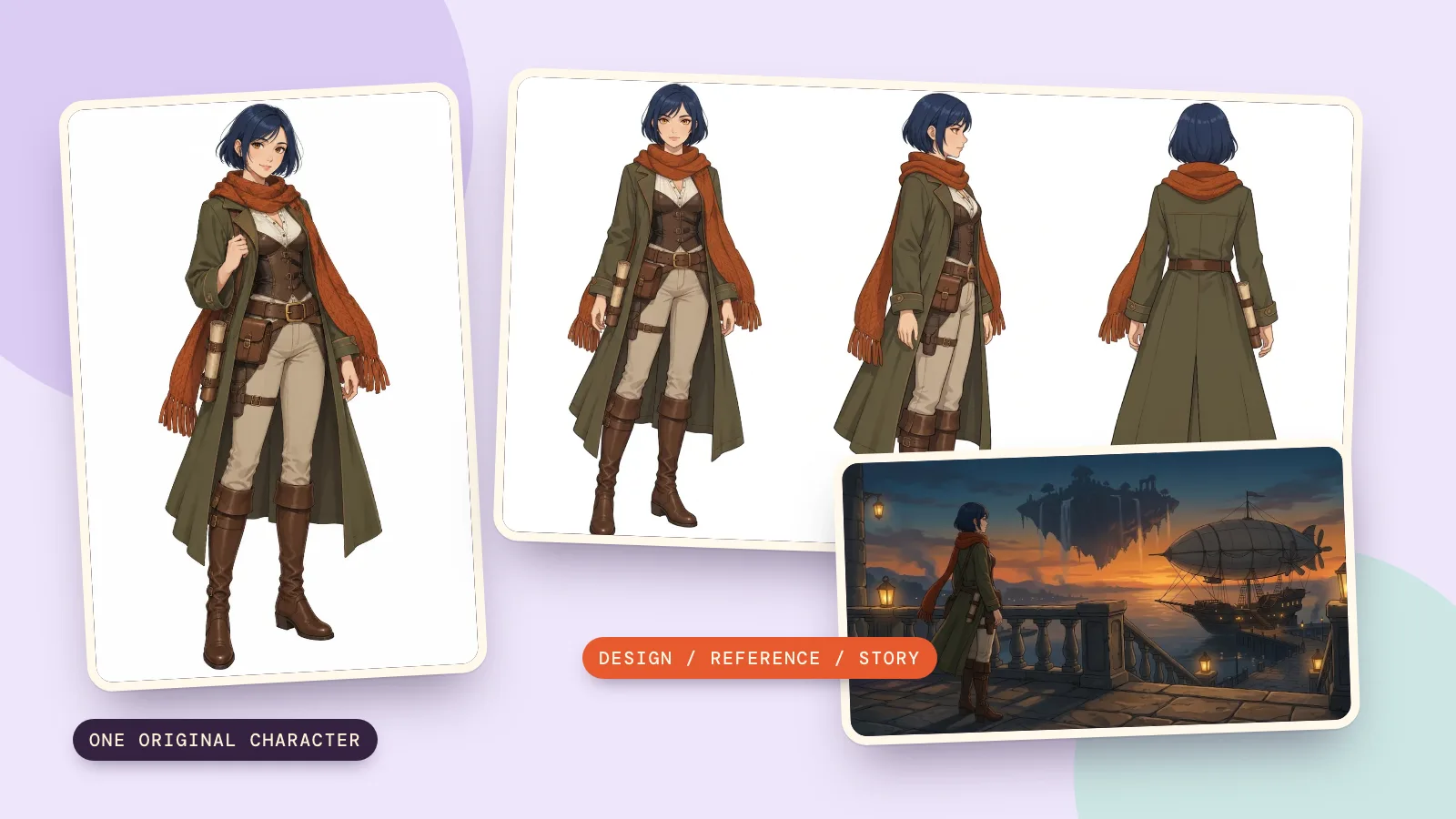
To make an OC, start with a role, one recognizable design detail and a small problem the character wants to solve. Then draw a clear reference, check the same character from several angles, and put them in scenes that test their personality. An OC means an original character you invent, including their appearance, choices and story.
This guide follows Mira, a fictional adult map restorer in her thirties, from a first design to a turnaround and two scenes. We generated every example on October 29, 2026, using the settings available through PopNow's OC maker; the scenes are separate reference-image edits, rather than a scene preset inside the maker.
How do you create an OC with a clear concept?
- Give them a job or daily activity. Mira repairs charts of floating islands; that tells us which objects and settings belong around her.
- Choose a signature detail and a short palette. We kept a rust-orange scarf, an olive travelling coat and cream trousers, with a short dark-blue bob.
- Add a want and a difficulty. Mira wants to reopen a forgotten air route, but checks every measurement twice and struggles to trust an incomplete map.
- Write one sentence you can reuse: a careful map restorer learning when to leave the workshop and follow her own chart.
Start with choices that affect a scene. A favorite food can wait; whether Mira risks a voyage changes what happens next. Keep a short design note beside the picture so future prompts repeat the same colors and clothing instead of gradually inventing a new costume.
How do you make the first character drawing?
- Choose Art style and Looks. For this example we selected Anime, Human, Bob, Blue and Adventurer, then set the age to 30s under More details.
- Use About them for the map-restorer idea and the scarf and coat colors. The tool adds the white background, full-body framing and adult-character instructions.
- Press Create character. GPT Image 2.5 Sunburst is the default model; our design used its medium quality, 1K and 3:4 settings. Read the live price on the button before running it.
- Inspect the first drawing before making more. Check the face, hands, boots and accessories; an unclear detail becomes harder to keep consistent later.
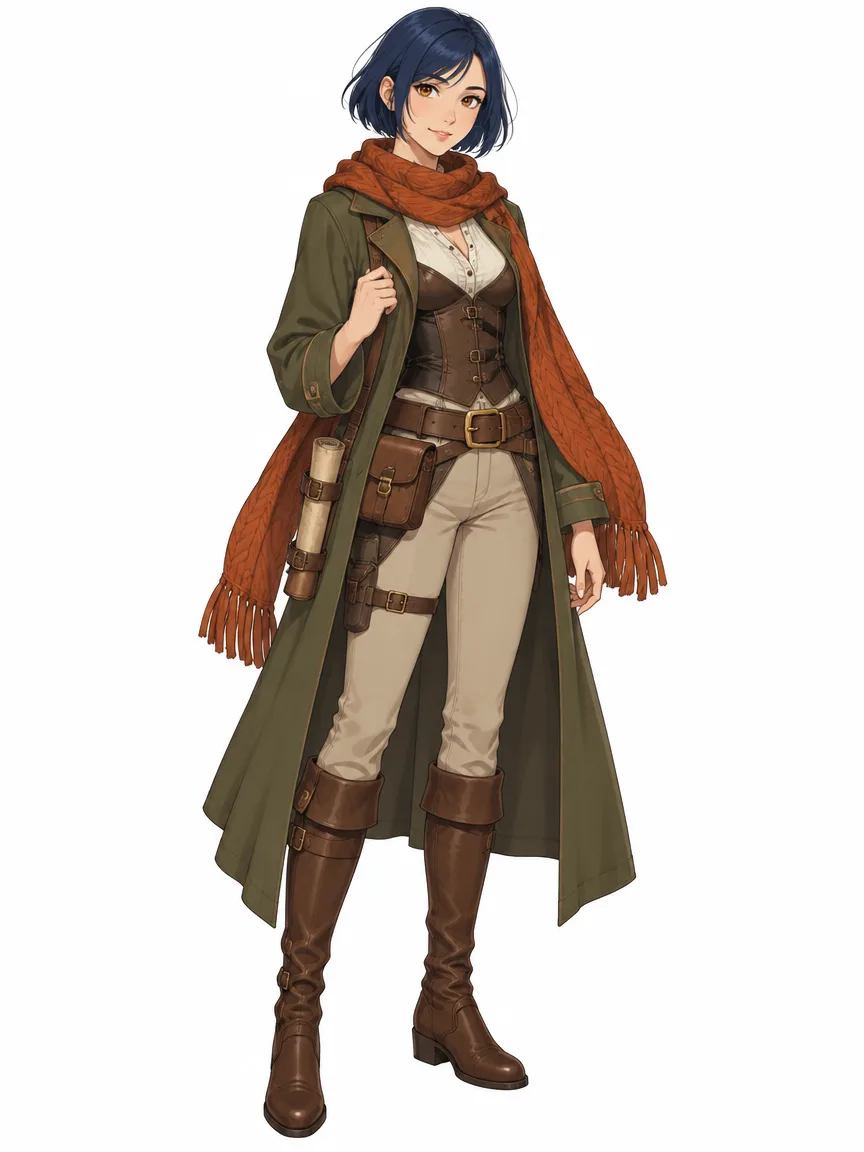
The first image established the bob, scarf, long coat and belt pouches. Those visible anchors are more useful than a long list of invisible traits. The exact generated shade of blue is dark, so later scene prompts describe it as dark blue instead of asking the model to reinterpret the color.
How do you make a reference sheet and turnaround?
- Choose Make reference sheet after creating the character. It uses Nano Banana 2.1 and the approved art as its reference.
- Check the front, side and back views. The turnaround uses 2K at 16:9, for 72 credits; the other two parts each use 1K, for 48 credits per part.
- Review the six expressions and extra outfit separately. Our extra outfit was Winter; the complete sheet includes all three parts, rather than only the turnaround.
- Redraw only the part that needs correction. Compare the hair length, scarf, boot shape and placement of the pouches before downloading the assembled sheet.
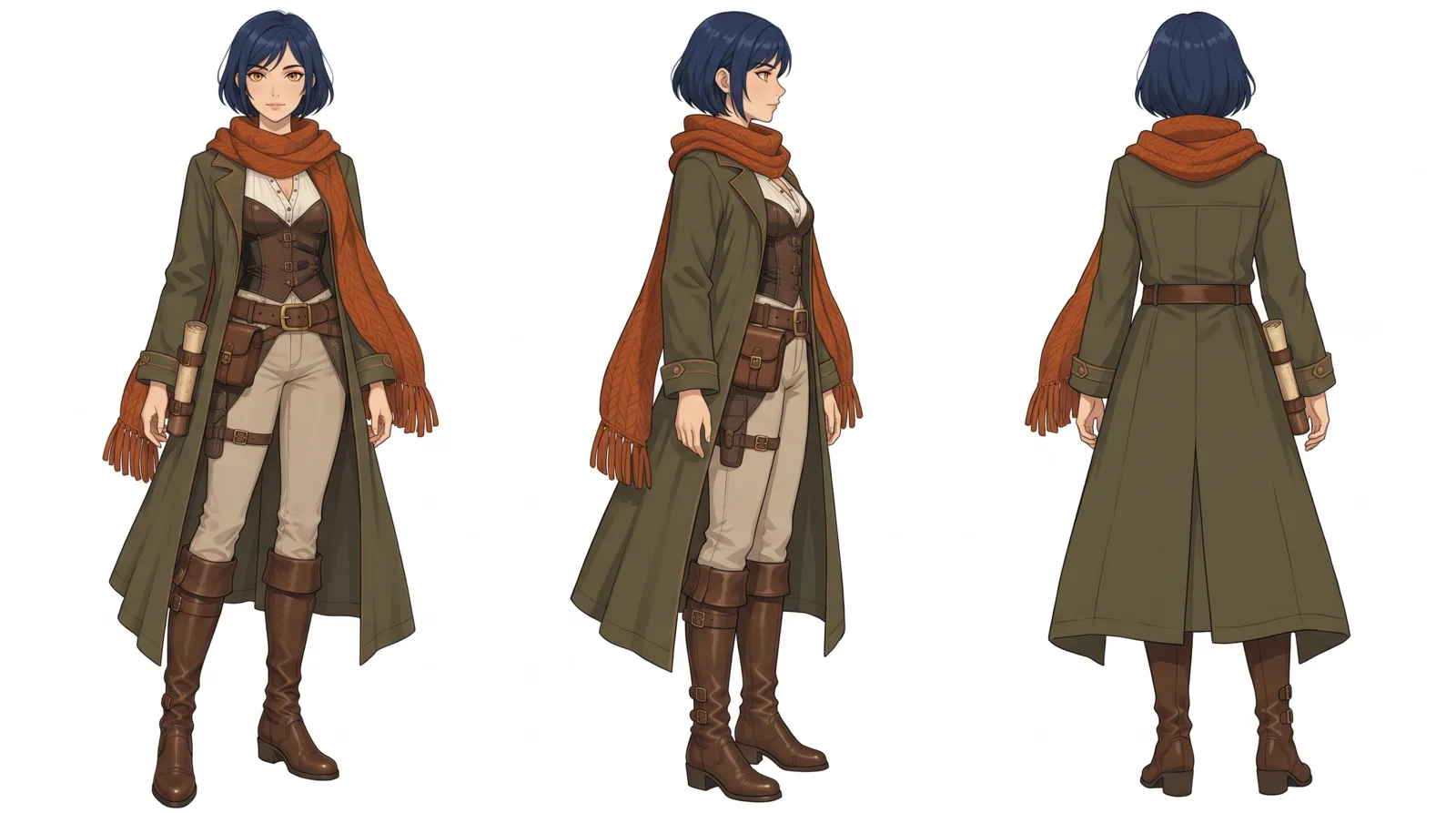 Front, side and back
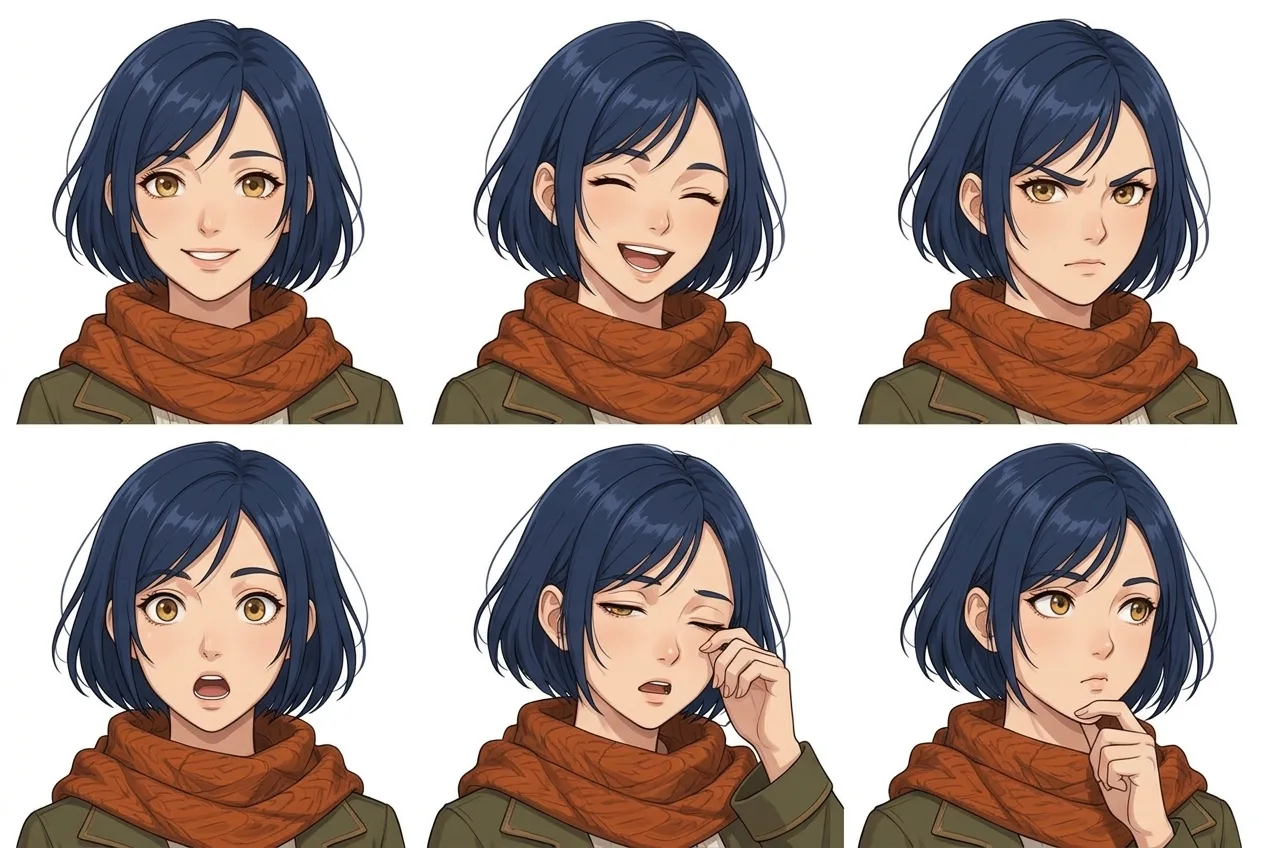 Six expressions
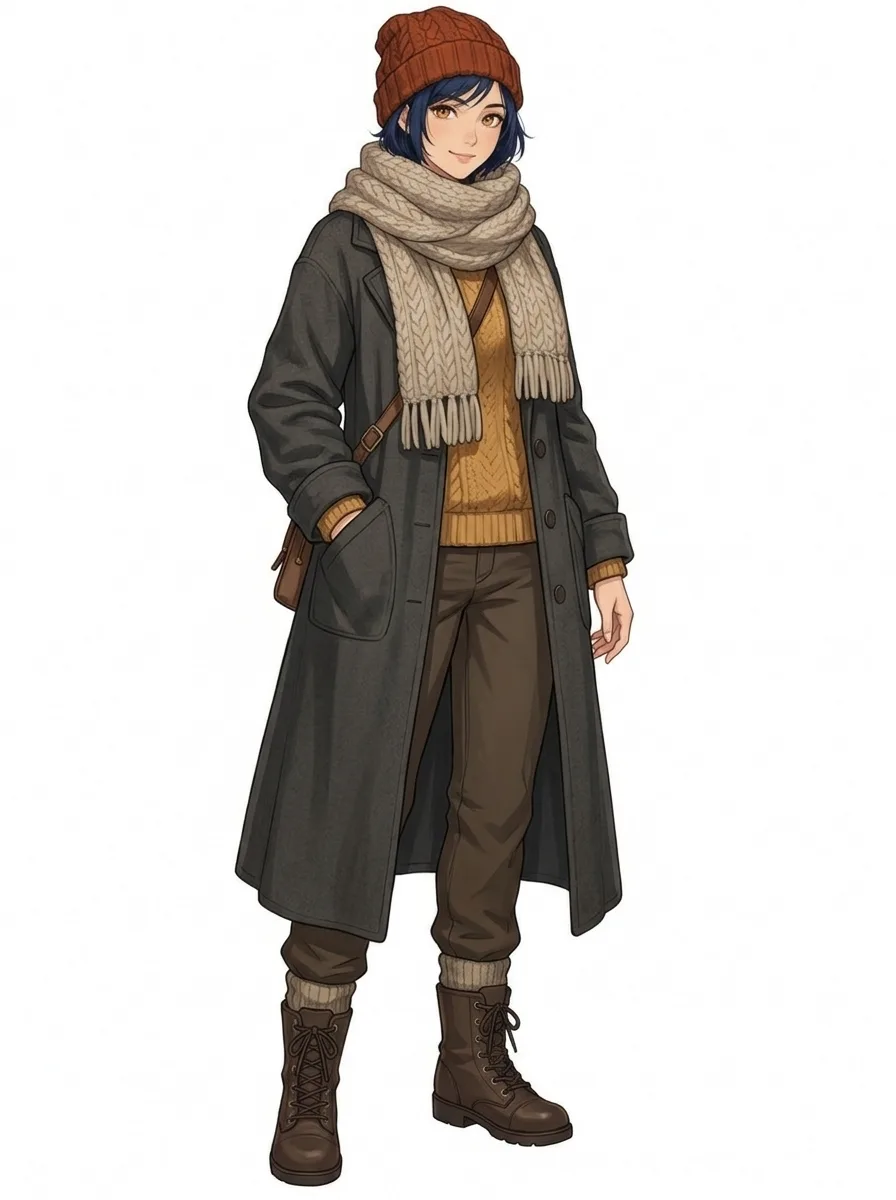 Winter outfit
A turnaround is a design reference, not a measured construction drawing. Small folds, hidden fasteners and accessories can vary between views. Keep the approved front view as your main reference when a tiny detail conflicts; do not let the newest picture silently become a new design.
Use Image 1 as the character reference. Draw a character turnaround of this same character: three full-body views side by side, a front view, a side view and a back view, standing in a relaxed neutral pose on a plain white background, evenly spaced and the same scale, wearing the same outfit as in Image 1. Keep the exact art style of Image 1: a clean modern 2D anime character design with crisp line art and cel shading. Keep the same face, hairstyle, hair colour, eye colour, age, body type and art style in every drawing. No text, no labels, no letters, no numbers.
How do you keep an OC consistent in new scenes?
Use Save as character to reuse the character with @ mentions; the characters workspace keeps that workflow together. For these two samples we directly supplied the original design as the reference image to Nano Banana 2.1, kept 1K and 16:9, and changed the location and action. Each scene costs 48 credits.
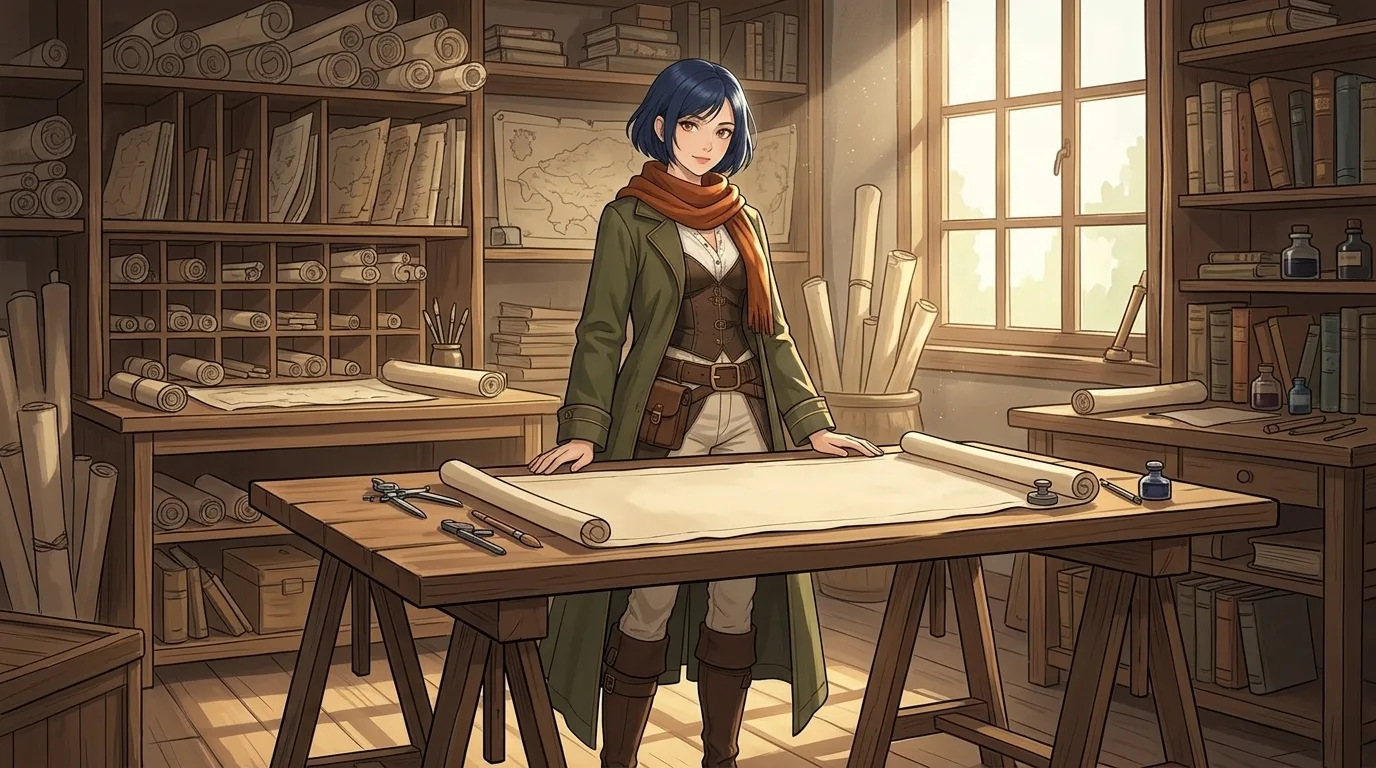
Use Image 1 as the character reference. Draw the same original adult woman in a sunlit map-restoration workshop, standing behind a broad wooden table with one unrolled blank parchment chart, hands resting simply on the table edge, shelves of rolled charts behind her. Preserve her short dark-blue bob, amber eyes, rust-orange scarf, olive travelling coat, cream trousers, brown boots and belt pouches. Keep her face and clean 2D anime art style consistent with Image 1. One character only. No text, no labels, no logos, no watermark.
The workshop scene tests a quiet action around a table. Look for the same scarf, coat, bob and boots, then inspect where the hands meet the table. A busy shelf can change between pictures without changing who Mira is; her signature clothing should remain recognizable.
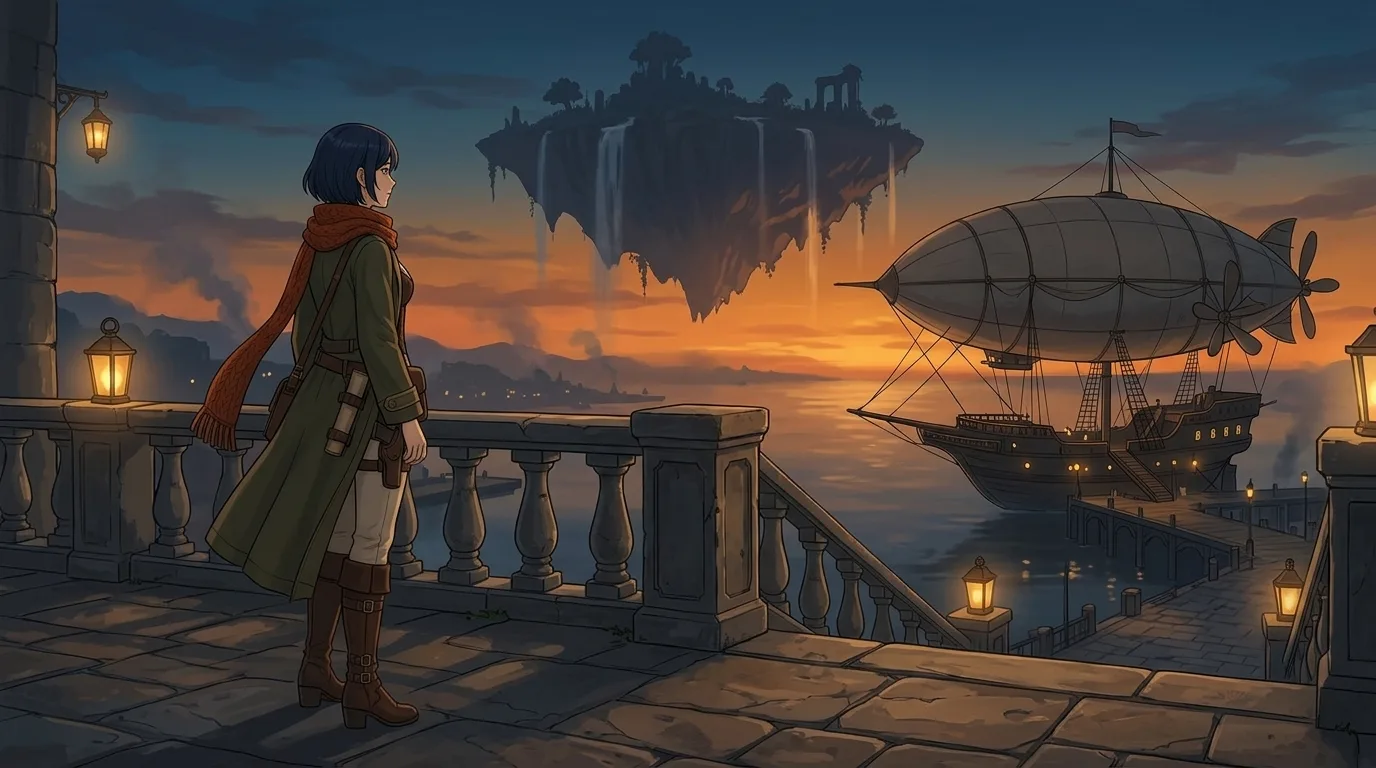
Use Image 1 as the character reference. Draw the same original adult woman on a stone harbor terrace at dusk, looking toward a distant floating island and docked airship, arms resting naturally at her sides, wide quiet composition. Preserve her short dark-blue bob, amber eyes, rust-orange scarf, olive travelling coat, cream trousers, brown boots and belt pouches. Keep her face and clean 2D anime art style consistent with Image 1. One character only. No text, no labels, no logos, no watermark.
The harbor scene moves Mira outside and changes the lighting. Reusing the original reference for both scenes avoids passing every small change from one generated picture into the next. A consistent character still needs review; a reference is guidance, not a guarantee of identical details.
How do you write an OC backstory and choose an art style?
Give the backstory a cause and a consequence: Mira once repaired a damaged chart that brought a lost crew home. Now she restores maps for cautious captains, while privately plotting a route nobody will attempt. Her first story begins when she finds the missing measurement and must decide whether to go herself. This is our written example, not a claim about an automatically generated profile.
For OC art styles, choose the drawing language that helps the story: crisp anime lines for readable costume details, painterly fantasy for textured locations, or pixel art for a simpler game sprite. The anime workspace is another route for developing illustrated characters. Keep one style while testing consistency, then explore alternatives afterward.
Same prompt, different models: use Compare to test one short concept across models, checking the silhouette, palette and reference handling. We used Sunburst for the initial art and Nano Banana 2.1 for reference edits; these samples are a workflow demonstration, not a controlled ranking of models.
FAQ
How do I make an OC if I cannot draw?
Begin with a written concept and a few visual choices, then generate a reference and inspect it. You still decide what belongs to the character. Save the choices you approve and revise anything that contradicts them.
What is the difference between making an OC and copying a character?
An original character has your own design and story decisions. Describe the role, clothing and personality directly; this maker asks you to replace existing franchise names with your own description.
Which OC art styles should beginners try?
Anime and Cartoon make a small palette and clear outfit easy to read. Try one style first. Changing the style, costume and reference at the same time makes it difficult to tell which change caused a problem.
Do I need a reference sheet before writing a backstory?
No. Start the story whenever it helps you decide what the character does. A reference sheet becomes useful when you need several views, expressions or repeated appearances with the same design.
Can I create an OC and use them in more than one scene?
Yes. Save the approved character or reuse the original image as a reference. Keep the signature details in each prompt, change one scene idea at a time and check each result before continuing.