To turn a photo into a video with AI, open the image to video tool, upload the picture as the first frame, write one sentence about what should move, pick a video model and press generate. In about a minute you get a 5-second clip that starts exactly on your photo.
We tested this with one portrait and one prompt on three different video models, so you can see what changes when you change the model: motion, faces, sound, speed and price.
Step 1: pick a photo that will animate well
The first frame of the video is your photo, so the photo decides most of the result. These photos work best:
- One clear subject, large in the frame, with a visible face.
- Sharp and well lit. Blur in the photo becomes blur in the video.
- Room to move. A person walking has space to walk into; a person pressed against the frame edge doesn't.
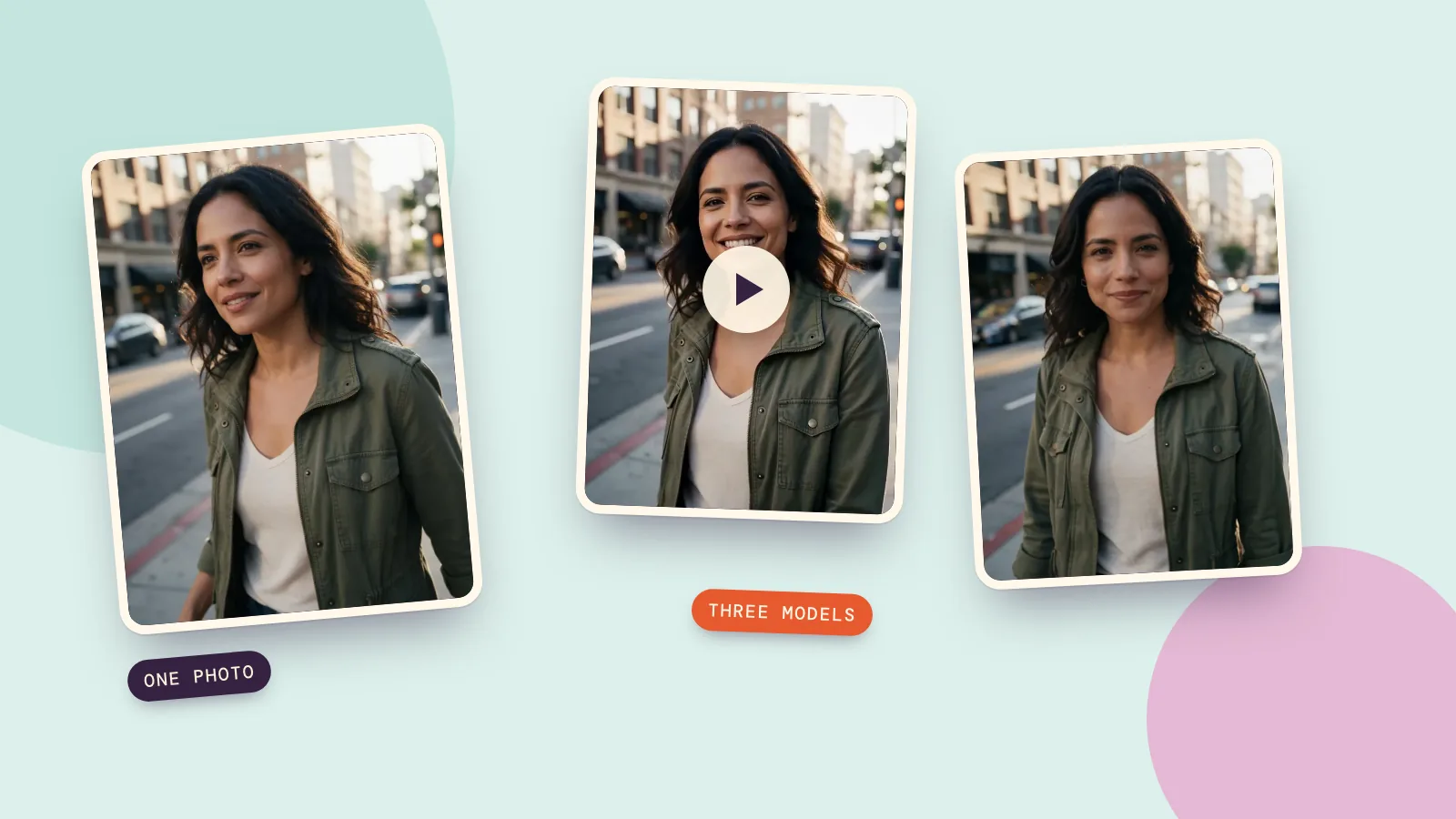
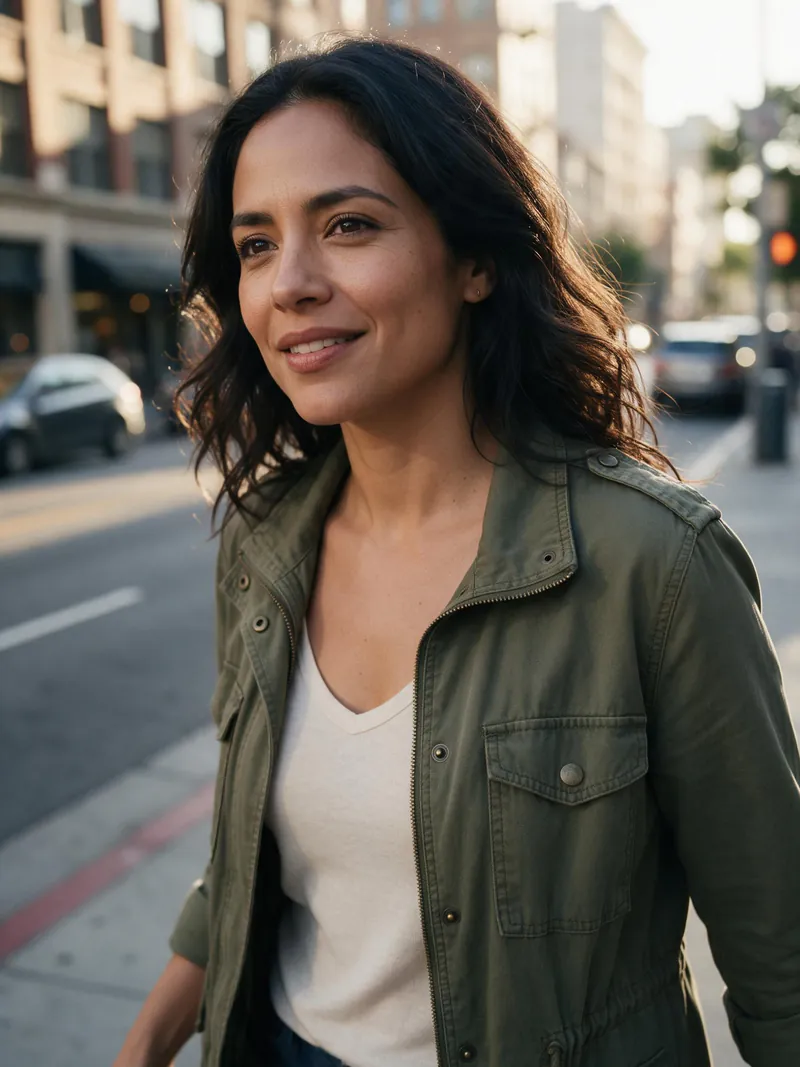
Here is the photo we used. It's a portrait of a woman on a street at golden hour, with a blurred city behind her:
Step 2: write one sentence about motion
You don't describe the photo; the model already sees it. You describe what should happen. We used the same prompt on all three models:
She turns her head toward the camera and smiles, her hair and jacket moving gently in the breeze as she walks forward slowly, the camera drifts in a little. Natural city street sound.
The formula is simple: who does what, how the cloth or hair moves, what the camera does. Keep it to one action. "Walks forward slowly and smiles" is easy for a model; "walks, then dances, then waves" is where faces start to drift.
Step 3: pick a model, three results
All three clips are 5 seconds, generated from the same photo with the same prompt.
MiniMax H3
She turns, smiles and walks toward the camera, with the hair and jacket moving as the prompt asked. The soundtrack follows the "natural city street sound" line in the prompt. Cost: 28 credits.
Kling 3.0
Kling gave the calmest, most natural expression: a small, relaxed smile rather than a big one, and the sharpest skin detail of the three. Sound is off by default, so this clip is silent. Cost: 51 credits.
Seedance 2.0 Fast
The quickest of the three and the smallest picture (480p). The motion is gentler than the other two. It's a good model for trying five ideas before you spend more on the best one. Cost: 34 credits.
Side by side
| MiniMax H3 | Kling 3.0 | Seedance 2.0 Fast | |
|---|---|---|---|
| Resolution we ran | 768p | 720p | 480p |
| Sound | Yes | Off by default | Yes |
| Time to generate | about 80 s | about 130 s | about 40 s |
| Cost for 5 seconds | 28 credits | 51 credits | 34 credits |
| Best for | Sound and a livelier performance | A natural face | Quick drafts |
In all three, her face, hair and jacket stayed close to the photo for the whole clip. That is what you want from an image-to-video model: it moves your photo instead of replacing it.
Step 4: download, extend or use an effect
Your clip is ready to download. If you want it longer, extend the video from its last frame. If you'd rather not write a prompt at all, video effects are one-tap versions of ideas like a balloon lift, a dance or a hug. Just add a photo.
Prompts that work
- Walking. "She walks slowly toward the camera, the wind moves her hair."
- Portrait. "He looks up, smiles and nods slightly. The camera pushes in slowly."
- Pet. "The dog shakes its head and wags its tail, the camera stays still."
- Product. "The camera slowly orbits the mug, steam rises from the cup."
- Landscape. "Clouds drift across the sky, ripples spread across the lake."
Common problems
- The face changes. Shorten the prompt to one action and try the same photo on a second model.
- Nothing much moves. Add a camera move ("slow push in") and a body or cloth movement ("her scarf flutters").
- The ending looks strange. Ask for 5 seconds, not 10; most models are most stable in the first five.
- You wanted sound. Turn on audio when the model offers it, and write the sound into the prompt ("rain on a window").
If the same character has to appear in many clips, make the character once in Characters and use them as the starting photo each time.
FAQ
How do I turn a photo into a video with AI?
Upload the photo as the first frame in an image-to-video tool, write one sentence about the motion, choose a model and generate. The result is a 3 to 15 second clip, depending on the model.
Can I turn a picture into a video for free?
New PopNow accounts get free credits once, enough for a few short tests on a quick model. After that you pay per clip; the price is shown before you generate.
Which AI is best for turning photos into videos?
It depends on what you need. In our test MiniMax H3 had the liveliest performance and sound, Kling 3.0 the most natural face, and Seedance 2.0 Fast was the quickest and cheapest. Try your photo on two.
How long can the video be?
Each model has its own limit, generally 5 to 15 seconds per clip. To go longer, extend the clip from its last frame or join several clips.
Does the video keep the person's face?
In our three clips, yes. Use a sharp photo with a clear face, ask for one action and avoid heavy motion for the best likeness.