Most AI video tools give you 5 or 10 seconds per clip, and the moment you want a full scene, that's not enough. There are three ways around it: choose a model that makes longer clips in one go, extend a clip from its last frame as many times as you need, or make separate shots and join them.
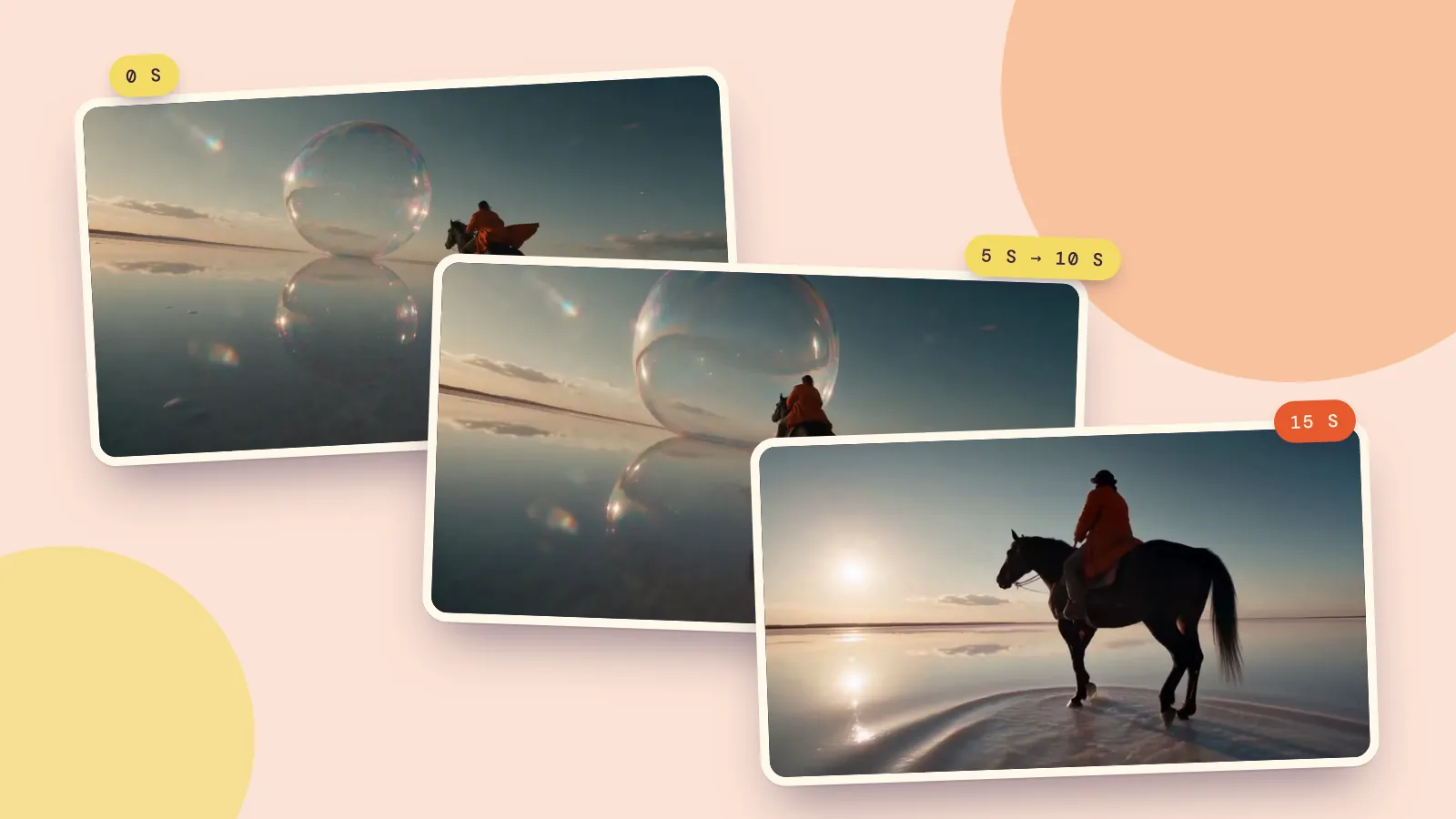
We tried the second method on a real 5-second clip and turned it into 15 seconds with two extensions. Below is the before and after, the prompts, what the joins look like up close and what it cost, plus a table of how long each model's single clips can be.
The short version
- Need up to 15 to 30 seconds of one continuous shot? Pick a model with a longer maximum and generate it in one go. See the table below.
- Have a clip you love that ends too soon? Extend it from the last frame, 4 to 15 seconds at a time.
- Want a sequence with cuts? Make several clips and join them in a video editor. Cuts hide the seams and each shot can use the best model for it.
Method 1: choose a model that makes longer clips
The simplest fix is often to stop fighting a short limit. Several current models generate 15, 20 or even 30 seconds in a single clip. This table is read from the PopNow model catalog, so it updates when models change:
| Model | Longest single clip | Top resolution | Sound |
|---|---|---|---|
| Seedance 2.5ByteDance | 30s | 1080p | Yes |
| Wan 3.0Alibaba | 30s | 1080p | Yes |
| Wan 3.0 PrimeAlibaba | 30s | 1080p | Yes |
| Wan 3.0 Pro PrimeAlibaba | 30s | 4k | Yes |
| Wan 3.0 ProAlibaba | 30s | 4k | Yes |
| LTX 2.5Lightricks | 20s | 4k | No |
| FLUX 3Black Forest Labs | 20s | 1080p | Yes |
| LTX-2 19BLightricks | 20s | 1080p | No |
| Vidu Q4 PreviewVidu | 16s | 4k | Yes |
| Vidu Q3 TurboVidu | 16s | 720p | Yes |
Longer clips cost more (video is priced per second) and take longer to render, and the longer the clip, the more chances for the action to wander. For 15 seconds of one person doing one thing, a single long clip usually looks the most natural. For a scene where several things happen, extending or cutting gives you more control.
Method 2: extend from the last frame
Extending takes the last frame of your clip, generates new seconds that continue from it, and joins the new part onto the end. You describe only what happens next.
We started with Salt-Flat Rider, a 5-second clip made with Seedance 2.5: a rider galloping across a salt flat toward a giant soap bubble.
First extension, with MiniMax H3 at 768p for 5 more seconds:
The rider keeps galloping straight into the giant soap bubble and it bursts into a shimmering mist around horse and rider. The camera keeps tracking alongside at the same low angle. Hooves splashing on the wet salt, wind, a soft pop as the bubble bursts.
Then we extended the 10-second result again:
The horse slows from a gallop to a trot and then stops; the rider turns in the saddle to look back at the sunset over the mirror-flat salt. The camera drifts to a slow stop beside them. Water dripping from the hooves, the horse snorting, quiet wind.
The result, 15.2 seconds in one file:
Each extension cost 28 credits. You only pay for the new seconds: the clip you feed in is joined on for free.
What the joins look like
We pulled the frames right before and after each join:
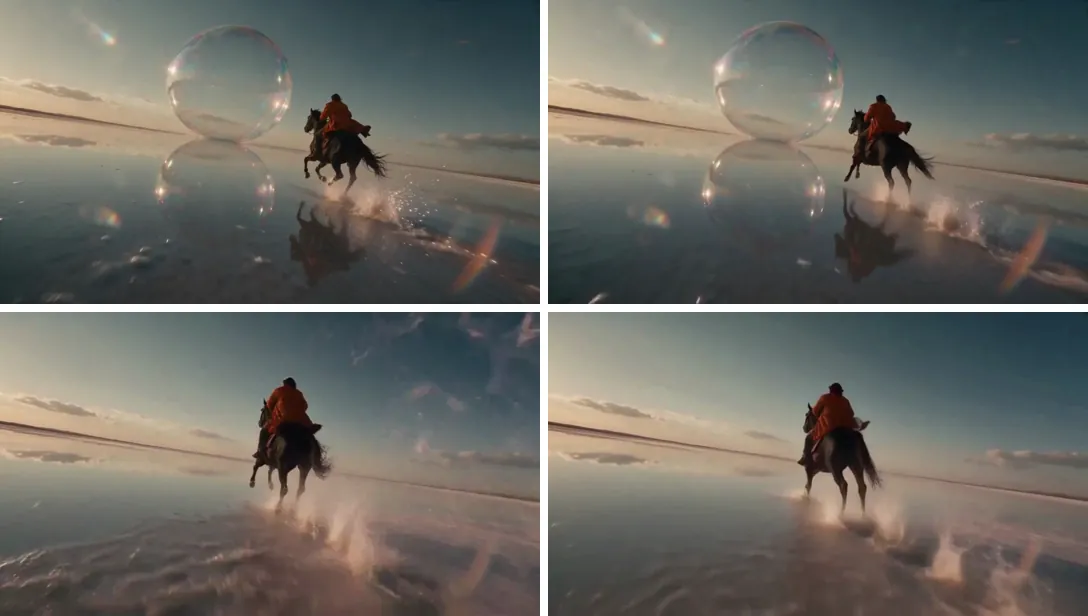
What worked: the camera angle, the rider's cloak and the light all continue across both joins, so the first one is hard to spot even when you know where it is. What to expect: the bubble didn't "pop", it melted into a sheet of mist, and the extended parts are a little softer than the original because we generated them at 768p. The last five seconds also brighten as the sun comes into frame, which suited this shot but could jar in another. If a join looks off, run that one extension again rather than starting over.
Tips for clean extensions
- End on a steady frame. A clip that ends mid-blur or mid-turn gives the model a messy starting point.
- Ask for what comes next, not a new scene. "Keeps galloping into the bubble" works; "now she's in a city" usually breaks.
- Repeat the camera instruction. "The camera keeps tracking at the same low angle" is what keeps the motion continuous.
- Match the resolution. Extend at the same resolution as your source when you can.
- Clips from other apps work too. If your clip came from Grok Imagine, Sora or another app, upload it in Extend Video and extend it the same way, as long as you have the right to use it.
Method 3: make separate shots and join them
For anything with a story, cutting between shots beats one long take. Generate each shot on its own (a wide shot, a close-up, a reaction), using the same character photo as the starting frame so the person stays the same, then put them in order in a video editor.
- PopNow's video editor runs in your browser and doesn't use credits: drop in your clips, trim, add music and export.
- If you'd rather not plan shots yourself, the short film maker turns one idea into a storyboard and shoots each scene with the same characters, then adds music and captions.
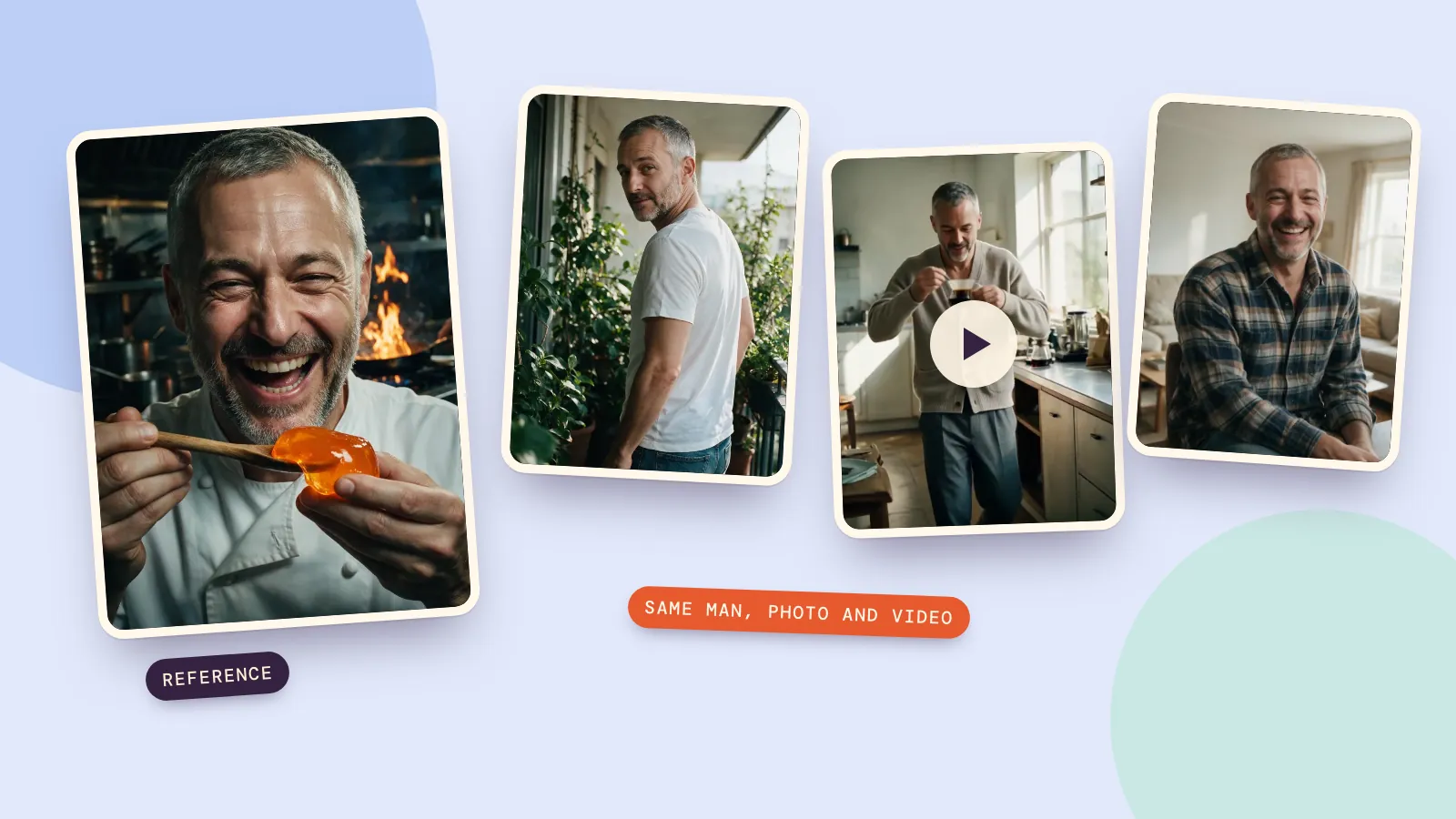
- To keep a person's face the same in every shot, start from a set of matching photos made in Characters.
FAQ
Why are AI videos so short?
Generating video is expensive: every extra second is more frames for the model to keep consistent, and quality tends to drop the longer a single clip runs. Most services cap clips at 5 to 10 seconds by default, though some newer models go to 15, 20 or 30 seconds.
How do I make Grok or Sora videos longer?
Download the clip, upload it to a video extender and describe what happens next. The extender continues from the last frame and returns your clip with the new seconds joined on. Repeat to keep going.
How long can an AI video get with extending?
There's no fixed limit on the total. Each extension adds 4 to 15 seconds with MiniMax H3, and the input clip can be up to 60 seconds long. In practice, quality holds best for a few extensions; for longer pieces, switch to cutting between shots.
Does extending a video cost more than generating a longer one?
It costs about the same per second. On PopNow you pay only for the new seconds you add, for example 28 credits for 5 seconds at 768p with MiniMax H3. Prices are shown before you generate.
Will the extension keep the sound?
The extension generates new audio for the new seconds based on your prompt, so describe the sounds you want ("hooves on wet salt, wind"). For one continuous music track, add the music after you've finished extending.