ChatGPT can help you work with supported video uploads, but analyzing a clip and delivering an edited video are different tasks. OpenAI's upload guidance does not establish a general timeline-editing and export workflow for every chat. For a visual change you can download, PopNow's Edit Video takes a clip and an instruction about what to change.
Can you upload video to ChatGPT?
Yes, through supported attachment methods, with availability varying by platform, upload route and account. OpenAI's ChatGPT Image Inputs FAQ, checked October 29, 2026, says video attachments can be accepted, including on Free plans. It also warns that analysis may miss footage or misinterpret audio; video attachments use file-upload limits. Live camera sharing is a separate feature.
This matters when you search for a ChatGPT video editor: an upload button is not a promise about the finished deliverable. Start by deciding whether you want feedback, a written editing plan, a visual transformation or a precisely timed sequence. Those are different jobs, even though you might describe each one as editing a video.
How do you upload videos to ChatGPT and ask a useful question?
- Use the attachment control available in your ChatGPT app or browser. If the photo picker does not offer the video, OpenAI suggests checking the file picker instead.
- State the task narrowly: for example, ask for a checklist of moments you should inspect, rather than assuming a complete edit has happened.
- Compare any observations with the original clip yourself. A confident description is not evidence that every frame and sound was reviewed.
- If you need a finished file, specify the expected output and check what your current session actually provides before building a workflow around it.
OpenAI's separate Uploading files and audio to ChatGPT help page, also checked October 29, 2026, distinguishes audio uploads from video files: an MP4 identified as video is not an audio upload. Renaming an extension does not change its contents. The page also notes that availability depends on factors including client version and workspace settings, so use the controls and limits shown in your own account.
How do you change a clip with PopNow's Edit Video tool?
- Open the tool and choose Edit a video. The generator currently recommends Kling O3; select it explicitly if a saved model choice opens instead.
- Add a short source clip. Kling O3's current input specification accepts 3–10 seconds and requires at least 720 pixels on each side. Use a steady shot with one main subject.
- Describe the change, then name what should remain. A single weather or color instruction is easier to assess than changing the setting, camera, subject and style together.
- Check 720p, the audio option and the generation quote, then press Generate. Our test keeps the original audio option enabled; the source clip itself is silent.
- Watch the result beside the original. Inspect moving edges, object outlines and the last frame before downloading a keeper.
The landing page's model summary currently names Kling 4.0, so check the selected model inside the generator to match this test. We used Kling O3, the generator's current recommendation. Prices follow the model and the detected clip length: a five-second Kling O3 edit is 626 credits before any duration rounding reflected in the actual quote.
What happened when we asked for snow in a real clip?
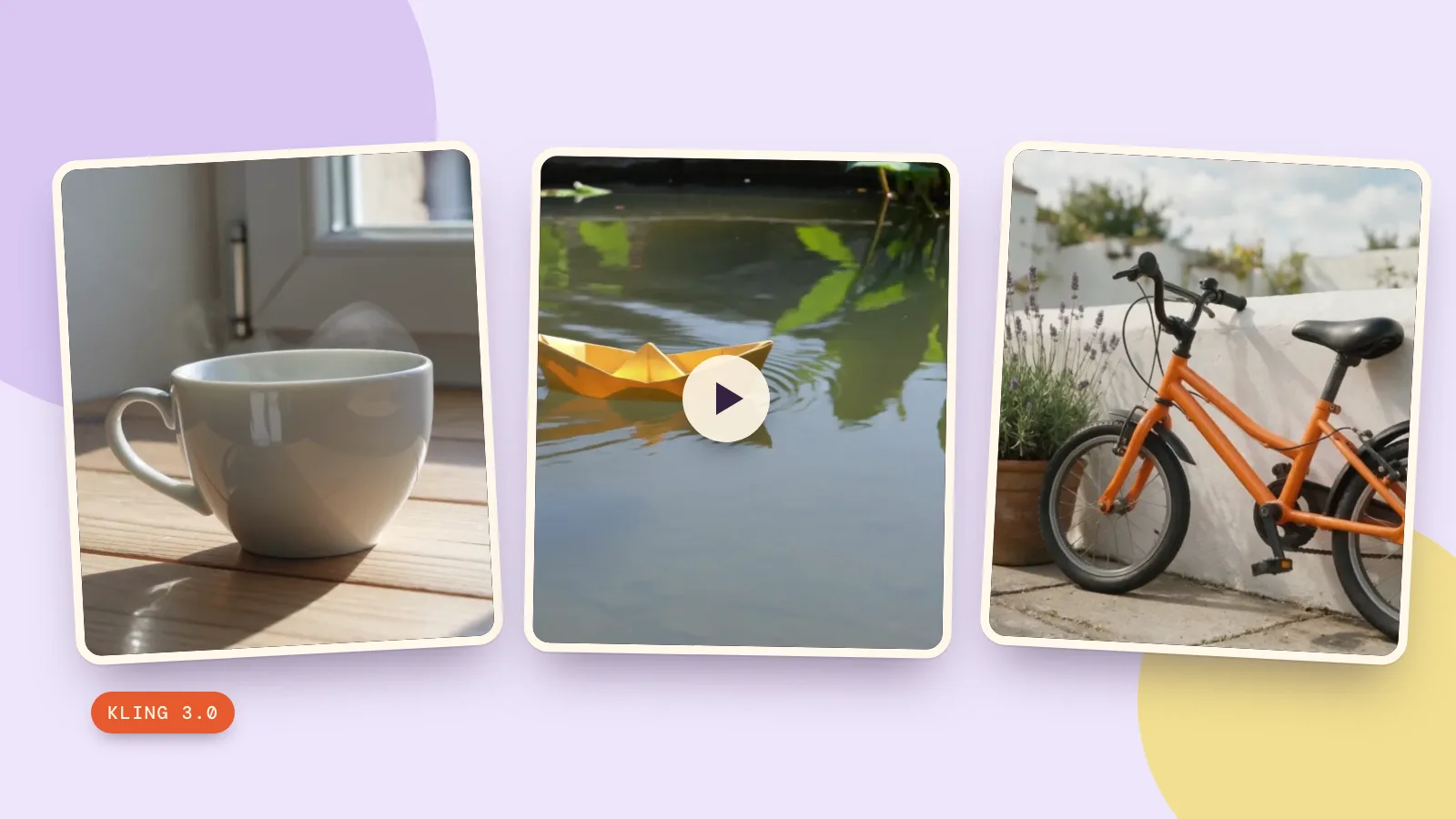
We generated the original yellow-paper-boat clip with Kling 3.0 on October 29, 2026, requesting five seconds at 720p with sound off. The source generation costs 336 credits. We then sent that original output to Kling O3 with the exact instruction below, choosing 720p and retaining the original audio setting. This is one real edit, reused here from a source we made ourselves, with no stock footage.
Change the weather to gentle snowfall and give the pond bank a light covering of snow. Keep the yellow paper boat, the pond, the locked camera and the boat motion unchanged.
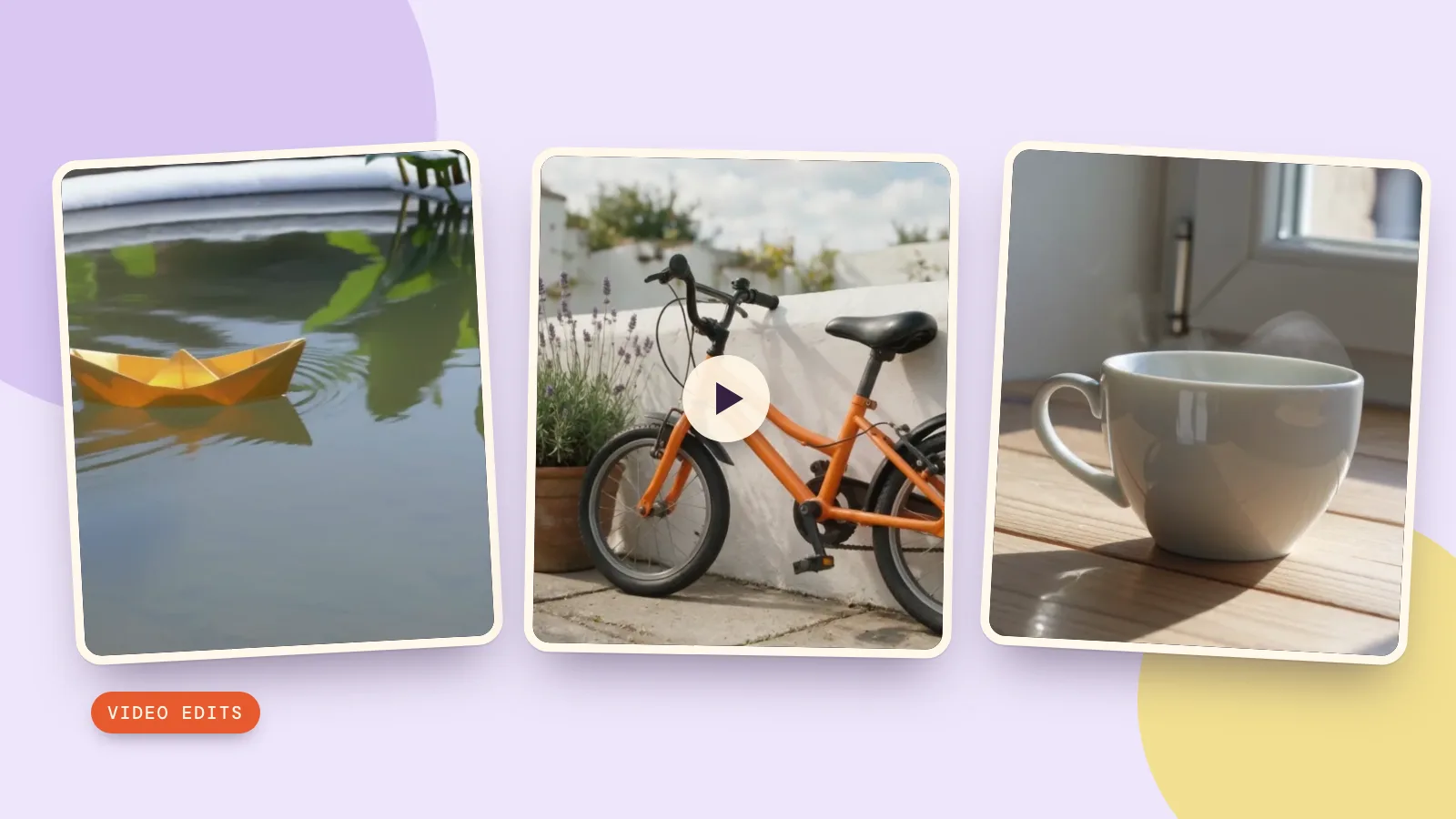
The output adds a white snow-like covering to the far rim of the pond while keeping the boat's direction and overall shape. Falling flakes are not clearly visible, so this is a partial response to the weather request, not a fully convincing snowfall. Upload the original video before trying this prompt: the card preserves the instruction and settings, but does not attach the source clip for you. Check the folded edges and water throughout the result.
What happened in our separate color and style tests?
1. Change one object's color
We reused our own orange-bicycle clip: a Seedream 5.0 Pro still animated with Kling 3.0 at 720p for five seconds. On October 29, 2026, we selected MiniMax H3 Edit in the tool and requested the color change at 768p, five output seconds, with Sound off. Upload the original clip before trying the prompt card.
Change only the orange bicycle frame to a rich cobalt blue. Keep the wheels, black tires, spokes, saddle, white wall, lavender flowers, natural lighting and slow camera push in unchanged. No text or logos.
The frame stays blue throughout the result, while the white wall, lavender and black tires remain recognizable. The slow camera approach also continues. Inspect the fine spokes and cables at full size; stable color does not prove that every original detail has survived unchanged.
2. Give the whole scene a new style
For the third test, we reused our own realistic teacup clip, generated with Kling 3.0 at 720p for five seconds. MiniMax H3 Edit received the watercolor instruction below on October 29, 2026, again at 768p for five output seconds with Sound off. Upload the original clip before trying this prompt too.
Restyle the entire scene as a delicate watercolor painting on textured paper, with soft translucent washes and visible brushwork. Keep the white teacup, handle, saucer, wooden table, window light, rising steam and slow camera push in. Preserve the composition and the motion. No text or logos.
The edit adds a saucer and watercolor-like paper edges at the start, but most of the cup and table remain photographic. The paper border fades as the shot progresses, so this is a weak, inconsistent response to the watercolor request. The cup, handle and rising steam remain recognizable. Our prompt names a saucer that was absent from the source; remove that word if you want the cup to stay directly on the table.
Which tool fits the edit you actually need?
Use generative video editing when you want the scene to look different. Use the timeline editor when your task is arranging and trimming clips into a sequence. For a model comparison, keep the same source and instruction, compare the whole output and check each quote first; these three examples use different clips and instructions, so they cannot establish a winner across models. Our guide to making videos with ChatGPT covers generation as a separate question.
Keep a small working folder with the source, your instruction and the chosen settings. If the result changes too much, start again from the original rather than repeatedly editing an already altered version. That makes it easier to identify where a detail changed and whether another generation would solve the actual problem.
FAQ
Can ChatGPT edit videos directly?
The official help pages checked here describe supported uploads and analysis; they do not establish a universal full video editor. Check the deliverable in your session. Use a dedicated editing tool when you need a repeatable file-output workflow.
Can you add videos to ChatGPT on every device?
Availability varies by platform, attachment method and account. If the photo picker does not offer the file, check the file picker. An unavailable control does not prove that video attachments are unsupported everywhere.
Will ChatGPT analyze every frame and all the audio?
Do not assume complete coverage. OpenAI warns that video analysis can be incomplete and inaccurate. Verify important observations against the source before acting on them.
What should I use to change weather or clothing colors?
Use a generative video editing model with a short source clip and a specific instruction. We tested weather with Kling O3, and bicycle color and watercolor style with MiniMax H3 Edit. Even a targeted change can affect surrounding details, so compare the entire result with your original.
How much does a PopNow video edit cost?
It depends on the model, resolution and detected duration. The five-second 720p Kling O3 rate is 626 credits. For MiniMax H3 Edit at 768p, five input seconds plus five output seconds total 660 credits before duration rounding; input video is billed too. Check the actual quote before submitting. Source-generation cost is separate.