To make a happy New Year video with fireworks behind you, add a clear outdoor photo to Fireworks, keep the 5-second MiniMax H3 setting, and generate. The effect supplies the prompt and animates bursts above the person, with colored light across the face. Start with open sky and a visible face so the celebration has room to happen.
How do you make a New Year video from a photo?
- Choose a photo you have permission to use. Face the camera, keep the person in the lower half, and leave open sky above; a rooftop, balcony or waterfront works well.
- Under Add a photo, upload a JPG, PNG or WebP file up to 10 MB. The source should already have the framing you want for the finished clip.
- Open More options if you need to check Pick a model. MiniMax H3 at 768p for 5 seconds is the default effect plan and the setting used for all three videos below.
- Read the price, then press Make it move. Review the face, background, hands and final burst before downloading; keep a copy of the source photo for comparison.
The default clip costs 185 credits. The page also offers a 4-second MiniMax H3 setting and a 5-second Seedance 2.0 Mini 480p setting. Changing a setting creates a different run; check the button again before you start. No prompt writing is needed on the effect page.
What does the fireworks video effect look like on real examples?
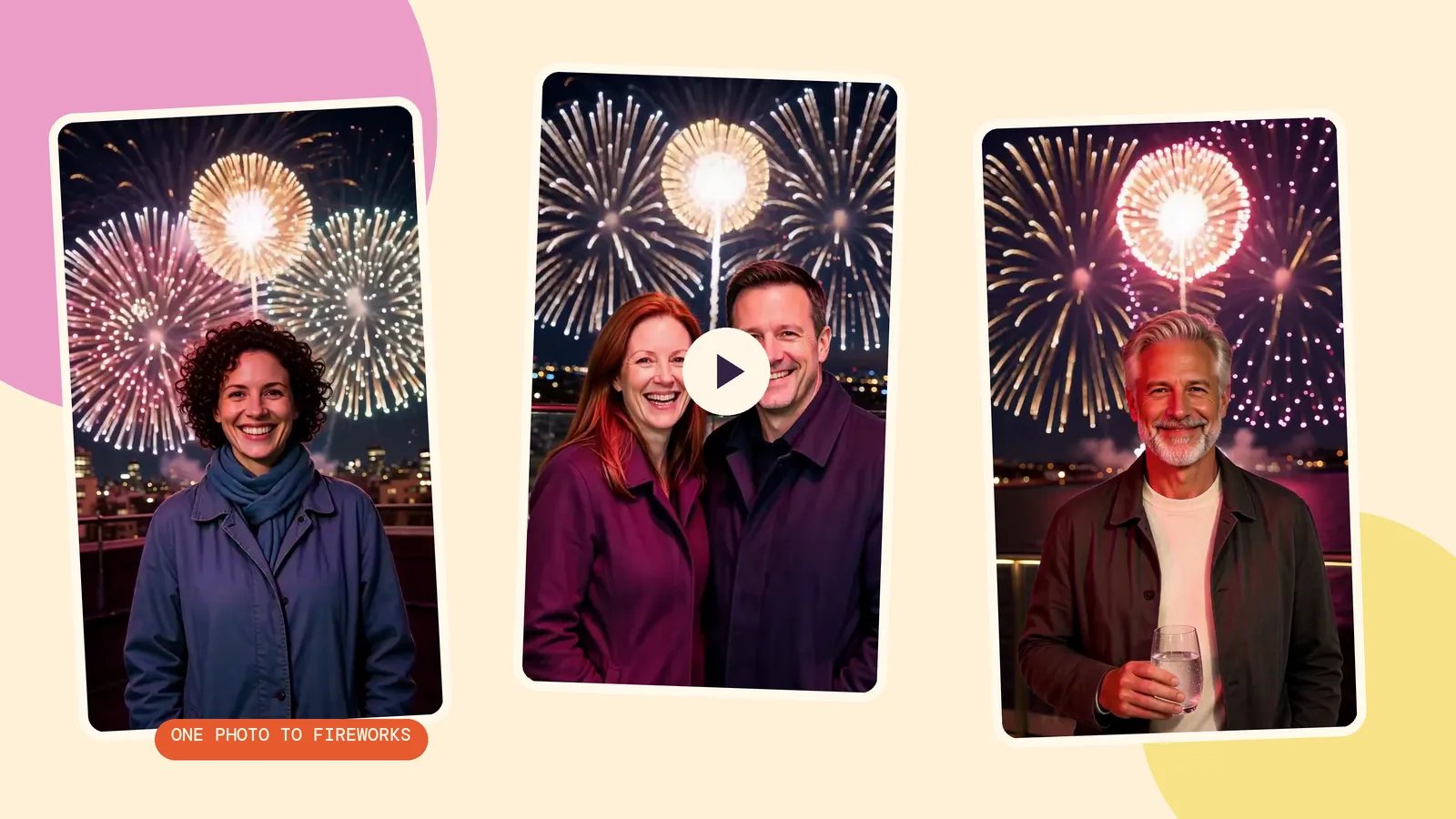
We generated three source photos with Seedream 5.0 Flash at 2K, 9:16, then used the unchanged Fireworks prompt on MiniMax H3 at 768p for 5 seconds. All people are fictional adults created for this guide, and every call was made on October 29, 2026. Each source photo costs 29 credits; each animation is a separate charge.
1. A portrait on a city rooftop
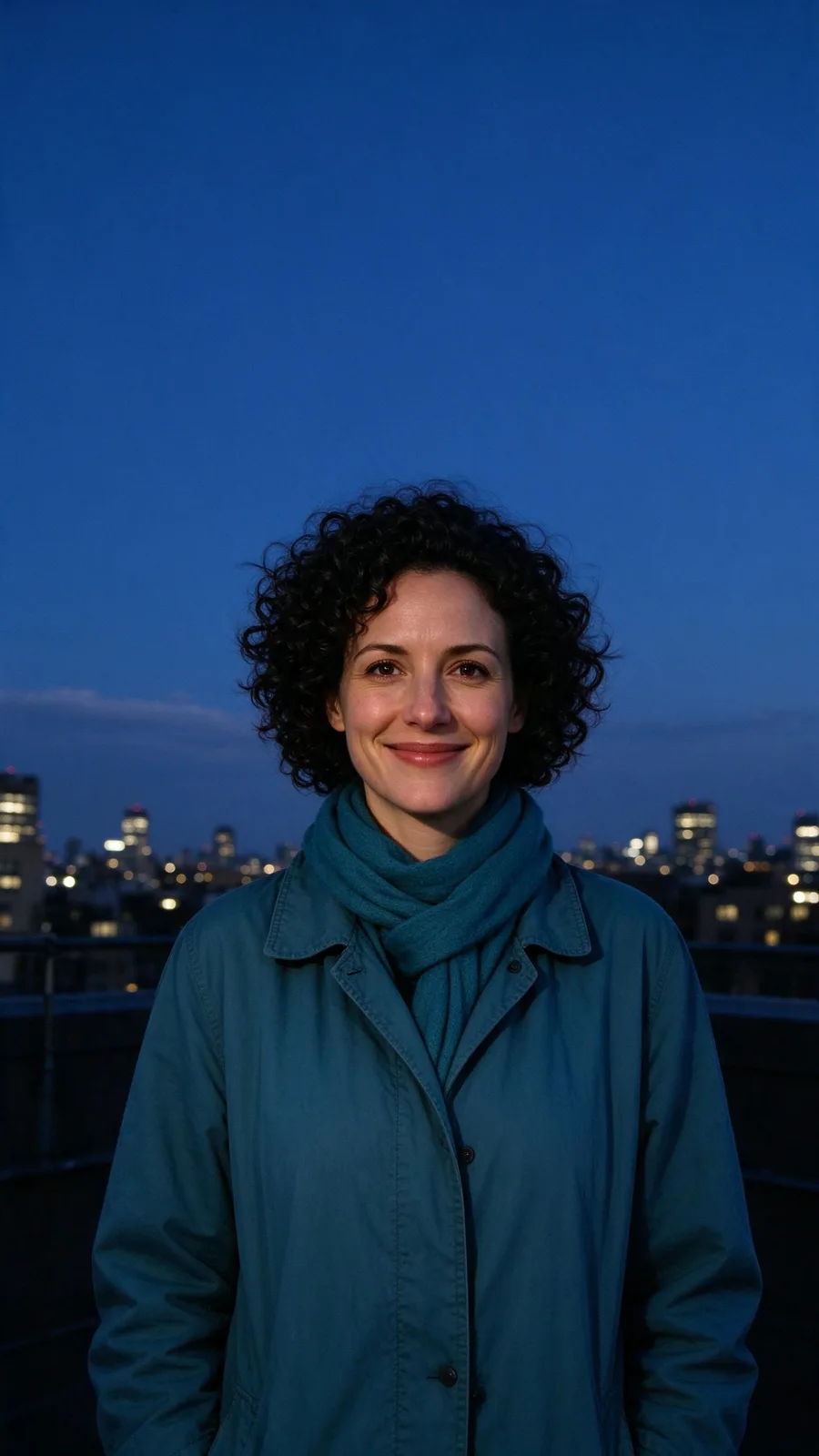
The coat and clear skyline give you easy reference points when checking the result. Look at the changing light on her face and the space between her hair and the bursts. This is the simplest starting composition: one person, one visible skyline and plenty of sky.
Within the first second the sky behind the person turns to night and the first firework bursts high above them. By the second second the whole sky is erupting: huge gold, magenta and white blooms open one after another and rain down sparks, each burst washing flickering colored light across the person's face. They keep facing the camera, lit by the glow, and break into a wide smile at the lens as a giant golden burst fills the sky behind them in the final frames. The person stays exactly as they appear in the photo.
2. Two friends on a balcony
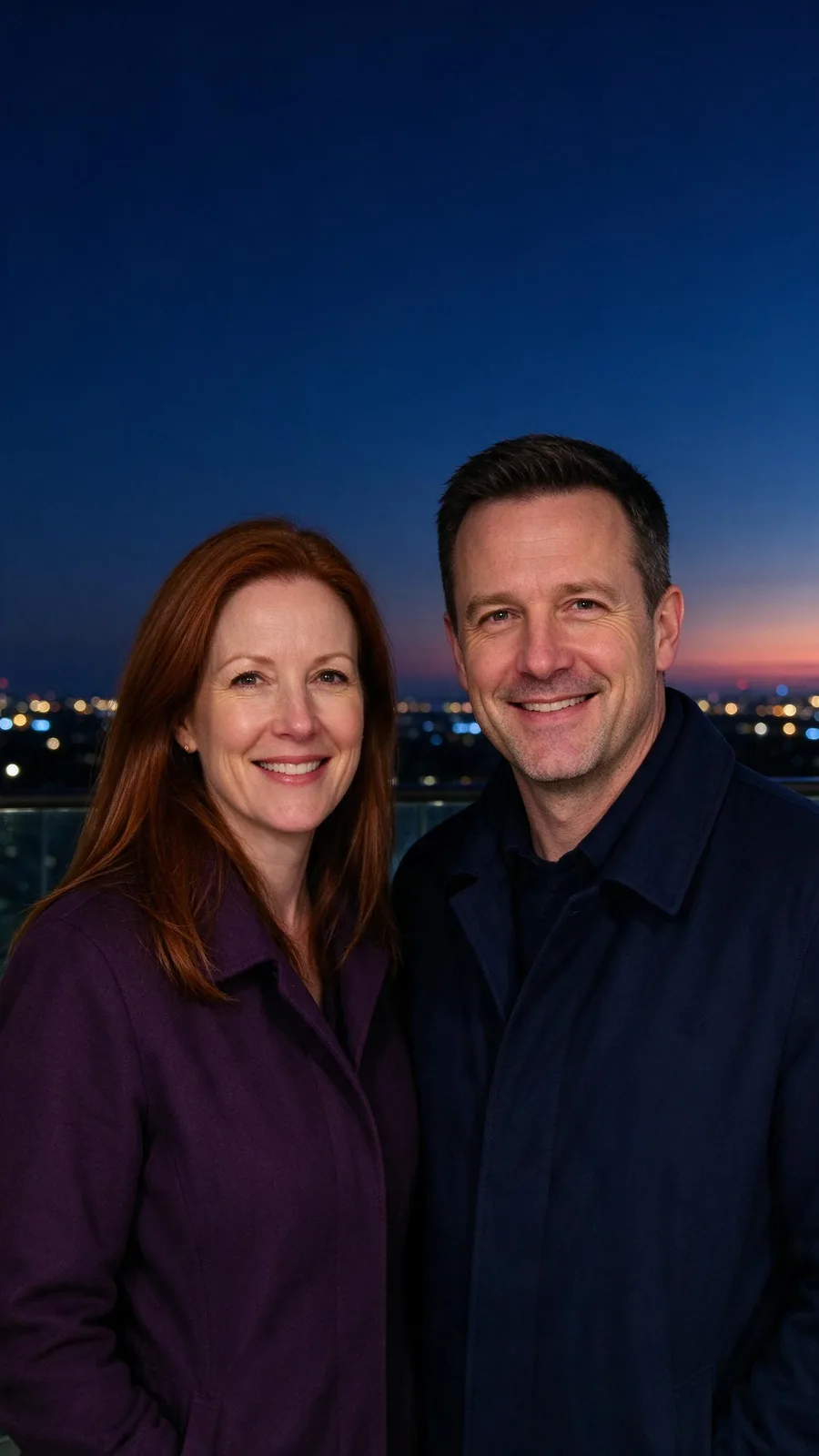
A shared photo avoids asking the model to invent how separate portraits fit together. Check both faces throughout the clip, especially when the light brightens. The preset refers to a person in the singular, so a group is a test rather than a promise of identical behavior for everyone.
Within the first second the sky behind the person turns to night and the first firework bursts high above them. By the second second the whole sky is erupting: huge gold, magenta and white blooms open one after another and rain down sparks, each burst washing flickering colored light across the person's face. They keep facing the camera, lit by the glow, and break into a wide smile at the lens as a giant golden burst fills the sky behind them in the final frames. The person stays exactly as they appear in the photo.
3. A quiet toast on a waterfront terrace
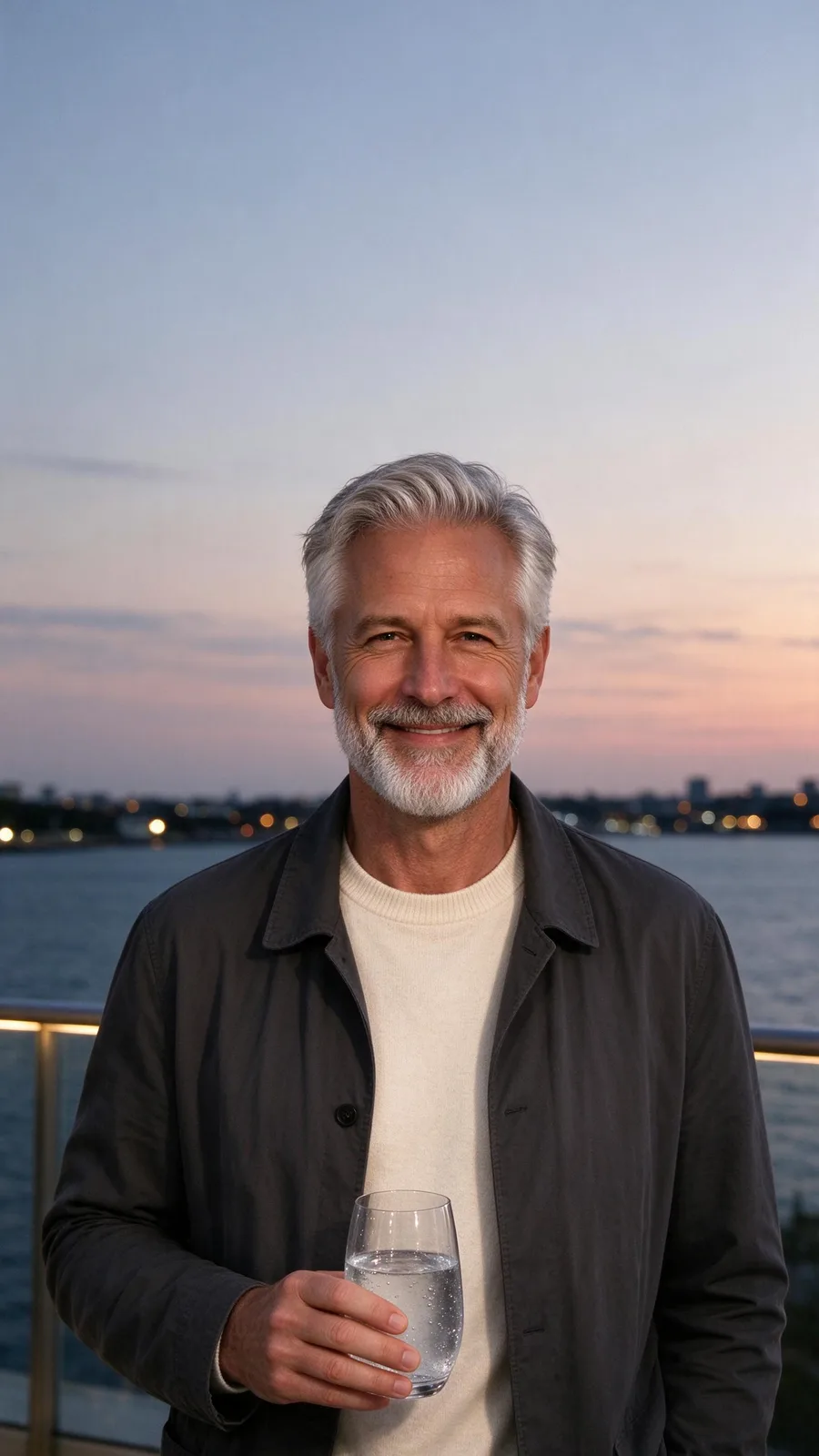
The glass makes this a more demanding test than an empty-handed portrait. Watch its outline and the fingers holding it; a pleasant final frame is not enough if the object changes shape halfway through. Choose a simpler source photo if a prop distracts from the greeting.
Within the first second the sky behind the person turns to night and the first firework bursts high above them. By the second second the whole sky is erupting: huge gold, magenta and white blooms open one after another and rain down sparks, each burst washing flickering colored light across the person's face. They keep facing the camera, lit by the glow, and break into a wide smile at the lens as a giant golden burst fills the sky behind them in the final frames. The person stays exactly as they appear in the photo.
How should you frame and time a New Year greeting?
For stories, start with a vertical 9:16 source and keep the face away from the upper area where the fireworks bloom. Leave extra space around the edges for the posting app's controls and your greeting. A tight crop cannot give the model real sky; it may rebuild the location to make room.
For a countdown post, prepare the clip in advance and add the countdown in your posting or editing app. For midnight, save the finished file beforehand so you can post when you mean to. On New Year's Day, a short greeting and the same clip work without any countdown. The effect does not add a clock, a year label or a scheduled publishing time.
If you want a still greeting to send with the video, use the New Year card maker. Our New Year photo card guide shows the photo-to-card workflow. Keep important wording outside the generated scene and proofread it in your editor before posting.
How do you compare models without changing the idea?
Keep the source photo and preset prompt unchanged, then change only the model or tier. All three animations here use MiniMax H3; we have not run a second-model fireworks benchmark for this article. The model comparison page helps you inspect options, while the effects library is useful when you want a different celebration idea altogether.
FAQ
Can I use a group photo?
Yes, you can start with one shared photo, as in our two-friend example. Keep faces large and clear, with everyone facing the camera. Tiny faces and crowded backgrounds are harder to preserve; inspect every person before sharing.
How long is the video?
The default plan makes 5 seconds. MiniMax H3 also has a 4-second option on the page. These examples use the default 5 seconds so the opening burst and finale have their intended space.
Can I add music?
Yes. Download your clip, then use Add music to video to generate a soundtrack, compare its two versions, adjust the original sound and download the mixed video. Music generation is a separate paid step; it is not included in the Fireworks effect.
Does it work on a daytime photo?
The preset asks the sky to turn to night within the first second, so daylight is compatible with the intended transformation. A photo with open sky is the important part. These three examples start at dusk or night; they do not establish how every bright daytime photo will behave.
How much do three fireworks videos cost?
Three default animations cost 555 credits in total. If you generate the three source photos too, add 87 credits. Using your own existing photos skips the source-image generation cost.