The AI Halloween trend turns an ordinary photo into a short spooky video or a costume portrait. On PopNow, choose an effect, add your photo and generate; the effect supplies the prompt. Start with Pumpkin Head Dance for a playful video, or choose a photo effect when you want a still image.
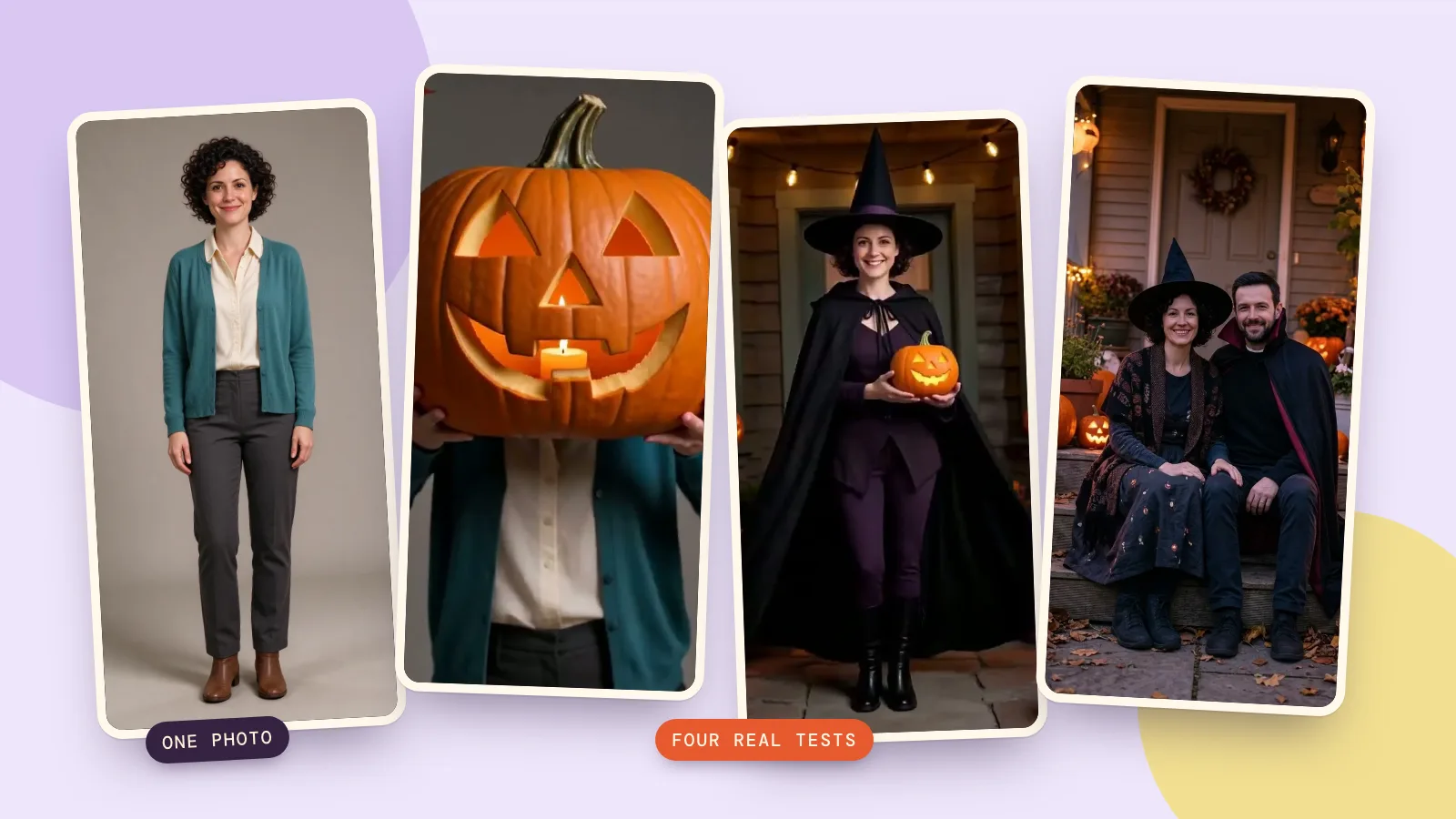
Halloween falls on October 31; these ideas work whenever you want a costume edit. We made four fresh effect samples on October 27, 2026, using fictional adults: a pumpkin dance, a zombie transformation, a duo portrait and a costume spin. The source photos were generated with Seedream 5.0 Flash at 2K; no real person's likeness was used.
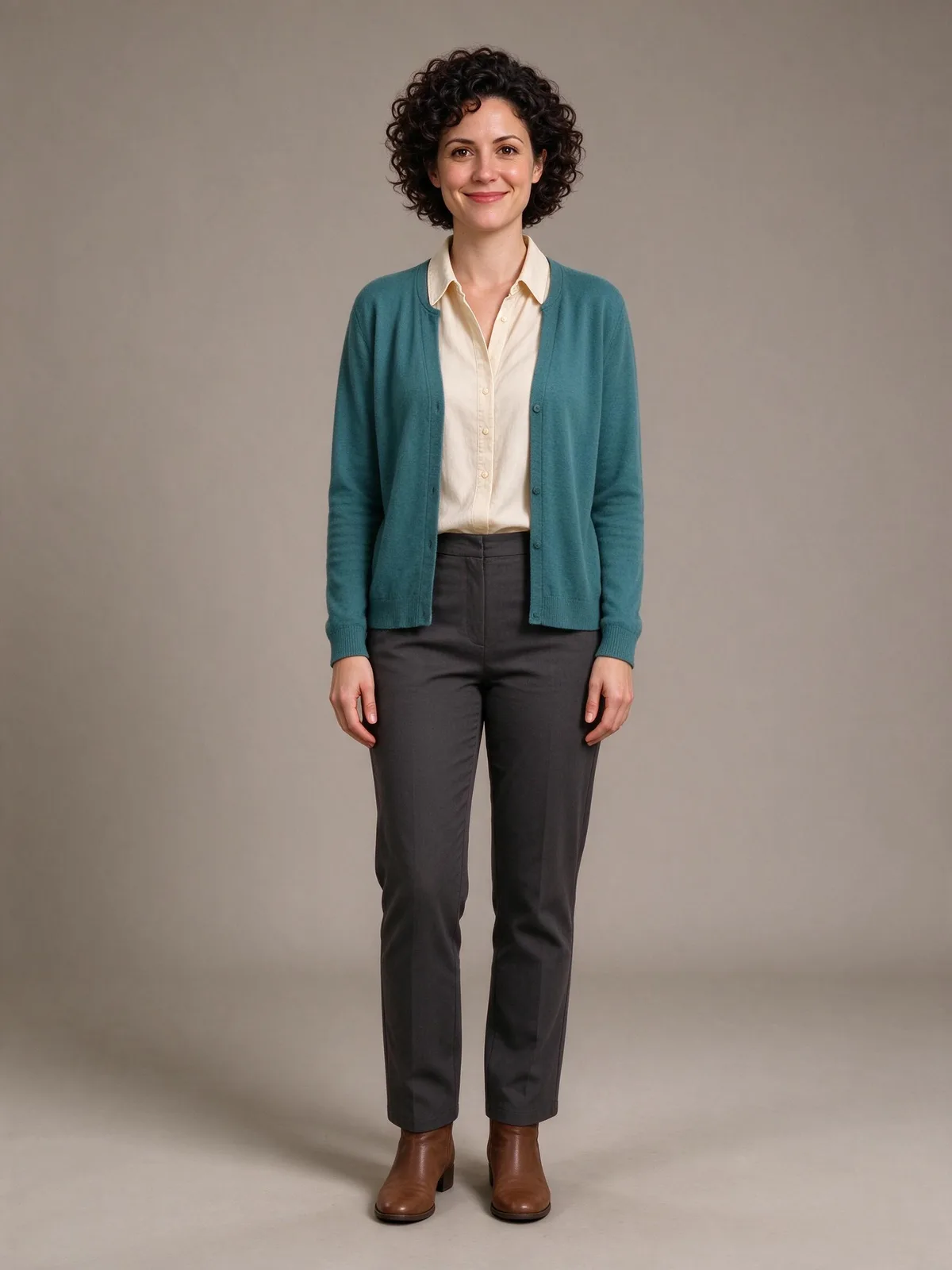
How to make a pumpkin-head dance video
- Open Pumpkin Head Dance and use Add a photo. Pick one adult with space around their hands.
- Keep MiniMax H3 in More options for the settings used here: 768p and 5 seconds. The clip costs 185 credits.
- Press Make it move. Watch the whole result before downloading, especially where the hands meet the pumpkin.
Our clip moved closer as the pumpkin covered her face; the teal cardigan stayed. The effect asks for a carved pumpkin held in front of the face, a little dance and drifting leaves. It deliberately hides the face. For a still alternative, Pumpkin head photoshoot uses Nano Banana 2.1 at 1K and 4:5 for 48 credits: a bench, autumn light and a glowing pumpkin head. We tested the dance here, not that separate photo effect.
The person lifts a big carved jack-o'-lantern with a warm candle glowing inside and holds it right in front of their face, lined up so it looks like their head has become the pumpkin. They do a goofy little dance, shoulders bopping side to side and stepping in place, while the candle glow flickers through the carved smile and a few autumn leaves drift by. Playful and funny, not scary. Their clothes stay the same.
How to turn a photo into a zombie
- Open Zombie Turn with one clear, evenly lit face. Avoid sunglasses and a large crowd.
- Keep the default Kling 3.0 option. It first uses Nano Banana Pro at 1K to create the final look, then animates between your original and that image.
- Check the combined price: 108 credits for the image plus 336 credits for the 5-second 720p video. Press Make it move.
Our video ended with cloudy eyes, grey makeup and blue fog; the teal cardigan and face shape remained recognizable. The built-in instructions ask for pale special-effects makeup, cloudy eyes and cold blue lighting without injuries. This is a more eerie choice than the pumpkin or sheet ghost. The two steps are separately charged; inspect the finished makeup and the transition, because a familiar face can still change during movement.
How to make a couples Halloween photo
- Choose Halloween duo portrait. Despite the duo theme, this page has one upload slot: use a photo already showing both adults.
- Keep both faces similarly sized and well lit. The default is Nano Banana 2.1, 1K, 4:5, costing 48 credits.
- Press Make my picture. The result is a still photo, with one vampire costume and one witch costume. This page does not make a couples video.
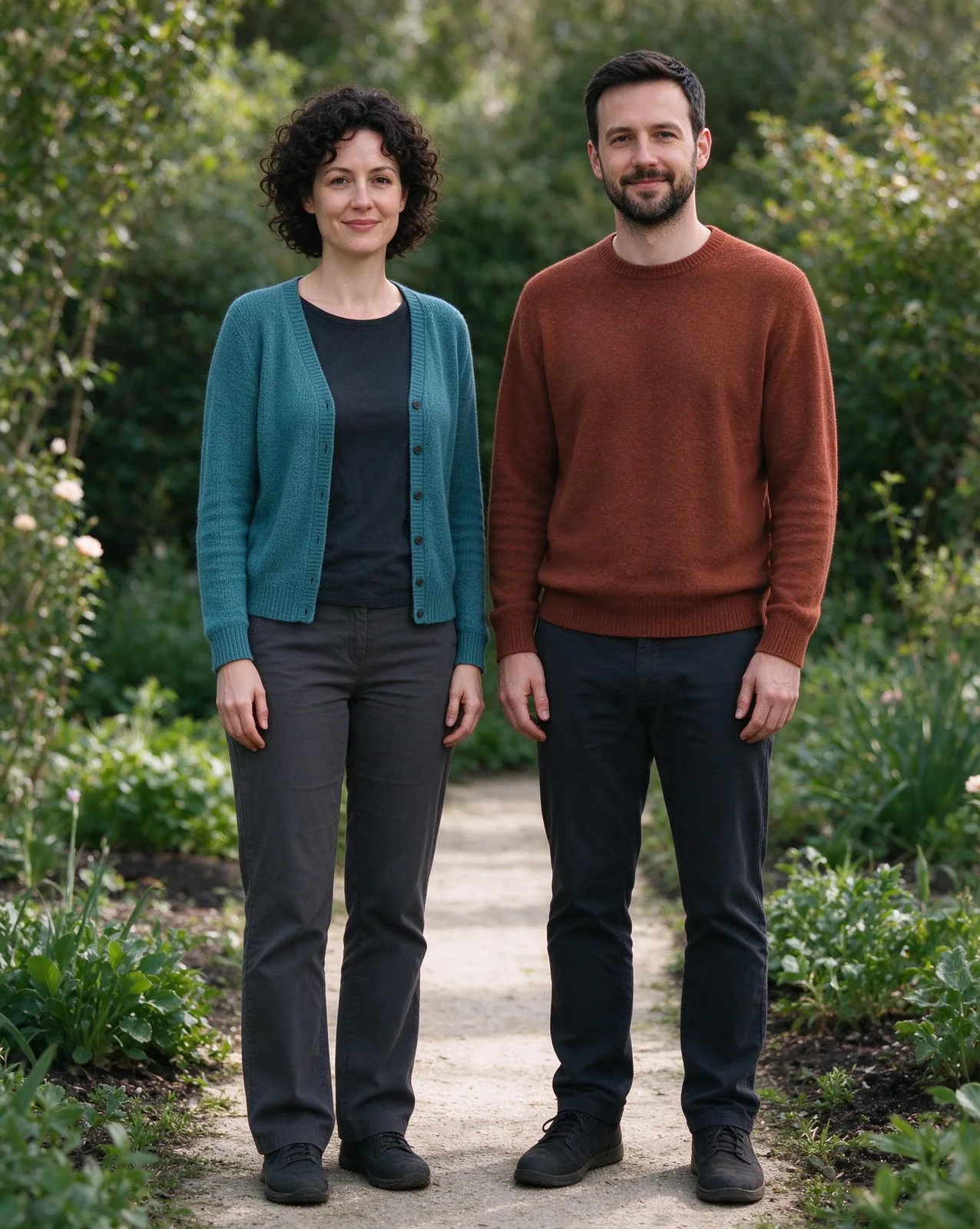
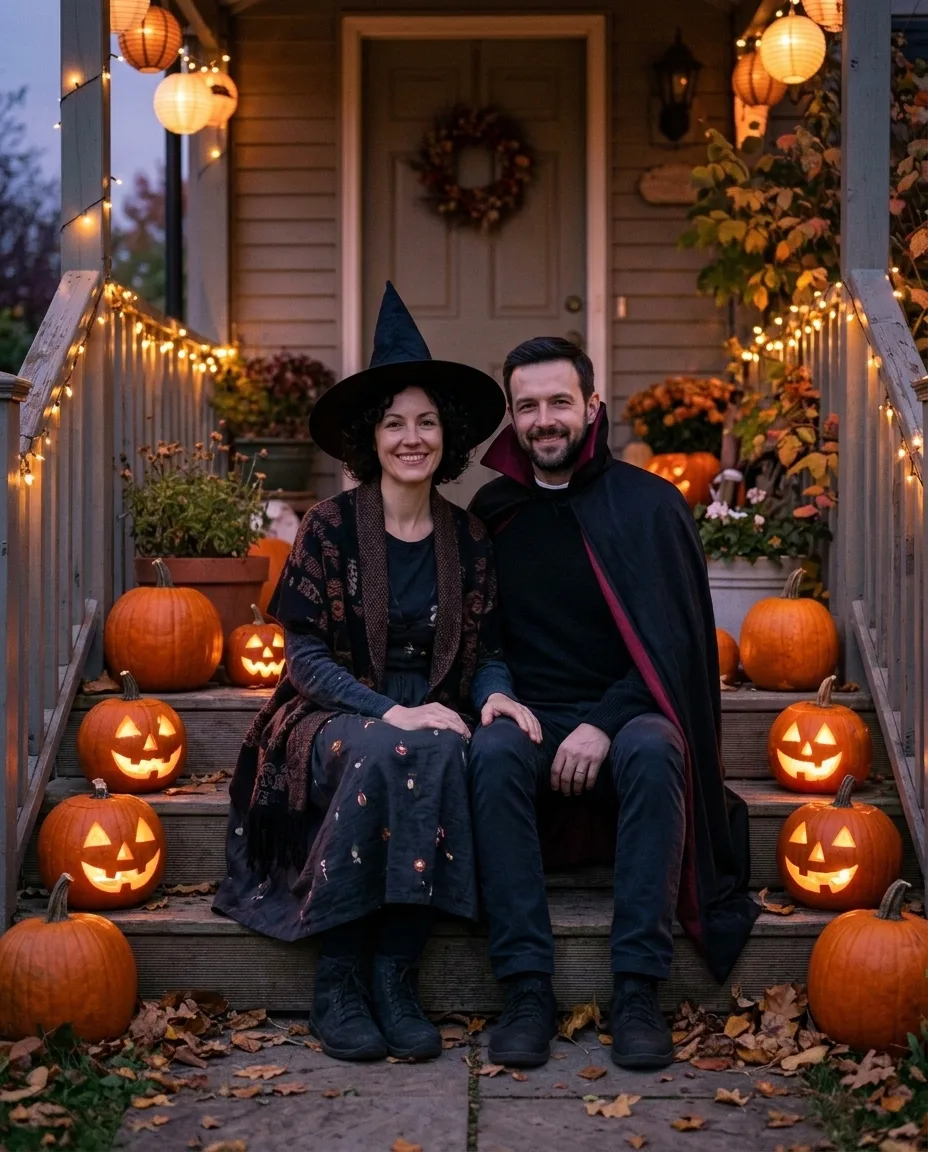
Our pair kept their dark hair and recognizable faces as the garden changed to a porch. The prompt moves the pair onto porch steps with glowing pumpkins and warm string lights. It asks to preserve each person's face and hair, but does not assign a particular costume to a particular person. Start with a genuine shared photo you both agree to edit, rather than trying to squeeze several people into a two-person composition.
How to try on a costume with AI
- Open Halloween Costume Spin and upload one full-length photo. Leave room for a hat and cape.
- Keep MiniMax H3, 768p, 5 seconds, for 185 credits. The preset already specifies the costume.
- Press Make it move, then check the turn, the hands and the face when the person faces the camera again.
Our clip completed the spin and ended with a wave on the porch. The spin prompt requests purple sparkles, a pointed hat, a cape and a small lantern on a Halloween porch. Costume Walk Reveal is another 5-second MiniMax H3 option at the same 768p price: the camera starts near the shoes and tilts up to a vampire costume. We ran the spin for this guide; the walk is a separate preset, not a setting inside it.
The person does one quick spin on the spot. Mid-spin a swirl of purple sparkles wraps around them, and when they face the camera again they are wearing a full witch costume: a tall pointed black hat and a long black cape over a dark purple outfit, holding a small glowing jack-o'-lantern. The background turns into a cozy Halloween porch with carved pumpkins and warm string lights. They smile and give a little wave. Their face stays exactly the same.
Which effect works with which photo?
| Effect | Best input | Output |
|---|---|---|
| Pumpkin Head Dance | One adult, hands visible | 5-second video |
| Pumpkin head photoshoot | One adult, outfit visible | 4:5 photo |
| Zombie Turn | One clear face | 5-second video, two steps |
| Halloween duo portrait | One photo with two adults | 4:5 photo |
| Bedsheet Ghost | One adult, full length | 5-second video |
| Halloween Costume Spin | One adult, full length | 5-second video |
| Ghost Drop | One adult, visible outer clothes | 5-second video |
| Costume Walk Reveal | One adult, shoes in frame | 5-second video |
Two more gentle spooky options complete the eight: Bedsheet Ghost drops a sheet over the person and animates a little ghost; Ghost Drop makes the person vanish while their outer clothes collapse. Both default to MiniMax H3, 768p, 5 seconds, at 185 credits each. We checked their current settings, but did not generate new samples of these two.
How do you choose a good input photo?
- Use soft, even light. A dark face gives the model fewer details to preserve.
- Use one person for solo effects; use exactly two for the duo portrait.
- Include shoes for walking and costume effects, and space above the head for hats.
- Avoid busy hands, cropped fingers and objects covering the face.
- Review the full clip, not just its poster, before sharing. Clear input improves the chance of a good result, but does not guarantee it.
How can you compare the same idea across models?
The effects library is the quickest route to these presets. If you want more control, compare motion and face stability in video model comparisons, keeping the input photo and instructions the same. A different model can interpret the pumpkin hold or costume turn differently; these four tests are examples, not a ranking of every available model.
FAQ
Can I do the Halloween trend with a pet?
These eight presets are written around people, hands and clothing. A pet is not a reliable match for those instructions. For a pet idea, use a dedicated pet effect in the library rather than assuming a human dance or costume will work.
How long does it take?
The video settings shown here produce 5-second clips, but generation takes longer than playback. Allow a few minutes and follow the task status. Zombie Turn needs an image step before its video step, so it has an extra stage; queue time can vary.
How much does an AI Halloween photo or video cost?
The default duo photo costs 48 credits. A default MiniMax H3 effect clip costs 185 credits; the zombie default adds 108 credits and 336 credits. Check the price on the button before starting, especially after changing models.
Does it work with group photos?
Use a single adult for solo effects and one existing two-person photo for the duo portrait. Larger groups can confuse which person should move or change costume. Crop a copy of your photo to the intended subject before uploading.
Can I post the result on TikTok or Instagram?
You can download a finished result and prepare it for a post. Use photos you have permission to edit, review every frame and follow the platform’s current AI-content labeling rules. Leave space for captions when cropping; the default duo photo is 4:5, not a full-screen vertical video.