You can use Seedance 2.0 on PopNow by selecting it in the video generator, then writing a scene or adding a photo to animate. It is ByteDance's video model; ByteDance Seed's official Seedance 2.0 page describes text, image, audio and video inputs and joint audio-video generation, checked October 27, 2026. The Seedance 2.0 model page opens the available modes with that model selected.
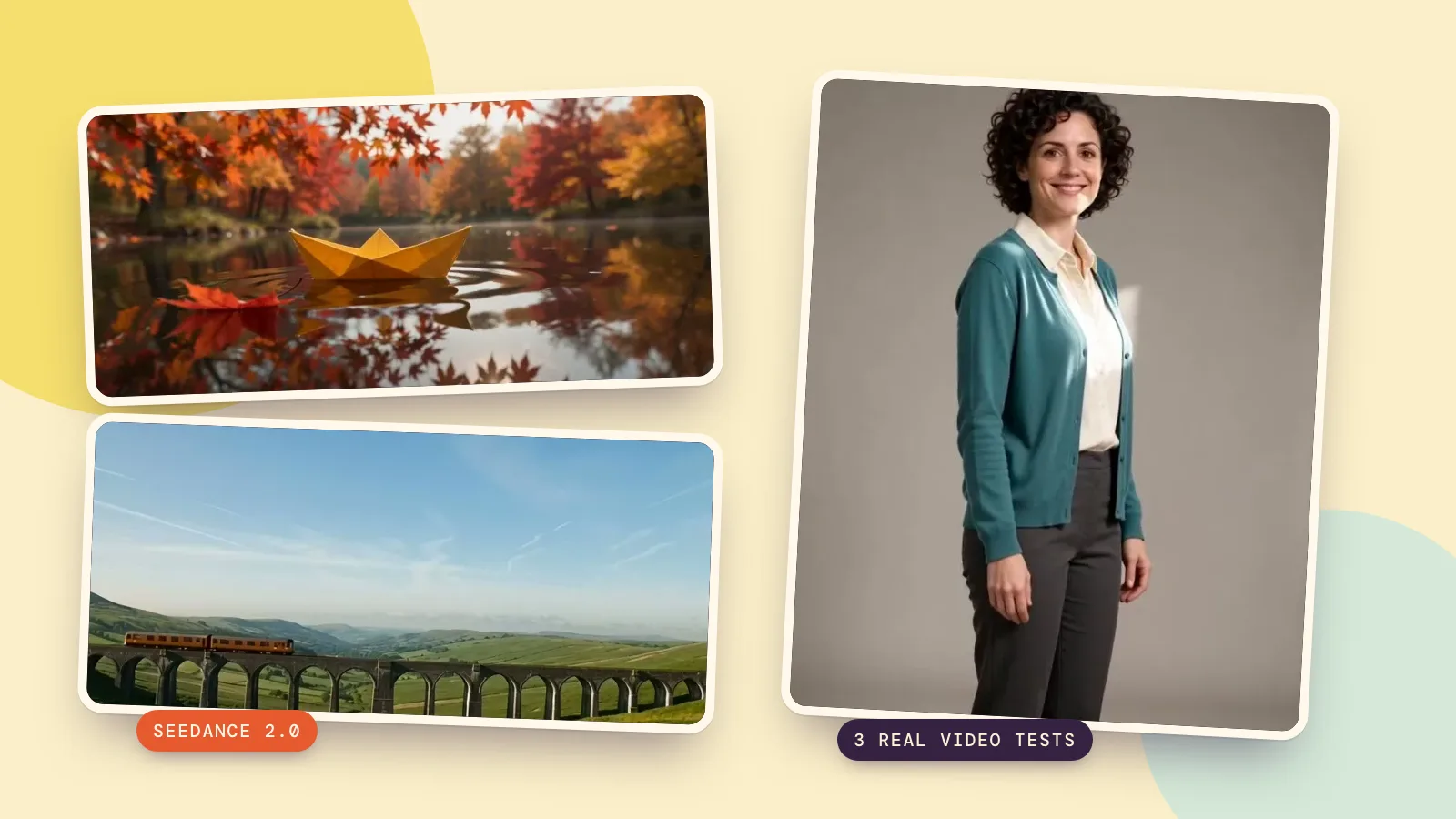
We made three new Seedance 2.0 samples on October 27, 2026: a paper boat and a mountain train from text, plus a portrait animation from a fictional adult photo. All three use 480p, 5 seconds and generated audio. These are small drafts for checking motion; they do not demonstrate the detail of a 1080p or 4K render.
How to use Seedance 2.0 for text to video
- Open the model page and choose its text-to-video option, or open the video generator and select Seedance 2.0 under Model. The generic video page initially uses MiniMax H3, so check the selected name.
- Leave the starting photo empty and describe one short shot in Prompt. Name what happens and what the camera does.
- Set Resolution to 480p, Duration to 5 seconds and a 16:9 frame for a landscape draft. Keep generated audio on if you describe sound.
- Read the price on Generate, then start. A 5-second 480p text draft without web search costs 350 credits. Review the downloaded result before making another version.
For the boat test we asked for one moving object, one falling leaf and a slow camera move. This makes it possible to check separate things: whether the boat holds its shape, whether the water reacts, and whether the camera follows the requested direction. A complicated story would make it harder to tell which instruction caused a problem.
How to animate a photo with Seedance 2.0
- Open the image-to-video option on the model page, or choose From a photo in the video generator. Select Seedance 2.0 again if needed.
- Upload a clear photo you own or have permission to animate. Our input was generated with Seedream 5.0 Flash at 2K and depicts a fictional 32-year-old adult.
- Describe the movement, camera and sound. There is no need to redescribe every visible object; ask to keep important details unchanged.
- Choose 480p, 5 seconds and 3:4 to match this portrait test. Check the quoted price of 350 credits, generate, and inspect the face and hands throughout the clip.
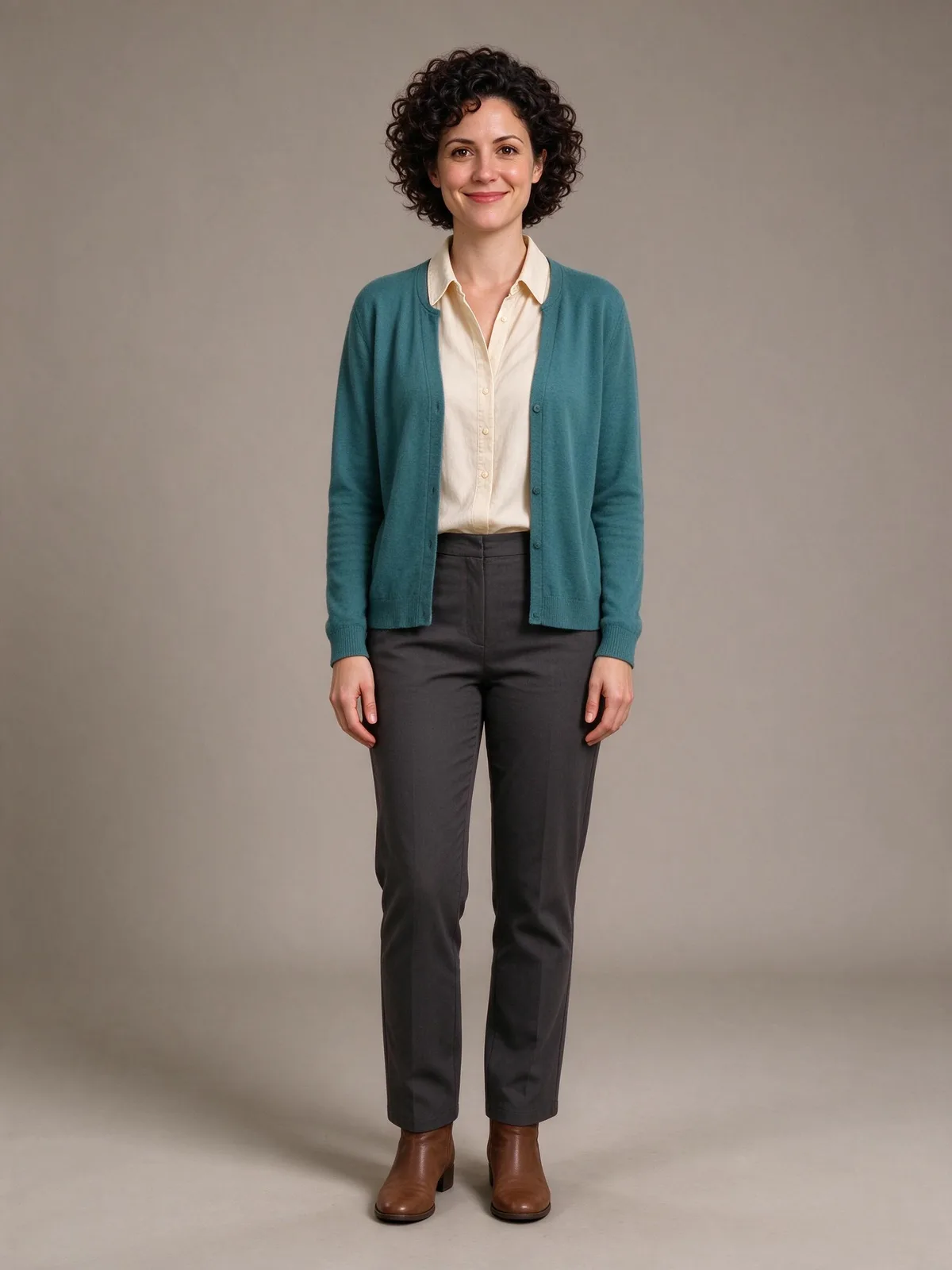
The photo supplies the starting composition, not a guarantee that every detail stays identical. We requested a small step, a slight turn and a smile with a slow push-in. If a face drifts, simplify the motion before paying for a larger output. For a first test, a single action is easier to evaluate than several gestures and a camera orbit.
How to write Seedance 2.0 prompts
Use subject + action + camera + style and light + sound. Put one idea in each sentence: a paper boat drifts; a leaf falls; the camera moves forward; the light is soft; the water is quiet. Sound is supported here, but a written request still needs the audio setting enabled. Keep text, logos and unnecessary background action out of a beginner test.
These are the exact three prompts we ran. Try this prompt carries the model and listed settings into the generator; for the portrait card, add your own starting photo. The prompt stays in English in every localized edition so the experiment remains reproducible.
A small yellow paper boat drifts across a still pond beneath autumn maple leaves. One leaf falls beside it and makes gentle ripples. The camera slowly pushes forward at water level. Realistic miniature cinematography, soft morning light. Sound of quiet water and a light breeze, no speech, no music, no text, no logos.
A small orange passenger train travels from left to right across a stone viaduct in a green mountain valley. Thin clouds drift behind the hills. The camera holds a wide steady view. Realistic travel cinematography, clear morning light. Sound of distant wheels on rails and a gentle breeze, no speech, no music, no text, no logos.
The adult woman from the photo takes one small step forward, turns slightly toward the window light and smiles. Keep her face, clothes and the simple studio unchanged. The camera slowly moves closer without cutting. Natural realistic portrait video. Sound of one soft footstep and quiet room ambience, no speech, no music, no text, no logos.
The train crossed the viaduct in a wide view, while the portrait moved from full length to a closer shot. When a draft misses your intention, change one instruction: slow the action, lock the camera or reduce background movement. Keep the rest of the prompt and settings stable. This is a way to diagnose the next attempt; it does not make repeated generations identical. Listen to the file as well as watching it, because the soundtrack is part of the result.
How much does Seedance 2.0 cost?
On PopNow, text-to-video and image-to-video have the following ordinary output prices. This table assumes fixed durations, no web search and no reference-video input. Audio on or off has the same listed rate for these two modes in the catalog checked on October 27, 2026. The live quote on the button is the amount to check before submitting.
| Resolution | Text video, 5 seconds | Photo video, 5 seconds | Text video, 10 seconds |
|---|---|---|---|
| 480p | 350 credits | 350 credits | 700 credits |
| 720p | 760 credits | 760 credits | 1,520 credits |
| 1080p | 1,870 credits | 1,870 credits | 3,740 credits |
| 4K | 3,890 credits | 3,890 credits | 7,780 credits |
Fixed clip lengths run from 4 to 15 seconds, with a Smart duration option also available. Choose a fixed 5 seconds while learning so the scope and quote are easy to compare. Reference-to-video and extension are additional modes with their own inputs; a headline starting price from a reference mode is not the price of a plain text draft.
Seedance 2.0 vs other video models
In the comparison hub, open Seedance 2.0 vs Kling 3.0 for existing same-prompt examples, or explore other pairs. Compare the action, camera movement, sound settings, output size and price together. Our three runs here test Seedance alone; they do not establish a winner over another model. For your own comparison, use the same photo and prompt and review a short draft from each.
FAQ
Is Seedance 2.0 free on PopNow?
Generation on PopNow uses paid credits. A plain 5-second 480p text clip costs 350 credits. You can read the model information and prompts before generating; check the current quote when you are ready to make a video.
Do I need to install an app or use an API?
For the workflow in this guide, use PopNow in a web browser. Select the model, write a prompt or upload a photo, then generate. An API integration is not required for these steps.
Can Seedance 2.0 make sound?
Yes, the available modes support generated audio. Our three tests enabled it and requested ambience without speech or music. Describe the sounds you want, keep the audio setting on and listen before posting; a prompt is a request, not a guarantee of exact sound timing.
What resolution should I choose first?
Start at 480p for checking composition and movement, as we did. Once the idea works, choose an available 720p, 1080p or 4K setting according to your delivery needs and quote. Generating again at a larger size creates another result; it does not simply enlarge the draft you approved.
Can I use a photo and an ending frame?
The image-to-video endpoint accepts a starting photo and an optional final image. Keep their framing and subject compatible. This guide tested only a starting photo, so the portrait sample does not demonstrate control with two frames.