The easiest way to make Happy New Year cards that feel personal is to start from a photo you already have. Upload it, pick a scene such as fireworks over a skyline or a champagne toast, type the greeting you want printed, and AI rebuilds the scene around the same faces. On PopNow the New Year card maker does this in one go: one HD card costs 72 credits, ready to print at 5×7 or 4×6 or to send at midnight.
We tried it on October 22, 2026 with five everyday phone photos of made-up people (generated for this test, so nobody real is on this page) and printed greetings from "Cheers to 2027" to "Happy Lunar New Year". Below are the steps, all five cards, the full prompt the card maker writes for you, messages you can borrow and what to check before you print.
How do you make a New Year card from your photo?
- Add your photo. Open the New Year card maker and drop in a photo where faces are clear and well lit. To put a partner, friends far away or a pet on the same card, add up to 3 more photos.
- Pick a scene. There are 17, in four groups: New Year's Eve (fireworks, countdown, champagne toast, snowy city night, confetti, sparklers, a party with your pet), Lunar New Year, Nengajo for Japan and Seollal for Korea.
- Type the greeting. It's printed exactly as you type it. An optional second line holds your names.
- Choose layout, outfit and size. Full photo, Framed, Vintage or Minimal; keep your own clothes or switch to a seasonal outfit; 5×7, 4×6, landscape, square or the Japanese Hagaki postcard.
- Make it and read every word. The button shows the price before anything runs. HD is the default and the one to print; Standard costs half.
Five cards from five ordinary photos
These are the starting photos: a selfie on a city street, three friends on a sofa, a couple in their kitchen, a woman hugging her beagle and a simple street portrait. Daylight or lamp light, no editing.
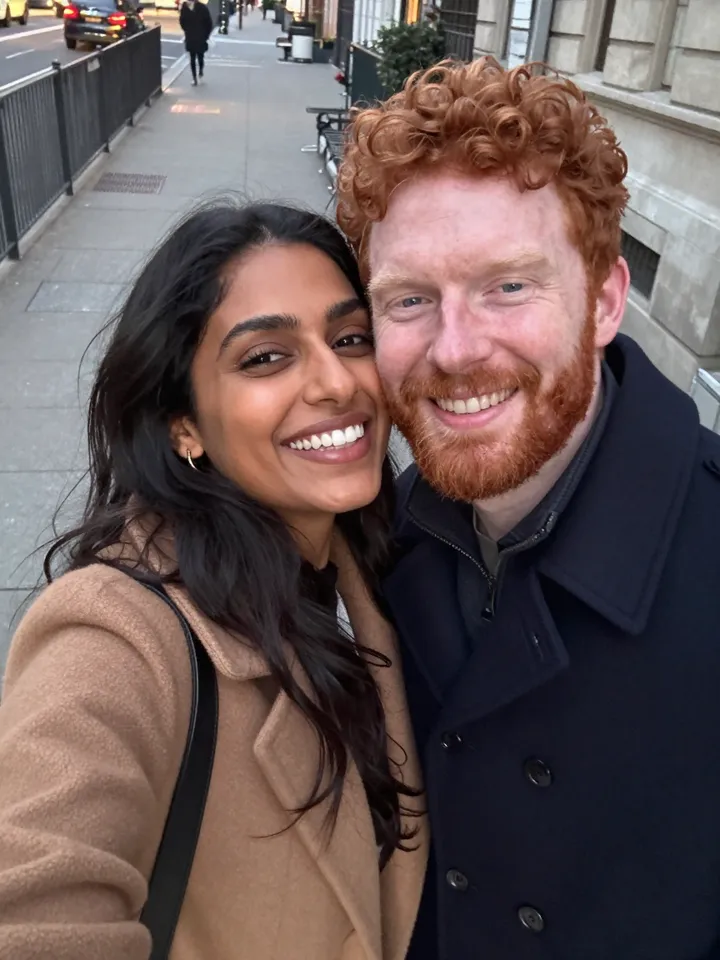 Couple selfie
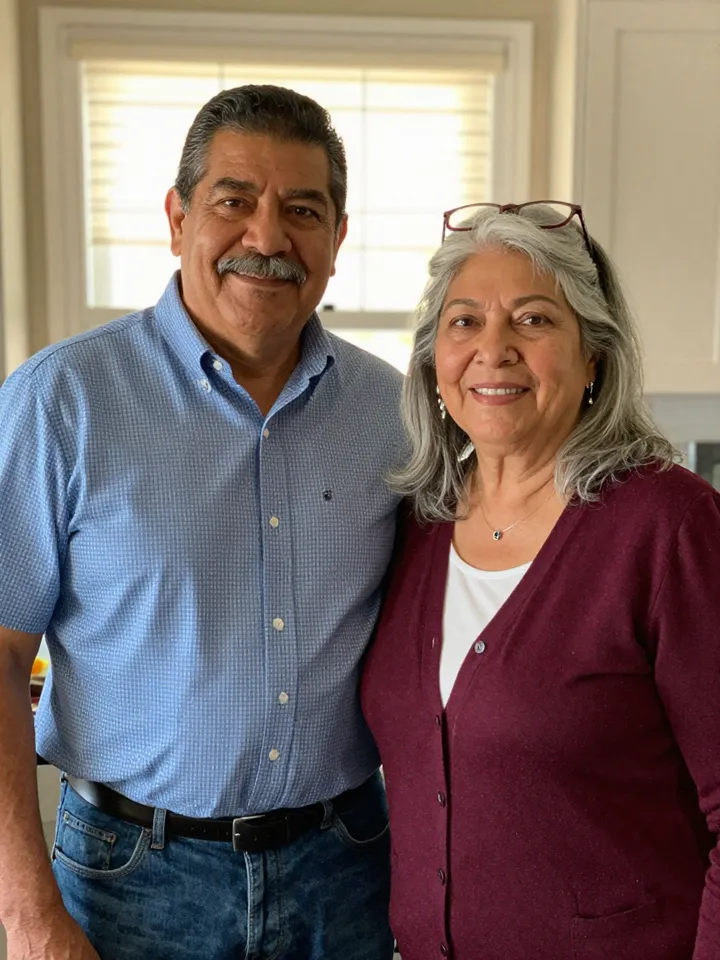 Parents at home
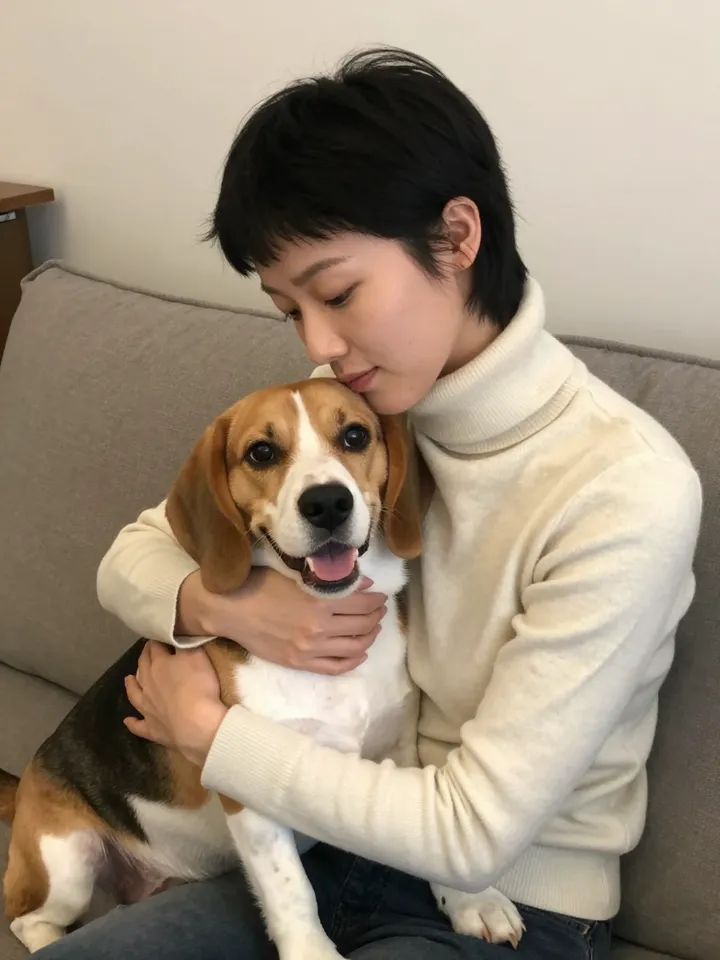 With the dog
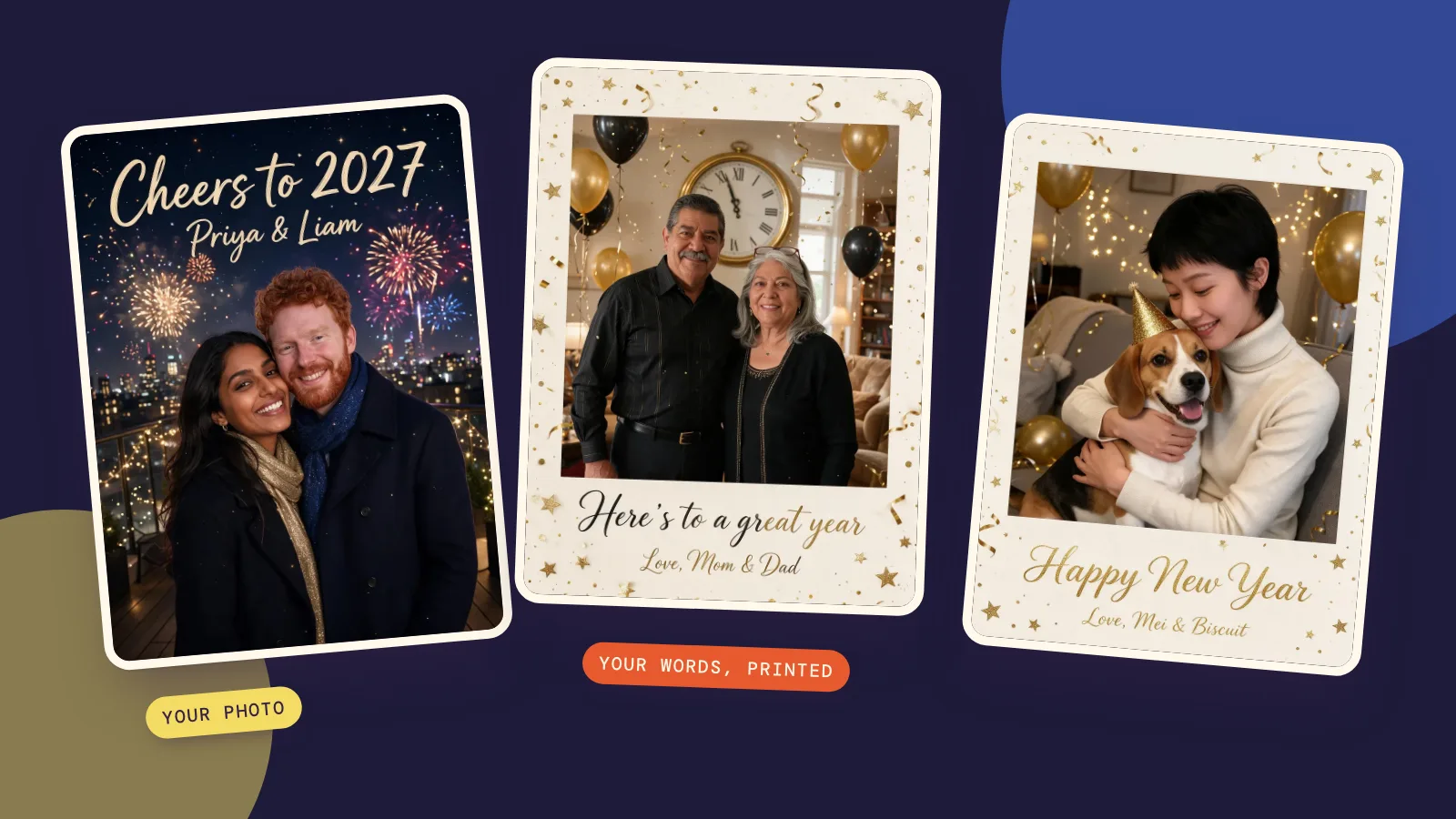
Each photo went through the card maker once, at HD, with the scene's default outfit. These are first results, not the best of several tries:
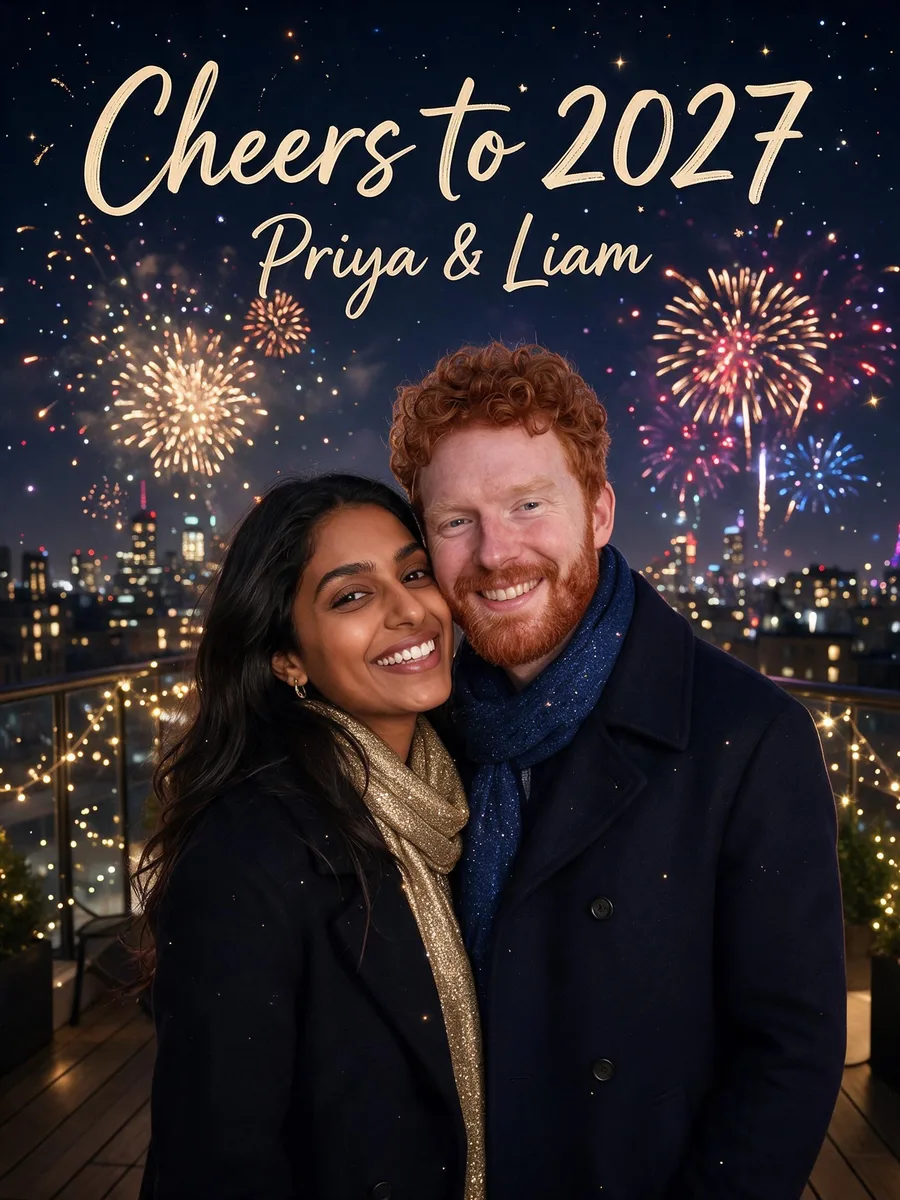 Fireworks · Full photo
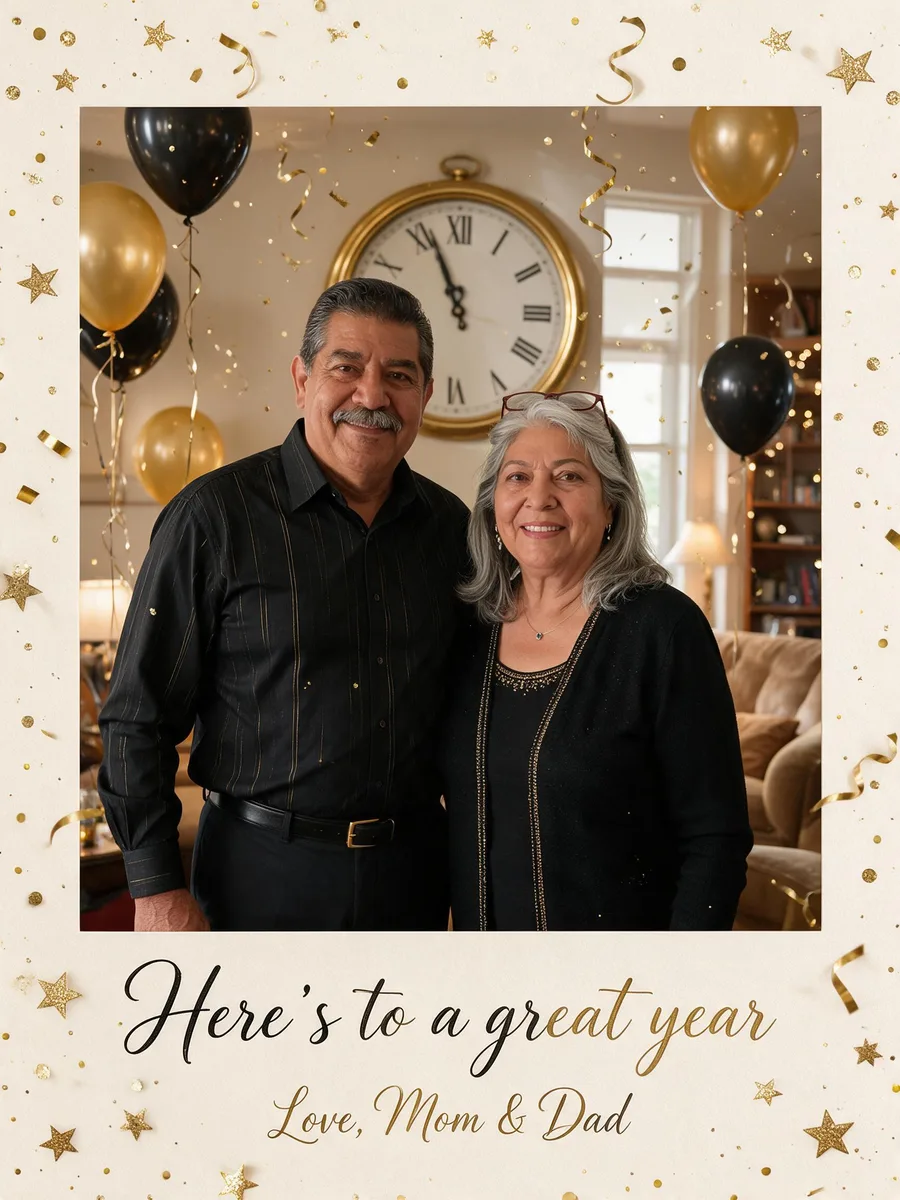 Countdown · Framed
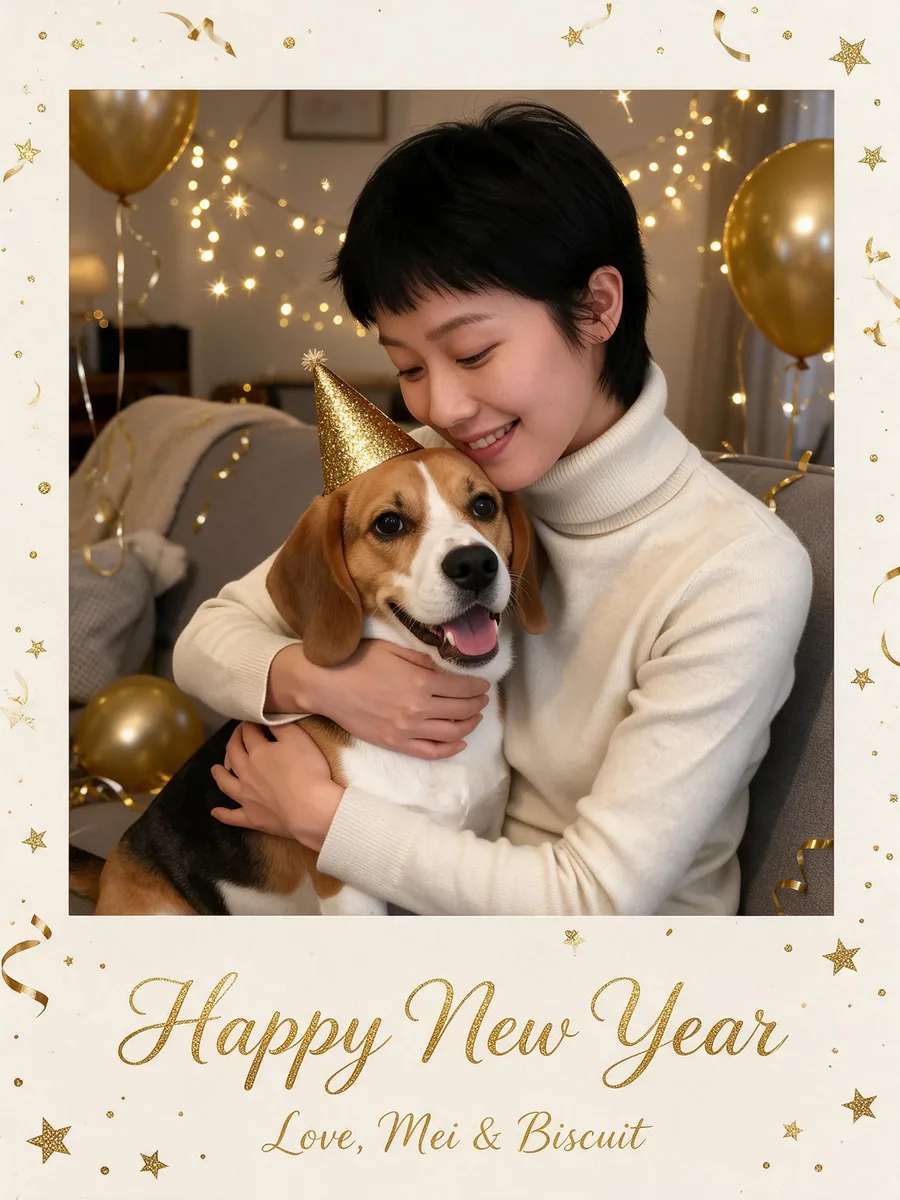 Party with my pet · Framed
The friends' photo went into the champagne toast scene with the Minimal layout, which puts the greeting in a clean band under the picture:
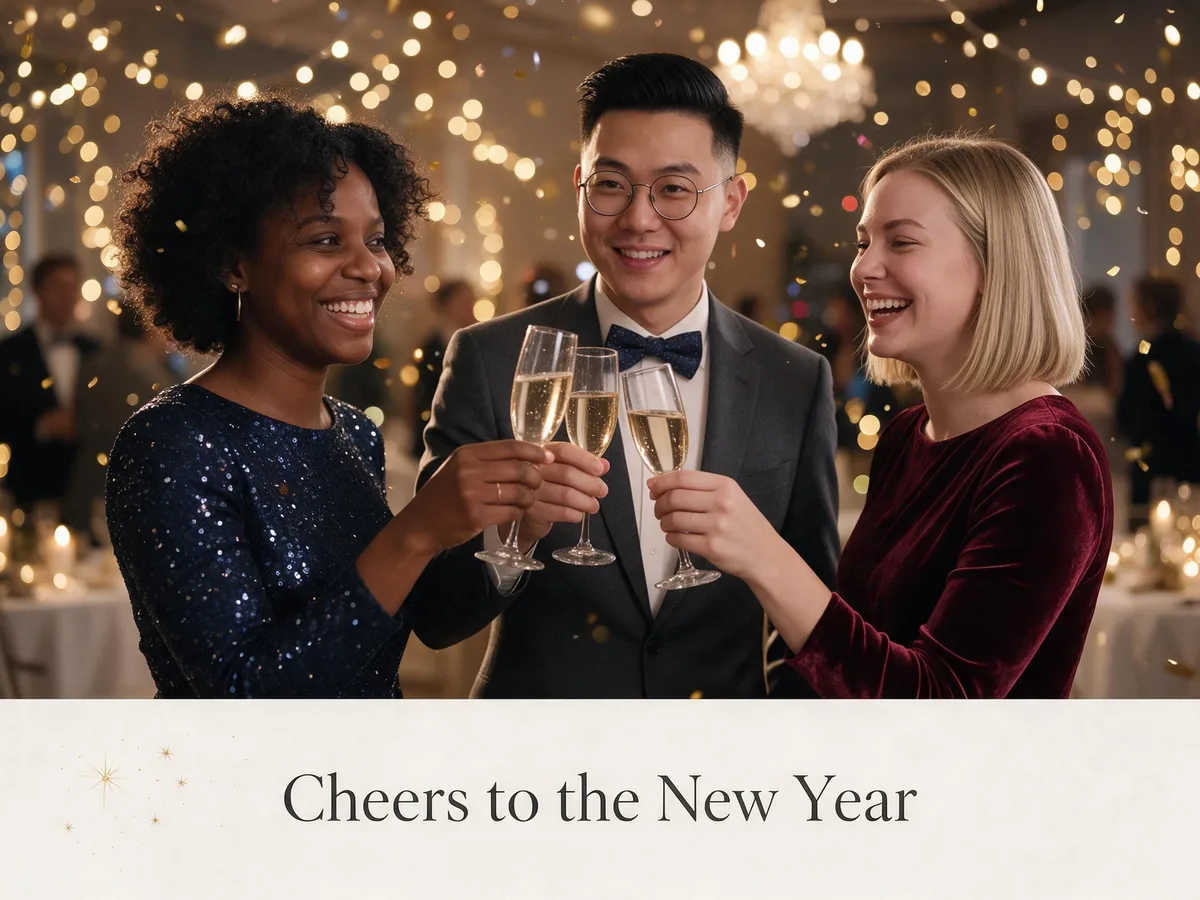
What we checked on every card:
- Faces. All nine adults kept their faces, skin tone, hair and glasses, and the beagle kept its markings. The dad's mustache and the mom's reading glasses on her head both survived.
- Spelling. Every greeting and sign-off came back exactly as typed, including the ampersands in "Priya & Liam" and "Mom & Dad".
- Clothes. Every scene defaults to a seasonal outfit, so the couple got a dark coat and a sparkly scarf and the parents got black and gold. Set Outfit to Keep mine if you want the clothes from your photo.
The prompt the card maker writes for you
You never have to write a prompt, but it helps to see what the card maker sends, especially if you want to design your own card in the photo editor. This is the exact prompt behind the fireworks card:
Turn this photo into a sparkling Happy New Year greeting card: place the people from the photo in a rooftop terrace on New Year's Eve at midnight, a big colorful fireworks display bursting over the city skyline behind. Dress them in an elegant dark wool coat and a softly sparkling scarf. Card design: a full-bleed photo card where the scene fills the whole card edge to edge. Letter the greeting "Cheers to 2027" in large, warm hand-lettered script placed in an empty area of the picture such as the top, never covering anyone's face or body, with a smaller second line "Priya & Liam" under it, both spelled exactly as written, and no other text. Keep all lettering well inside the card with a generous margin from every edge. Keep every person exactly the same: same face and features, skin tone, hairstyle, glasses and age, with a natural, happy expression. Sparkling, celebratory and joyful, well lit, no logos.
Three lines do most of the work: the greeting in quotation marks with "spelled exactly as written, and no other text", the margin rule that keeps letters from being trimmed when you print, and the "keep every person exactly the same" line that protects faces.
What should you write in a New Year card?
Short greetings print best: a headline of two to six words and a smaller line with names. Putting the year in the headline ("Cheers to 2027") dates the card nicely. Some lines to borrow:
- Short and bright: "Happy New Year", "Cheers to 2027", "Hello, 2027", "Here's to a great year"
- For family: "Love and luck in the year ahead", "Wishing our family a happy, healthy year", "Another year of us"
- For friends: "Thanks for another great year", "More adventures in 2027", "To good friends and new memories"
- Funny: "New year, same snacks", "Resolution: more naps", "We survived 2026"
- For coworkers and clients: "Thank you for a great year together", "Best wishes for the year ahead"
- From the pet: "Happy New Year from the good boy", "Love, Biscuit (and Mei)"
The card maker has its own list of messages under the workspace, each with a button that drops it straight onto your card.
Lunar New Year, nengajo and Seollal cards
Not everyone's New Year starts on January 1. Lunar New Year 2027 falls on February 6, the start of the Year of the Goat, and the card maker has a whole group for it: red lanterns, a reunion dinner, plum blossoms and lucky red envelopes. Japanese nengajo scenes include a shrine visit, kotatsu at home and the first sunrise, and the Seollal group covers a hanok courtyard, tteokguk and the yut game.
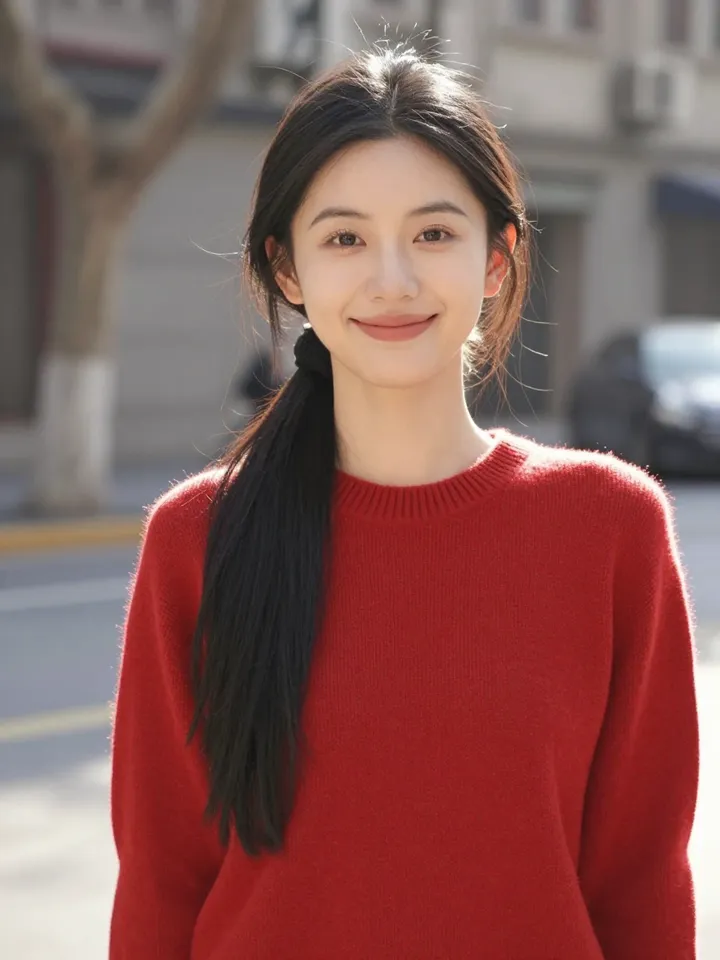 Before
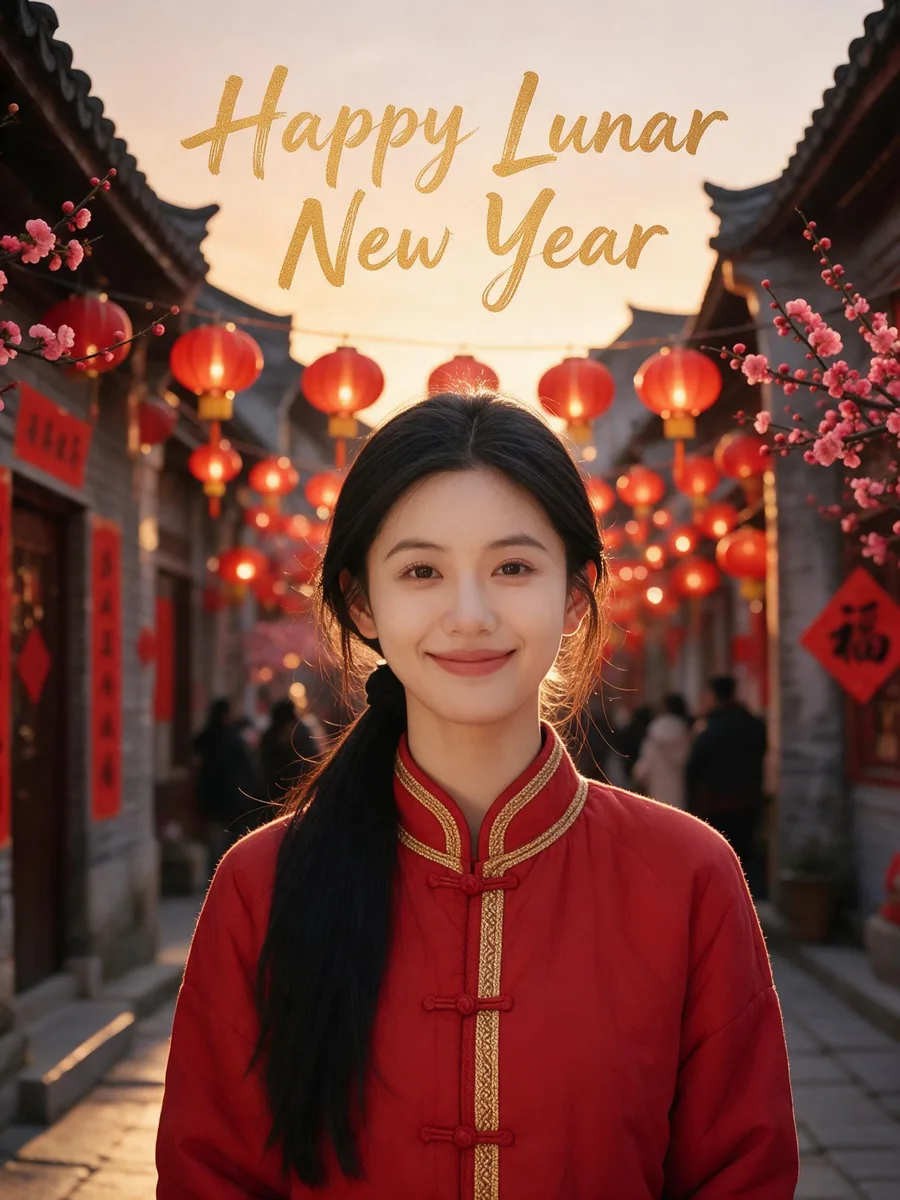 Red lanterns · Full photo
You can type the greeting in Chinese, Japanese or Korean as well as English, and the page's own nengajo and Lunar New Year examples print greetings in those scripts. For Japanese cards, pick the Hagaki size, the standard postcard format nengajo are printed on.
How to print and send your card
An HD card comes back at about 1,700 by 2,300 pixels for a 5×7 shape, which covers a 5×7 inch print at full photo quality; Standard (1K) is fine for phones and a 4×6 print. When you download, the card maker offers 5×7 and 4×6 print files. Order one test print before a big batch, and use matte or linen card stock if you want it to feel like a real greeting card.
For a card that moves, the card maker can turn the result into a 5-second video with soft fireworks and drifting gold confetti for 185 credits, which is a nice thing to send at midnight. If you made a Standard card and want it bigger later, the image upscaler set to Upscale only enlarges it without redrawing the lettering.
FAQ
How much does a New Year card cost?
One HD card is 72 credits and one Standard card is 36 credits. You can make 1, 2 or 4 at once, the button shows the total before you start, and if a card fails to generate the credits go back to your balance. There's no subscription.
Will everyone's faces stay the same?
That's what the card maker is built for, and in our test all nine faces did. Clear, well-lit faces that take up a good part of the photo work best; in a big group photo each face is small and more likely to soften.
Can I put people from different photos on one card?
Yes. Add up to 3 more photos next to the main one and everyone ends up together in the same scene, which is handy for family who live far apart.
Can I make a New Year card with my pet?
Yes. Pick "Party with my pet" and the pet gets a small gold party hat on the sofa. If only the pet is in the photo, write the sign-off as if the pet sent it.
Can the greeting be in another language?
Yes. Type it in any language you like; it's printed as you type it. Keep it short, around 50 characters or fewer, for the cleanest lettering.
When should I send New Year cards?
Anytime from Christmas week through the first days of January. Many people send them late in December so they arrive right around January 1, or share them digitally at midnight on New Year's Eve.