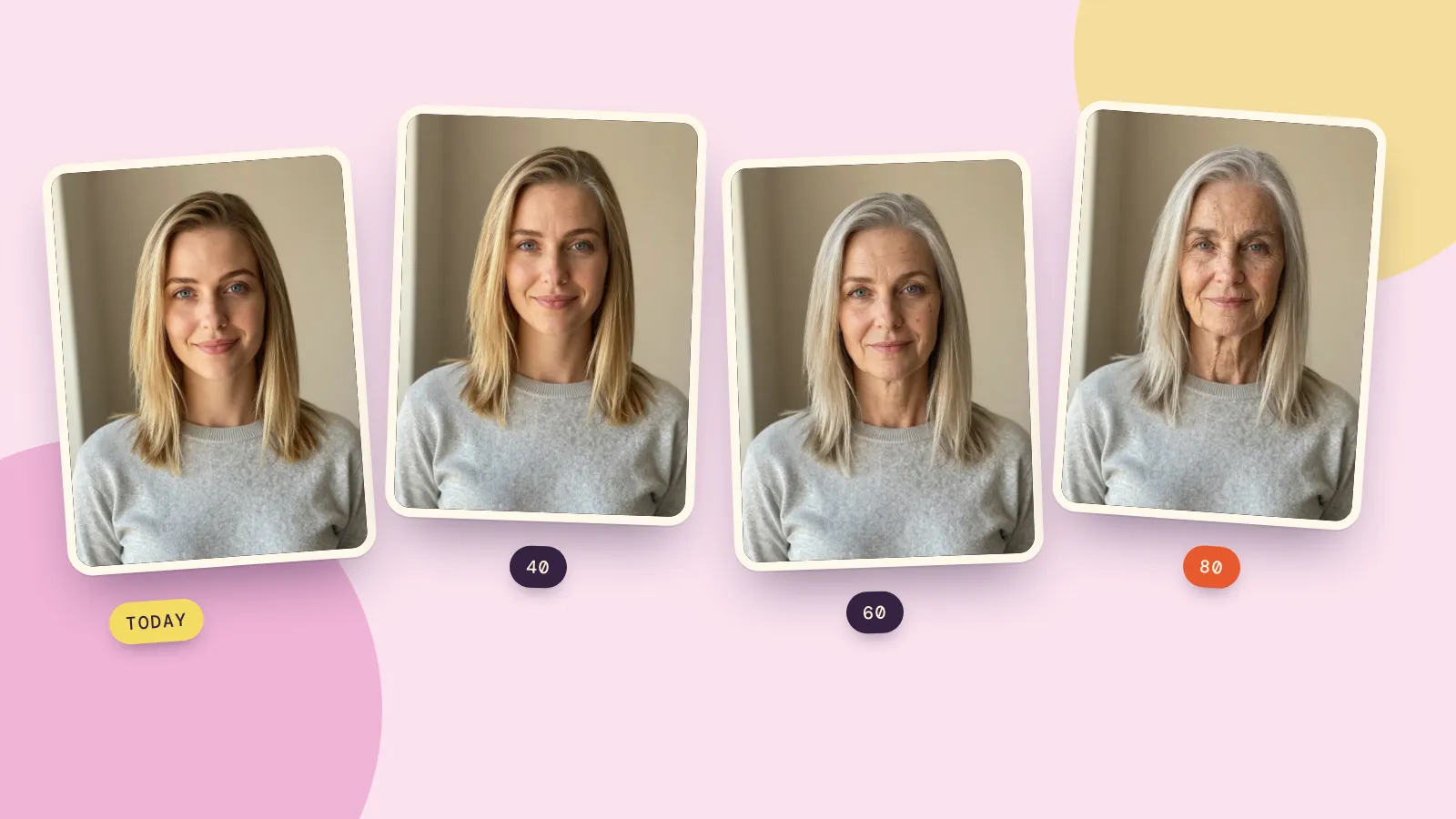
No one can know exactly what you'll look like when you're older, but an AI age filter gives a convincing preview. Upload one clear photo, pick an age, and it redraws the same face with the wrinkles, skin texture, hairline and gray hair that are typical at that age, while your eyes, face shape and expression stay yours. On PopNow's AI age filter one age costs 48 credits, and the 40 / 60 / 80 set makes all three pictures in one go for 144 credits.
Treat what you see as a likely look, not a forecast. How a real face ages depends on genes, sun, smoking, sleep and weight, and none of that is in a photo. Here's what the filter did with one face on October 17, 2026, how to try it yourself, and how to read the result.
One face at 40, 60 and 80
We used a portrait of a made-up woman in her mid-twenties (generated for this test, so she's nobody real) and ran the age filter with its "3 ages" option and default settings: Natural strength, Natural gray hair, Standard quality.
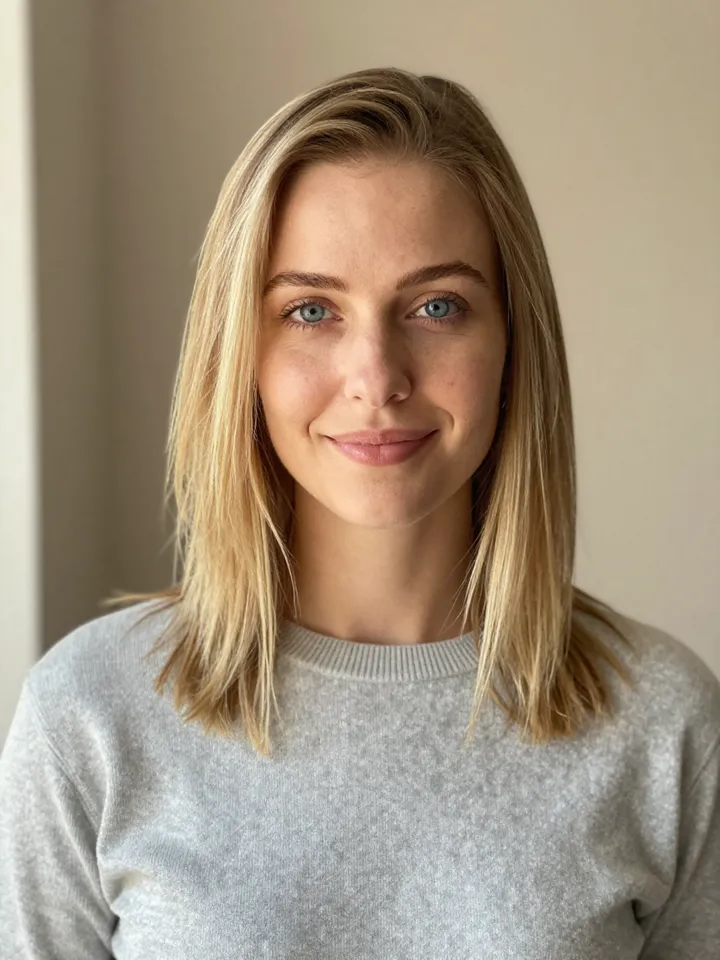 Original
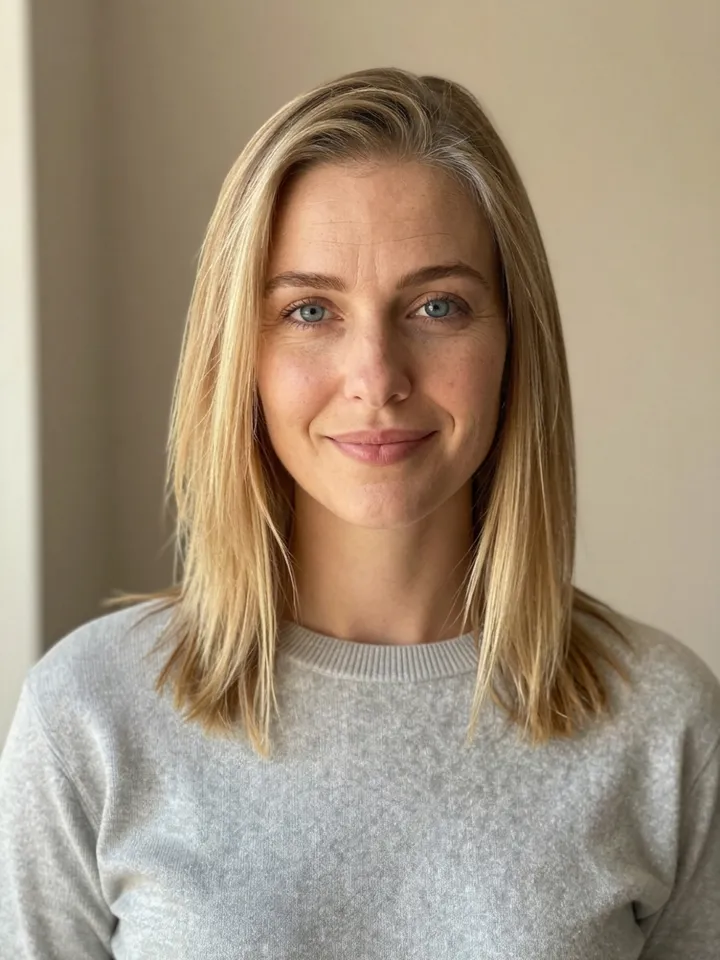 At 40
At 40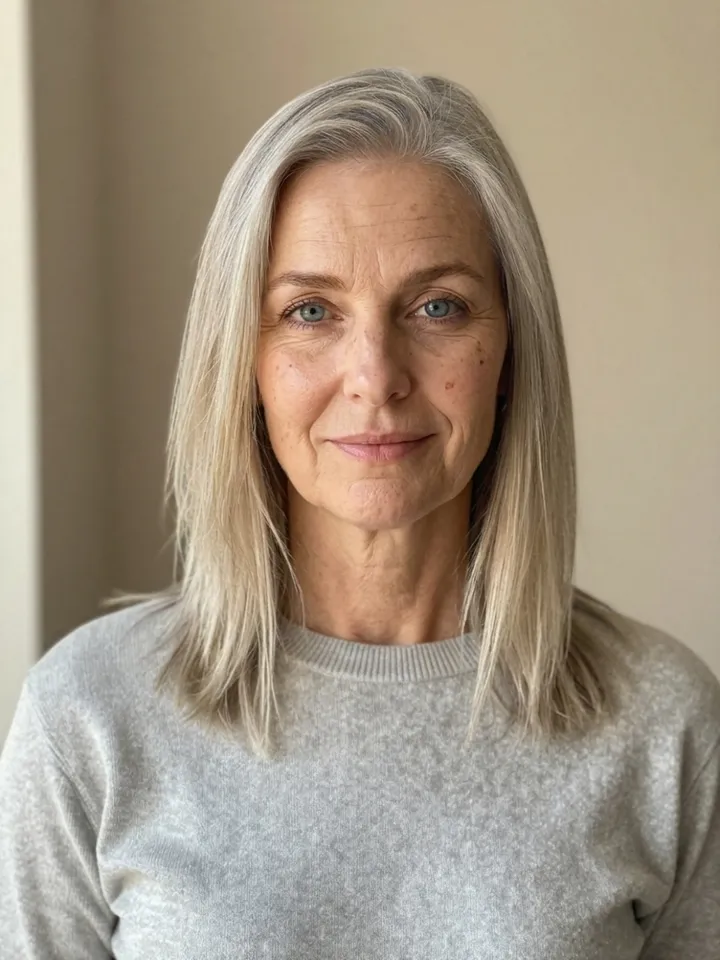 At 60
At 60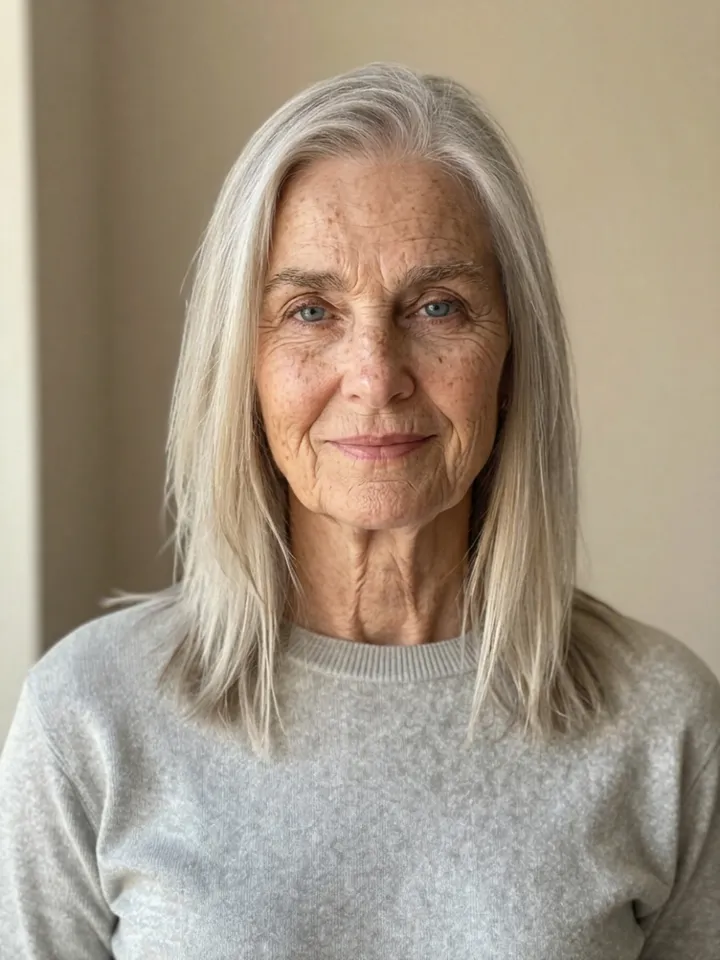 At 80
At 80What stayed the same in all three: the blue eyes, the shape of the nose and lips, the freckles, the parting of her hair, the sweater, the background and the light. That's what makes it feel like her and not a stranger.
What changed, and how believable it is:
- At 40 the change is subtle: crow's feet, softer skin under the eyes, faint forehead lines and barely any gray. Next to the original it reads as the same woman fifteen years on.
- At 60 the hair turned silver-blonde, the lines from nose to mouth deepened and age spots appeared. The jawline softened slightly.
- At 80 the skin is thin and deeply lined, the neck has aged as much as the face, and the hair is silver-white and finer. It's the most dramatic step and the one where the model has to guess most.
How to see what you'll look like when you're older
- Use a recent, clear photo. One person, face clearly visible and roughly toward the camera, soft even light. A head-and-shoulders shot works best. Heavy filters and beauty retouching confuse the result.
- Open the age filter and upload the photo.
- Pick an age, or "3 ages". Single ages are 20s, 30s, 40, 50, 60, 70 and 80. "3 ages" makes 40, 60 and 80 together.
- Set the hair and strength. Natural gray lets your hair age, Keep my color keeps your current shade as if you dye it, and Silver-white goes all the way. Strength (Subtle, Natural, Strong) sets how far the change goes.
- Press the button. It reads "Age me" for one age and "Make all three" for the set, with the credits shown before you start.
- Optional: make an aging video. With one age picked, turn on Make an aging video. Kling 3.0 starts from your photo and ends on the older version in one smooth 5-second shot, for 336 credits on top of the photo.
How accurate is an AI age filter?
It's good at the things most faces have in common and blind to what makes yours different.
- What it gets right. Aging follows broad patterns: skin gets thinner and drier, lines form where you smile and frown, cheeks and jawline soften, hair grays and thins. The model has seen countless faces at every age, so it applies these patterns convincingly to yours.
- What it can't know. Sun exposure and smoking are among the biggest outside causes of wrinkles, and genes decide a lot about graying and hair loss. A photo shows none of that, so the filter assumes an average life. Someone who wears sunscreen every day will probably age more gently than the preview; a lifelong smoker may age faster.
- Strength changes the story. The Subtle, Natural and Strong settings are three plausible versions of the same person. None of them is "the real one."
If you want a closer guess, look at your parents' and grandparents' photos at the same ages. Family resemblance is still the best predictor available, and you can compare it with what the filter shows.
Fun ways to use it
- Side by side with a parent. Age yourself to the age your mother or father is now and put the two photos together.
- A time capsule. Save your 40 or 60 version and compare it with the mirror when you get there.
- Characters and stories. Show the same made-up character across decades for a story, a comic or a game.
- The other direction. The filter also goes younger, back to your 20s and 30s (never below adulthood), and the gender filter uses the same one-photo approach. For a sharper, cleaner portrait of you today, there's the AI headshot generator.
FAQ
What will you look like when you are older?
The most realistic preview is an AI age filter run on a clear, recent photo: it shows your own face at 40, 60 or 80 with typical aging. It's a likely look, not a prediction; your genes, sun exposure and habits will shape the real result.
How much does AI age progression cost?
On PopNow one age costs 48 credits at standard quality, and the 40 / 60 / 80 set costs 144 credits. There's no subscription, the price shows on the button before you start, and a run that fails is refunded.
Can the age filter make me look younger?
Yes, back to your 20s or 30s. It won't go below adulthood, so it can't show you as a child or teenager.
Can I see myself at 80?
Yes. 80 is the oldest age in the filter, and it's part of the "3 ages" set with 40 and 60.
Does it work on photos of other people?
It works on any clear face, but use your own photo or one of someone who said yes. Glasses, beards and hats are kept as they are.