If you are searching for how to get Sora 2 today, OpenAI says the Sora web and app experiences have been discontinued. As of October 29, 2026, the practical route for making a new clip is to choose another video model; you can explore those on PopNow's video model comparison page. PopNow does not provide Sora and is not affiliated with OpenAI.
Can you still get Sora 2?
OpenAI's Help Center article, What to know about the Sora discontinuation, checked October 29, 2026, gives April 26, 2026 as the web and app closure date and September 24, 2026 as the API closure date. A message such as Sora 2 not available in my country may bring you here, but the current closure is broader than a regional rollout.
Older access guides describe a different period. OpenAI's September 30, 2025 announcement, Sora 2 is here, described an initial iOS rollout in the U.S. and Canada, invited access on the web, an initial offering at no charge subject to limits, and Sora 2 Pro access for ChatGPT Pro users. We read that announcement on October 29, 2026; it now carries a discontinuation notice. Those historical details are not current account, age, country or plan eligibility instructions.
For existing creations, the current Help Center notice describes an export route at the Sora sunset page and an email when the export is ready. Check what remains available in your own account; do not assume indefinite storage. Downloading old work and generating a new video are separate tasks.
How do you use a Sora-style prompt on PopNow?
- Open the video generator. Keep the text-to-video mode and select a model. MiniMax H3 is the site's starting recommendation; our test below uses its 768p setting.
- Describe one scene, one action and one camera move. A cat turning toward a lighthouse beam gives the model a clearer task than a complete story with several locations.
- Choose 5 seconds and 16:9 for this landscape example. Check resolution and the displayed price before generating; models do not share the same settings or billing.
- Generate, watch the whole clip, and download the version you want. Inspect the subject at the start, middle and end before spending on another take.
If you have never made a clip, our beginner's AI video guide explains how to plan the first shot. Keep your original prompt in a note so that changing models does not also change the creative brief.
What happens with the same prompt on different models?
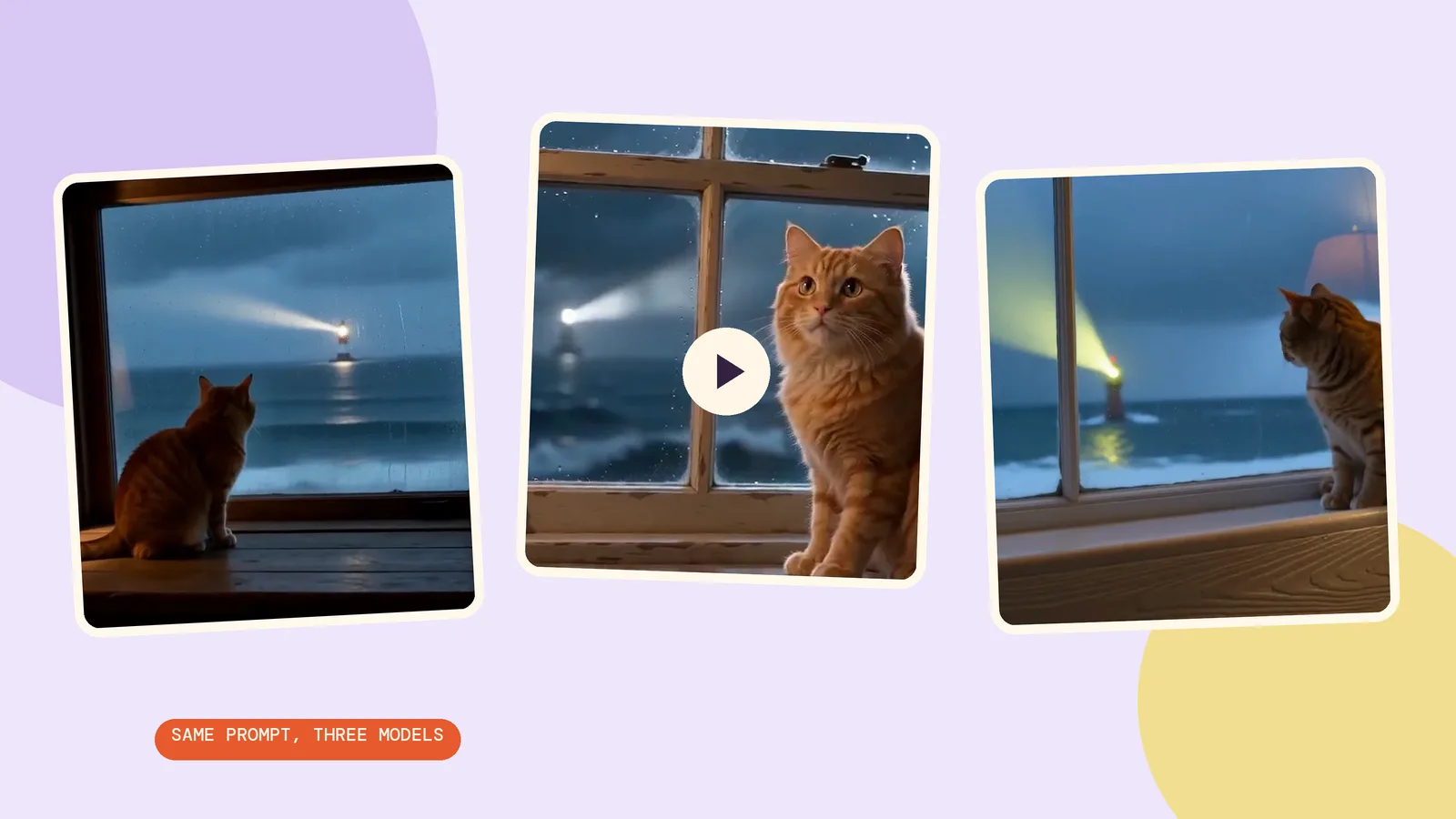
We ran the exact English prompt below on MiniMax H3, Seedance 2.0 Mini and Kling 3.0 on October 29, 2026. These are three new text-to-video samples, not Sora outputs. Each is 5 seconds in 16:9; resolutions differ, so this is a practical workflow comparison rather than a controlled image-quality benchmark. For more choices, use Compare.
1. MiniMax H3 at 768p
This run costs 185 credits. Watch the relationship between the indoor warmth, moving sea and cat before judging the sharpness of a single paused frame. A convincing scene needs those parts to move together.
A ginger cat sits on a broad wooden windowsill inside a cozy lighthouse room at twilight, watching a storm over the ocean through the window. The cat slowly turns its head toward a distant lighthouse beam while rain runs down the glass. The camera makes a gentle push-in. Warm amber lamplight inside, cool blue-gray waves outside. One continuous cinematic shot. No people, no text, no logos.
2. Seedance 2.0 Mini at 480p
This version costs 124 credits. We explicitly disabled audio. Compare the framing and head movement first: a different composition can be more useful than extra pixels when you are still deciding what the scene should show.
A ginger cat sits on a broad wooden windowsill inside a cozy lighthouse room at twilight, watching a storm over the ocean through the window. The cat slowly turns its head toward a distant lighthouse beam while rain runs down the glass. The camera makes a gentle push-in. Warm amber lamplight inside, cool blue-gray waves outside. One continuous cinematic shot. No people, no text, no logos.
3. Kling 3.0 at 720p
Kling's settings here cost 336 credits. The prompt is unchanged, including the request for a gentle push-in. Check whether the camera movement helps you see the cat, and whether the lighthouse beam remains part of the same believable space.
A ginger cat sits on a broad wooden windowsill inside a cozy lighthouse room at twilight, watching a storm over the ocean through the window. The cat slowly turns its head toward a distant lighthouse beam while rain runs down the glass. The camera makes a gentle push-in. Warm amber lamplight inside, cool blue-gray waves outside. One continuous cinematic shot. No people, no text, no logos.
How do you start from an image instead?
- Prepare a landscape image with the composition you want. We generated this fictional cat scene with Seedream 5.0 Flash at 2K, 16:9, on October 29, 2026, costing 29 credits.
- Switch the generator to its image-to-video mode, add that image, and select MiniMax H3 with 768p and 5 seconds.
- Describe only the movement you need. The prompt card below keeps the same scene brief; add the source image yourself when recreating this image-to-video example.
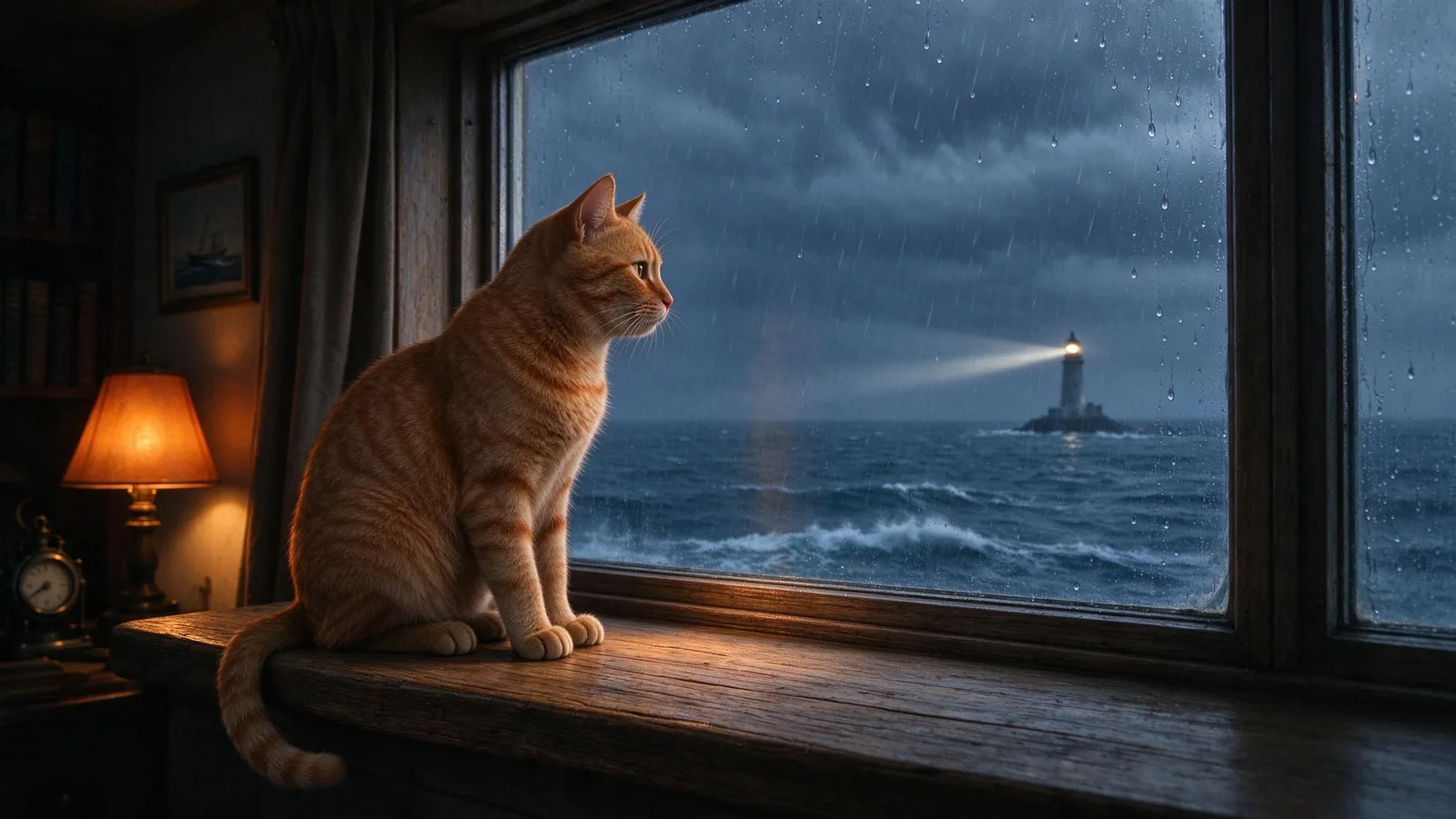
The animation costs 185 credits in addition to the source image. Supplying an image anchors the opening composition, but it does not guarantee every detail will remain unchanged through the final frame. Check the window edges, tail and horizon as well as the cat's face.
A ginger cat sits on a broad wooden windowsill inside a cozy lighthouse room at twilight, watching a storm over the ocean through the window. The cat slowly turns its head toward a distant lighthouse beam while rain runs down the glass. The camera makes a gentle push-in. Warm amber lamplight inside, cool blue-gray waves outside. One continuous cinematic shot. No people, no text, no logos.
FAQ
Is Sora 2 free now?
There is no current Sora consumer generation service to use. OpenAI's launch announcement described an initial no-charge offering with limits, but its current discontinuation notice supersedes that access guidance. Check the service status before treating any old plan description as an offer.
Why can I not get Sora 2 in my country?
OpenAI's current notice describes closure of the web and app experiences, not simply exclusion of one country. Changing your region is not a solution to a discontinued service.
Can I use Sora 2 on Android?
The current OpenAI notice covers the app experience as discontinued. We cannot recommend an Android installation as a working route to Sora 2 generation today.
Which alternative is closest to Sora 2?
There is no single closest model for every scene. Start with the action you need, compare the same prompt, and judge motion, framing and any audio separately. None of the clips here was generated by Sora.
How much is a first PopNow clip?
Our 5-second MiniMax H3 text example at 768p costs 185 credits. The selected model, resolution and duration determine the price; read the generation button before starting another run.