To make an AI video, write a short description of one shot (who is in it, what they do, how the camera moves and what it sounds like), choose a video model and press Generate. A 5-second clip comes back in about a minute. On PopNow the default model, MiniMax H3, makes a 5-second clip with sound for 28 credits. If you want to decide exactly how the first frame looks, start from a picture instead of text; that's called image to video.
That's the whole process. The rest of this guide is about the part that decides whether the clip is good: what to write, which of the two starting points to use, and what to expect. We made both kinds of clip from the same scene on October 17, 2026, and both are on this page with the exact prompts.
Two ways to make an AI video
| Text to video | Image to video | |
|---|---|---|
| You give it | A written description | A picture plus a description of the motion |
| Best when | You have an idea but no picture | You need a specific face, product, outfit or framing |
| You control | The story and the camera | The exact look of the first frame |
| Watch out for | The model choosing details for you | Motion that has to start from that exact pose |
Most beginners should start with text to video. It's the fastest way to learn what a model does with your words. Switch to image to video when the look matters: your own product, a character you already designed, or a photo you want to bring to life.
How to make an AI video from text
- Open the video generator. It opens on Generate with MiniMax H3 selected, at 768p, 16:9 and 5 seconds.
- Write one shot. Describe the subject, the action, the camera and the sound in one paragraph. One or two actions fit in five seconds; a whole story doesn't.
- Pick the shape. 16:9 for YouTube and laptops, 9:16 for phones, 1:1 for feeds.
- Check the price on the button and press Generate. The button shows the exact credits before you start. If a clip fails, the credits go back.
- Watch, then adjust one thing. If the camera did something odd, change only the camera sentence and run it again. Changing everything at once makes it hard to learn what helped.
This is the prompt we used, written in the shape that works:
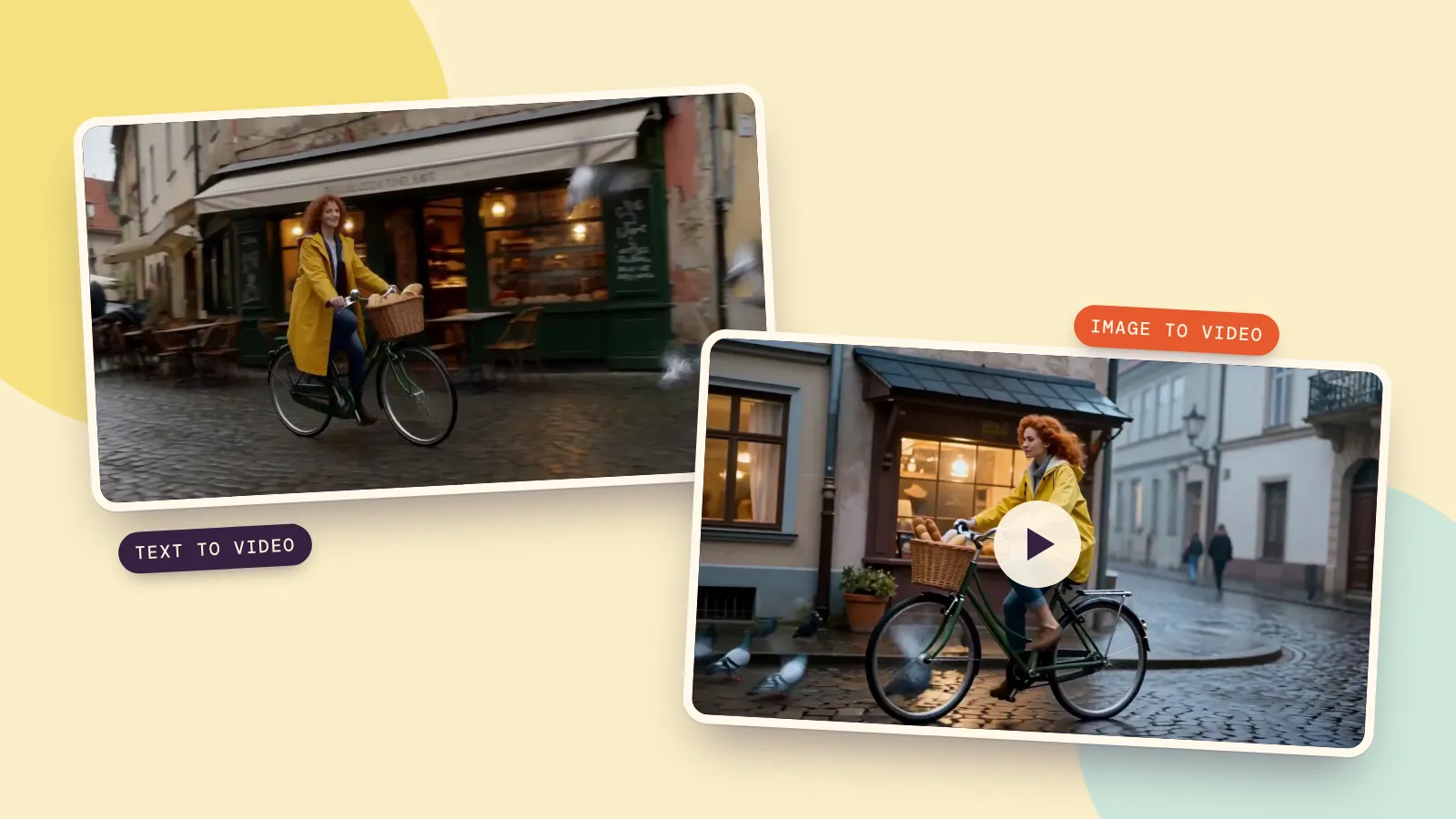
Early morning on a wet cobblestone street in an old European town. A woman in her late twenties with curly red hair and a yellow raincoat rides a vintage green bicycle with a wicker basket of bread past a small bakery with warm glowing windows. She rings the bell and smiles as a few pigeons take off from the stones in front of her. Camera: a smooth side tracking shot that keeps pace with her. Sound: the bicycle bell, tires on wet stones, fluttering wings and a quiet town waking up.
And this is what came back, 32 seconds after we pressed Generate:
What it got right: the raincoat, the bike, the bread basket, the glowing bakery and the wet stones, plus a soundtrack. What it changed: she rides toward the camera at first instead of passing sideways, and the lettering on the bakery awning is nonsense. Both are typical. Models treat camera directions as suggestions, and they still can't write signs reliably inside a video. If a shop name matters, start from an image where the sign is already right.
How to make an AI video from a picture
- Get your first frame. Use a photo you took, or make one in the image generator. We made ours from a one-paragraph description of the same scene.
- Open the video generator and add the picture. Choose From a photo and drop it in as the Start frame. The video's shape now follows the picture.
- Describe only the motion. The picture already shows who and where, so the prompt only needs what happens next, how the camera moves and the sound.
- Generate. With MiniMax H3 a 5-second clip costs 28 credits, the same as text to video.
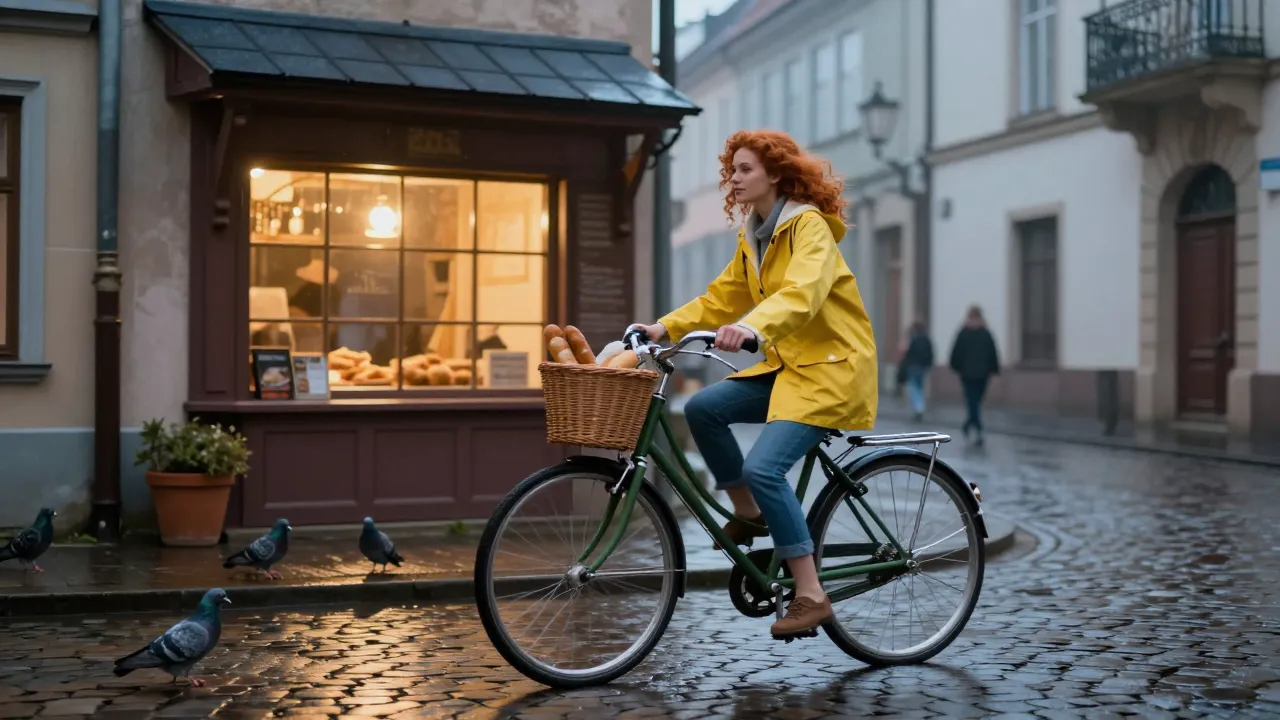
The motion prompt we used: "She keeps pedaling along the wet cobblestones, rings the bicycle bell and smiles; the pigeons in front of her take off into the air. The camera tracks smoothly alongside her." The clip came back in 46 seconds:
This time the camera did track alongside her, a pigeon took off right in front of the wheel, and her face, hair and coat match the still exactly from the first frame to the last. That's the real advantage of image to video: the model doesn't have to invent the look, so it spends its effort on the motion.
How to write a prompt for an AI video
A good video prompt reads like one clear paragraph from a director, not a list of keywords. Four parts, in this order:
- Subject. Who or what, with two or three details that matter: "a woman in her late twenties with curly red hair and a yellow raincoat".
- Action. One or two things that happen in five seconds: "rings the bell and smiles as pigeons take off".
- Camera. One move: tracking shot, slow push-in, static wide shot, handheld close-up. If you don't know the words, the Camera button under the prompt box has a dozen ready-made moves to pick from.
- Sound. Name the sounds you want to hear. Models that make audio follow this surprisingly well.
Three habits that save credits: keep each clip to one shot, describe what you want rather than what you don't, and change one thing at a time between runs.
Which model to use, and what it costs
PopNow has dozens of video models, and the model library lists every one with examples. For a first video, these three cover most needs:
- MiniMax H3, the default. Good motion and sound with no settings to think about: 28 credits for 5 seconds at 768p.
- Seedance 2.0 Mini at 480p, for quick drafts while you work out a prompt: 19 credits for 5 seconds.
- Kling 3.0, when you want 1080p or 4K and very natural movement; see its model page for the price at each resolution.
Need more than one shot? Make each shot as its own clip, then join them, or keep a clip going with Extend, which picks up from the last frame. If you'd rather start from a single sentence and get a finished, edited video with several shots, a voice-over and music, that's what the AI video maker is for: it writes the plan, makes each shot and cuts them together.
FAQ
Can I make an AI video for free?
On PopNow you pay per clip in credits, with no subscription. A 5-second MiniMax H3 clip costs 28 credits, and a 5-second Seedance 2.0 Mini draft at 480p costs 19 credits, so a cheap 480p draft is the low-cost way to test a prompt before you pay for a sharper version. If a generation fails, the credits go back to your balance.
How long does it take to make an AI video?
Our two 5-second clips took 32 and 46 seconds. Longer clips, higher resolutions and busy times take longer; a few minutes is normal.
Can I make an AI video from a picture of myself?
Yes. Add the photo as the Start frame and describe the motion. Use a photo of yourself or of someone who agreed to it, with the face clearly visible.
Do AI videos have sound?
Many models now make sound with the picture. MiniMax H3 added the bell, the tires and the street noise on its own from our prompt. Other models, like Kling and Seedance, let you switch sound on or off.
How long can an AI video be?
Most models make 5 to 10 seconds per clip, and some go up to 15 or more. For longer videos, make several clips and join them, or extend one clip a few seconds at a time.