


Music video skill
Music video storyboard planner
Bring your lyrics, tempo and section timings. Poppie maps the intro, verses, chorus and bridge to visual sections, places cuts on the bar lines and helps you make keyframes and clips section by section on Canvas.
Opening the skill asks you to choose a Canvas project. The plan comes first; keyframes and clips are quoted per section before you confirm, starting with the chorus.

What you get
- A song map: each section with its start time, length in bars and energy level.
- A visual rule per section, such as slow close shots in verses and wide, faster cuts in the chorus.
- Cut points on the bar lines, with shot lengths worked out from the tempo.
- Keyframes and clips planned and quoted section by section on your Canvas.
What to bring
- Your lyrics and the tempo in BPM, written as text.
- The start time of each section: intro, verse, chorus, bridge and outro.
- A visual concept and an aspect ratio: 16:9 for video, 9:16 for shorts.
From song map to shots
Illustrations made by PopNow to show the format. They are not recorded results of the skill.
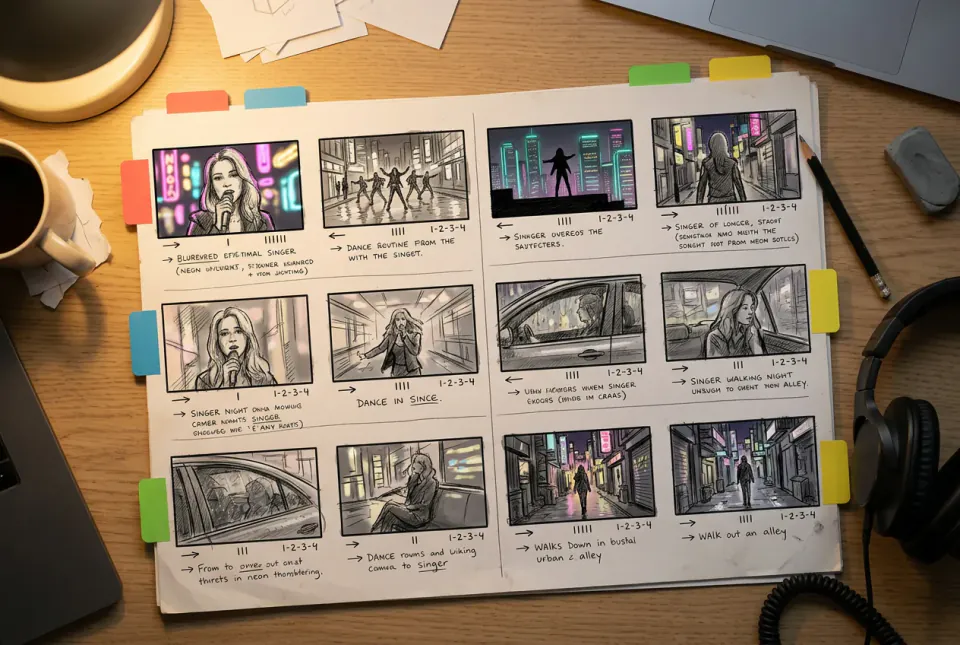

How the skill works
Map the song
From your text, Poppie writes each section's start time, length in bars and energy level, so the visuals follow the shape of the song.
Give each section a rule
Verses get slow moves and close shots; the chorus gets wide shots, faster cuts and a brighter palette. The bridge breaks the pattern.
Cut on the bars
Cut points sit on bar lines. At 120 BPM one bar lasts two seconds, so a four-bar shot runs eight seconds, and clips are made to those lengths.
How to storyboard a music video
Start from the song's structure
Write down every section with its start time: intro, verse one, pre-chorus, chorus, verse two, bridge, final chorus and outro. The storyboard follows this map, not the order in which shot ideas come to you.
Turn tempo into shot lengths
Divide 60 by the tempo to get the seconds per beat, then multiply by four for one bar in 4/4 time. At 100 BPM a bar lasts 2.4 seconds; at 128 BPM it lasts 1.875. Plan shots in whole bars so every cut lands on the beat.
One visual rule per section
Viewers feel the structure when each section looks different. Keep verses intimate and slow, open up the chorus with wide shots and quicker cuts, and use the bridge for a change of location, colour or perspective.
Make the chorus first
The chorus repeats and carries the most energy, so that is where the budget matters most. Generate its keyframes and clips first, reuse its look for the repeats, then fill in the verses.
Keep the performer consistent
If one singer or character appears throughout, make a character turnaround first and reuse it for every keyframe. Avoid copying a real artist's likeness or a famous video's signature shots.
Questions about music video storyboards
Does the skill listen to my song?
No. Bring the lyrics, tempo and section timings as text. The skill plans the visuals and cut points from that information; it does not analyse audio or sync a finished edit automatically.
How do I find the start time of each section?
Play the song in any audio player and note when each section begins, to the second. If you know the tempo, Poppie converts those timings into bars for you.
How many clips does a music video need?
A three-minute video can need twenty or more clips. Plans are quoted per section, and starting with the chorus lets you see the look before you commit to the rest.
Can I make a vertical music video?
Yes. Ask for 9:16 for shorts and reels, or keep the default 16:9 for a full video. The section plan and the cut points work the same way.
What does it cost?
The plan itself uses normal chat pricing. Keyframes and clips are charged per section and quoted before you confirm anything.