


Shot list template
Shot list template, with a worked example
Copy a ready-to-use shot list template, then see how a two-person dialogue becomes six purposeful shots, before you spend credits on images or video.
Opening the skill only prepares a draft. Sending it uses normal Poppie credit pricing; later media generation is a separate, approved step.
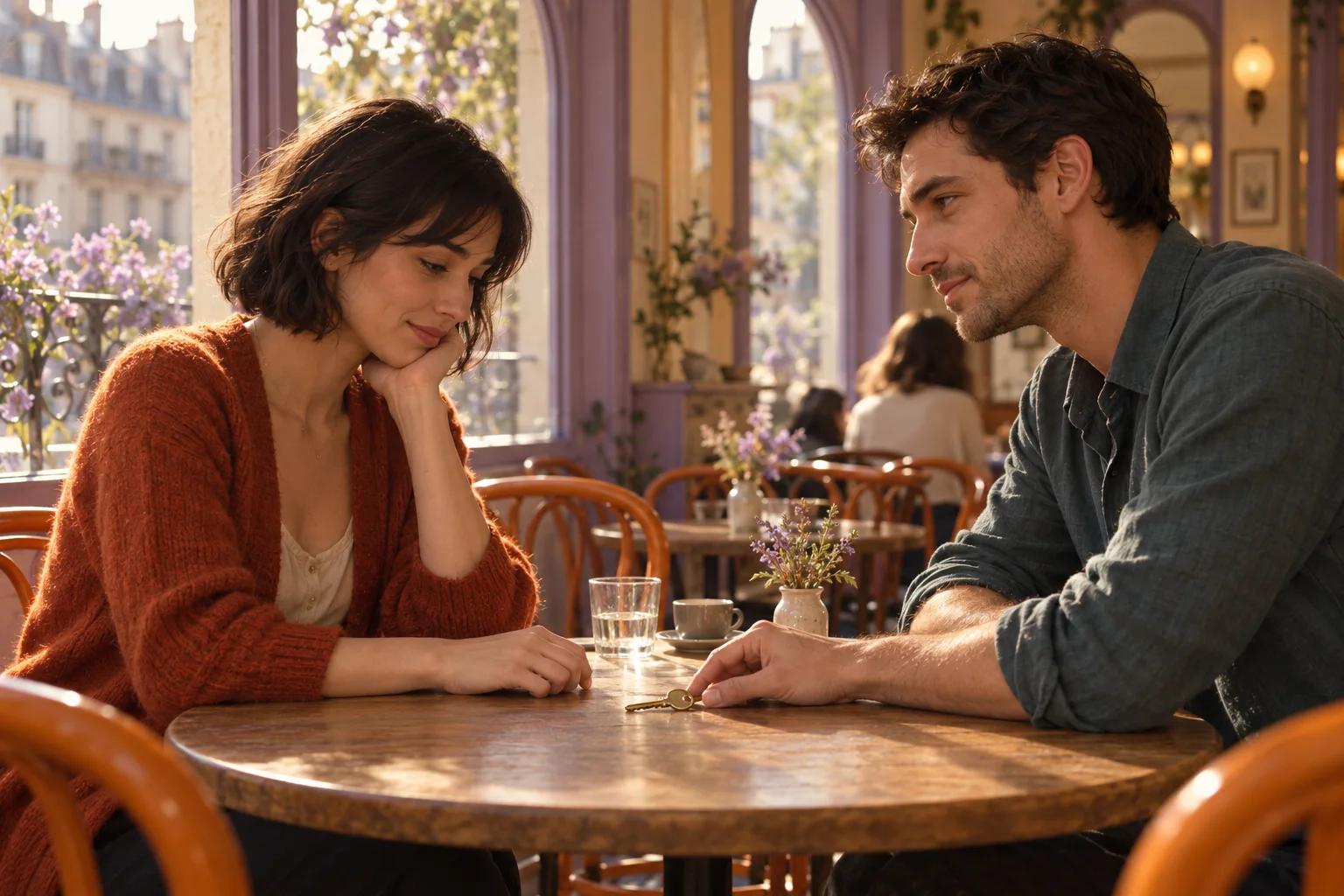
An illustration inspired by the example below. It is not a result from running this skill.
A plan you can actually review
This skill produces a written coverage plan in the conversation. It does not generate footage, draw a storyboard or edit your project.
- A scene intention and a clear position for each speaker.
- An ordered table of shots, lines, eyelines and reasons to cut.
- Continuity checks, estimated timing ranges and one suggested test shot.
Blank shot list template
Copy these columns into a doc or spreadsheet and fill one row per shot. The worked example below shows how each column is used.
| Shot | Line or action | Framing | Eyeline | Why cut here | Continuity check | Estimate | Setup |
|---|---|---|---|---|---|---|---|
| 01 | |||||||
| 02 | |||||||
| 03 |
Worked example: the spare key
Illustrative example, written by PopNow to explain the format. This is not a recorded AI result; your output will vary.
Example input
Plan a roughly 25-second conversation between two fictional adults, Lina and Noah, seated opposite each other at a café table. Lina is on screen left, Noah on screen right. A window is behind them; keep every camera on the entrance side of their shared axis. Noah holds a spare key in his right hand. Tone: tentative reconciliation. Preserve these lines:

Lina: “You kept the key?”
Noah: “I thought you might come back.”
Lina looks at the key without speaking. Noah slides it toward her.
Lina: “Not for the room. For the garden.”
Noah: “Then let’s start there.”

Return a written shot list with framing, eyelines, edit reasons, continuity checks and approximate duration ranges. Do not generate images or video.
Keep the camera on one side
Lina looks right; Noah looks left. A shows both people, B and C follow each speaker, and D follows the key. The dashed line is the shared axis.
Example output: six shots, four setups
Proposed geography: Lina stays screen left looking right; Noah stays screen right looking left. A is the shared view, B favours Noah, C favours Lina and D is the key insert. All four remain on the entrance side.
| Shot | Line or action | Framing | Eyeline | Why cut here | Continuity check | Estimate | Setup |
|---|---|---|---|---|---|---|---|
| 01 | Lina: “You kept the key?” | Wide two-shot, static | Lina right; Noah left | Establish both people and the key before isolating a face. | Key remains in Noah’s right hand. | 3–5 s | A |
| 02 | Noah: “I thought you might come back.” | Over Lina’s shoulder, medium on Noah | Noah toward screen left | The reply reveals his hope; give him the frame. | Lina’s shoulder stays at the left edge; key not yet moved. | 4–6 s | B |
| 03 | Lina looks down; hold the silence. | Close-up on Lina | Right, then down to the key | Stay with the listener as the meaning lands. | She stays seated; do not add a new line. | 2–3 s | C |
| 04 | Noah slides the key toward Lina. | Insert of hand and key | Faces out of frame | The hand offers what Noah cannot yet say. | Same right hand; one slide from Noah toward Lina. | 3–4 s | D |
| 05 | Lina: “Not for the room. For the garden.” | Medium close-up on Lina | Lina toward screen right | Her answer changes what the key means. | Key is now near Lina; shoulders match shot 03. | 4–6 s | C |
| 06 | Noah: “Then let’s start there.” | Return to the wide two-shot | Both turn toward each other | Share the frame again as they find common ground. | Key stays near Lina; neither person changes seats. | 3–5 s | A |
These ranges total about 19–29 seconds. They are planning estimates, not measured performance or a promise of a 25-second final cut.
Before you shoot or generate
- Keep A–D on the same side of the axis; if a person crosses it, show the crossing or establish the new positions.
- Track the key: Noah’s right hand → one slide → near Lina. Do not reset it in a reverse angle.
- Keep chairs, window direction and seated body positions consistent. Leave room for the silent reaction.
First test: frame setup A with both people and the key visible. Review geography before commissioning the other views.
Make your own dialogue shot list
Bring the scene
Paste your lines or a short outline. Add the location, who sits where, the emotional turn and a rough length.
Review the written plan
Check the camera side, reactions and prop positions. Ask for fewer setups or a slower beat without changing your dialogue.
Use the approved shots
Copy the selected shots into your production notes or Filmmaker. If you want images or clips, request and approve those separately.
Questions about dialogue coverage
What should I provide?
Two speakers and their dialogue are enough to begin. Location, positions, tone and target length make the plan more specific. With only an outline, suggested lines should be separate from your original material.
Is this a storyboard or a finished video?
No. The result is a written shot list with coverage and continuity notes. Image storyboards, footage and editing are separate tasks.
Does opening the example cost credits?
Opening the page and preparing the example do not send a request. Sending it to Poppie uses normal credit pricing. Any later media generation needs its own priced approval.
Will it rewrite my dialogue or fix an exact runtime?
The skill preserves supplied lines unless you ask for changes. Timing is an estimate: delivery, pauses and the edit determine the final length.
Do I need six shots or a Canvas project?
No. Six shots demonstrate this particular scene. Ask for fewer setups if needed; text planning can start directly in Studio without creating a Canvas project.