


Character design skill
Character turnaround sheet maker
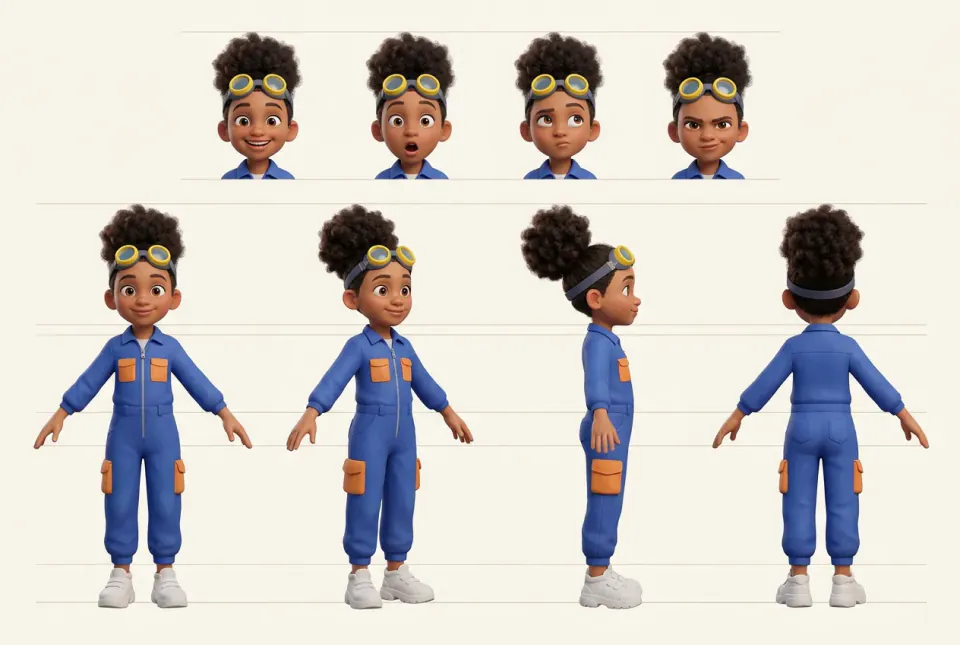
Turn one description, sketch or photo into a clean turnaround: four full-body views at the same scale and a row of expressions, ready to reuse whenever the character appears again.
Opening the skill asks you to choose a Canvas project. Drafts are made with a cheaper model first, and every image step shows its price before you confirm.
What you get
- Front, three-quarter, side and back views of one character, at the same scale and pose.
- A row of expressions you choose, drawn with the same face and lighting.
- A short character spec with three to five locked details, reused in every later prompt.
- An optional 2K or 4K upscale when you want to print or crop the sheet.
What to bring
- A reference photo, a sketch, or a few lines about age range, build, hair and outfit.
- The art style you want: anime, semi-realistic, 3D toy, flat illustration and so on.
- Permission to use any photo of a real person you upload.
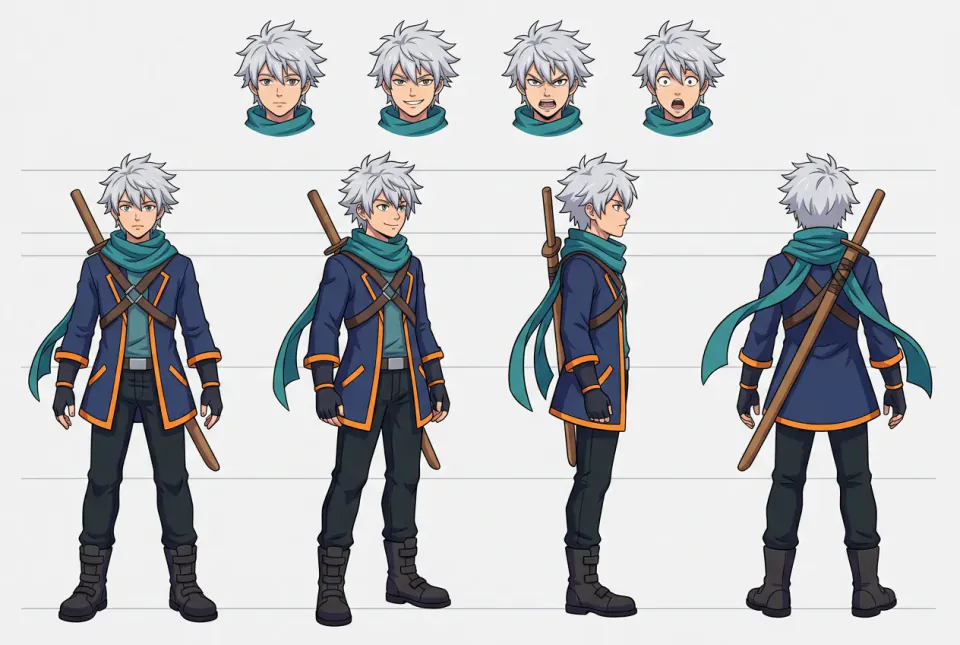
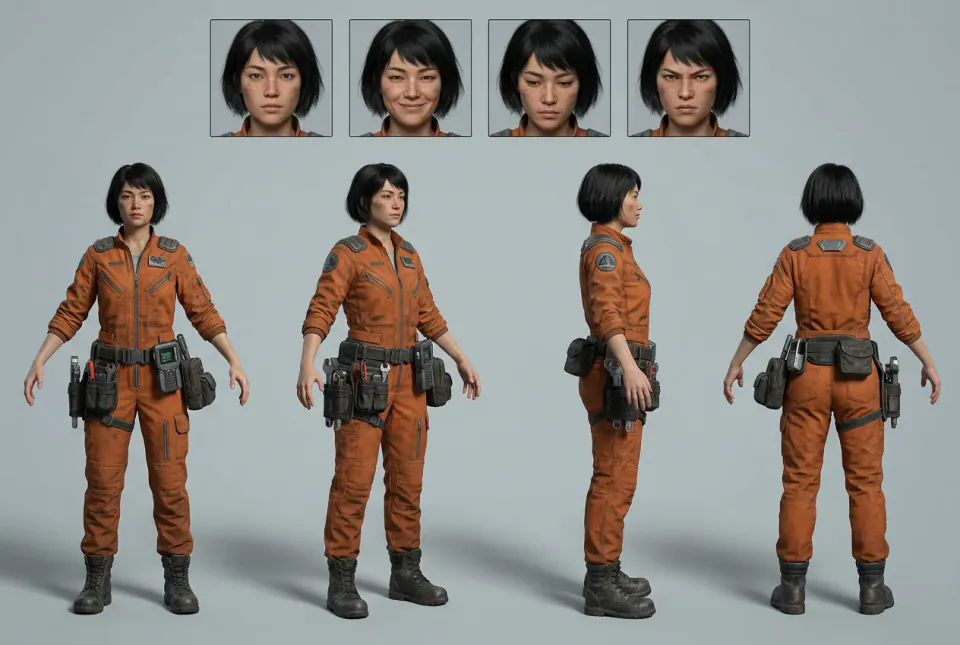
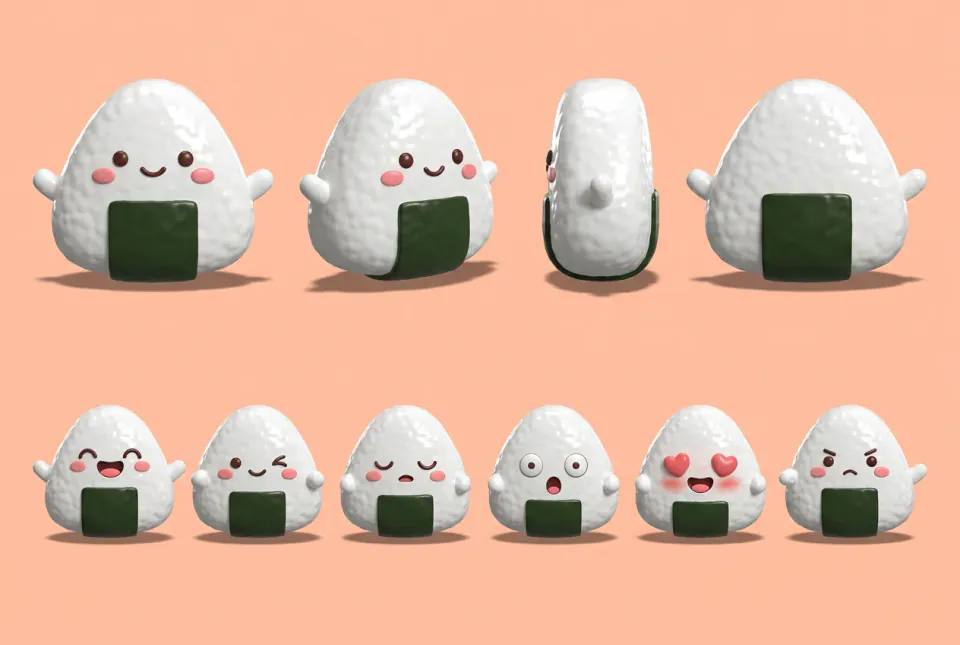
Turnarounds in three styles
Illustrations made by PopNow to show the format. Your sheet depends on your character and settings.
How the skill works
Describe and lock the details
Poppie writes a one-paragraph spec from your notes and picks three to five signature details, such as a yellow scarf or a scar over the left brow. Those words repeat in every prompt.
Pick from two cheap drafts
Two draft sheets with four full-body views are made side by side on a neutral background, so you choose the closest look before spending more.
Add expressions and finish
The chosen sheet becomes the reference for a row of expressions. Upscale only if you plan to print or crop it.
How to make a character turnaround that stays consistent
Why turnarounds matter
A turnaround, also called a model sheet or character sheet, shows one character from several fixed angles. Animators, illustrators and 3D artists use it so the character looks the same in every shot. In AI image and video work it does the same job: when you later generate a scene, the sheet gives the model one clear reference for the face, outfit, colours and proportions.
Choose the views
Front, three-quarter, side profile and back cover most needs. Keep the pose neutral, the arms slightly away from the body and the feet on one ground line so the views line up. Leave props and dynamic poses off the main row; they hide the silhouette you are trying to lock.
Lock signature details in words
Pick three to five details that make the character recognisable and write them the same way every time, for example "short black bob, freckles, orange utility jumpsuit, tool belt on the right hip". Changing the wording between prompts is the most common reason a character drifts.
Expressions come after the body
Generate the expression row only after the full-body views are approved, using the approved sheet as the reference. Four expressions cover most stories: neutral, happy, surprised and determined. Add more if the character speaks on camera.
Use the sheet afterwards
Attach the sheet whenever you generate a new scene, keyframe or video with this character, and repeat the locked details in the prompt. If a result drifts, compare it with the sheet and regenerate instead of fixing many details by hand.
Questions about character turnarounds
What is a character turnaround?
It is a reference sheet that shows the same character from the front, three-quarter, side and back at the same scale, often with a row of expressions. It keeps the design consistent when the character is drawn, animated or generated again.
Can I start from a photo of a real person?
Only if you have permission to use it, and Poppie asks you to confirm before generating. For most stories, an original character described in words or a drawing you made is the safer starting point.
Which art styles work?
Anime cel shading, semi-realistic illustration, 3D toy, clay, flat vector and photoreal 3D all work. Name the style in a few words or add a style reference image; the default is a clean semi-realistic illustration on a light background.
How much does it cost?
Choosing the skill does not spend anything. The skill makes two drafts with a cheaper image model first, then the final sheet and the expression row; every image step shows its price before you confirm.
How do I keep the character the same in videos?
Use the finished sheet as the reference image for keyframes and image-to-video, and repeat the locked details in every prompt. Asset pack builder and Filmmaker can reuse the same sheet across a whole project.