


Product video skill
360 product video from one photo
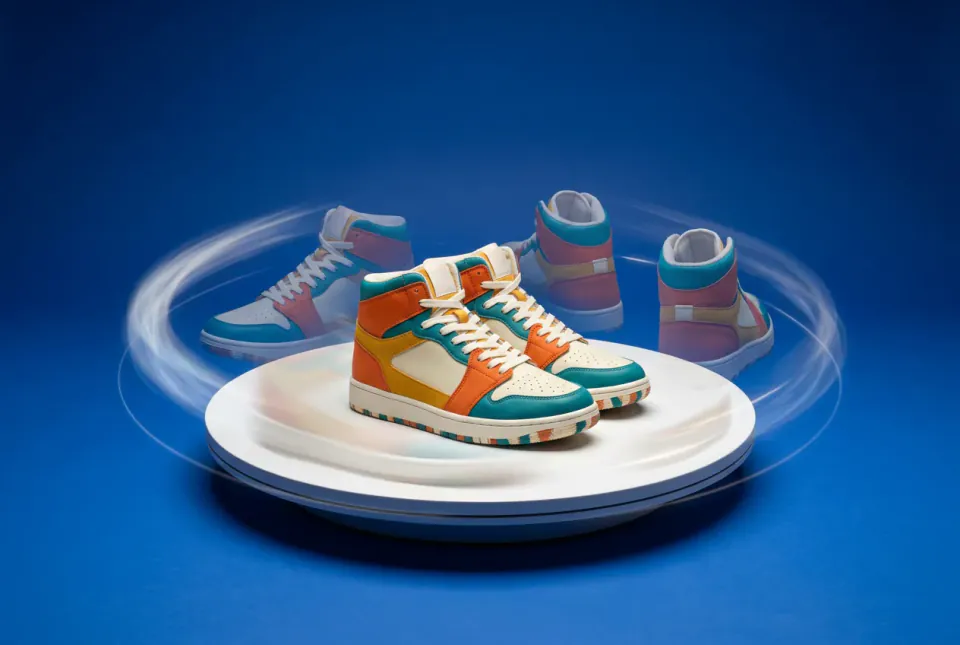
Turn one sharp product photo into a smooth turntable spin for listings, ads and social posts. The product is cut out, placed on a plain studio background and orbited in one short clip.
Opening the skill asks you to choose a Canvas project. The cut-out is checked first so the video charge is not wasted; the orbit clip shows its price before you confirm.
What you get
- A clean cut-out of your product on a plain studio colour you choose.
- One seamless orbit clip that turns the product all the way around.
- A check of the back and the labels before you use the clip.
- The photo, the cut-out and the clip linked left to right on your Canvas, ready to reuse.
What to bring
- One sharp photo with the whole product in frame and nothing covering it.
- A back photo, if the product has a distinctive back side.
- The background colour you want, or leave it to a plain studio tone.
Spins for listings and ads
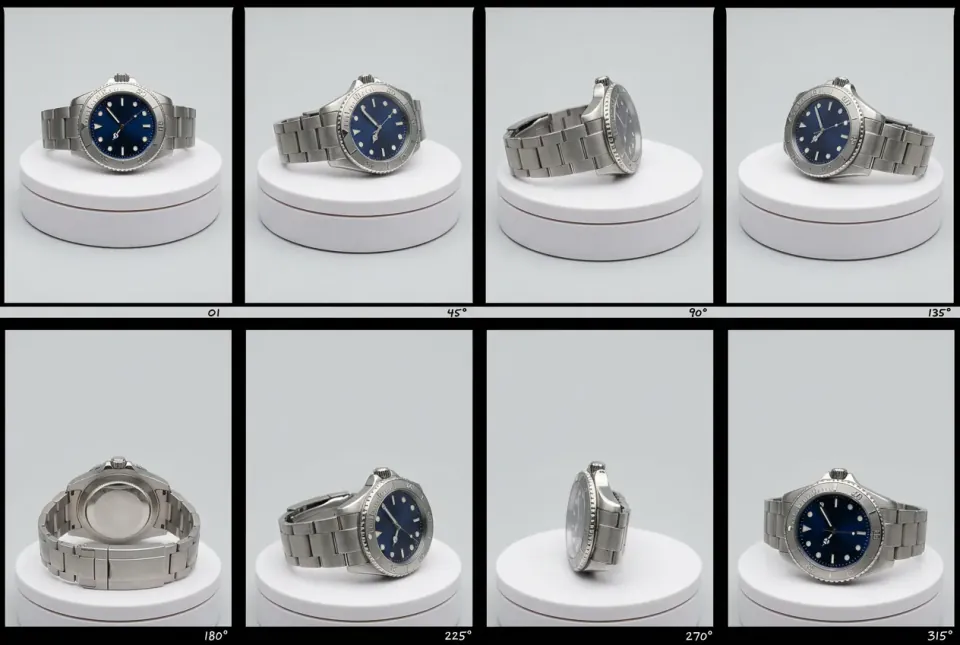
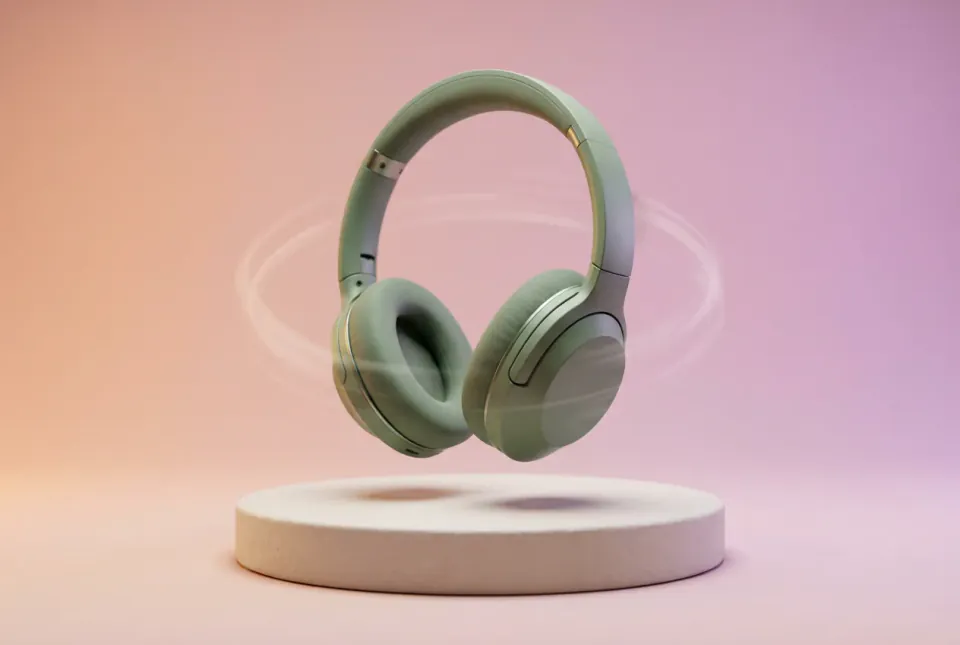
Illustrations made by PopNow to show the format. They are not recorded results of the skill.
How the skill works
Cut out the product
The product is removed from its background and centred on a plain studio colour, with space around it so the spin never clips an edge.
Check before you spend
You confirm the cut-out first. A clean edge now saves a wasted video charge later.
Orbit and review
One orbit clip turns the product all the way around. Check that the back looks plausible and the labels do not warp.
How to get a clean 360 product video
Start with the right photo
Use a sharp, evenly lit photo where the whole product is visible, shot straight on or at a slight angle. Avoid hands, packaging that covers the product and strong reflections; the cut-out and the spin can only be as clean as the source.
The back side is a guess
From a single front photo, the model has to imagine what it cannot see. For bottles, mugs and other simple shapes that guess is usually close. For products with a distinctive back, add a back photo and still check the result closely.
Watch labels and logos
Text and logos can stretch or warp as the product turns. Pause the clip at the side and back views. If a label matters for compliance or brand use, keep the 360 clip for mood and show the label in a still photo.
Plain backgrounds sell
White or light grey suits marketplace listings; a soft colour gradient suits ads and social posts. Keep the background plain so the eye follows the product, not the set.
Where to use the spin
Product pages, the first second of a video ad, a carousel slide or a looping social post. Pair the spin with stills from Product photoshoot or Product in scenes for a complete set.
Questions about 360 product videos
Can I make a 360 product video from one photo?
Yes. The skill cuts out your product, places it on a plain background and makes one orbit clip. Because the back is not in the photo, the model imagines it, so check the result before you publish.
What photo works best?
A sharp, evenly lit photo with the whole product visible and nothing covering it. Simple shapes such as bottles, mugs and shoes give the most reliable spins.
Will labels stay readable?
Not always. Text can warp as the product turns, so review the side and back views, and use a still photo whenever a label must be exact.
Can I choose the background?
Yes. Pick a plain studio colour: white or light grey suits listings, while a soft gradient suits ads and social posts.
What does it cost?
The cut-out is checked before the orbit runs, so the video charge is not wasted. The orbit clip is one video charge, shown before you confirm.