A good Nano Banana photo-editing prompt does two things in two sentences: it says what to change, and it lists what must stay exactly the same. That second sentence is the difference between a clean edit and a model that redraws the whole picture.
Below are nine prompts we ran on two ordinary portrait photos with Nano Banana 2.1, each with the real result. Copy them, swap in your own details and press Try this prompt to open the editor with the prompt already filled in. One edit costs 8 credits at 1K.
The two photos we started with
Every edit below starts from one of these. Both are plain, well-lit portraits, which is the easiest material for an editing model.
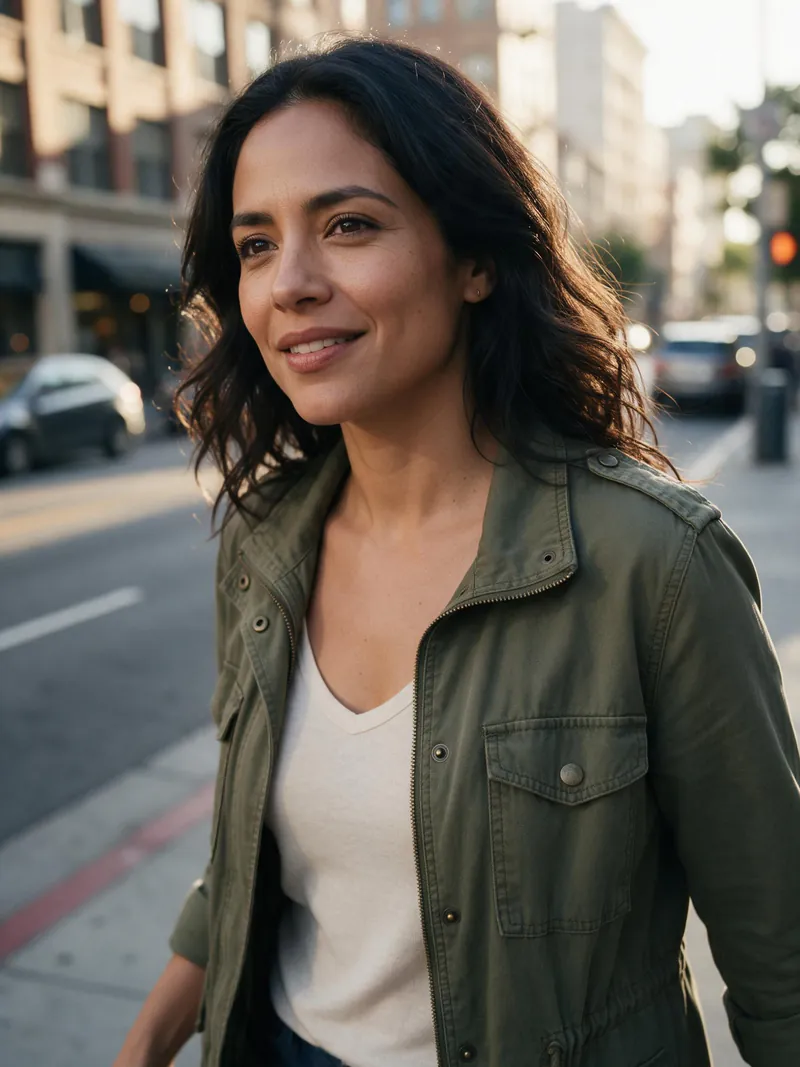 Photo A: street portrait
 Photo B: coffee shop
The pattern behind every prompt
Each prompt follows the same shape:
- One change, in plain words. "Replace her olive jacket with a red wool coat."
- A keep-list. "Keep her face, hair, expression, pose and the street behind her exactly the same."
If you only remember one thing from this page, remember the keep-list. Nano Banana follows it well, and it's the cheapest way to stop faces and backgrounds from drifting.
Change the background
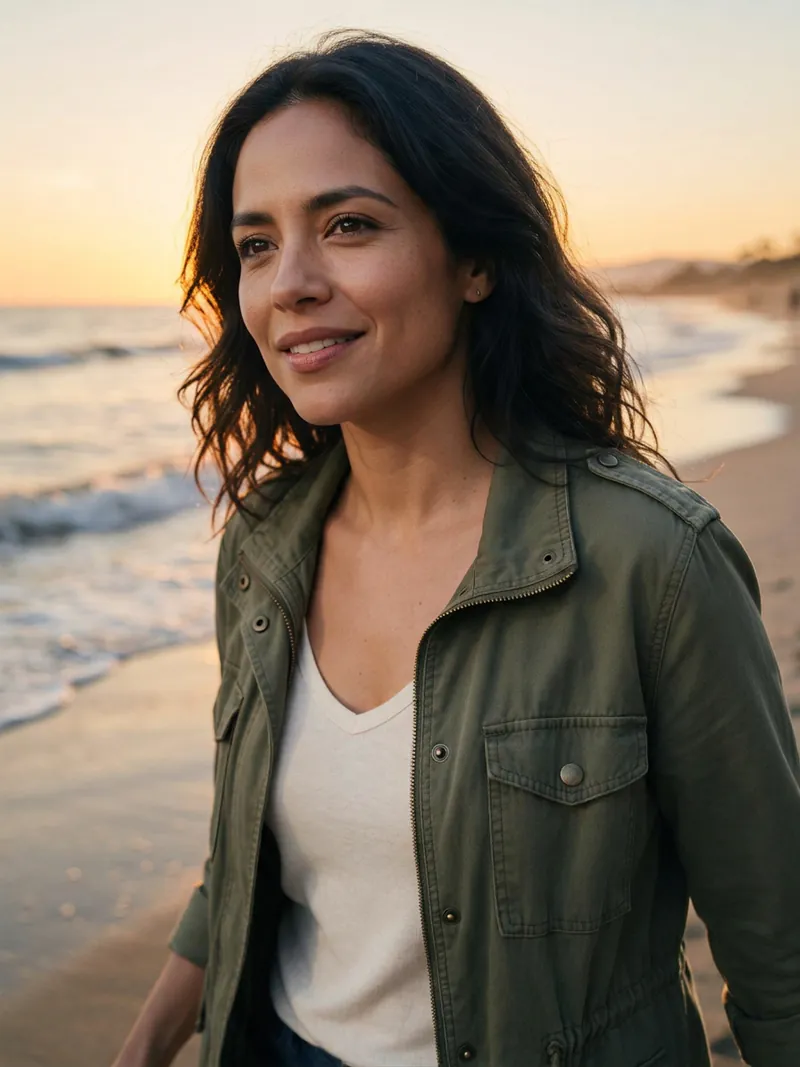
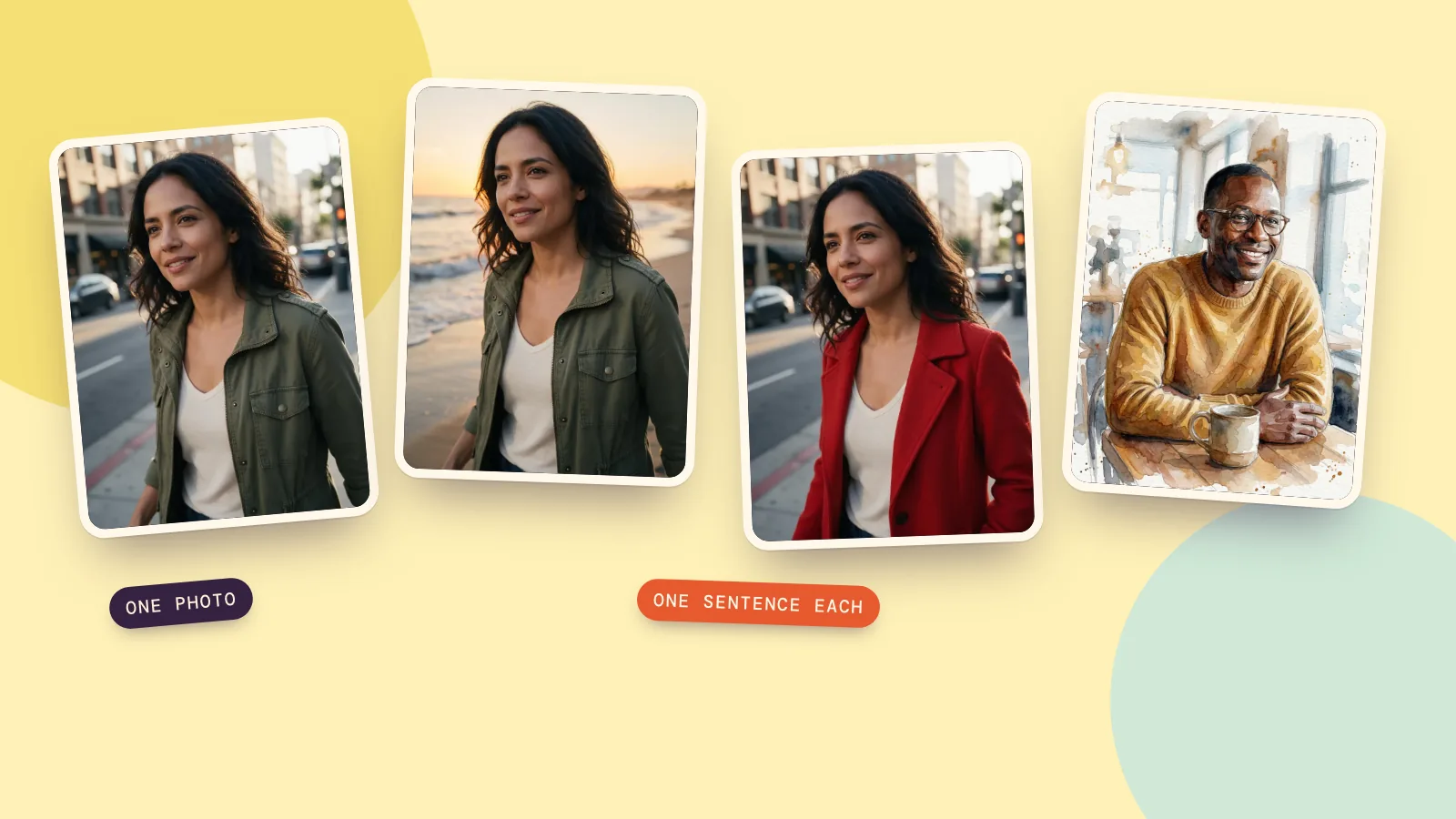
Change the background to a golden-hour beach with soft waves. Keep her face, hair, jacket and pose exactly the same.
The face, hair and jacket are the same as in photo A, and the light on her skin shifted to match the sunset. Name the light ("golden hour", "overcast", "neon at night") and the model relights the person to fit.
Give it a film look
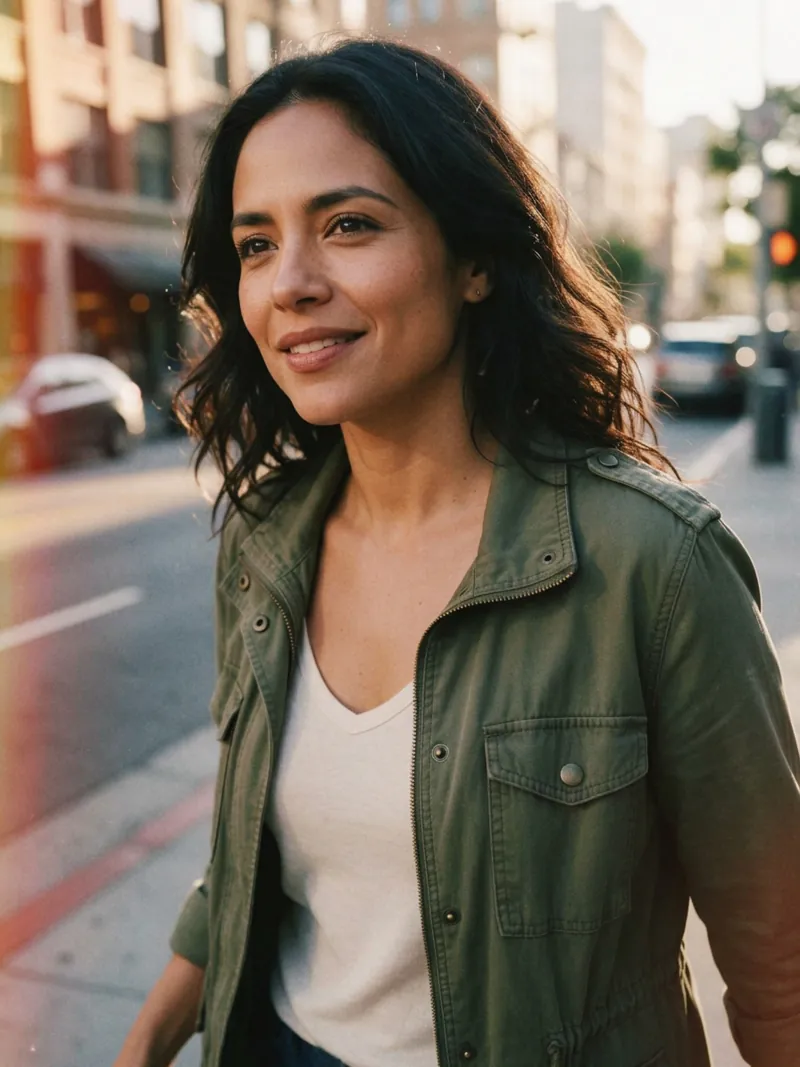
Make this look like a 1990s film photo: visible grain, slightly faded warm colors, a soft light leak on the left edge. Keep the person and the composition exactly the same.
Nothing moved; only the look changed. Be specific about the effect you want ("light leak on the left edge") because "vintage" alone gives a different result every time.
Change an outfit
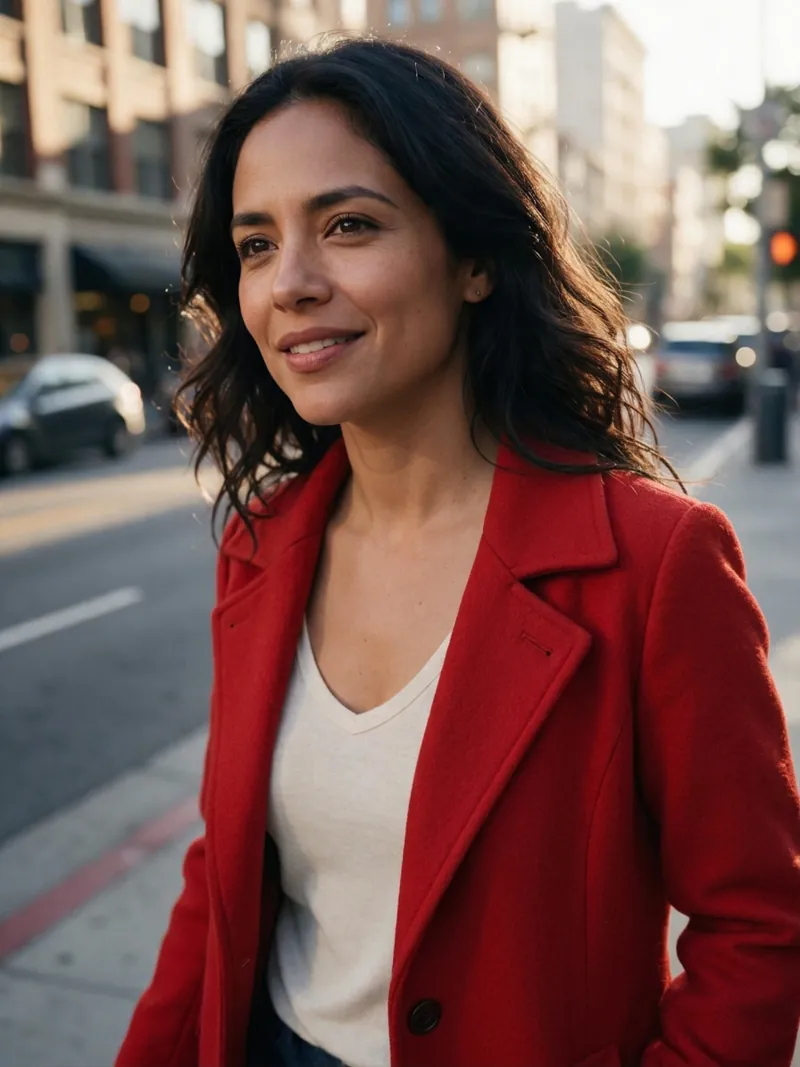
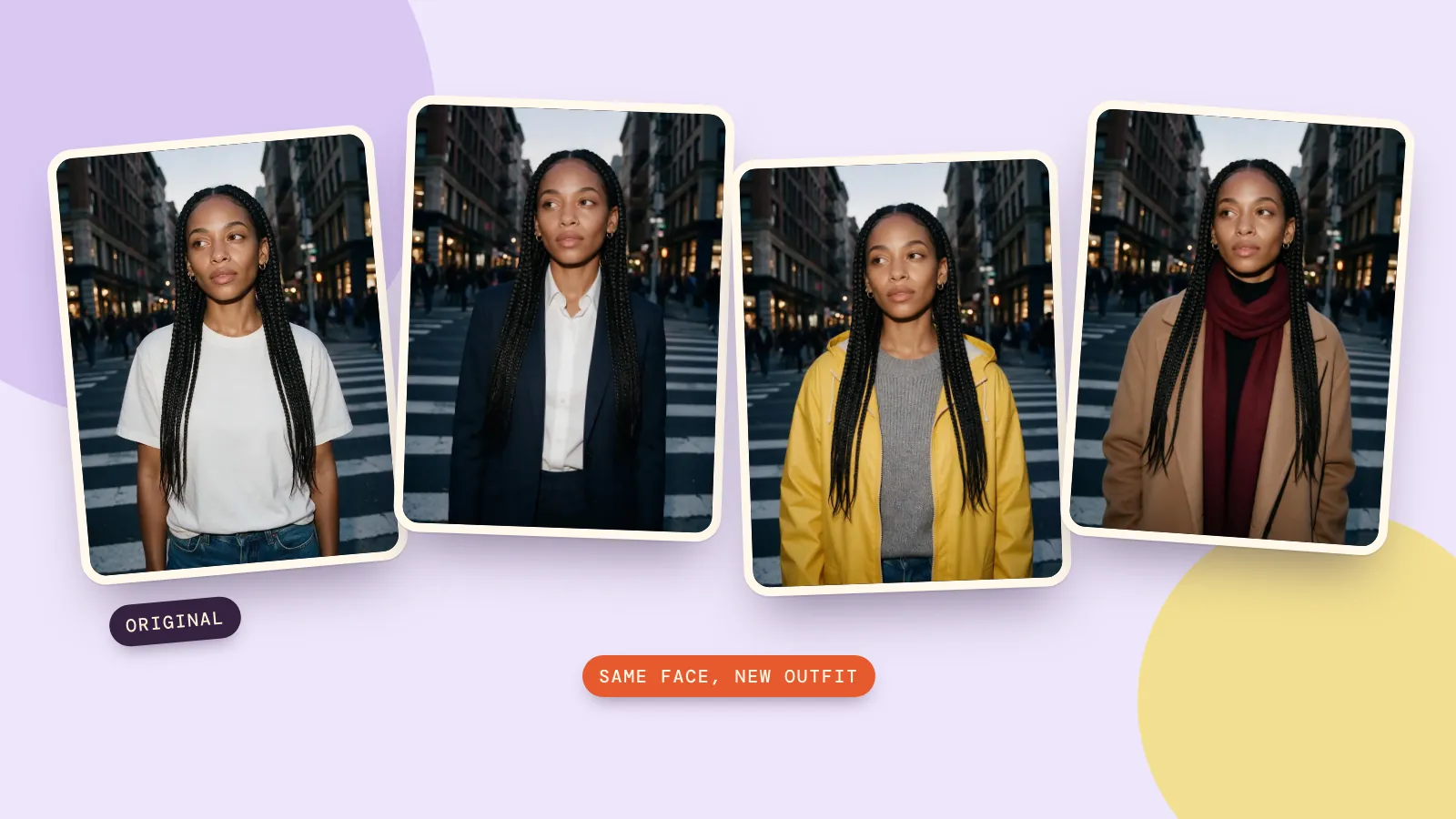
Replace her olive jacket with a red wool coat. Change only the clothing. Keep her face, hair, expression, pose and the street behind her exactly the same.
For more outfit prompts and a four-outfit comparison, see our guide to changing clothes in a photo with AI.
Make a studio headshot
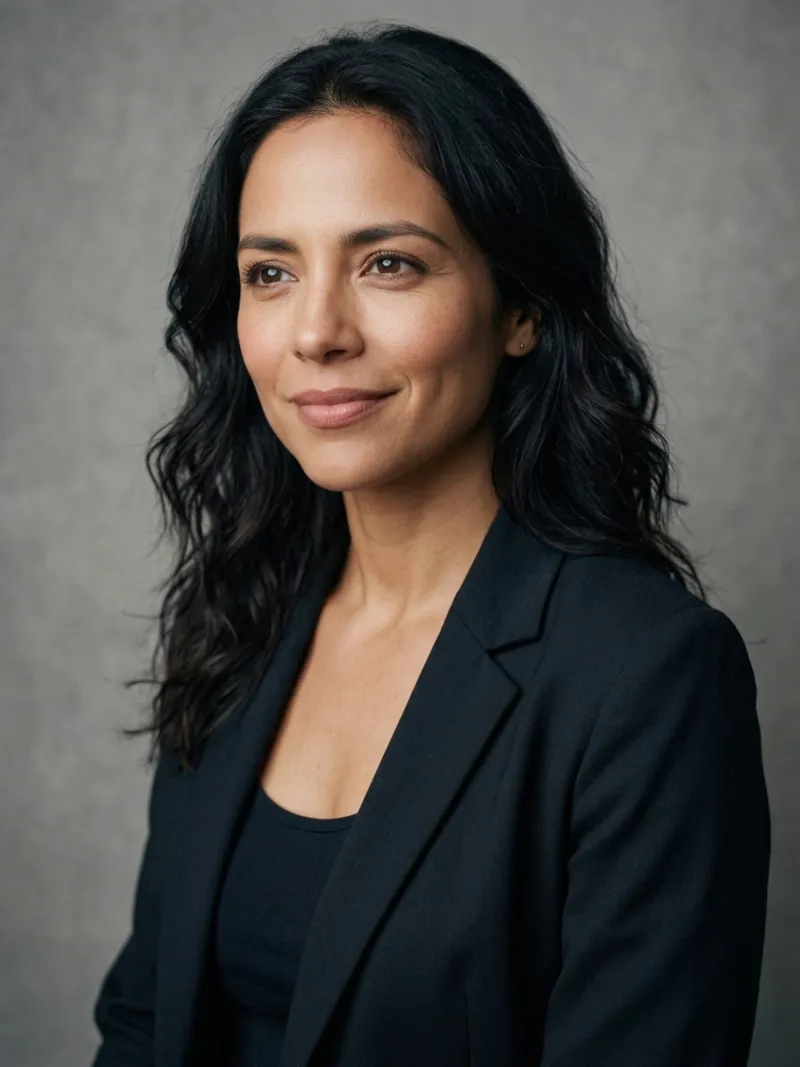
Turn this into a studio headshot: a plain soft grey backdrop and even softbox lighting. Keep her face, hair and expression exactly the same.
The model also dressed her in a dark blazer, which we didn't ask for. If the outfit matters, add "keep her clothes the same" to the keep-list.
Fix the lighting
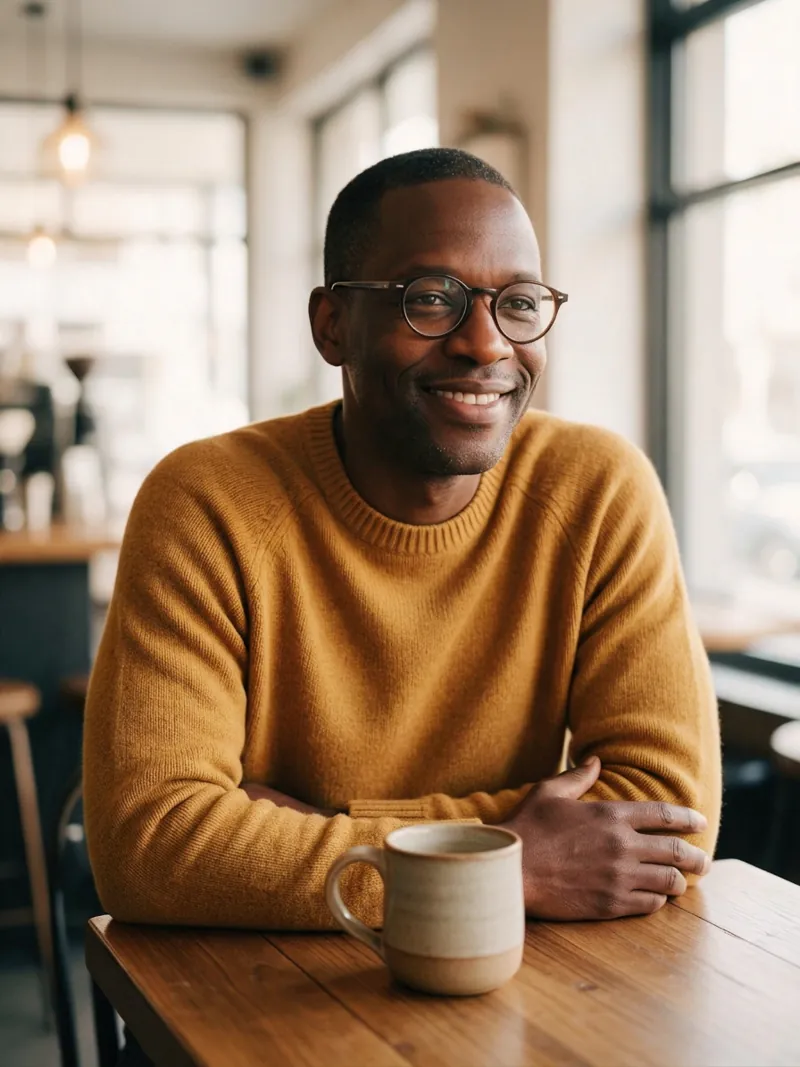
Fix the lighting: make it warmer and softer and reduce the harsh glare from the window on the left. Keep everything else exactly the same.
This one is subtle on purpose: the window is calmer and his skin looks warmer, and everything else is where it was. It's the prompt to use on a photo you like but can't post because of the light.
Remove an object
Removal is where wording matters most. Our first try was:
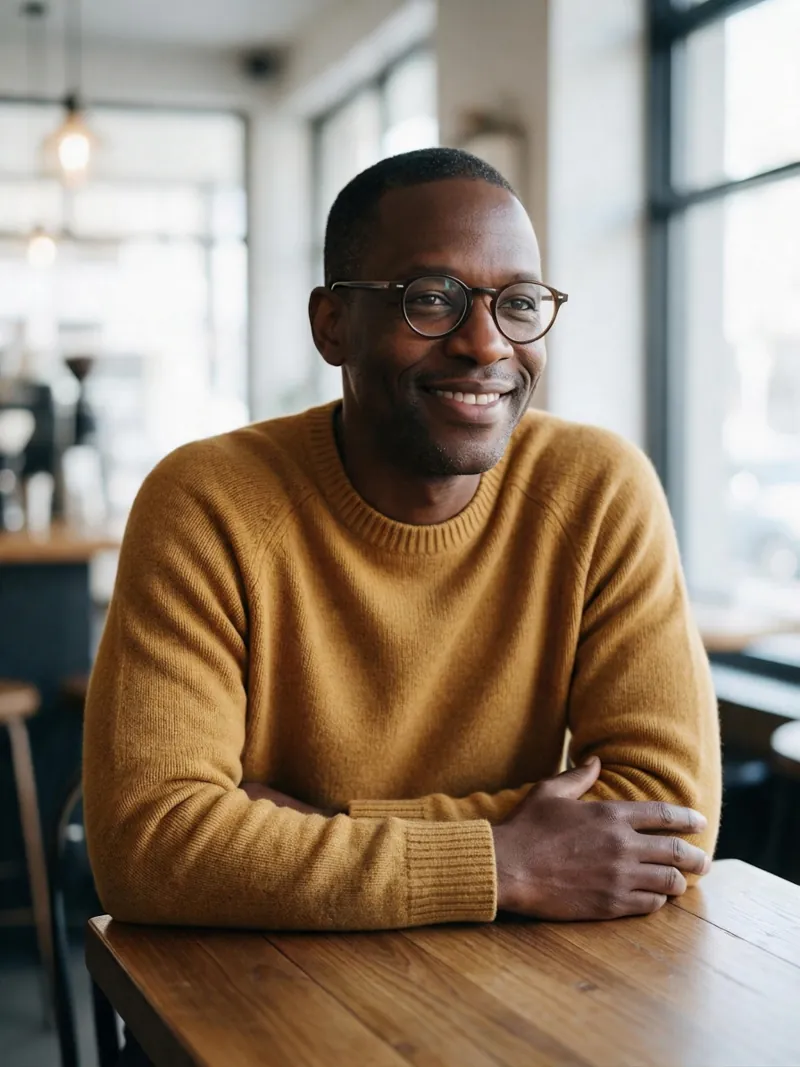
Remove the mug from the table and leave the wooden tabletop empty. Everything else stays exactly the same.
It didn't work: the mug is still there, and the model only repeated the photo. This happens. A more forceful, more specific rewrite fixed it on the next run:
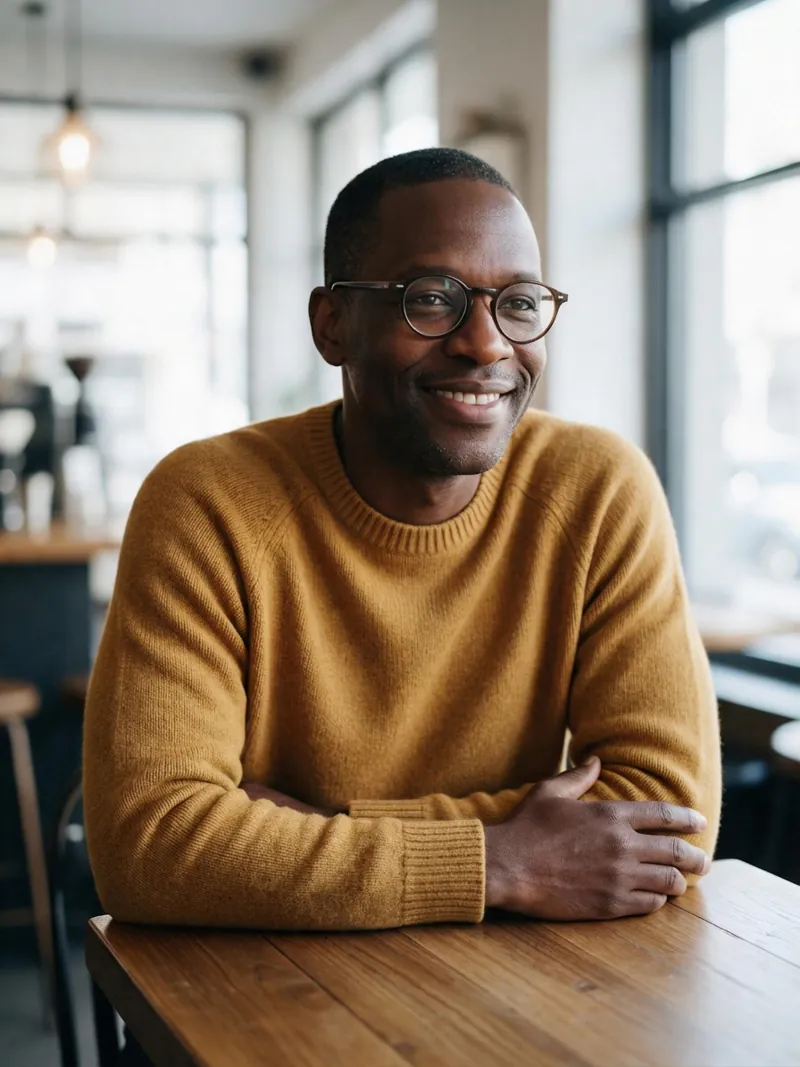
Erase the ceramic mug that is on the table. Fill the spot with plain wooden tabletop so no mug, cup or shadow of it remains. Keep the man, his hands, the window and everything else exactly the same.
What changed: it names the object more exactly ("ceramic mug"), says what should be in its place ("plain wooden tabletop") and mentions the shadow. If a removal fails, rewrite it that way before you change models.
Turn a photo into a painting
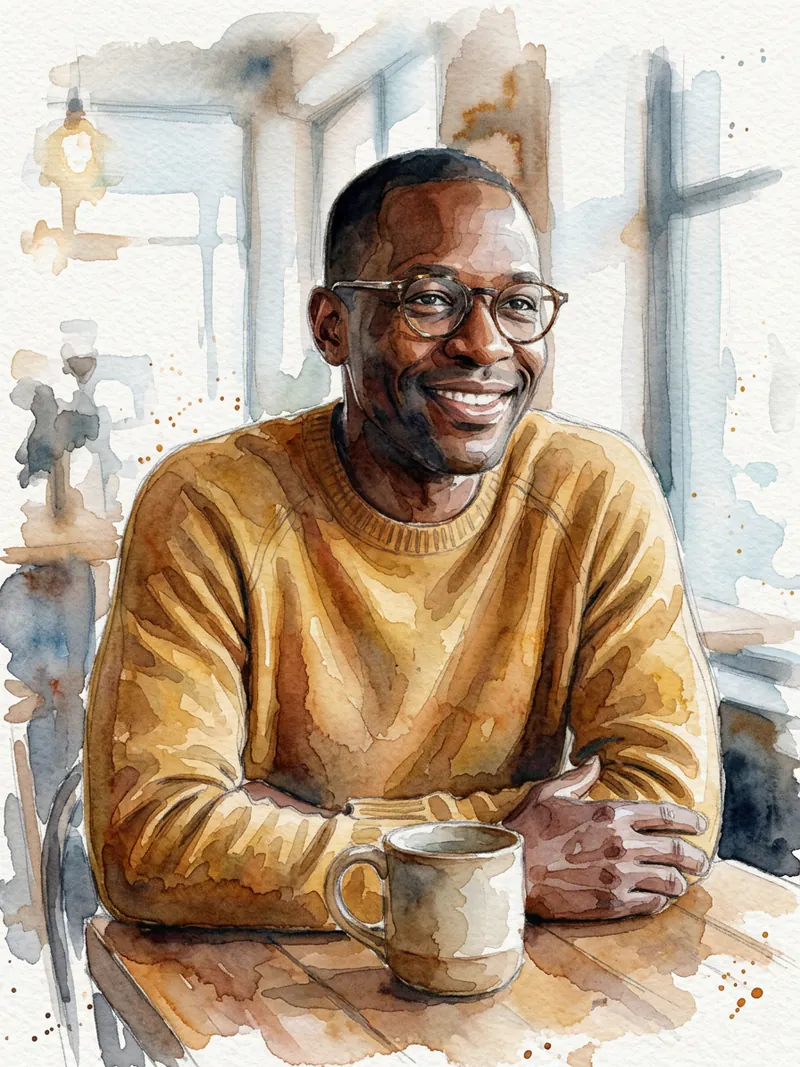
Redraw this as a loose watercolor illustration with visible paper texture and soft edges. Keep the composition and his likeness.
Style prompts like this work best with two details: the medium ("watercolor") and one texture word ("paper texture", "brush strokes"). He's still recognizably the same man.
Black and white, done properly
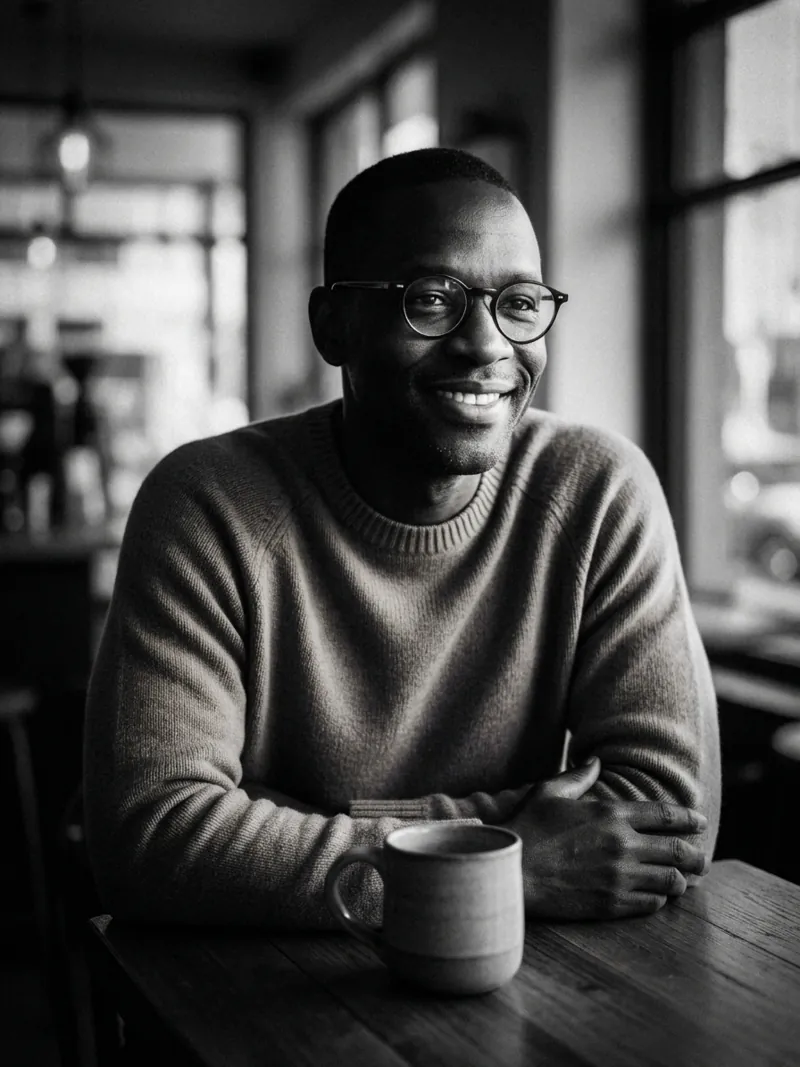
Convert this to a high-contrast black and white portrait with dramatic side light. Keep his face and expression unchanged.
Asking for "dramatic side light" gives a real black and white portrait with shape, not a gray filter over the color original.
Restore an old photo
This one starts from a small, scratched scan of an old studio portrait instead of photo A or B.
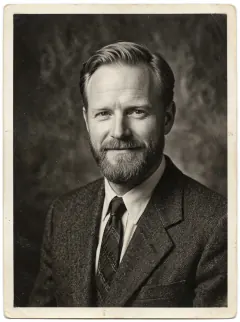 Original scan
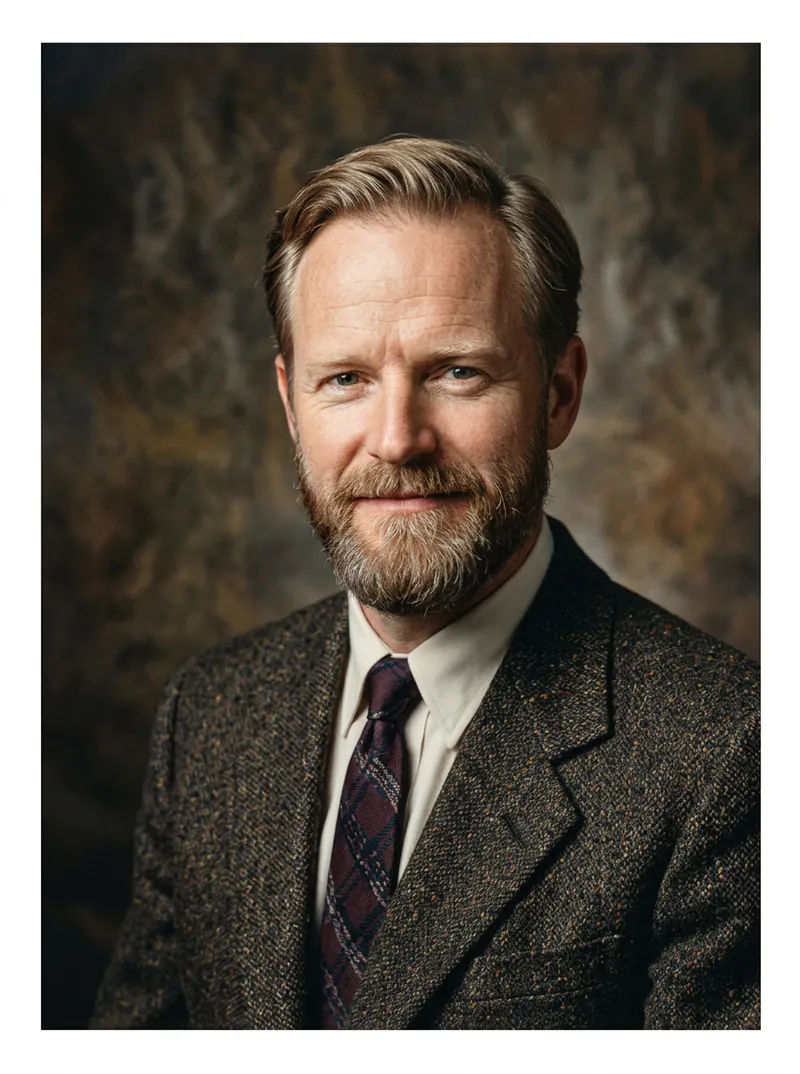 After the prompt
Restore this old photograph: remove scratches, dust and fold marks, sharpen the faces, and add natural, realistic color. Keep the person, pose and framing exactly the same.
Colors in an old photo are always a guess, so treat them as a suggestion. The face is close but not identical to the original, so for a family photo compare the two before you save it. If you only need a sharper, larger version without any color guesses, use the upscaler instead.
Tips that apply to every prompt
- Write what to keep, not just what to change. It's the single biggest quality lever.
- Change one thing per edit. Do the background first and the outfit second; chaining small edits beats one giant prompt.
- Use plain words. "Warmer and softer" beats "enhance the aesthetic".
- Run a failed edit again before giving up. Then rewrite it with more detail.
- Need more resolution or text in the image? Try Nano Banana Pro for the same edit.
More prompts, each shown with the image it made, are in the prompt library. The photo editor page explains the other things you can do with the same box.
FAQ
What is a good Nano Banana prompt for editing a photo?
Say the single change you want, then add a sentence listing what must stay the same, for example "Replace her jacket with a red wool coat. Keep her face, hair, pose and the background exactly the same."
How do I use Nano Banana?
Open the photo editor, upload your photo, paste a prompt and press generate. On PopNow, the Try this prompt buttons on this page open the editor with Nano Banana 2.1 and the prompt already filled in.
Why did Nano Banana ignore my edit?
Usually the instruction was too vague. We saw it on an object removal: the first prompt returned the photo unchanged, and a rewrite that named the object, said what should replace it and mentioned the shadow worked.
Can Nano Banana keep the same face?
In every edit above the face stayed recognizable. Add a clear keep-list ("keep her face, hair and expression exactly the same") and change one thing at a time.
How much does a Nano Banana edit cost?
One 1K edit with Nano Banana 2.1 costs 8 credits on PopNow. New accounts get free credits, and the price shows before you generate.