Describe a painted look in editable terms, compare three real ship images, and judge the texture lost when a still starts moving.
The deliverable is a cold-blue oil-paint image with three clear observations about composition, light and palette. Movement is an optional test. If thick paint is the requirement, the finished still may be the stronger delivery.
The ship images and motion takes come from our own production run for Poppie: a PopNow short film. The archived image workflow did not record its underlying image model. GPT Image 2.5 Sunburst is the practice choice; Seedance 2.5 is the motion setup. Public website controls were recorded on November 7, 2026.
Exercise files
- Warm ship reference
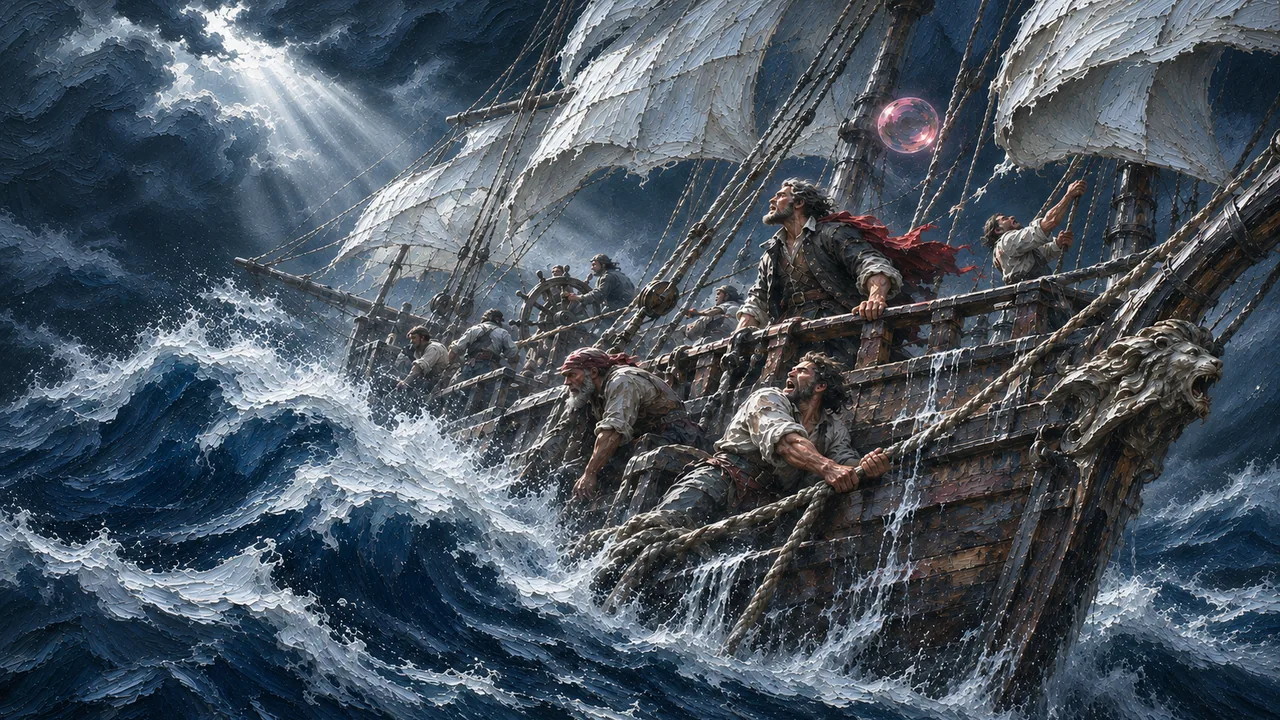
- Rebuilt ship
- Blue ship
- Blue ship motion and alternate motion take
- English recipe with all prompts and settings
- Inspection checklist and three observations as CSV
Step 1: Name the material, light and palette
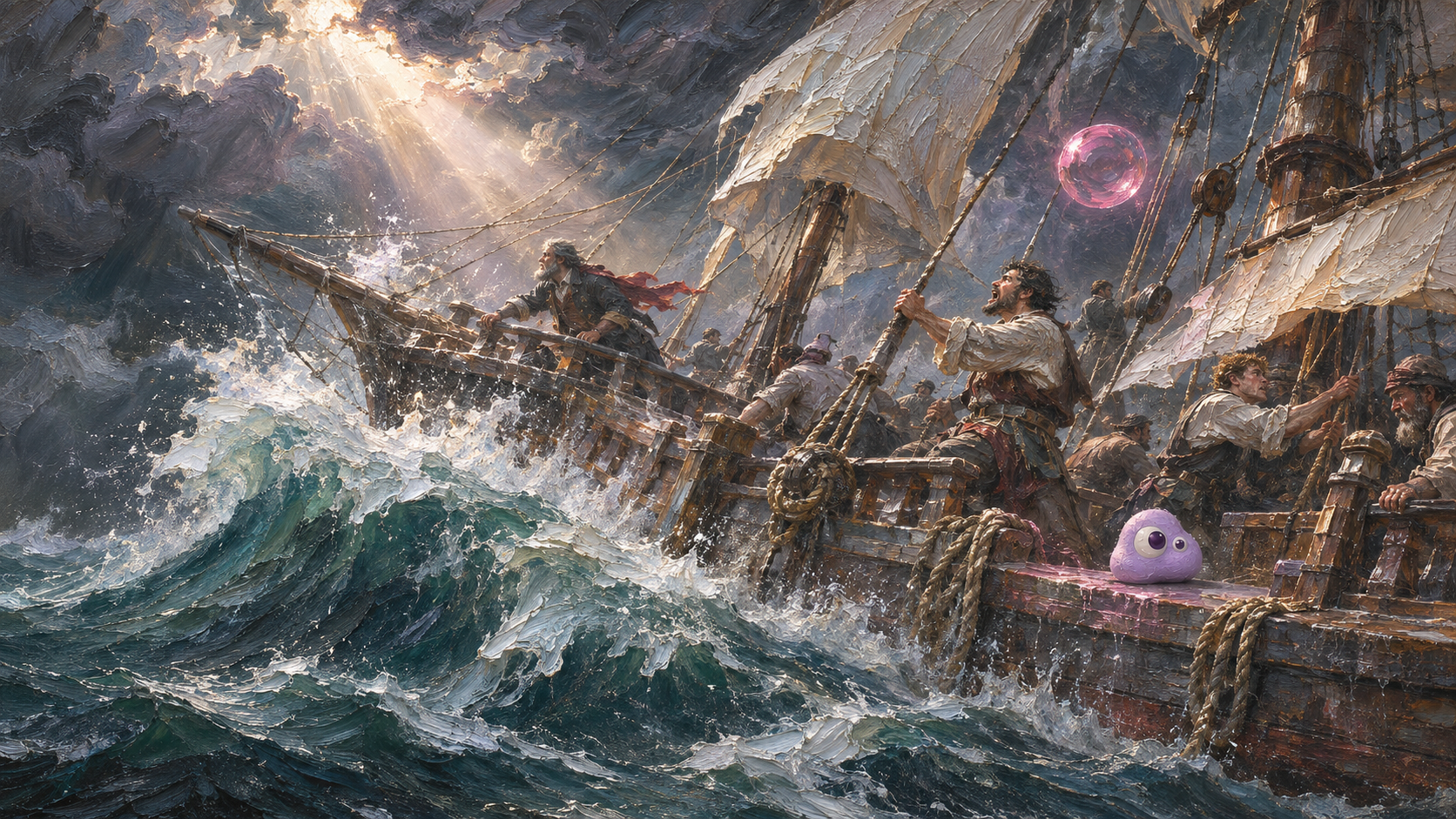
Write three separate notes:
| Part | Useful description |
|---|---|
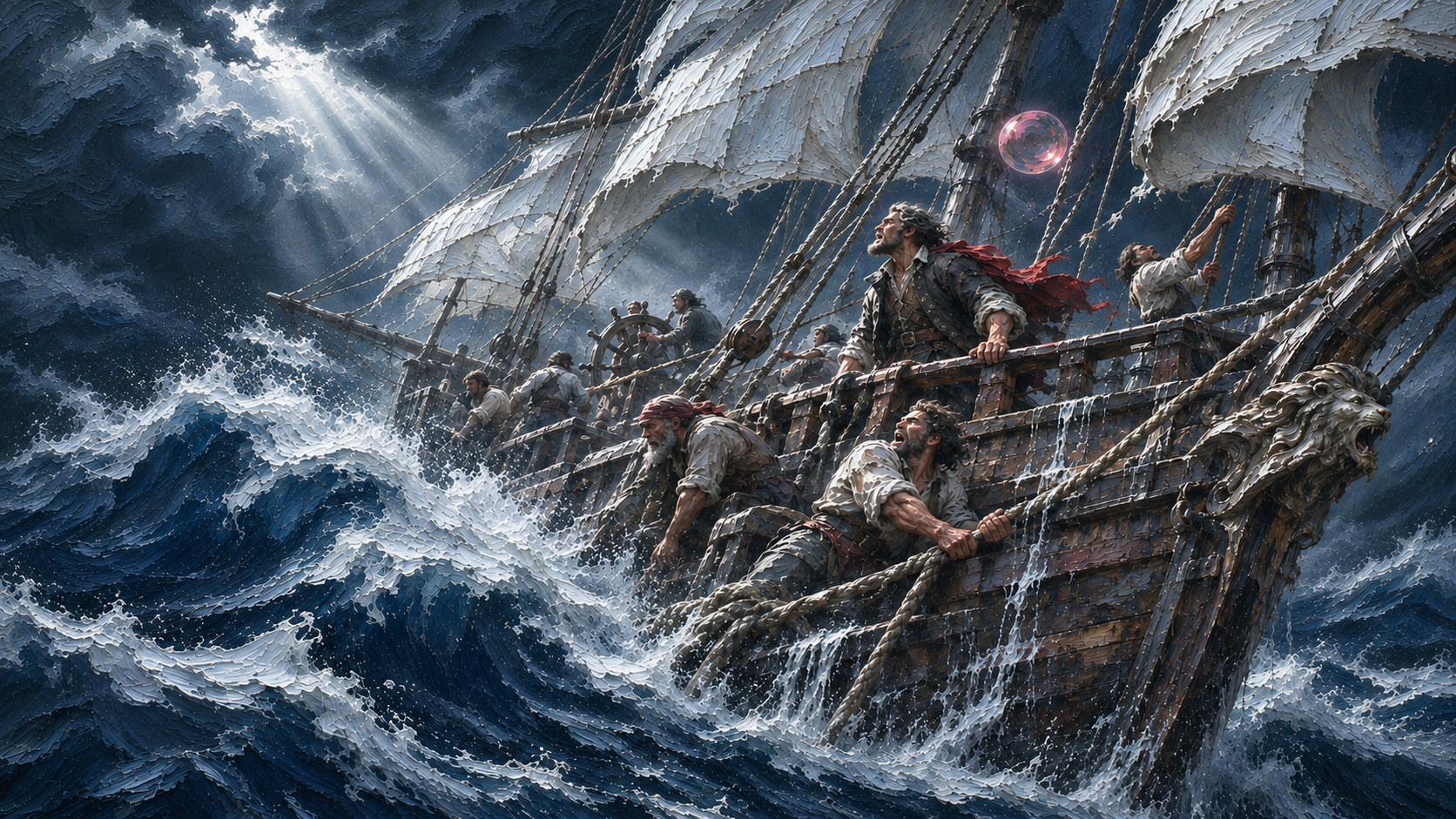
| Material | Raised impasto paint, broken brush edges and painted foam. |
| Light | A bright opening in dark clouds separates the sails and sea; much of the hull stays dark. |
| Palette | Warm gold light and green-blue water in the reference; colder blue water and white foam in the later pass. |
For another creator's picture, write visual notes and upload only material you own or may use. The supplied ship reference is owned production material.
Step 2: Notice the composition rewrite
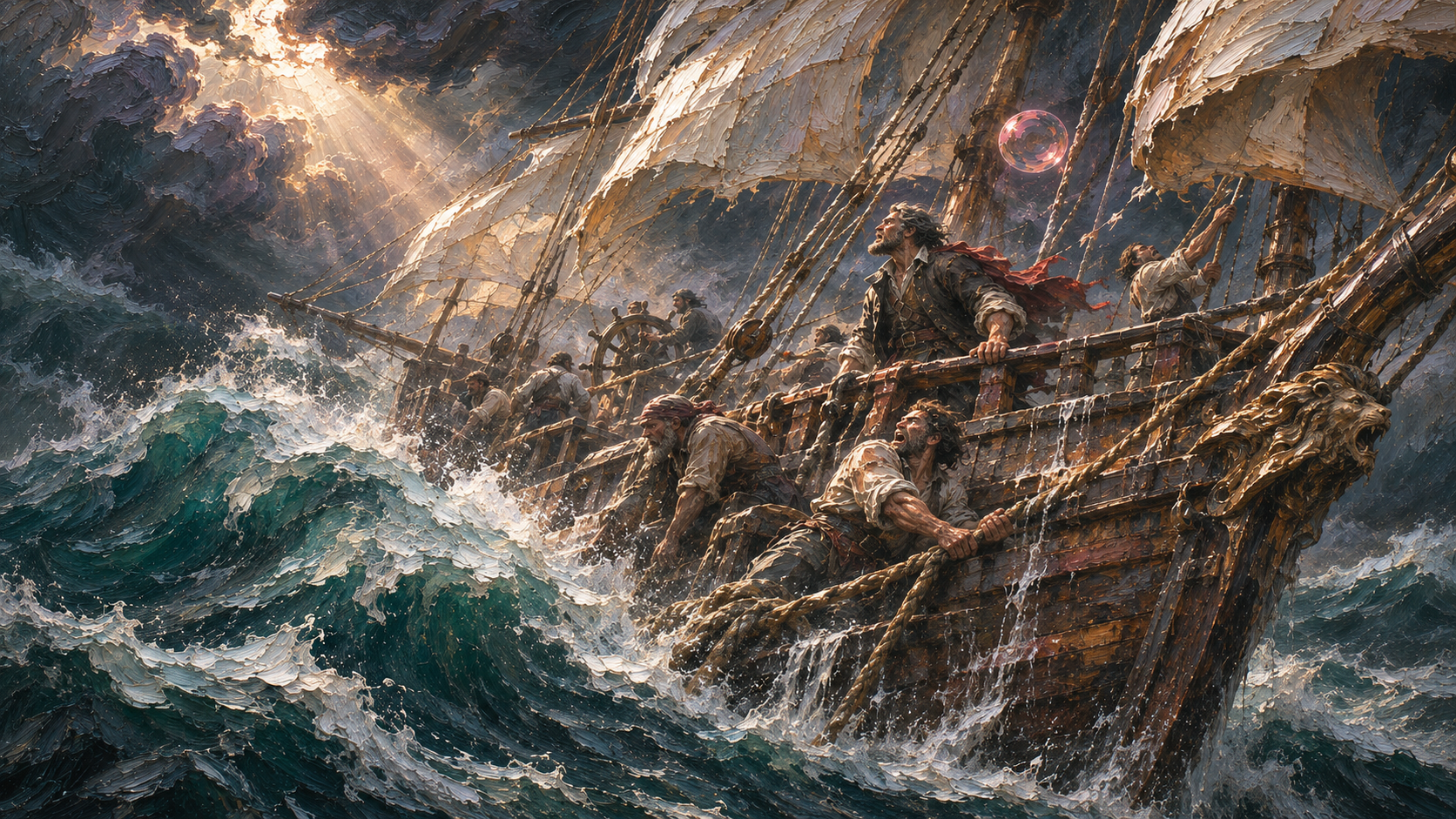
The little character disappears, but the crew, carved bow and ship orientation also change. The historical second instruction requested strong light-dark contrast and thick paint. The result rebuilt the composition.
Technique paraphrase of our original instruction:
Step 3: Remove the conflicting prompt block
The historical color prompt begins by preserving composition and requesting blue water. Its final block adds photographic film grain, halation and shallow depth of field. Those instructions pull against painted material.

Translated from our original prompt:
Use this shorter prompt for practice. It is a new exercise prompt, separate from the instructions that produced the historical images.
New simplified practice prompt:

Step 4: Configure the practice image
Open Edit Image, choose GPT Image 2.5 Sunburst, and use Rebuilt ship as your input. Set 16:9, High quality, Sharp / 2k delivery, and one image. The counter 1/4 means one selected image out of the maximum four.

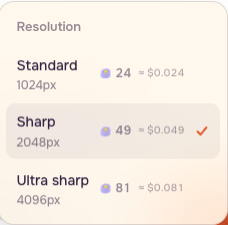
The approved recipe includes Keep details: high. That control was not exposed in the public Sunburst form during this recording; Advanced showed format and compression only. Keep the composition and material constraints in the prompt and inspect the output rather than assuming that switch is available.
The recording shows prompt and settings preparation with empty photo slots. No image was uploaded or generated in this session. The supplied blue image is the historical production result, separate from this practice setup.
Step 5: Test the painting in motion
Open Image to Video, select Seedance 2.5, and add Blue ship. Use 4 seconds, Sharp / 720p, one video, Auto aspect ratio and Sound off.
Translated from our original prompt:
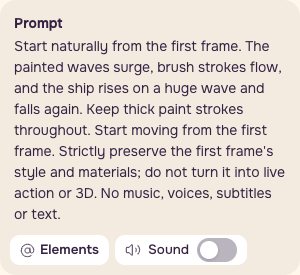
Watch both supplied takes completely at 1x. Follow foam below the bow in the alternate take, then the left-hand spray in the other take. Both contain boat and wave movement. The saved rerun points back to the original input and node. This is a comparison of two outputs of the same setup; it does not prove that a particular word improved the rerun.
Step 6: Judge texture separately from movement
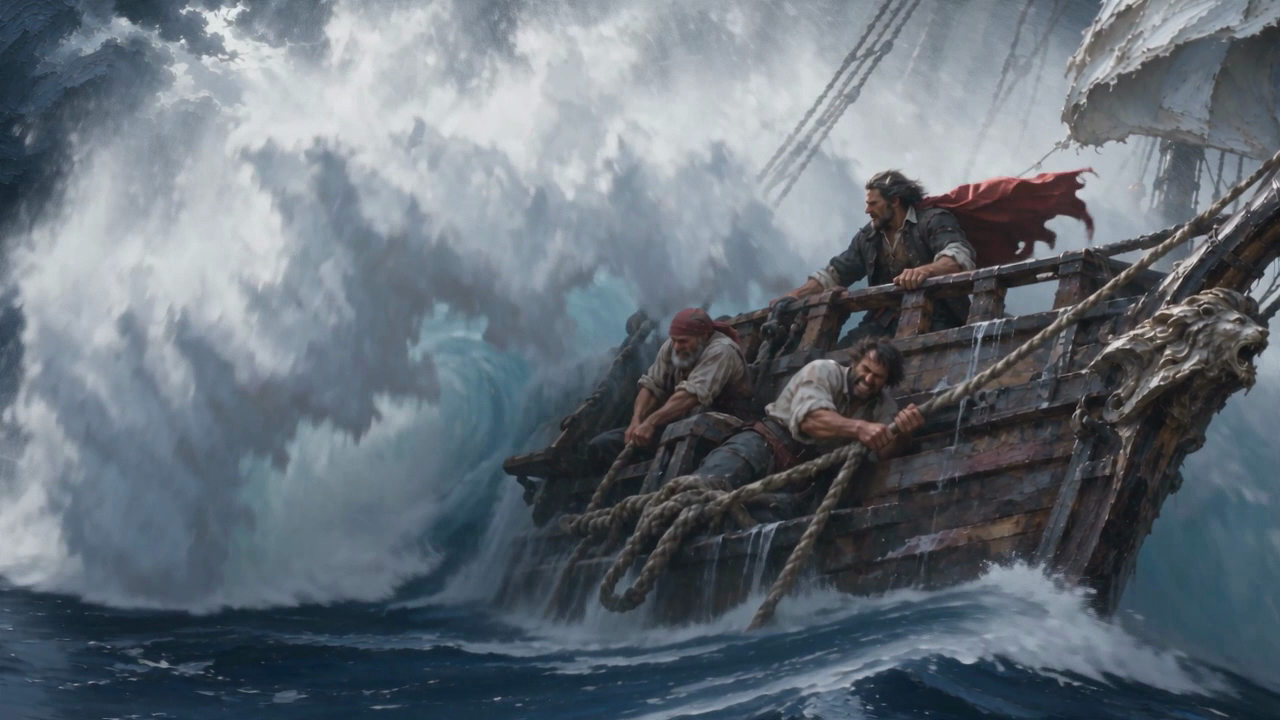
The still has sharp paint ridges. Moving foam becomes softer spray and blocks of white. Some painted shapes in the sails remain readable, but not every ridge survives. Compare corresponding regions at similar viewing sizes; these are not registered pixels because the ship and camera move.
This is the real failure: the requirement to keep thick paint throughout is not met everywhere, including in the selected production take. More movement is not evidence of better paint. Keep the still if texture is essential; accept the tradeoff deliberately if the motion is useful for the edit.
Step 7: Save three observations with the result
| Observation | Record beside Blue ship |
|---|---|
| Cast and composition | The small lilac character is removed; the bow, crew and ship orientation are rebuilt. |
| Light | A bright cloud opening continues to separate the ship and sea. This is an observed feature, not a measured improvement. |
| Palette | The rebuilt warm image becomes cold blue while its layout remains recognisable. |
Keep the original reference, rebuilt image, blue pass, exact prompts, settings and comparison notes together. The downloadable recipe preserves the historical translations and identifies the new practice prompt separately.
Checklist
- Describe material, light and palette separately.
- Use owned or licensed images for upload.
- Record visible composition changes.
- Inspect matched foam and sail crops.
- Judge texture separately from movement.
- Save the still as the deliverable if paint texture is essential.
FAQ
Is Sunburst the model that made the archived stills?
The underlying historical image model was not recorded. Sunburst is the website practice choice. The comparison images are archived production material.
Should I always turn a finished still into video?
Use the brief to decide. A motion take can be useful while losing the texture that made the still valuable. Deliver the still when thick paint is the acceptance criterion.
Does the shorter prompt guarantee the same composition?
No. Inspect the crew, bow, framing, light and paint texture after every version. The first rebuild in this lesson changed composition as well as the cast.