
Inspect a real failed input, start from a usable collage, set a small Seedance 2.5 test, record the quote and export a four-second wide clip.
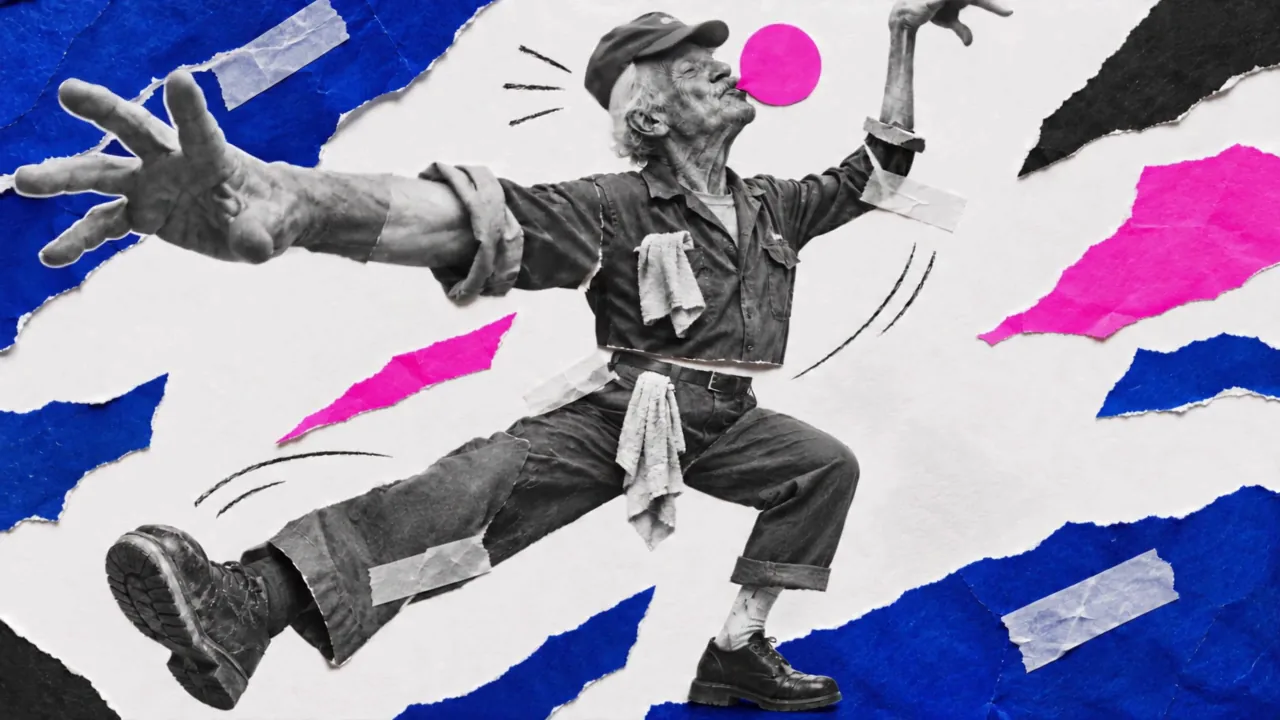
Your first useful clip can be small: one subject, one readable action and a budget written down before you start. This lesson uses a four-second paper-collage shot from our own production run. The saved example was made with Seedance 2.5 at 720p. The practice recipe uses 480p and Sound off to keep the first test small.
The website controls and local editor were recorded on November 7, 2026, without an account. The example and two rejected takes are existing production files. They are separate from the website setup shown in the lesson.
Get the exercise files
- Approved collage: the two-leg starting image.
- Four-second example: the saved 720p production result.
- Rejected input, rejected take A and rejected take B.
- Download the recipe and editable cost record.
Step 1: Find the defect before paying for movement
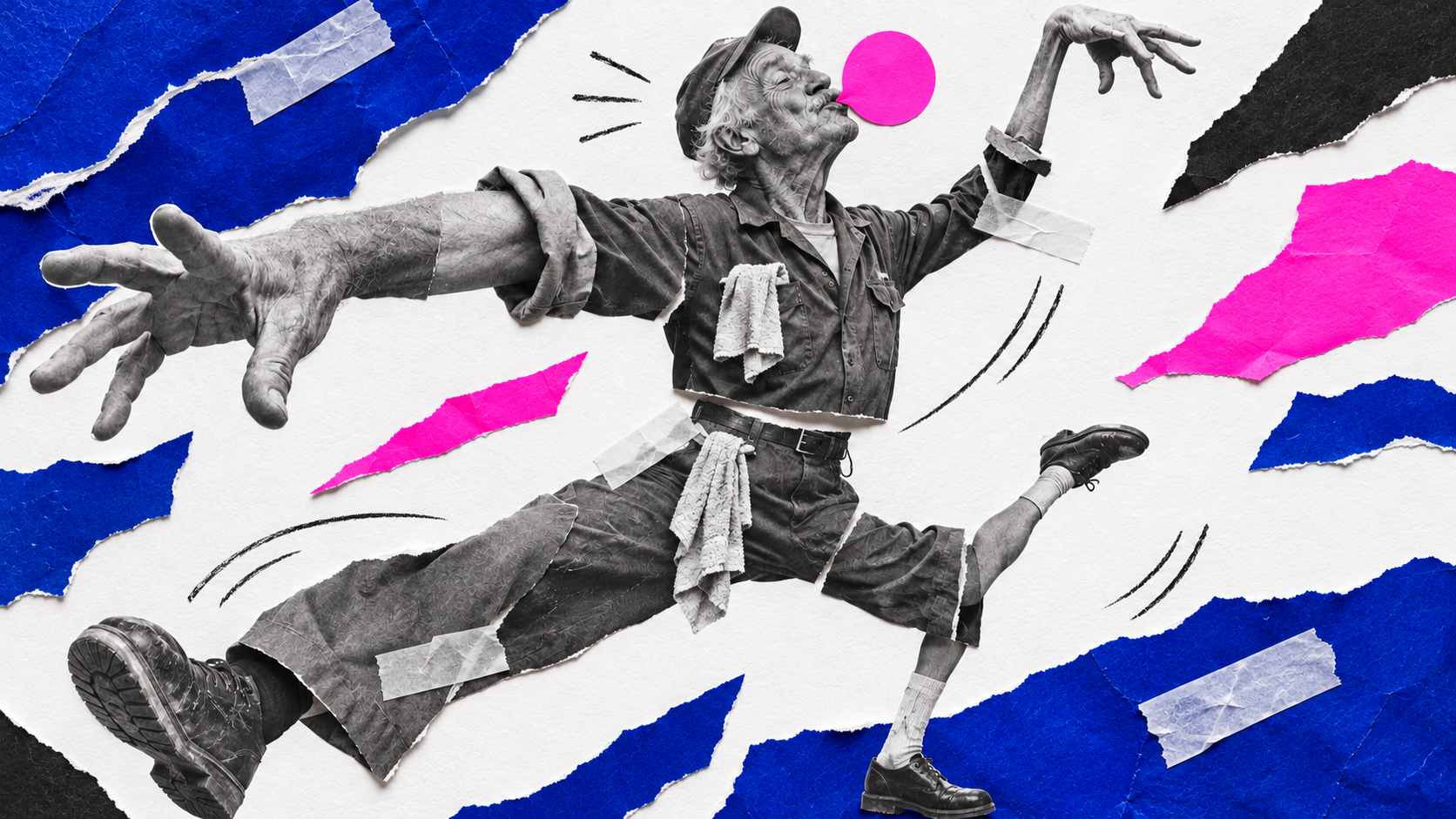
The first picture has three shoes. Both saved rejected takes preserve that structural problem. The rerun record points to the original node and the same broken input. Repeating it was the wrong next move: repair the picture first.
For your own shot, check hands, feet, overlapping bodies and the frame edges. A clear starting picture gives you something concrete to judge when it moves.
Step 2: Add a usable starting image
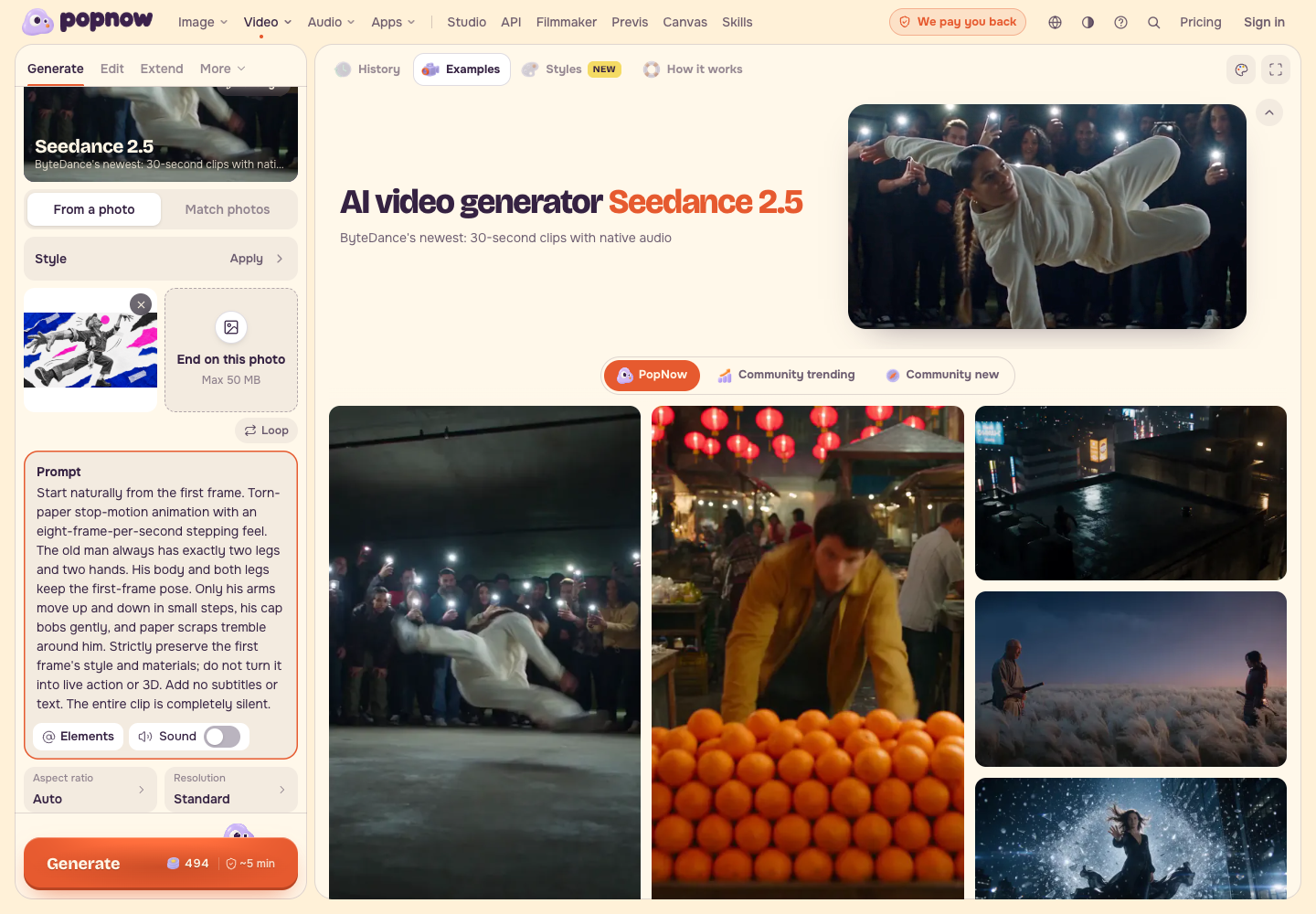
Open Image to Video, select Seedance 2.5, then From a photo. Add Approved collage as the starting image. Leave End on this photo empty for this small movement.
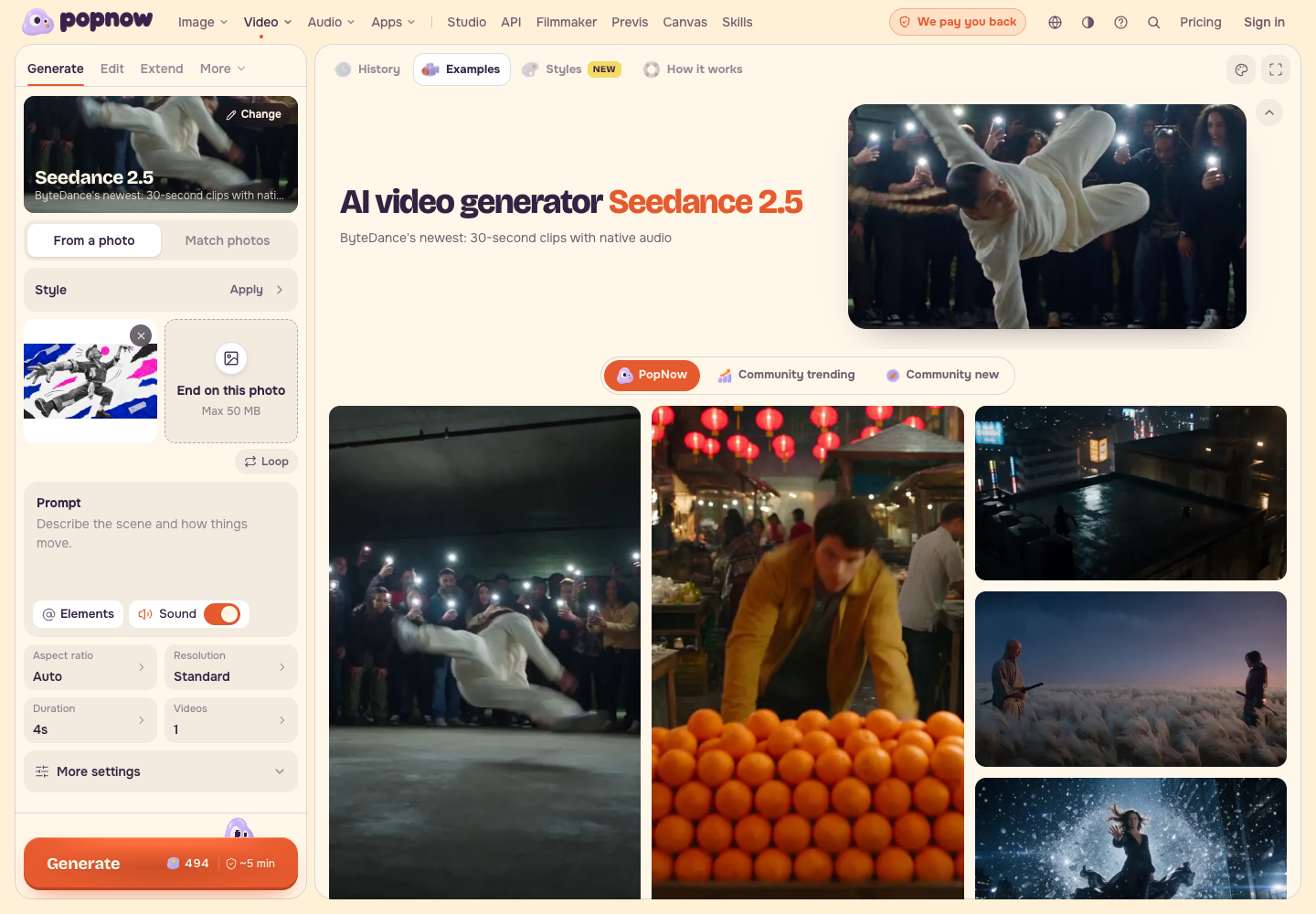
For a different first shot, choose one subject and one simple action. Avoid hidden hands, tiny faces and a subject already clipped by the edge.
Step 3: Keep the movement specific
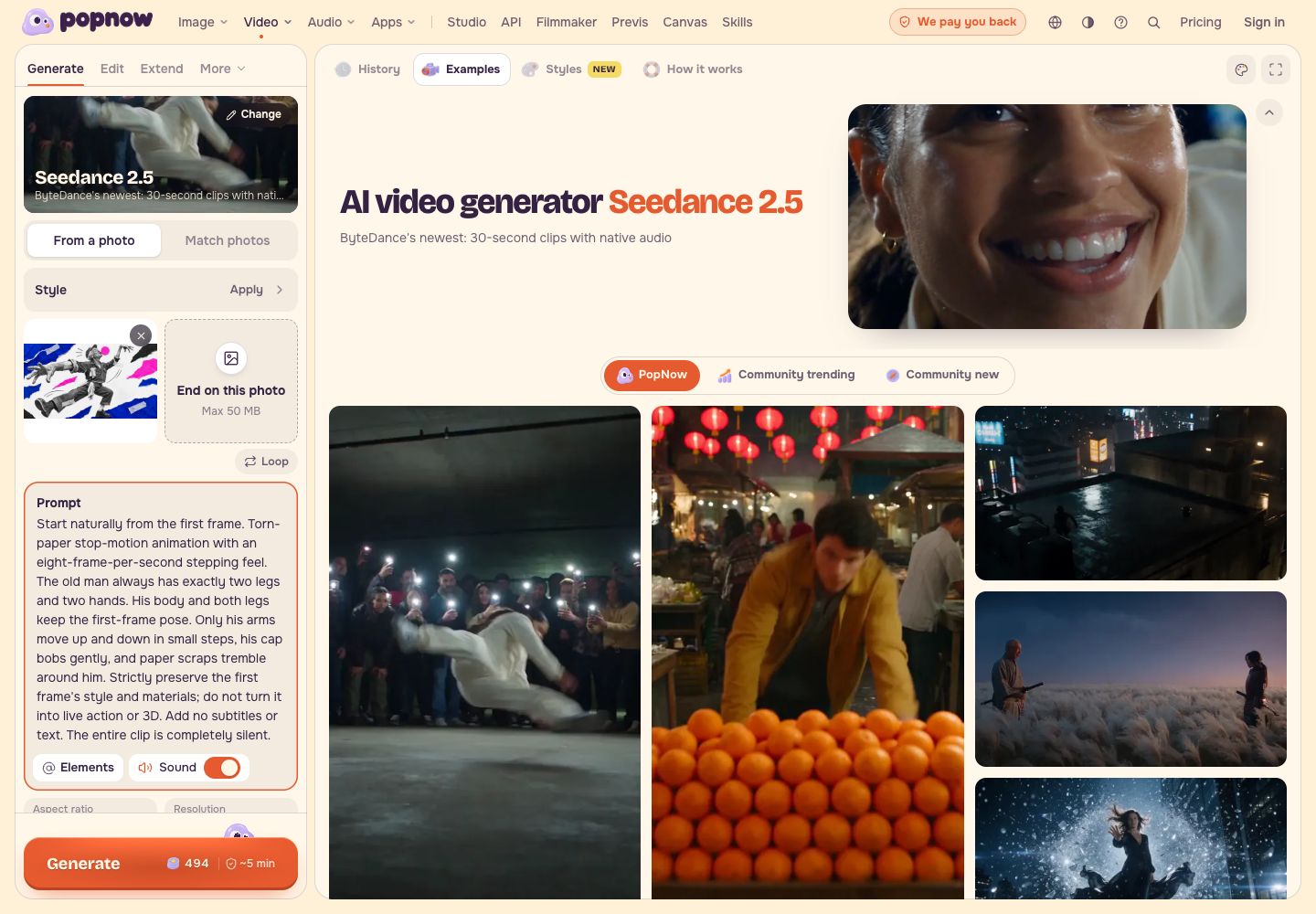
Paste the motion prompt below. It holds the body and legs in place while the arms, cap and paper move. Translated from our original prompt.
Step 4: Set one small test
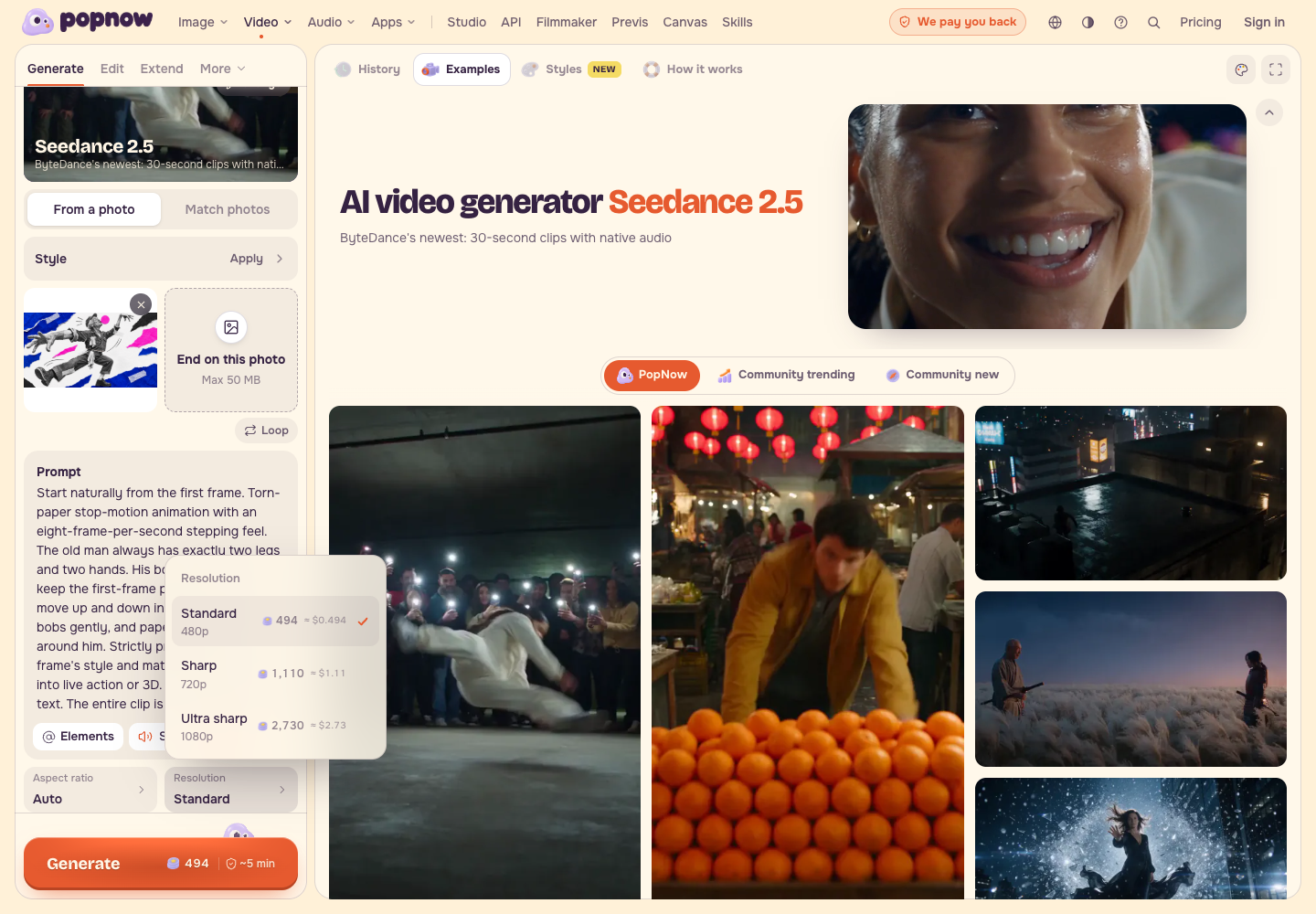
Set Duration: 4s, Resolution: Standard / 480p, Videos: 1 and Sound: off. Keep the adaptive aspect ratio, displayed as Auto. In the recorded interface, Sharp means 720p.
The saved production example contains native audio; its original Sound setting was not recorded. Sound off is this practice recipe's choice.
Allow one initial test and at most one revised test. If the same defect returns, stop and change the input or simplify the movement before paying again.
Step 5: Write the budget and record the charge
The November 6 catalog snapshot estimates 493.6 PopNow credits for four seconds at 480p and 1109.2 at 720p, a difference of 615.6. Two 480p tests estimate 987.2 credits at that snapshot.
The November 7 website capture displays whole-credit quotes of 494 and 1,110, respectively. Read the current Generate-button quote before each submission; it takes priority over the historical estimate. If both live 480p quotes remain 494, plan for 988 credits for two tests, and refresh the second quote before submitting it.
| Record | Amount | Unit |
|---|---|---|
| Recorded website quote, 4s at 480p | 494 | PopNow credits |
| Recorded website quote, 4s at 720p | 1,110 | PopNow credits |
| Historical production batch | 42 four-second videos, quoted at 92 each | Production-tool credits |
| Actual historical batch charge | 3,864 | Production-tool credits |
| Individual reject and image-repair charges | Not separately itemized | Production-tool credits |
These are two different credit systems. The historical batch is evidence of what that production cost, not a website price or the cost of either individual rejected take.
Use the downloadable cost record for each version: input, settings, displayed quote, actual charge, keep or reject, and the reason. Write your ceiling before starting and refresh the quote for a revised test.
Step 6: Review and export the four-second edit
Watch the complete take at 1x. Scrub through it and inspect both knees, both shoes, the hands and paper edges. Keep the original wide frame so neither foot disappears.
Open Video Editor. Choose Media, then Choose files from this device, and import Four-second example. Keep the range 0–4 seconds. Under Whole video, select 16:9 and Show all.
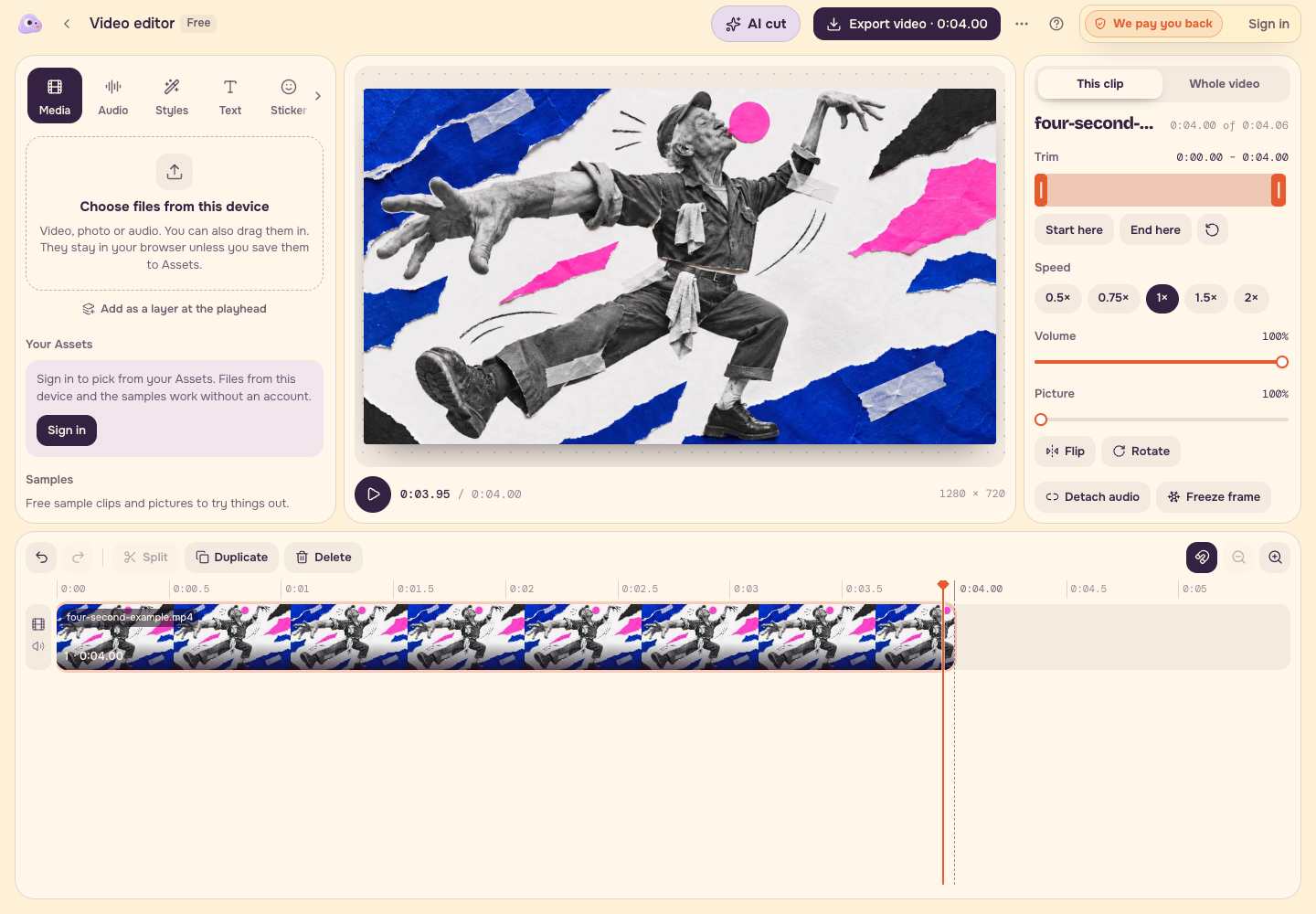
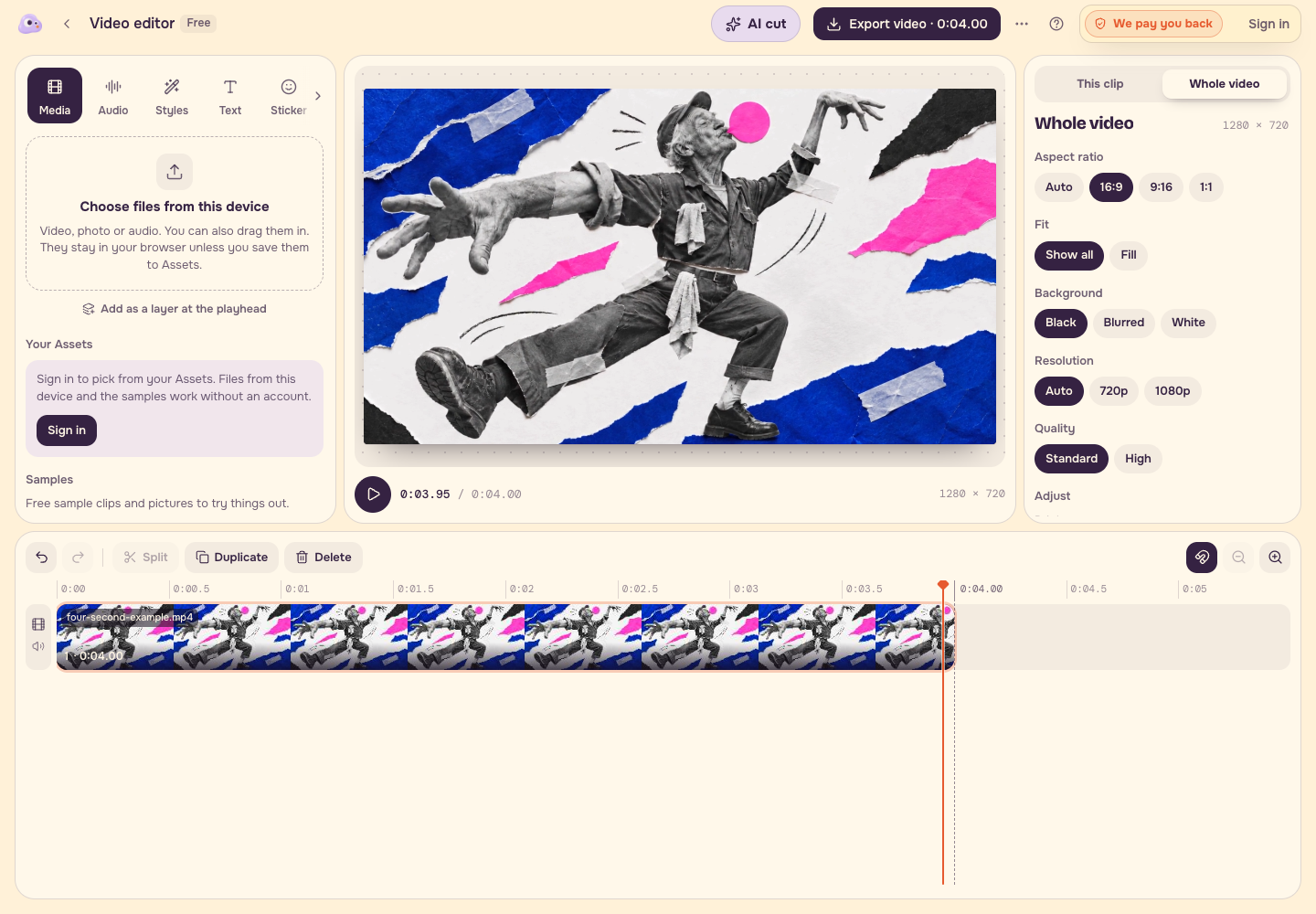
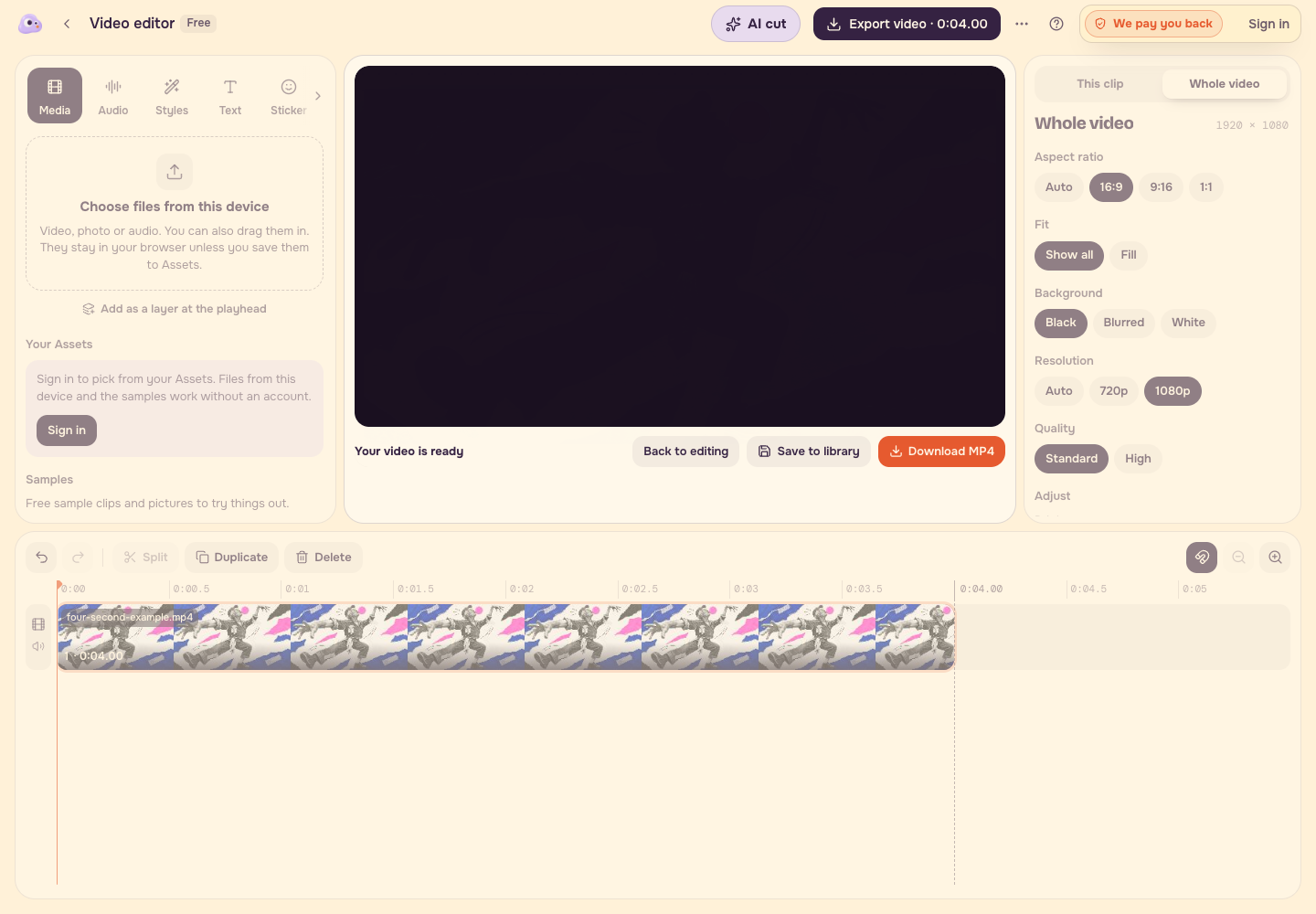
Choose Export video, start the local export and download the MP4. Check the downloaded file from beginning to end. The recorded export is 1920 × 1080, 30fps, 120 frames: exactly four seconds. Larger export dimensions do not add source detail.
Checklist
- Trace each leg from hip to shoe before animating.
- Keep one clear movement.
- Read and save the live quote.
- Stop after one revised test.
- Review the entire clip at 1x and inspect the downloaded file.
- Save the input, prompt, settings and cost record beside the clip.
FAQ
Was the example generated live in the recorded interface?
The example and rejected takes come from an earlier production run using the same model. The recording demonstrates the real website settings and local editor export. It does not present those historical files as the result of a new website submission.
Why use 480p when the supplied example is 720p?
A small first test lets you judge the movement with a lower quoted cost. Move to a larger output only after the input and action are worth keeping, and read the new quote first.
Is the two-test estimate a fixed price?
No. It is a dated catalog estimate. The displayed live quote and your actual charge belong in your own cost record.