To make a birthday card, choose a clear photo, add one short greeting and arrange them in a card shape before downloading it for a message or print. PopNow's birthday card tool builds the scene and lettering from your photo; its separate Invitation tab puts party details on a template. Start with the recipient and the delivery format, then choose the decoration.
How to make a birthday card from a photo?
- Open the tool and stay on Card. Add a well-lit photo with the whole head visible. Use your own picture or one you have permission to edit; crop distractions with photo tools first if needed.
- Pick one of 12 scenes. For Mom or Dad, 30th birthday and Garden tea party are the three we tested below. Keep the greeting simple enough to read on a phone.
- Choose Layout: Full photo, Framed, Vintage or Minimal. Vintage repaints the picture; Minimal separates the photograph and wording with a clean band.
- Fill in Greeting, up to 50 characters, and optional Sign-off, up to 40. Under Outfit, choose Keep mine to request the original clothes. Check names before generating.
- Set Card size before making it. Choose 5×7 or 4×6 for portrait prints, 7×5 or 6×4 for landscape, or Square for messages. Start with one version.
- Choose HD for printing or Standard for a digital message, then press Make my card. One HD result uses 72 credits; Standard uses 36 credits. Read the finished lettering and inspect faces and hands before saving.
What did three real birthday card tests look like?
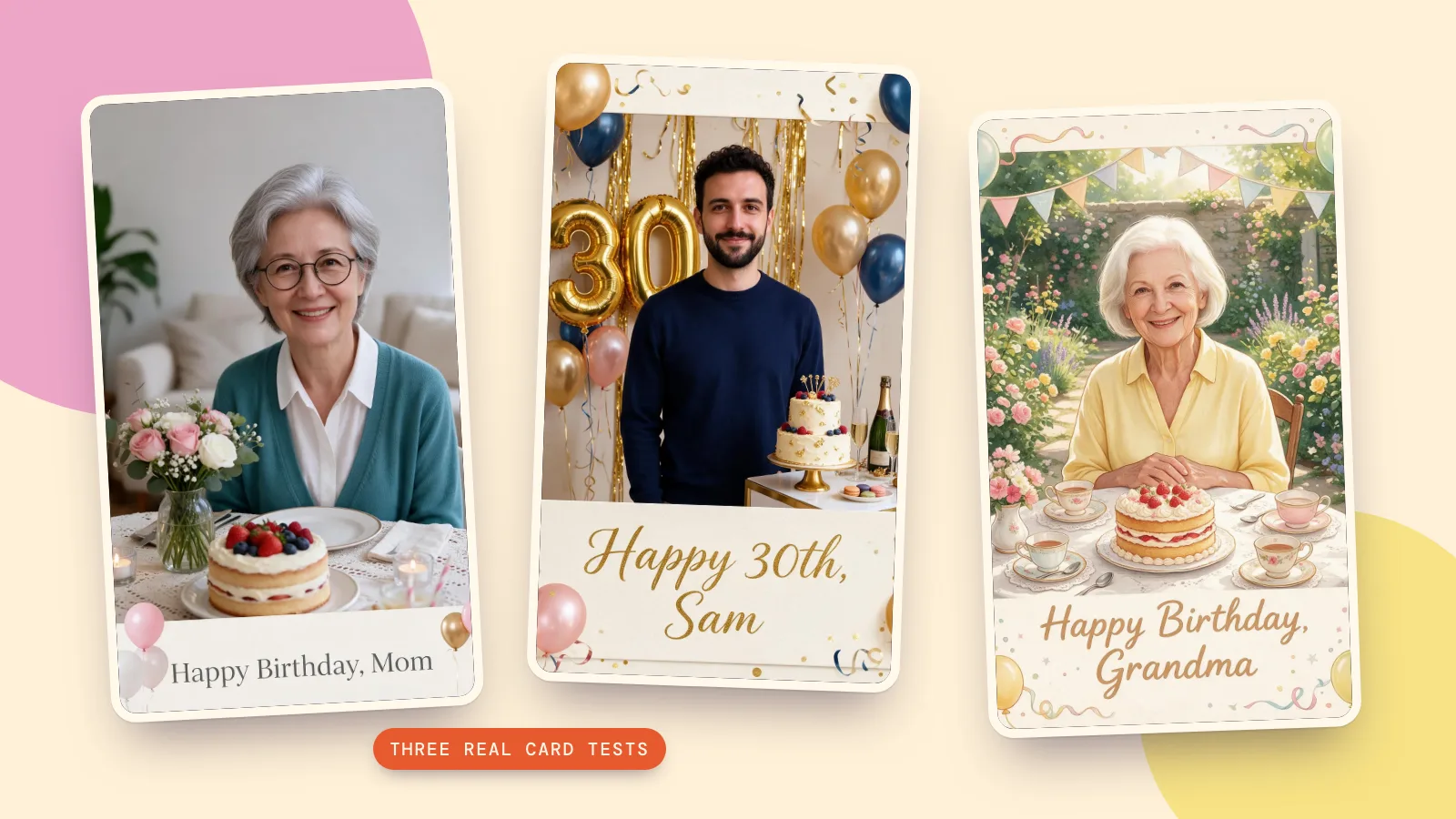
We generated three fictional adult source portraits with Seedream 5.0 Flash, then made these cards on October 29, 2026 using Seedream 5.0 Pro, HD (2K), 3:4, and the tool's actual scene prompts. Each pair shows one source and its result. These are imagined people, with no real person's photo involved; each card uses 72 credits.
1. For Mom or Dad with Minimal
A short wish and an uncluttered band suit a parent who likes straightforward cards. We asked to keep the teal cardigan, silver hair and round glasses; compare those details before judging the decorations.
 Source photo
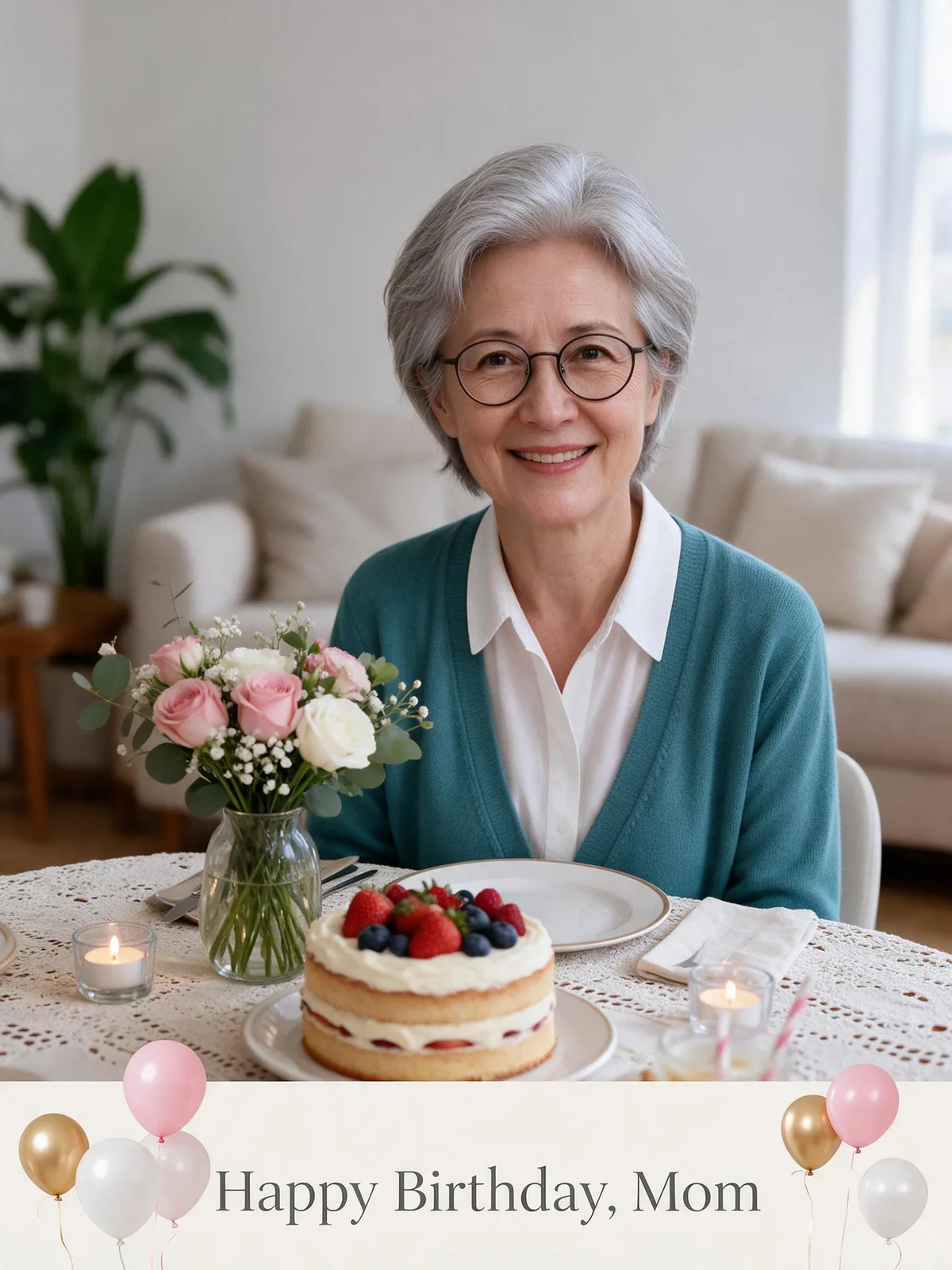 For Mom or Dad · Minimal
Turn this photo into a joyful Happy Birthday greeting card: place the people from the photo in an elegant birthday dinner at home with a vase of fresh flowers, soft candlelight and a homemade layer cake on a lace tablecloth. Keep their own clothes exactly as in the photo. Card design: a modern minimal photo card: the photo fills the top two-thirds and a clean off-white band runs along the bottom with a small cluster of balloons. Letter the greeting "Happy Birthday, Mom" in refined serif type centered in the band, spelled exactly as written, and no other text. Keep all lettering well inside the card with a generous margin from every edge. Keep every person exactly the same: same face and features, skin tone, hairstyle, glasses and age, with a natural, happy expression. Bright, cheerful and celebratory, well lit, no logos.
2. 30th birthday with Framed
A cream border gives the greeting its own space while the gold number balloons carry the milestone. We changed this scene's usual Full photo layout to Framed, kept the navy sweater and used the short line Happy 30th, Sam.
 Source photo
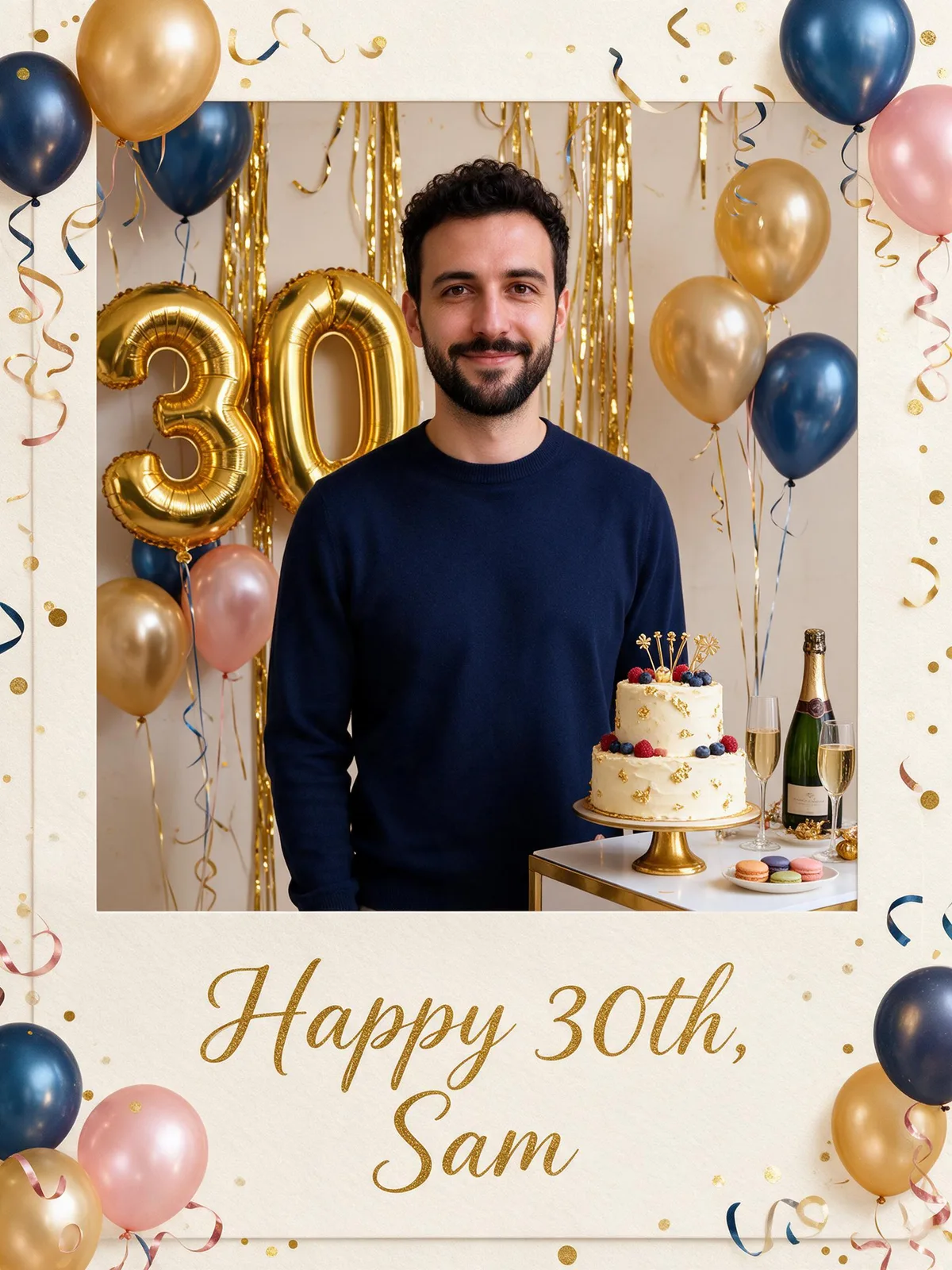 30th birthday · Framed
3. Garden tea party with Vintage
This version is deliberately painted, with a softer likeness than the photo layouts. It suits a garden-loving grandparent: the flowers, teacups and strawberry cake give you something personal to talk about inside the card.
 Source photo
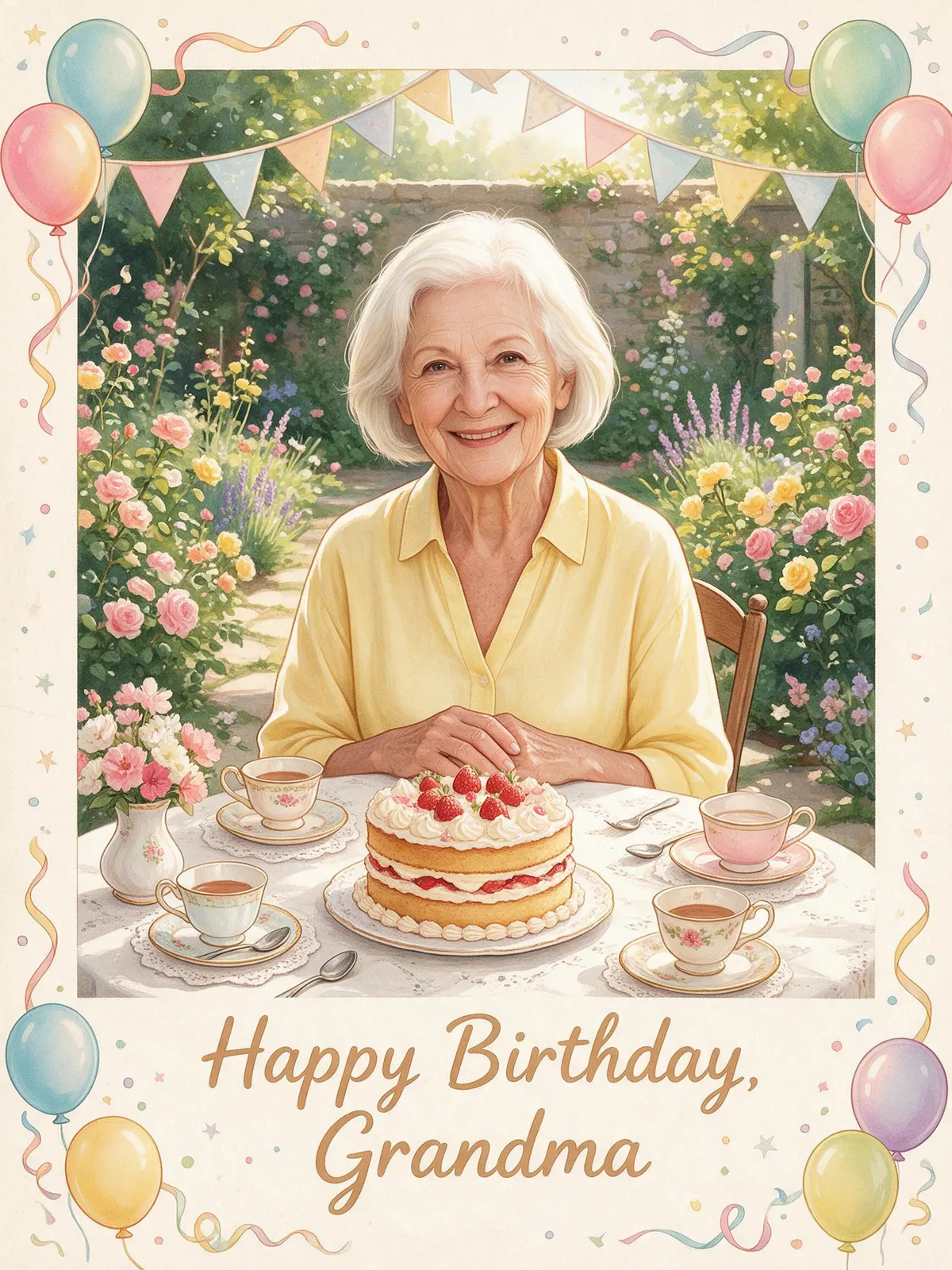 Garden tea party · Vintage
How to make a printable birthday card?
- Decide the finished size first. A 5×7 inch front needs 1500×2100 pixels at 300 pixels per inch; 4×6 needs 1200×1800. The tool's print buttons save a 300 dpi JPEG cropped to the selected shape. Exporting more pixels does not recover detail missing from the source.
- Leave room for trimming. The 5×7 option generates a nearby 3:4 shape and crops it for print, so keep names and faces away from the edges. Print one proof at actual size before ordering a stack.
- Choose paper your printer supports. Matte card stock makes a good writing surface; textured paper suits Vintage. Check the printer's supported weight rather than forcing thick card through it.
- For a folded 5×7 card, use a 10×7 inch sheet folded in half. Place the downloaded 5×7 front on the right half in a separate print layout, leaving the left half for the back. The tool exports a card image, not a ready-imposed folded sheet.
- Score the fold with a ruler and a blunt scoring tool before folding heavy card. Test orientation on plain paper, add your handwritten message inside and check that the envelope fits the finished card.
Which birthday card ideas suit each recipient?
- Mom: For Mom or Dad with Minimal. Wording: Happy Birthday, Mom. Add a handwritten memory about something she taught you.
- Dad: the same dinner scene with Framed. Wording: Thanks for showing up, every time. Keep the sign-off short.
- Best friend: With friends and a rooftop setting. Wording: Here's to more adventures. Mention the next trip inside.
- Coworker: Confetti studio with Minimal. Wording: Have the best day. Leave space for the team to sign.
- Partner: For your partner with Full photo. Wording: To my favorite person. Use a photo they already like.
- Grandparent: Garden tea party with Vintage. Wording: So lucky you're ours. A large greeting is easier to read.
- Turning 30: 30th birthday with Framed. Wording: Hello, thirty. Let the number balloons carry the theme.
- Turning 40: Confetti studio with a custom greeting. Wording: Cheers to 40 years. There is no dedicated 40th scene; avoid a preset with another age on its balloons.
- Turning 50: 50th birthday in black and gold. Wording: Fabulous at 50. Check the number as well as the name.
- A kid's party invite: switch to Invitation and choose Dinosaurs or Space. Type the date, time, place and RSVP in the fields; a photo is optional. These are invitation ideas, not child-photo samples.
How do invitations and birthday videos work?
Invitation uses eight background themes, including Balloons, Garden, Dinosaurs and Space. Your browser draws the name, age, date, time, place, RSVP and note exactly as entered. Ready-made templates need no new background generation; New background is a separate paid action. Download a print size, Phone or Square, and check the address and RSVP on your phone before sending.
After a card is finished, Make it a video creates a 5-second MiniMax H3 clip with confetti, swaying balloons and candlelight for 185 credits. We did not generate a video for this guide. For another occasion, the New Year card guide explains the same photo-to-greeting approach.
How can you compare models with the same prompt?
The birthday tool uses Seedream 5.0 Pro. To explore a different rendering, take the exact prompt card above to Compare and supply the same source photo and compatible settings. We tested three layouts on one engine here, so these examples show layout choices rather than a ranking of different models.
FAQ
How do you make a birthday card without design experience?
Start with a clear portrait, one scene and a greeting of a few words. Use Minimal if you want the wording separated from the image. Make one result, check it, then decide whether to try another version.
Can I make my own birthday card without a photo?
Use Invitation for a template with text and an optional photo. Card mode is built around a photo reference; for a purely typographic card, a template and your own wording are the simpler route.
Can I print the card at home?
Yes. Save the print JPEG, choose the intended physical size in your print settings and make a plain-paper proof. A folded card needs an additional sheet layout; the download is the front image, not a folding template.
Will the greeting always be spelled correctly?
Check every generated card. The model receives your exact words, but image lettering can still vary. Invitation text is drawn directly by your browser, which is preferable for dates, addresses and phone numbers.
Can I send a birthday card digitally?
Yes. Square suits messages and social posts, while Invitation also offers Phone. Open the saved image at normal phone size and check that the greeting or party details are readable before sending it.