To get Gemini to generate images, ask directly for a picture: start with create, draw or generate, then describe the subject, style and setting. If no image appears, check account access and the message Gemini gives you before changing the prompt. For a separate image workspace, you can also choose Nano Banana 2.1 on PopNow's image generator.
How do you ask Gemini for an image?
Google's Gemini Apps Help article, Generate & edit images with Gemini Apps, checked October 27, 2026, recommends action words and a visual description. Its desktop instructions direct you to Images in the sidebar, then a template or your own prompt. The help page calls the model Nano Banana 2; PopNow's catalog separately lists Nano Banana 2.1, so do not assume the two interfaces offer an identical version.
- Ask for an output. Begin with Create an image rather than asking what an image might look like.
- Name the subject and medium. A ceramic mug in a studio photograph is more specific than a nice product picture.
- Add the setting and light. Say where the subject sits, what is behind it and where the light comes from.
- Review one result. Check whether the requested objects, colors and composition are there before adding more instructions.
A useful first request has one main subject and one clear visual treatment. Save a successful prompt so you can change a single detail later. An illustration and a product photograph need different descriptions; saying which one you want gives the model a clearer target than piling on adjectives.
Why is Gemini image generation not working?
As of October 27, 2026, Google's help page says you must sign in, and availability depends on the app's supported countries and languages. Generation requires age 13 or the applicable local age; editing requires 18. School accounts can have additional restrictions, and work or school accounts may use different terms. The page also says images may be removed for possible policy violations. These are access and policy checks, not problems that a clever prompt can necessarily fix.
Read the actual response before troubleshooting. For a people request, do not infer a universal ban from one refusal: the help page discusses character consistency, while its general policy rules still apply. Our examples below contain no people. If a simple still life works and your original request does not, review that request; if neither works, check access and any limit notice shown in your account. This is a diagnostic suggestion, not a guarantee that a particular account is eligible.
How do you use Nano Banana 2.1 on PopNow?
The Nano Banana 2.1 model page lists both image creation and editing. We checked the live image page on October 27, 2026: a fresh text-only workspace starts with Seedream 5.0 Flash. Select Nano Banana 2.1 explicitly for the following examples; adding a reference image changes the request into an edit.
- Stay in Create Image. Open the model picker that shows the current model and choose Nano Banana 2.1.
- Paste a prompt. For these tests, use 4:3, 1K, PNG and one output. Leave web and image search off, and leave the fallback option at its default.
- Check the price and press Generate. One 1K creation costs 48 credits. Review the result before downloading it or using it as the next reference.
What did our three real Nano Banana tests produce?
We generated these samples on October 27, 2026 using Nano Banana 2.1: two images from text and one edit of the first image. These are actual model outputs made for this guide, with no stock photography or Gemini interface screenshots. The prompt cards preserve the prompts and settings we ran; an edit also needs its source image.
1. A cozy reading nook
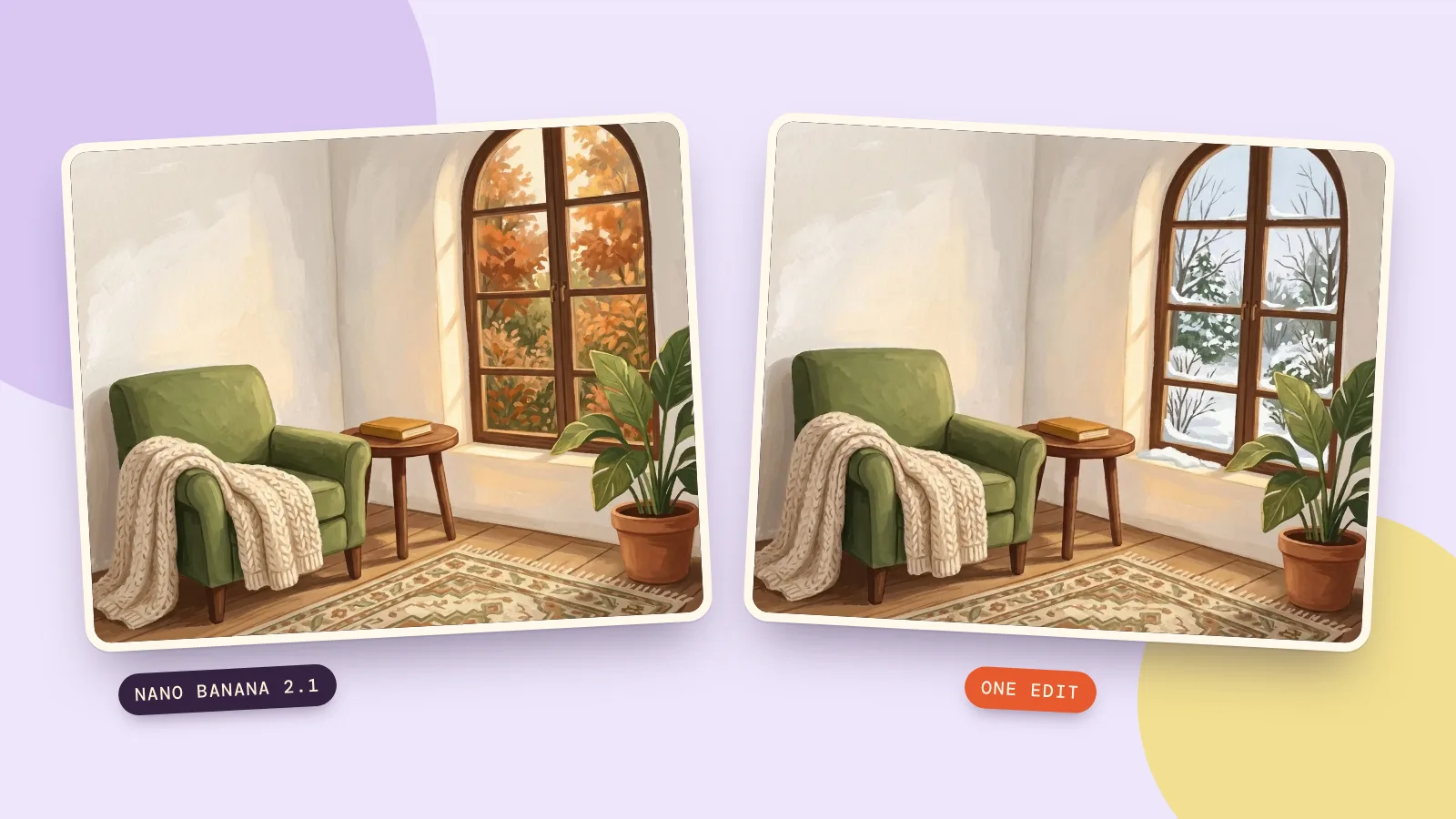
The first prompt specifies gouache, a green chair, an ochre book and autumn outside. The result separates those objects clearly and adds a patterned rug. It is a useful example of specifying a palette and a mood without prescribing every decorative detail.
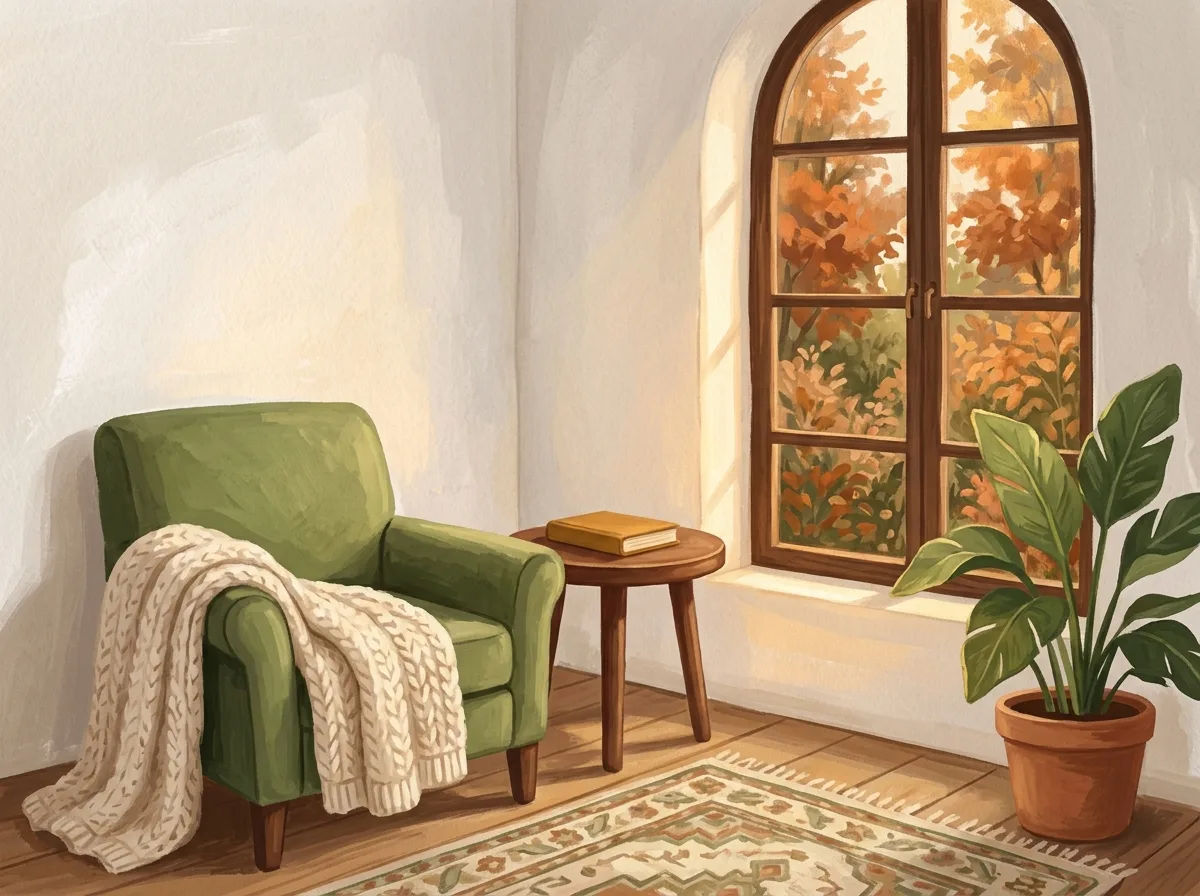
Create a cozy reading nook illustration in soft gouache: a moss-green armchair beside a tall arched window, one closed ochre book on a small round wooden table, a cream knitted blanket, and a leafy plant. Outside the window, an autumn garden with orange leaves. Warm afternoon light, quiet mood, carefully defined shapes, no people, no text, no logos.
2. A ceramic mug in a studio
The second request uses photographic language: a stone plinth, an eye-level three-quarter view, light from the upper left and no label. Check the handle and the contact shadow as carefully as the painted design. A generated product concept does not establish the dimensions or finish of a real item for sale.
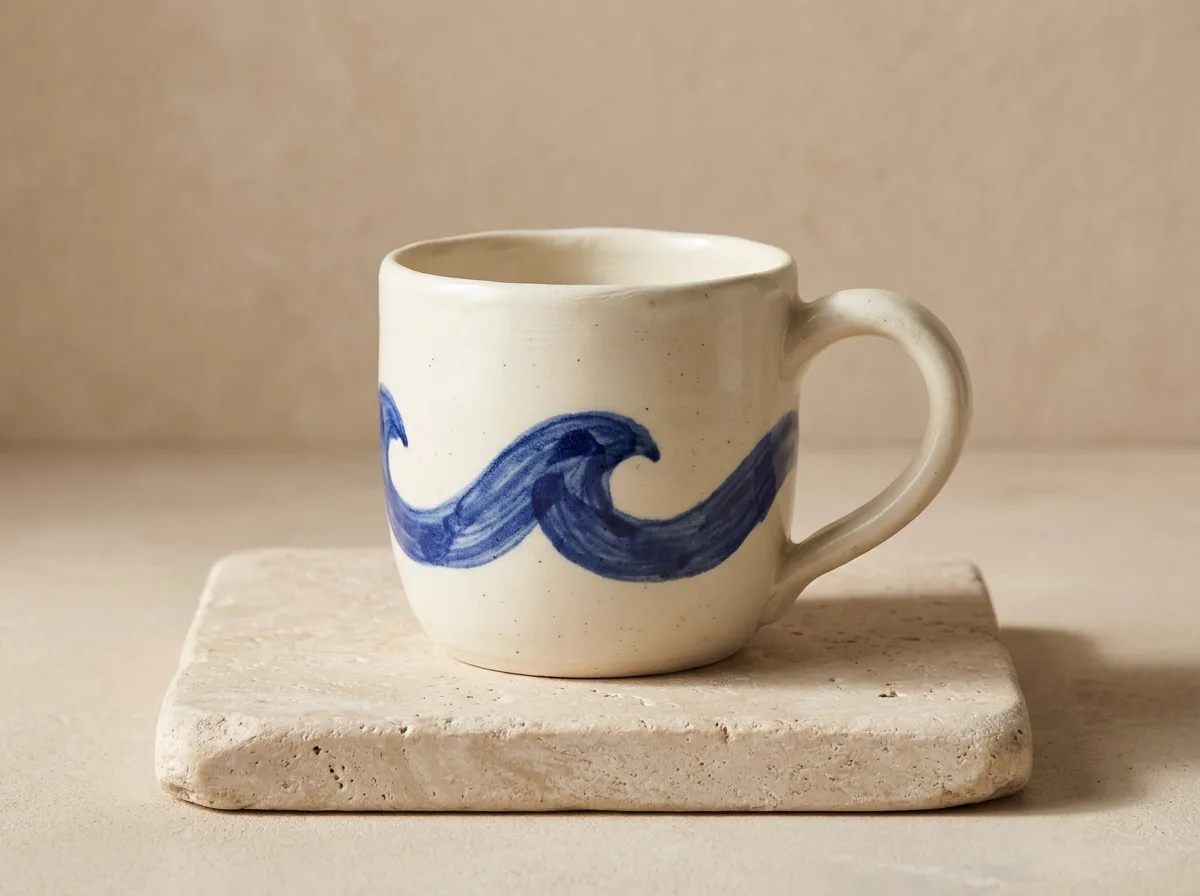
Create a realistic product photograph of a handmade ivory ceramic mug with a simple cobalt-blue painted wave around its middle, one curved handle on the right, on a pale stone plinth against a warm beige studio background. Soft light from the upper left, delicate contact shadow, eye-level three-quarter view, no label, no letters, no logo, no other objects.
3. The same reading nook in winter
For this edit we supplied the autumn illustration and asked to change the window view while preserving the interior. The green chair, closed book, blanket and plant stayed recognizable. Snow also appeared on the inner sill, a small change beyond the outdoor view we requested; inspect boundaries like this when you need a precise edit.
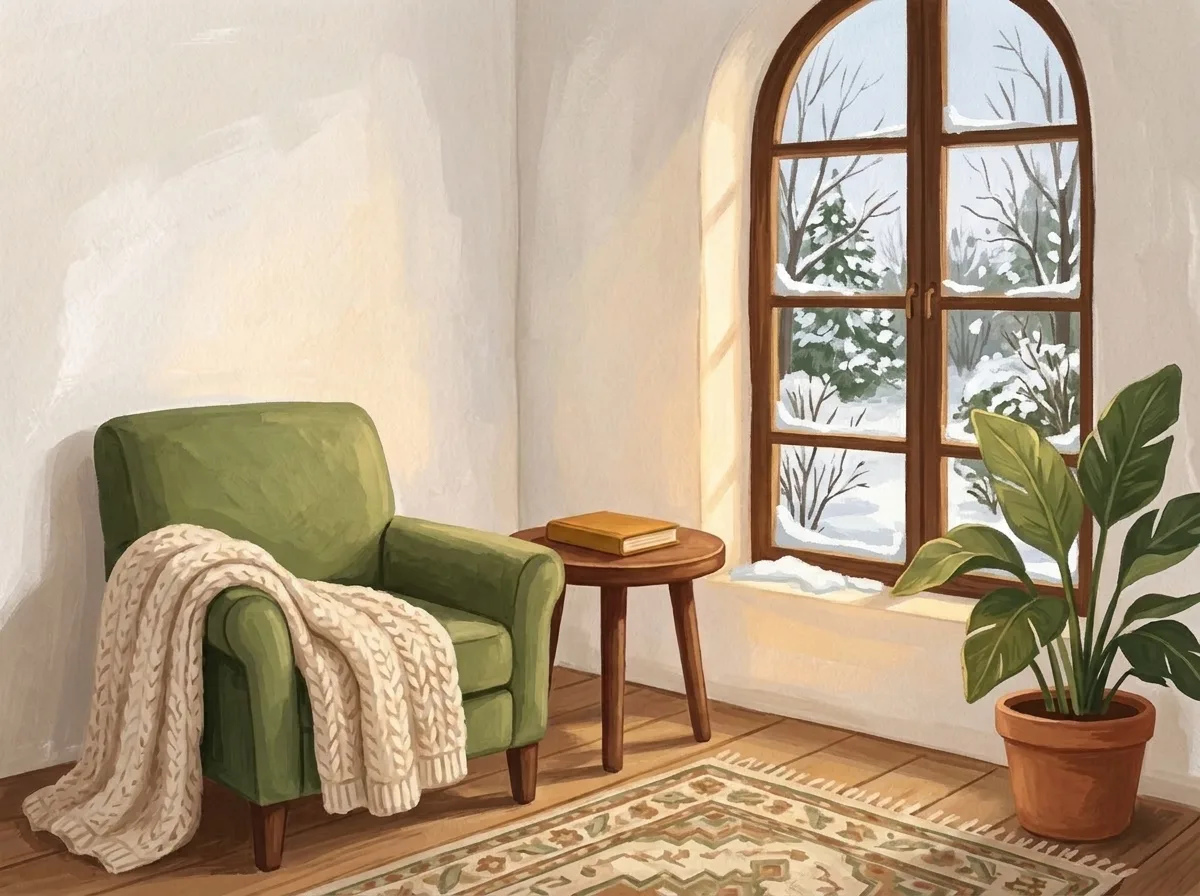
Change only the view through the arched window from autumn to winter: snow on the garden, bare branches, soft pale winter daylight. Keep the moss-green armchair, ochre book, table, cream blanket, indoor plant, composition and gouache illustration style the same. No people, no text, no logos.
The two text generations together cost 96 credits, and the edit costs 48 credits. The Nano Banana pricing guide explains why a chat app, an API and PopNow can have different billing systems.
Same prompt, different models
We also sent the exact reading-nook prompt to Seedream 5.0 Flash at 1K, 4:3, PNG on October 27, 2026, for 29 credits. Nano Banana made a lighter room with a patterned rug; Seedream gave the garden more detail and moved the table forward. Neither is an exact layout specification. Use Compare to explore models with the same request, then judge the detail that matters to your project.
Nano Banana 2.1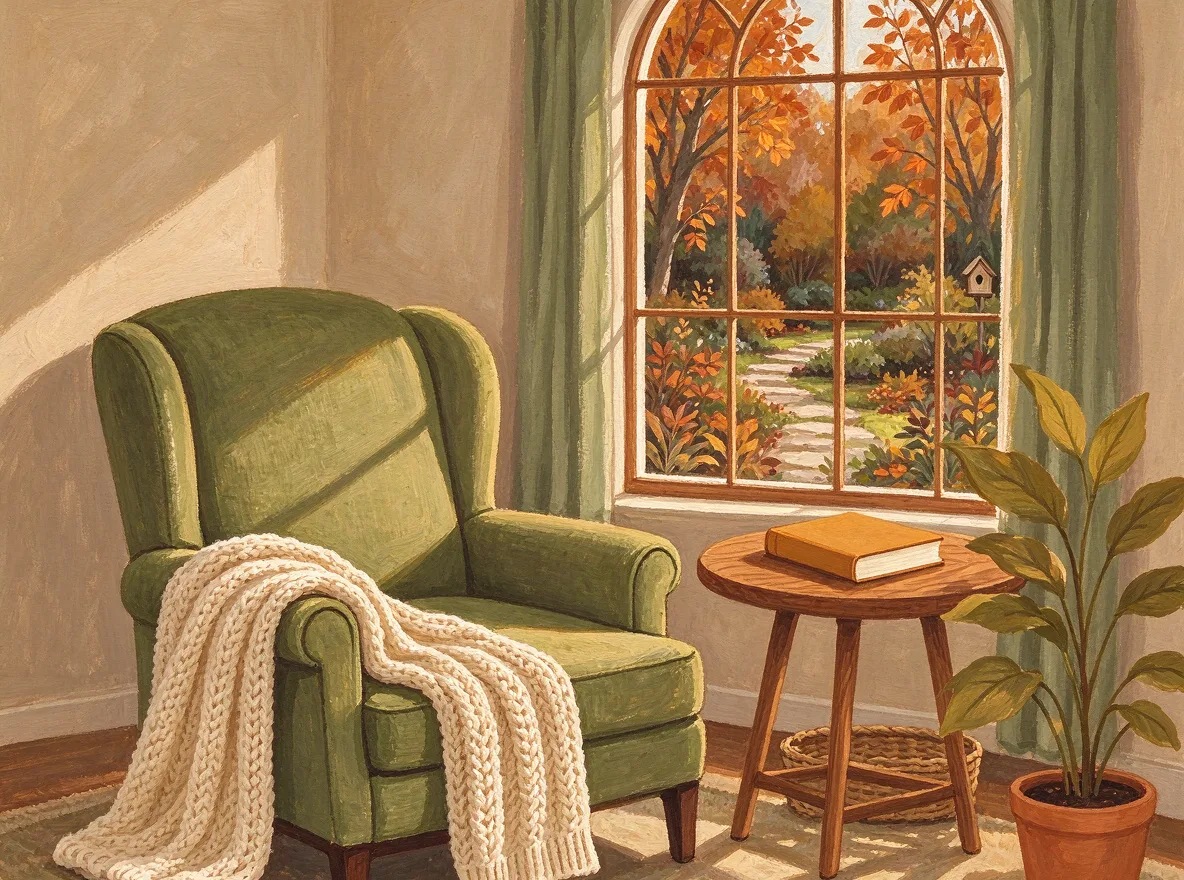 Seedream 5.0 Flash
FAQ
What words should I use to make Gemini draw?
Start with Create an image, Draw or Generate, then name the subject and style. For a first test, a specific still life is easier to assess than a complicated scene with many unrelated requirements.
Why does Gemini answer in text instead of making a picture?
Check that you asked for an image and that the image feature is available to your signed-in account. Read any access or policy message. Repeating the same wording does not change eligibility.
Can Gemini edit a picture I already have?
Google's checked help page describes edits of uploaded and generated images, with editing restricted to adults. On PopNow, upload the source and give Nano Banana 2.1 one change plus a list of details to preserve.
Will the same prompt give the same image every time?
Do not count on it. Our comparison shows two interpretations of one prompt. Keep a reference image when continuity matters, and inspect each new result before using it.
How much does the PopNow example cost?
One Nano Banana 2.1 creation at 1K costs 48 credits, and one 1K edit costs 48 credits. Check the displayed price again if you change the size or turn on search.